
Comparison Epson EcoTank L3100 vs Epson EcoTank L222
Add to comparison | 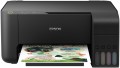 | 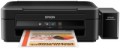 |
|---|---|---|
| Epson EcoTank L3100 | Epson EcoTank L222 | |
| Outdated Product | from $188.76 up to $201.12 | |
| User reviews | ||
| TOP sellers | ||
Models differ in print speed according to ISO: b / w - 9.2 ppm (L3100 and L3101), 10 ppm (L3110 and L3111); colour - 4.5 ppm (L3100 and L3101), 5 ppm (L3110 and L3111). | Built-in CISS. High print speed. Large resource of consumables. You cannot set the number of copies directly from the MFP. | |
| Paper size | A4 | A4 |
| Print Type | inkjet | inkjet |
| Output Type | colour | colour |
| Number of colors | 4 | |
Printing and copying | ||
| Max resolution | 5760x1440 dpi | 5760x1440 dpi |
| B/W printing | 33 ppm | 27 ppm |
| Colour printing | 15 ppm | 15 ppm |
| Photo printing | 69 sec/page | 69 sec/page |
Printing Supplies | ||
| Black Ink Page Yield | 4500 pages | 4500 pages |
| Colour Ink Page Yield | 7500 pages | 7500 pages |
| Built-in CISS |  | |
| Ink Type | water soluble | water soluble |
Features | ||
| Data transfer | PC connection (USB) | PC connection (USB) |
| Display | no display | no display |
Hardware | ||
| Grammage (min) | 64 g/m² | 64 g/m² |
| Grammage (max) | 256 g/m² | 255 g/m² |
| Scan resolution | 600х1200 dpi | 600х1200 dpi |
General | ||
| Feed tray | 100 sheets | 100 sheets |
| Output Tray | 30 sheets | |
| Noise level | 52 dB | |
| Power consumption | 12 W | 10 W |
| Dimensions (WxDxH) | 375x347x179 mm | 482x300x145 mm |
| Weight | 3.9 kg | 4.3 kg |
| Color | ||
| Added to E-Catalog | december 2018 | july 2015 |


Compare Epson EcoTank L3100 and L222
You may be interested in
Epson EcoTank L3100 often compared


Epson EcoTank L222 often compared


Glossary
Number of colors
The color palette that a printer or MFP can print. A large number of colors is required for high-quality photo printing and obtaining color prints with many shades. As a standard, for a color MFP, 4 colors are provided.
B/W printing
The number of pages the printer can produce per minute in black and white mode. Typically indicated for low print quality, higher print quality takes longer. This setting is important if you need to frequently print text documents.
Grammage (max)
The maximum grammage that the MFP can print on. The grammage of the paper depends primarily on its thickness; thick paper is strong, but if it is thicker than allowed by MFP's manufacturer, the paper feeder simply cannot handle such sheets.
Output Tray
The maximum number of sheets of paper that can easily fit on the output tray of the MFP (printed materials go there). The more paper fits on this tray, the more materials you can print without having to pick up processed sheets from the tray.
Noise level
The maximum noise level coming from the MFP during operation. The smaller this value, the more comfortable the use of the device. For office use, this parameter is not so important, but you should pay attention to it if you are going to use the device at home. It is easiest to evaluate a specific noise level using special comparative tables. For example, the quietest modern MFPs can operate with 34-35 dB noise level which is approximately corresponds to a muffled conversation, and the heaviest and most performant models give out up to 75 dB — this is comparable to a scream or a loud laugh at a distance of 1 m.
Power consumption
The maximum power consumed by the MFP during operation. The lower this indicator, the more energy-efficient the device is.