
Comparison Ergo KB-630 vs Vinga KB410
Add to comparison | 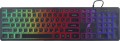 | 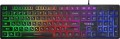 |
|---|---|---|
| Ergo KB-630 | Vinga KB410 | |
| Outdated Product | Outdated Product | |
| User reviews | ||
| TOP sellers | ||
| Connection | wired | wired |
| Cable length | 1.5 m | 1.5 m |
| Type | for game | for game |
| Form factor | 100% (full size) | 100% (full size) |
| Layout | ANSI | ANSI |
Keyboard | ||
| Key profile | low | low |
| Key type | island type | island type |
| Switch technology | membrane | membrane |
| Fn key |  |  |
Features | ||
| Cyrillic colour | transparent | transparent |
| Volume control | fn | |
| Game mode | | |
| Lighting | multicolor | multicolor |
Connection and power supply | ||
| Cable | USB-A | USB-A braided |
General | ||
| Size | 450x125x20 mm | 439x126x30 mm |
| Weight | 400 g | 413 g |
| Color | ||
| Added to E-Catalog | december 2019 | march 2019 |


Compare Ergo KB-630 and Vinga KB410
You may be interested in
My comparisons
Vinga KB410 often compared


Glossary
Fn key
The presence on the keyboard of the Fn key(short for function). It belongs to modifiers, similar to Shift or Ctrl: by itself it does not perform any action, but when pressed simultaneously with another key, it changes its original purpose. Fn is often found in compact keyboards (see "Format"), but can also be set in full-sized ones. The features it provides include quickly changing the screen brightness or sound volume directly from the keyboard, using the centre keys as a Numpad, launching individual applications, and so on. Specific features of using the Fn key depend on the keyboard model.
Volume control
Volume control methodprovided in the keyboard (if such a possibility is provided at all).
— Through Fn. Adjustment using the Fn key (see above): increasing and decreasing the volume is carried out by simultaneously pressing Fn and one of the main keys of the keyboard (usually from the F1 — F12 row), The main advantage of this control is that it allows you not to overload the keyboard with additional controls — this, in turn, has a positive effect on the dimensions and cost. The disadvantage is the need to simultaneously press two keys, which is not always convenient.
— Additional keys. Control with additional keys specially designed for working with volume. A very convenient and practical option: additional keys are usually clearly labeled, while they take up less space and are cheaper than a wheel or a touch slider (see below).
— Wheel. Control by means of a mechanical wheel, the rotation of which up and down or left and right provides a change in volume. A fairly user-friendly option — visual, intuitive and accessible even blindly. At the same time, the wheel can take up quite a lot of space, and it significantly affects the cost of the keyboard.
— Touch slider. Management using a touch surface, the movement of a finger in one direction or another. The sensor takes up minimal space, looks neat...and generally fits well with the overall design of the keyboard, but it is not cheap. Therefore, this option is extremely rare, mainly in high-end gaming or multimedia keyboards.
— Through Fn. Adjustment using the Fn key (see above): increasing and decreasing the volume is carried out by simultaneously pressing Fn and one of the main keys of the keyboard (usually from the F1 — F12 row), The main advantage of this control is that it allows you not to overload the keyboard with additional controls — this, in turn, has a positive effect on the dimensions and cost. The disadvantage is the need to simultaneously press two keys, which is not always convenient.
— Additional keys. Control with additional keys specially designed for working with volume. A very convenient and practical option: additional keys are usually clearly labeled, while they take up less space and are cheaper than a wheel or a touch slider (see below).
— Wheel. Control by means of a mechanical wheel, the rotation of which up and down or left and right provides a change in volume. A fairly user-friendly option — visual, intuitive and accessible even blindly. At the same time, the wheel can take up quite a lot of space, and it significantly affects the cost of the keyboard.
— Touch slider. Management using a touch surface, the movement of a finger in one direction or another. The sensor takes up minimal space, looks neat...and generally fits well with the overall design of the keyboard, but it is not cheap. Therefore, this option is extremely rare, mainly in high-end gaming or multimedia keyboards.
Game mode
The presence in the keyboard of a special game mode.
This function is found exclusively in models of the corresponding specialization (see "Intended use"). Enabling Game Mode disables some of the keys and keyboard shortcuts used by the system, such as the Windows Start menu button and the context menu button. Thanks to this, you do not have to worry that an accidental key press will call a system function and interrupt the game.
In many models, you can customize a specific set of keys that are deactivated in the game mode.
This function is found exclusively in models of the corresponding specialization (see "Intended use"). Enabling Game Mode disables some of the keys and keyboard shortcuts used by the system, such as the Windows Start menu button and the context menu button. Thanks to this, you do not have to worry that an accidental key press will call a system function and interrupt the game.
In many models, you can customize a specific set of keys that are deactivated in the game mode.
Cable
Features of the cable with which the device is equipped. First of all, it's worth noting the connection interface used in a wired keyboard. Namely:
— USB-A. A standard universal port for connecting peripherals, present in almost all modern computers—from desktop PCs to microcomputers. USB keyboards are the most universal, so this option is the most common today. The main disadvantage of this option is that the USB port occupied by the keyboard might be needed for another peripheral device; however, this problem is easily solved—for example, by using a USB hub or purchasing a keyboard with its own hub (see below).
— USB-C. The USB-C plug is reversible, compact, and universal, so the keyboard easily connects to modern laptops, PCs, and docking stations. There is no difference in delay and functionality compared to USB-A: in both cases, the keyboard is recognized as a common USB-HID, NKRO, and high polling rate do not depend on the type of plug. Mechanically, USB-C is usually more durable for wear (up to ~10,000 insertion cycles compared to ~1,500 for USB-A), and it is also easier to insert "by feel". Compatibility is resolved with a cable or mini-adapter A↔C, which may be included. Bottom line: if you have a free USB-C port—opt for a keyboard/cable with USB-C; if there are few "C" ports or the PC is stationary—USB-A is just as good in operation.
— PS/2. A specialized round-shaped port used for connecting keyboards and mice; modern PCs may have either two ports, one for each, or a single universal port. In any case, this connection method is convenient because all USB ports remain free; this can be important when using a large number of USB peripherals. At the same time, the PS/2 port itself is quite large and not suitable for laptops and other compact equipment, and therefore is found only in desktop PCs. Even in these cases, it is advisable to confirm the availability of PS/2 before purchasing a keyboard with such a plug.
— USB or PS/2. Generally, this means USB keyboards equipped with an adapter for PS/2 ports. The features of both interfaces are described above; here we note that this option is the most versatile, allowing for a choice of connection method depending on the situation. Furthermore, it is convenient because there are relatively few PS/2 models, and it's easier to find a suitable USB keyboard equipped with an adapter. The adapters themselves are inexpensive and do not significantly affect the device's price; naturally, they are also sold separately, although a set is often a more preferable option.
— Brand-specific. Connection using a unique plug that is not among the standard (described above) interfaces and is mainly used in technology from a specific brand, at best in some devices from third-party manufacturers. This option is quite convenient for tablet accessories (see "By Direction").
In addition to connection, the keyboard cable may have additional properties:
— Detachable.... A cable that can be disconnected from the keyboard. Almost all devices with two connection options—wired and wireless—have this feature: in wireless mode, the cable can be removed so that it doesn't get in the way. Although, there are also purely wired devices with such a cable—mainly laptop ones, where the cable is removed for convenience during transport. It is also worth noting that a universal port is most often used to connect the cable, so if necessary, the cable can be replaced with another—e.g., a longer one.
— Braided. The presence of an additional braid on the cable makes it more durable, reliable, and resistant to bends. On the other hand, the braid tends to accumulate dirt and fray with wear; because of this, the cable's casing quickly loses its marketable appearance compared to keyboards without braiding. And such a cord costs more than a regular smooth one.
— USB-A. A standard universal port for connecting peripherals, present in almost all modern computers—from desktop PCs to microcomputers. USB keyboards are the most universal, so this option is the most common today. The main disadvantage of this option is that the USB port occupied by the keyboard might be needed for another peripheral device; however, this problem is easily solved—for example, by using a USB hub or purchasing a keyboard with its own hub (see below).
— USB-C. The USB-C plug is reversible, compact, and universal, so the keyboard easily connects to modern laptops, PCs, and docking stations. There is no difference in delay and functionality compared to USB-A: in both cases, the keyboard is recognized as a common USB-HID, NKRO, and high polling rate do not depend on the type of plug. Mechanically, USB-C is usually more durable for wear (up to ~10,000 insertion cycles compared to ~1,500 for USB-A), and it is also easier to insert "by feel". Compatibility is resolved with a cable or mini-adapter A↔C, which may be included. Bottom line: if you have a free USB-C port—opt for a keyboard/cable with USB-C; if there are few "C" ports or the PC is stationary—USB-A is just as good in operation.
— PS/2. A specialized round-shaped port used for connecting keyboards and mice; modern PCs may have either two ports, one for each, or a single universal port. In any case, this connection method is convenient because all USB ports remain free; this can be important when using a large number of USB peripherals. At the same time, the PS/2 port itself is quite large and not suitable for laptops and other compact equipment, and therefore is found only in desktop PCs. Even in these cases, it is advisable to confirm the availability of PS/2 before purchasing a keyboard with such a plug.
— USB or PS/2. Generally, this means USB keyboards equipped with an adapter for PS/2 ports. The features of both interfaces are described above; here we note that this option is the most versatile, allowing for a choice of connection method depending on the situation. Furthermore, it is convenient because there are relatively few PS/2 models, and it's easier to find a suitable USB keyboard equipped with an adapter. The adapters themselves are inexpensive and do not significantly affect the device's price; naturally, they are also sold separately, although a set is often a more preferable option.
— Brand-specific. Connection using a unique plug that is not among the standard (described above) interfaces and is mainly used in technology from a specific brand, at best in some devices from third-party manufacturers. This option is quite convenient for tablet accessories (see "By Direction").
In addition to connection, the keyboard cable may have additional properties:
— Detachable.... A cable that can be disconnected from the keyboard. Almost all devices with two connection options—wired and wireless—have this feature: in wireless mode, the cable can be removed so that it doesn't get in the way. Although, there are also purely wired devices with such a cable—mainly laptop ones, where the cable is removed for convenience during transport. It is also worth noting that a universal port is most often used to connect the cable, so if necessary, the cable can be replaced with another—e.g., a longer one.
— Braided. The presence of an additional braid on the cable makes it more durable, reliable, and resistant to bends. On the other hand, the braid tends to accumulate dirt and fray with wear; because of this, the cable's casing quickly loses its marketable appearance compared to keyboards without braiding. And such a cord costs more than a regular smooth one.