
Comparison Razer OSVR HDK v2 vs Oculus Rift
Add to comparison | 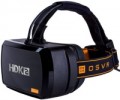 | 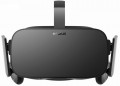 |
|---|---|---|
| Razer OSVR HDK v2 | Oculus Rift | |
| Outdated Product | from $729.99 | |
| TOP sellers | ||
Support for most PC games. Gamepad included. You can play sitting in front of the computer. Requires a relatively powerful PC. No hand controllers included. | ||
| Device type | VR glasses | VR glasses |
| Purpose (compatibility) | Windows | Windows |
Specs | ||
| Screen resolution | 2160x1200 px | 2160x1200 px |
| Field of view | 100 ° | 110 ° |
| Refresh rate | 90 fps | 90 fps |
| 6DoF motion tracking |  | |
| Accelerometer | | |
| Gyroscope | | |
| Lens distance adjusting | |  |
| Pupillary distance adjustment | | |
Multimedia | ||
| USB-A | | |
| HDMI | v1.4 | |
| Headphones | | |
General | ||
| Controller | | |
| Track camera | | |
| Material | plastic | plastic |
| Dimensions (HxWxD) | 182x106x117 mm | |
| Weight | 658 g | 470 g |
| Added to E-Catalog | may 2017 | july 2016 |


Compare Razer OSVR HDK v2 and Oculus Rift
You may be interested in
My comparisons
Razer OSVR HDK v2 often compared

Oculus Rift often compared


Glossary
Field of view
The viewing angle provided by virtual reality glasses is the angular size of the space that falls into the user's field of view. Usually, the characteristics indicate the size of this space horizontally; however, if you need the most accurate information, this point needs to be specified separately.
The wider the viewing angle — the more the game space the user can see without turning his head, the more powerful the immersion effect and the less likely that the image will be subject to the "tunnel vision" effect. On the other hand, making the field of view too wide also does not make sense, given the characteristics of the human eye. In general, a large viewing angle is considered to be an angle of 100° or more. On the other hand, there are models where this indicator is 30° or even less — these are, usually, specific devices (for example, drone piloting glasses and augmented reality glasses), where such characteristics are quite justified given the overall functionality.
The wider the viewing angle — the more the game space the user can see without turning his head, the more powerful the immersion effect and the less likely that the image will be subject to the "tunnel vision" effect. On the other hand, making the field of view too wide also does not make sense, given the characteristics of the human eye. In general, a large viewing angle is considered to be an angle of 100° or more. On the other hand, there are models where this indicator is 30° or even less — these are, usually, specific devices (for example, drone piloting glasses and augmented reality glasses), where such characteristics are quite justified given the overall functionality.
Lens distance adjusting
The ability to move the lenses of the glasses back and forth, thus changing their location relative to the screen and the user's eyes. The specific meaning of this function can be different: it can adjust the angle of view (so that the screen fits completely in the field of view and at the same time is not too small), play the role of diopter correction (which is important for users who wear glasses) or focus, change the setting interpupillary distance (see below), etc. These nuances should be clarified separately. However, anyway, this function will not be superfluous — it makes it easier to adjust the glasses to the personal characteristics of the user.
USB-A
The presence of at least one USB-A port in the glasses. This is a full-sized USB port, the same type as standard USB ports on computers and laptops. However, its functions may vary depending on the functionality of the glasses (see "Purpose"). For models for PCs and consoles, USB-A is one of the connection ports used in conjunction with a video interface like HDMI or DisplayPort: the video interface transmits the image, while the USB connection transmits data from sensors on the glasses necessary for changing the picture and creating an "immersion effect". In standalone devices, USB-A is used for connecting various additional accessories — for example, flash drives with applications or other content. This port may also be used for charging the battery, although such use is generally not typical for it.
HDMI
Availability of HDMI input in glasses; the version of this interface can also be specified here.
HDMI is the most common interface for high-definition video and multi-channel audio today; it is widely used in both computers and video equipment. In VR glasses, this type of connector is responsible for receiving video and audio signals from an external device; accordingly, only models for PC / consoles have such a connector (see "Intended use"). As for HDMI versions, the options may be as follows:
— v.1.4. The earliest of the current standards, the 2009 model (with subsequent updates). Allows you to work with Full HD video at a frame rate of up to 120 fps, but with 4K content, the speed is limited to 24 fps.
— v.2.0. Standard introduced in 2013. Also known as HDMI UHD, thanks to full support for UltraHD 4K (provides frame rates up to 60 fps). And in further updates of this standard, support for HDR was added.
— v.2.1. Version released to the market in 2017. It allows you to achieve a frame rate of 120 fps even at 8K resolutions, not to mention more modest ones. HDMI Ultra High Speed cables are required for full use, but the features of earlier versions are available with regular cables.
HDMI is the most common interface for high-definition video and multi-channel audio today; it is widely used in both computers and video equipment. In VR glasses, this type of connector is responsible for receiving video and audio signals from an external device; accordingly, only models for PC / consoles have such a connector (see "Intended use"). As for HDMI versions, the options may be as follows:
— v.1.4. The earliest of the current standards, the 2009 model (with subsequent updates). Allows you to work with Full HD video at a frame rate of up to 120 fps, but with 4K content, the speed is limited to 24 fps.
— v.2.0. Standard introduced in 2013. Also known as HDMI UHD, thanks to full support for UltraHD 4K (provides frame rates up to 60 fps). And in further updates of this standard, support for HDR was added.
— v.2.1. Version released to the market in 2017. It allows you to achieve a frame rate of 120 fps even at 8K resolutions, not to mention more modest ones. HDMI Ultra High Speed cables are required for full use, but the features of earlier versions are available with regular cables.
Headphones
The presence of your own headphones in the design or delivery of virtual reality glasses.
A full-fledged "immersion" in the virtual world requires not only a picture on the screen, but also an appropriate sound accompaniment, for which headphones are the best option. However, glasses take up quite a lot of space on the head, and not all “ears” can be comfortably combined with them (this is especially noticeable on large over-ear headphones). In addition, when connecting headphones with a wire, there may be problems related to the length and/or location of the audio cable. Thus, some models provide this function. These models can have any purpose (see above); most of these are for PC/console glasses, but headphones are also popular in standalone devices. Also note that some glasses use speakers located in the ear area; such speakers are also considered headphones in this case.
An alternative to the bundled "ears" is a headphone output; however, there are models with both functions at once — either folding / removable cups or the simplest speakers mentioned above play the role of headphones in them.
A full-fledged "immersion" in the virtual world requires not only a picture on the screen, but also an appropriate sound accompaniment, for which headphones are the best option. However, glasses take up quite a lot of space on the head, and not all “ears” can be comfortably combined with them (this is especially noticeable on large over-ear headphones). In addition, when connecting headphones with a wire, there may be problems related to the length and/or location of the audio cable. Thus, some models provide this function. These models can have any purpose (see above); most of these are for PC/console glasses, but headphones are also popular in standalone devices. Also note that some glasses use speakers located in the ear area; such speakers are also considered headphones in this case.
An alternative to the bundled "ears" is a headphone output; however, there are models with both functions at once — either folding / removable cups or the simplest speakers mentioned above play the role of headphones in them.
Track camera
The presence of a special external camera in the glasses; often several such cameras are installed at once, for a more complete coverage of the surrounding space.
The main function of the track camera is to track the movement of game controllers held by the user. This makes it possible to perform various game actions with the help of appropriate hand movements — for example, to strike or shoot from a bow. In addition, the track camera can be used to "perceive" the environment — for example, building a "safe zone" in virtual space based on data on the size of the room, so that the user can see right in the game how far he can move without collisions.
The main function of the track camera is to track the movement of game controllers held by the user. This makes it possible to perform various game actions with the help of appropriate hand movements — for example, to strike or shoot from a bow. In addition, the track camera can be used to "perceive" the environment — for example, building a "safe zone" in virtual space based on data on the size of the room, so that the user can see right in the game how far he can move without collisions.