
Comparison NeoLight Kappa Plus vs NeoLight Mezzo
Add to comparison | 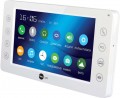 | 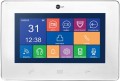 |
|---|---|---|
| NeoLight Kappa Plus | NeoLight Mezzo | |
| Outdated Product | from $225.11 up to $247.60 | |
| TOP sellers | ||
Baby monitor mode. | ||
Main specs | ||
| Type | internal panel (intercom) | internal panel (intercom) |
| Connection | wired | |
Internal panel (intercom) | ||
| Display size | 7 " | 9 " |
| Screen resolution | 800x480 px | 800x480 px |
| Touch screen |  |  |
| Touch buttons | | |
| Pluggable outdoor panels | 2 | 2 |
| Additional internal panels | 3 pcs | 3 pcs |
| Connectable surveillance cameras | 2 pcs | 2 pcs |
| Features | event recording support motion sensor recording internal communication (intercom) voice message (answering machine) built-in memory card reader photo frame mode | event recording support motion sensor recording internal communication (intercom) voice message (answering machine) built-in memory card reader photo frame mode |
| Size | 210x116x25 mm | 258x178x19.7 mm |
| Color | ||
| Added to E-Catalog | october 2017 | september 2016 |


Compare NeoLight Kappa Plus and Mezzo
You may be interested in
NeoLight Kappa Plus often compared


NeoLight Mezzo often compared


Glossary
Connection
— Wired. A classic setup where the signal is transmitted directly via cable without digitization, typically using a 4-core or coaxial cable. This type of connection is simple, stable, and does not require network infrastructure, making it a reliable solution for basic systems. It ensures the transmission of video, audio, and control signal (lock opening) with minimal delay, but is limited in functionality—lacking remote access, integration into IP systems, and high-resolution transmission. Suitable for inexpensive or existing analog installations.
— LAN (RJ-45). The LAN port (RJ-45) in intercom systems and call panels is designed for wired connection to a local network and provides stable data transmission, which is especially important for IP models. It allows the device to be integrated into a surveillance system, connected to a network video recorder, transmit video and sound without delays, and also provides remote access via an app or cloud service. Compared to Wi-Fi, LAN connection is more reliable, protected from interference, and better suited for systems where constant communication and quick response are crucial.
— Wi-Fi. Wi-Fi in intercom systems and call panels provides a wireless connection to the network, allowing the transmission of video and audio signals, device management via an app, and notifications on a smartphone. This option simpli...fies installation, especially in places where cable routing is difficult, and provides access to remote management and cloud storage functions. However, Wi-Fi is more susceptible to interference and signal loss, especially with weak coverage or an overloaded network, so it requires a stable connection for proper operation, particularly during video calls and recording.
— LAN (RJ-45). The LAN port (RJ-45) in intercom systems and call panels is designed for wired connection to a local network and provides stable data transmission, which is especially important for IP models. It allows the device to be integrated into a surveillance system, connected to a network video recorder, transmit video and sound without delays, and also provides remote access via an app or cloud service. Compared to Wi-Fi, LAN connection is more reliable, protected from interference, and better suited for systems where constant communication and quick response are crucial.
— Wi-Fi. Wi-Fi in intercom systems and call panels provides a wireless connection to the network, allowing the transmission of video and audio signals, device management via an app, and notifications on a smartphone. This option simpli...fies installation, especially in places where cable routing is difficult, and provides access to remote management and cloud storage functions. However, Wi-Fi is more susceptible to interference and signal loss, especially with weak coverage or an overloaded network, so it requires a stable connection for proper operation, particularly during video calls and recording.
Display size
Diagonal size of the intercom's own display.
In modern intercoms, there are displays ranging in size from 2 "to 10" — smaller screens are non-functional, larger ones are unreasonably bulky and expensive. At the same time, you can normally view the image on almost any display from this range — if you lean close enough to it.
With all this in mind, it makes sense to specifically look for a large screen (10 ") if you need to see it normally from a long distance (a metre or more), or if you do not want to strain your eyes once again, peering into a small image. Golden the middle is the 7" display.
In modern intercoms, there are displays ranging in size from 2 "to 10" — smaller screens are non-functional, larger ones are unreasonably bulky and expensive. At the same time, you can normally view the image on almost any display from this range — if you lean close enough to it.
With all this in mind, it makes sense to specifically look for a large screen (10 ") if you need to see it normally from a long distance (a metre or more), or if you do not want to strain your eyes once again, peering into a small image. Golden the middle is the 7" display.
Touch screen
The presence of a touch screen in the intercom — similar to those used in smartphones and tablets.
Control through such a display is often more convenient, visual and functional than using a hardware panel — especially when working with numerous functions and settings. Actually, the presence of a touch screen is an almost unmistakable sign of an advanced intercom with advanced features. Note that for comfortable use, such a screen should have a fairly large size — 4 ”or more; Smaller touch displays are also available, but they are not particularly user-friendly.
Control through such a display is often more convenient, visual and functional than using a hardware panel — especially when working with numerous functions and settings. Actually, the presence of a touch screen is an almost unmistakable sign of an advanced intercom with advanced features. Note that for comfortable use, such a screen should have a fairly large size — 4 ”or more; Smaller touch displays are also available, but they are not particularly user-friendly.