
Comparison Harman Kardon SB 20 vs JBL SB 350
Add to comparison | 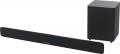 | 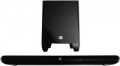 |
|---|---|---|
| Harman Kardon SB 20 | JBL SB 350 | |
| Outdated Product | from $405.64 up to $582.40 | |
| TOP sellers | ||
| Audio format | 2.1 | 2.1 |
| Mount type | shelf / wall | shelf / wall |
| Virtual surround sound |  |  |
Tech specs | ||
| Rated power | 300 W | 320 W |
| Frequency range | 45 – 20000 Hz | 45 – 20000 Hz |
| Impedance | 8 Ohm | |
| Signal to noise ratio | 85 dB | |
Subwoofer | ||
| Wireless subwoofer | | |
| Acoustic design | enclosed | bass-reflex type |
| Subwoofer speaker size | 165 mm | 165 mm |
| Subwoofer dimensions (WxHxD) | 240x318x240 mm | 242x320x242 mm |
| Subwoofer weight | 2.3 kg | 10.8 kg |
Interfaces | ||
| Interfaces | Bluetooth | Bluetooth |
| Audio decoders | Dolby Digital | Dolby Digital |
Connectors | ||
| Inputs | RCA optical | mini-Jack (3.5 mm) optical |
| HDMI input | 1 pc | |
| HDMI output | 1 pc | |
Speakers | ||
| Number of speakers | 6 шт | 4 шт |
| Tweeter size | 32 mm | 32 mm |
| Woofer size (LF/MF) | 55 mm | 55 mm |
General | ||
| Control | remote control | remote control TV remote control |
| Dimensions (WxHxD) | 1008x54x97 mm | 1000x78x62 mm |
| Projector weight | 2.3 kg | 3.3 kg |
| Color | ||
| Added to E-Catalog | september 2017 | july 2015 |


Compare Harman Kardon SB 20 and JBL SB 350
You may be interested in
My comparisons
Harman Kardon SB 20 often compared


JBL SB 350 often compared


Glossary
Virtual surround sound
The projector supports the virtual surround function.
The purpose of this feature is that due to special sound settings and the reflection of sound beams from the walls of the room, the listener hears more channels than are actually available in the projector (see "Audio Format"). For example, a 3.1 system with virtual surround sound can produce sound similar to 5.1 surround sound. This allows you to achieve the effect of "immersion" in sound without increasing the number of channels and the cost of the projector. On the other hand, the reliability of such sound is usually noticeably worse than that of real surround sound, and the overall quality is highly dependent on the characteristics of a particular room.
Note that the virtual surround function is specified for 2.0, 2.1, 3.0, 3.1 format systems. In more advanced multi-channel systems, there are a priori additional channels for reproducing surround sound.
The purpose of this feature is that due to special sound settings and the reflection of sound beams from the walls of the room, the listener hears more channels than are actually available in the projector (see "Audio Format"). For example, a 3.1 system with virtual surround sound can produce sound similar to 5.1 surround sound. This allows you to achieve the effect of "immersion" in sound without increasing the number of channels and the cost of the projector. On the other hand, the reliability of such sound is usually noticeably worse than that of real surround sound, and the overall quality is highly dependent on the characteristics of a particular room.
Note that the virtual surround function is specified for 2.0, 2.1, 3.0, 3.1 format systems. In more advanced multi-channel systems, there are a priori additional channels for reproducing surround sound.
Rated power
The total power rating of the sound projector speakers (including subwoofer, if present).
This parameter is often used to estimate the overall sound volume of the device, but this is not entirely true. The fact is that the actual sound volume is determined mainly by the power of the main speakers of the sound projector, and the total power is the sum of this power and the power of the subwoofer. Therefore, models with the same power rating can vary markedly in actual volume: for example, a 150-watt soundbar with a 50-watt subwoofer will be louder than a 100-watt projector with a subwoofer of the same power, although in both cases the rated power will be equal to 200 watts.
Summing up, we can say that it is possible to evaluate the volume by rated power only if the sound projector is not equipped with a subwoofer — in such models, the rated power is equal to the power of the main speakers. In other cases, it is worth focus on the power of the soundbar and the power of the subwoofer directly stated in the characteristics (see below for both).
This parameter is often used to estimate the overall sound volume of the device, but this is not entirely true. The fact is that the actual sound volume is determined mainly by the power of the main speakers of the sound projector, and the total power is the sum of this power and the power of the subwoofer. Therefore, models with the same power rating can vary markedly in actual volume: for example, a 150-watt soundbar with a 50-watt subwoofer will be louder than a 100-watt projector with a subwoofer of the same power, although in both cases the rated power will be equal to 200 watts.
Summing up, we can say that it is possible to evaluate the volume by rated power only if the sound projector is not equipped with a subwoofer — in such models, the rated power is equal to the power of the main speakers. In other cases, it is worth focus on the power of the soundbar and the power of the subwoofer directly stated in the characteristics (see below for both).
Impedance
Impedance is the projector's resistance to alternating current, or more precisely, to the analog audio signal input from an external power amplifier. Actually, this parameter is of practical importance precisely if the device is planned to be used with an external amplifier. Ideally, the projector's impedance should match the impedance for which the amplifier is designed - otherwise, the volume may either decrease (if the impedance is too high), or distortion, overload, and even damage to the acoustics (if the impedance is too low) may occur.
Higher impedance is also thought to reduce the likelihood of interference. However, modern speakers (including sound projectors) have standard impedance values of 4, 6 or 8 ohms - the difference is not so great that the differences in sound quality are noticeable.
Higher impedance is also thought to reduce the likelihood of interference. However, modern speakers (including sound projectors) have standard impedance values of 4, 6 or 8 ohms - the difference is not so great that the differences in sound quality are noticeable.
Acoustic design
Acoustic design of the subwoofer used by the sound projector.
— Closed type. The simplest design option is a speaker installed in a closed case. Such subwoofers have a relatively low volume, but are distinguished by good sound fidelity and a minimum of distortion.
— Bass-reflex type. Subwoofers equipped with a phase inverter - a special tube connecting the inner volume of the case with the outer space. Such equipment improves the volume and saturation of the sound, but increases the likelihood of interference (primarily the rumble of air in the pipe).
— With a passive radiator. The passive radiator is actually a speaker without a coil and a magnet, installed in the subwoofer cabinet along with the main speaker. The purpose of such a radiator is similar to the phase inverter described above, except that it is less susceptible to interference.
— Closed type. The simplest design option is a speaker installed in a closed case. Such subwoofers have a relatively low volume, but are distinguished by good sound fidelity and a minimum of distortion.
— Bass-reflex type. Subwoofers equipped with a phase inverter - a special tube connecting the inner volume of the case with the outer space. Such equipment improves the volume and saturation of the sound, but increases the likelihood of interference (primarily the rumble of air in the pipe).
— With a passive radiator. The passive radiator is actually a speaker without a coil and a magnet, installed in the subwoofer cabinet along with the main speaker. The purpose of such a radiator is similar to the phase inverter described above, except that it is less susceptible to interference.
Inputs
— USB-A. This refers to a USB port that allows you to connect external drives (flash drives, hard drives) to the projector and play content directly from them. Models with video outputs (see below) can often function as a media center, outputting video signals to a TV or another external screen.
— USB-C. Used in soundbars for transmitting digital audio with minimal quality loss, replacing traditional AUX and optical ports. Unlike analog connections, USB-C transmits sound without distortion and can support high-resolution audio streams, including Hi-Res formats. It also allows for simultaneous audio and power transmission, simplifying the connection to devices. However, this port is mainly relevant for portable devices, and its primary purpose is to connect a soundbar to a laptop.
— mini-Jack (3.5 mm). The 3.5 mm jack can be used in various interfaces; in this case, it refers to a line audio input with a mini-Jack socket. This input is mainly used to connect portable audio equipment (players, smartphones) to a sound projector.
— RCA. Technically, RCA (commonly called "tulip") is a type of connector that can be used in different interfaces. However, the term "RCA input" usually refers to line inputs for connecting an analog stereo signal. Note that this input consists of two RCA cable sockets, as one cable ca...n only transmit one audio channel.
— Optical. Connector for connecting a digital audio signal via a TOSLINK fiber optic cable. This interface allows for multi-channel sound transmission and is practically immune to electrical interference; its drawback is the fragility of the cable.
— Coaxial S/P-DIF. Connector for connecting a digital audio signal via an electrical cable with an RCA connector (not to be confused with the line RCA described above). Similar to the optical input described above, including the ability to transmit multi-channel sound through a single connector. At the same time, the coaxial cable is less delicate but more sensitive to electrical interference (therefore, a specially shielded cable is preferable for such a connection).
— Composite. This refers to not a full-size composite interface of three connectors, allowing audio and video signal transmission, but only one connector for working with video. Since sound projectors do not reproduce images, the composite input is used to transmit a video signal through the projector to another device, such as a TV. The composite video interface does not support HD and lacks high quality; on the other hand, it is widely used and can work even with outdated video equipment. This input usually uses a yellow RCA ("tulip") connector.
— Component. An input designed to receive an analog video signal for further transmission to another device—TV, video projector, etc. This connection usually uses three RCA connectors, each transmitting its component of the video signal (hence the name). Thanks to this, the component interface offers good bandwidth and picture quality, supports HD, and is considered the most advanced modern standard for analog video.
— IR Control Input. A connector for connecting an external infrared remote control receiver. When correctly positioned, this receiver allows the use of a remote control even from locations where the signal from the remote cannot reach the main (built-in) sensor—such as another room. Note that the receiver can be a specialized device or another component of the audio system—such as an amplifier with an IR control output.
— USB-C. Used in soundbars for transmitting digital audio with minimal quality loss, replacing traditional AUX and optical ports. Unlike analog connections, USB-C transmits sound without distortion and can support high-resolution audio streams, including Hi-Res formats. It also allows for simultaneous audio and power transmission, simplifying the connection to devices. However, this port is mainly relevant for portable devices, and its primary purpose is to connect a soundbar to a laptop.
— mini-Jack (3.5 mm). The 3.5 mm jack can be used in various interfaces; in this case, it refers to a line audio input with a mini-Jack socket. This input is mainly used to connect portable audio equipment (players, smartphones) to a sound projector.
— RCA. Technically, RCA (commonly called "tulip") is a type of connector that can be used in different interfaces. However, the term "RCA input" usually refers to line inputs for connecting an analog stereo signal. Note that this input consists of two RCA cable sockets, as one cable ca...n only transmit one audio channel.
— Optical. Connector for connecting a digital audio signal via a TOSLINK fiber optic cable. This interface allows for multi-channel sound transmission and is practically immune to electrical interference; its drawback is the fragility of the cable.
— Coaxial S/P-DIF. Connector for connecting a digital audio signal via an electrical cable with an RCA connector (not to be confused with the line RCA described above). Similar to the optical input described above, including the ability to transmit multi-channel sound through a single connector. At the same time, the coaxial cable is less delicate but more sensitive to electrical interference (therefore, a specially shielded cable is preferable for such a connection).
— Composite. This refers to not a full-size composite interface of three connectors, allowing audio and video signal transmission, but only one connector for working with video. Since sound projectors do not reproduce images, the composite input is used to transmit a video signal through the projector to another device, such as a TV. The composite video interface does not support HD and lacks high quality; on the other hand, it is widely used and can work even with outdated video equipment. This input usually uses a yellow RCA ("tulip") connector.
— Component. An input designed to receive an analog video signal for further transmission to another device—TV, video projector, etc. This connection usually uses three RCA connectors, each transmitting its component of the video signal (hence the name). Thanks to this, the component interface offers good bandwidth and picture quality, supports HD, and is considered the most advanced modern standard for analog video.
— IR Control Input. A connector for connecting an external infrared remote control receiver. When correctly positioned, this receiver allows the use of a remote control even from locations where the signal from the remote cannot reach the main (built-in) sensor—such as another room. Note that the receiver can be a specialized device or another component of the audio system—such as an amplifier with an IR control output.
HDMI input
The number of HDMI inputs in the design of the sound projector.
HDMI is the most popular modern interface for working with HD content, it allows you to transmit high-definition video simultaneously with multi-channel audio over a single cable. Having multiple inputs allows you to keep multiple signal sources connected to the projector at the same time and select the source from the remote without fiddling with reconnecting wires.
HDMI is the most popular modern interface for working with HD content, it allows you to transmit high-definition video simultaneously with multi-channel audio over a single cable. Having multiple inputs allows you to keep multiple signal sources connected to the projector at the same time and select the source from the remote without fiddling with reconnecting wires.
HDMI output
The number of HDMI outputs in the design of the sound projector.
HDMI is the most popular modern interface for working with HD content, it allows you to transmit high-definition video simultaneously with multi-channel audio over a single cable. If you have multiple outputs, you can connect multiple signal receivers to the projector at the same time and switch between them from the remote control without touching the wires.
HDMI is the most popular modern interface for working with HD content, it allows you to transmit high-definition video simultaneously with multi-channel audio over a single cable. If you have multiple outputs, you can connect multiple signal receivers to the projector at the same time and switch between them from the remote control without touching the wires.
Number of speakers
The total number of speakers installed in the sound projector housing (external subwoofer is not taken into account in this calculation).
Given the same audio format (see above), more speakers typically provide greater fidelity and more precise localization of individual sound sources. This is especially true for models with virtual surround sound.
Given the same audio format (see above), more speakers typically provide greater fidelity and more precise localization of individual sound sources. This is especially true for models with virtual surround sound.
Control
The ability to control the soundbar, in addition to the standard push-button from the device case, also includes control from the remote control, the TV remote control to which the acoustics are connected, through the application from a smartphone or tablet, and in some cases using a voice assistant. More details about each of them:
— Remote control. The presence in the configuration of the classic remote control on IR sensors, like those used in TVs. It can contain much more settings functions than the controls on the body of the device and, of course, makes it easier to control the soundbar.
— TV remote control (HDMI-CEC). Connecting the soundbar via the HDMI port allows you to control it via the HDMI-CEC protocol via the TV remote control. This solution will reduce the number of remotes in the room and facilitate the comfort of the settings. However, the functionality of the "non-native" remote control may be limited. In this case, the compatibility of the TV and the soundbar can be achieved using other protocols (not necessarily HDMI-CEC).
— Smartphone control. The ability to control the soundbar through the application. This makes it easier to “search” for the remote control, because the phone is always at hand. The application also has extensive settings and such control is highly likely to be supported by t...he TV, which allows you to execute absolutely any commands from your smartphone for a comfortable pastime on the TV.
— Voice assistant. This is not about the assistant built into the soundbar itself, but about compatibility with external devices that have this function (for example, with a smartphone or tablet). But even such compatibility allows you to give commands to the voice projector by voice — this is often more convenient than more traditional control methods. The specific set of supported commands and languages may vary depending on the voice assistant and its specific version. And among the most popular at the moment are Google Assistant, Apple Siri, Amazon Alexa.
— Remote control. The presence in the configuration of the classic remote control on IR sensors, like those used in TVs. It can contain much more settings functions than the controls on the body of the device and, of course, makes it easier to control the soundbar.
— TV remote control (HDMI-CEC). Connecting the soundbar via the HDMI port allows you to control it via the HDMI-CEC protocol via the TV remote control. This solution will reduce the number of remotes in the room and facilitate the comfort of the settings. However, the functionality of the "non-native" remote control may be limited. In this case, the compatibility of the TV and the soundbar can be achieved using other protocols (not necessarily HDMI-CEC).
— Smartphone control. The ability to control the soundbar through the application. This makes it easier to “search” for the remote control, because the phone is always at hand. The application also has extensive settings and such control is highly likely to be supported by t...he TV, which allows you to execute absolutely any commands from your smartphone for a comfortable pastime on the TV.
— Voice assistant. This is not about the assistant built into the soundbar itself, but about compatibility with external devices that have this function (for example, with a smartphone or tablet). But even such compatibility allows you to give commands to the voice projector by voice — this is often more convenient than more traditional control methods. The specific set of supported commands and languages may vary depending on the voice assistant and its specific version. And among the most popular at the moment are Google Assistant, Apple Siri, Amazon Alexa.