
Comparison LG SJ9 vs LG SJ8
Add to comparison |  | 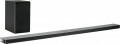 |
|---|---|---|
| LG SJ9 | LG SJ8 | |
| Outdated Product | from $189.95 | |
| TOP sellers | ||
| Audio format | 5.1.2 | 4.1 |
| Mount type | shelf | shelf / wall |
| Ultra HD (4K) |  | |
Tech specs | ||
| Rated power | 500 W | 300 W |
| Soundbar speaker power | 300 W | 130 W |
Subwoofer | ||
| Wireless subwoofer | | |
| Subwoofer power | 200 W | 170 W |
| Subwoofer dimensions (WxHxD) | 296x332x296 mm | 171x320x252 mm |
Interfaces | ||
| Interfaces | Google Cast (Chromecast) Wi-Fi Bluetooth LAN wireless TV connection | Google Cast (Chromecast) Wi-Fi Bluetooth LAN wireless TV connection |
| Streaming services | Spotify | |
| Audio decoders | DTS Dolby Digital Dolby Atmos | DTS Dolby Digital |
Connectors | ||
| Inputs | mini-Jack (3.5 mm) optical | optical |
| HDMI input | 1 pc | 1 pc |
| HDMI output | 1 pc | 1 pc |
| HDMI version | v 2.0 | |
Speakers | ||
| Number of speakers | 6 шт | |
| Tweeter size | 20 mm | |
| Woofer size (LF/MF) | 95 mm | |
General | ||
| Control | remote control | remote control |
| Power consumption | 46 W | 22 W |
| Dimensions (WxHxD) | 1200x58x145 mm | 1220x38x105 mm |
| Color | ||
| Added to E-Catalog | may 2017 | may 2017 |


Compare LG SJ9 and SJ8
You may be interested in
My comparisons
LG SJ9 often compared


LG SJ8 often compared


Glossary
Audio format
The audio format produced by a sound projector is actually the largest number of individual audio channels supported by the device. Note that in this case we are talking about the number of real channels, that is, channels for each of which at least one speaker is allocated; Models that support virtual surround sound can give the listener the impression of more channels than there actually are (see below for more details).
The sound format is indicated by two or three numbers separated by a dot. The first indicates the number of main channels, the second - the number of subwoofers, the third - the number of additional vertical radiators. For example, 2.1 format corresponds to stereo sound (2.0) supplemented by a subwoofer. And the conditional 3.1.2 format includes left, right and center channels, a subwoofer, left and right vertical speakers.
Sound projectors that support a more advanced sound format than 3.1 are designated in our catalog as multi-channel. The classic multichannel audio format is 5.1, but there are other options. In any case, a large number of real channels contributes to the fidelity of the reproduced sound and simplifies setup compared to virtual surround sound systems, but is also more expensive.
The most common sound formats are: 2.0, 2.1..., 3.0, 3.1, 4.1, 5.1, 5.1.2, 7.1.
The sound format is indicated by two or three numbers separated by a dot. The first indicates the number of main channels, the second - the number of subwoofers, the third - the number of additional vertical radiators. For example, 2.1 format corresponds to stereo sound (2.0) supplemented by a subwoofer. And the conditional 3.1.2 format includes left, right and center channels, a subwoofer, left and right vertical speakers.
Sound projectors that support a more advanced sound format than 3.1 are designated in our catalog as multi-channel. The classic multichannel audio format is 5.1, but there are other options. In any case, a large number of real channels contributes to the fidelity of the reproduced sound and simplifies setup compared to virtual surround sound systems, but is also more expensive.
The most common sound formats are: 2.0, 2.1..., 3.0, 3.1, 4.1, 5.1, 5.1.2, 7.1.
Mount type
Regular way to install a sound projector.
— Shelf. The installation itself on the shelf is extremely simple and requires a minimum of effort. However, in the absence of a shelf in a suitable place, you will either have to hang it there (for which, most likely, you will need to drill the walls), or install the projector "where possible" and try to adjust the sound as needed (and the success of such a setup is not guaranteed).
— Wall mounted. Projectors equipped with wall mounts, usually in the form of brackets or notches in the chassis for nails, screws, or other wall-mounted mounts. This option is good because you can choose the installation location of the projector at your discretion, not limited to the presence of shelves — the main thing is that there is a free wall.
— Shelf / wall. Projectors that can be either shelf-mounted or wall-mounted. Both of these options are described above. Here we note that the installation method determines not only the design of the case, but also some features of the sound produced by the projector. In fact, this means that a “pure wall” projector, when installed on a shelf, will not be able to produce sound of proper quality, even if there are no problems with the installation itself. In other words, if you need a device suitable both for a shelf and for hanging on a wall, you should choose from models for which such a possibility is direc...tly stated.
— TV Stand. In fact, such models are a variation of the shelf projectors described above, which have a flat body, so that a TV can be installed on top of such a device. This will prevent the sound projector from obscuring the controls and remote control sensor located below the screen (whereas with conventional shelf models, such problems often occur when placed on the same shelf with a TV). The disadvantage of "stands" can be called a rather large size in depth.
— Shelf. The installation itself on the shelf is extremely simple and requires a minimum of effort. However, in the absence of a shelf in a suitable place, you will either have to hang it there (for which, most likely, you will need to drill the walls), or install the projector "where possible" and try to adjust the sound as needed (and the success of such a setup is not guaranteed).
— Wall mounted. Projectors equipped with wall mounts, usually in the form of brackets or notches in the chassis for nails, screws, or other wall-mounted mounts. This option is good because you can choose the installation location of the projector at your discretion, not limited to the presence of shelves — the main thing is that there is a free wall.
— Shelf / wall. Projectors that can be either shelf-mounted or wall-mounted. Both of these options are described above. Here we note that the installation method determines not only the design of the case, but also some features of the sound produced by the projector. In fact, this means that a “pure wall” projector, when installed on a shelf, will not be able to produce sound of proper quality, even if there are no problems with the installation itself. In other words, if you need a device suitable both for a shelf and for hanging on a wall, you should choose from models for which such a possibility is direc...tly stated.
— TV Stand. In fact, such models are a variation of the shelf projectors described above, which have a flat body, so that a TV can be installed on top of such a device. This will prevent the sound projector from obscuring the controls and remote control sensor located below the screen (whereas with conventional shelf models, such problems often occur when placed on the same shelf with a TV). The disadvantage of "stands" can be called a rather large size in depth.
Rated power
The total power rating of the sound projector speakers (including subwoofer, if present).
This parameter is often used to estimate the overall sound volume of the device, but this is not entirely true. The fact is that the actual sound volume is determined mainly by the power of the main speakers of the sound projector, and the total power is the sum of this power and the power of the subwoofer. Therefore, models with the same power rating can vary markedly in actual volume: for example, a 150-watt soundbar with a 50-watt subwoofer will be louder than a 100-watt projector with a subwoofer of the same power, although in both cases the rated power will be equal to 200 watts.
Summing up, we can say that it is possible to evaluate the volume by rated power only if the sound projector is not equipped with a subwoofer — in such models, the rated power is equal to the power of the main speakers. In other cases, it is worth focus on the power of the soundbar and the power of the subwoofer directly stated in the characteristics (see below for both).
This parameter is often used to estimate the overall sound volume of the device, but this is not entirely true. The fact is that the actual sound volume is determined mainly by the power of the main speakers of the sound projector, and the total power is the sum of this power and the power of the subwoofer. Therefore, models with the same power rating can vary markedly in actual volume: for example, a 150-watt soundbar with a 50-watt subwoofer will be louder than a 100-watt projector with a subwoofer of the same power, although in both cases the rated power will be equal to 200 watts.
Summing up, we can say that it is possible to evaluate the volume by rated power only if the sound projector is not equipped with a subwoofer — in such models, the rated power is equal to the power of the main speakers. In other cases, it is worth focus on the power of the soundbar and the power of the subwoofer directly stated in the characteristics (see below for both).
Soundbar speaker power
The nominal power of the speakers installed directly in the soundbar, excluding the subwoofer (in models with a built-in subwoofer, respectively, only the power of the main speakers is taken into account).
This indicator directly determines the overall volume of the sound projector; It is worth choosing according to this parameter taking into account the specifics of the room in which the projector is planned to be installed: the larger the room and the greater the distance to the viewer, the higher the power should be, otherwise the soundbar will not be able to effectively sound the scene. Detailed recommendations on the optimal power for different situations can be found in special sources.
This indicator directly determines the overall volume of the sound projector; It is worth choosing according to this parameter taking into account the specifics of the room in which the projector is planned to be installed: the larger the room and the greater the distance to the viewer, the higher the power should be, otherwise the soundbar will not be able to effectively sound the scene. Detailed recommendations on the optimal power for different situations can be found in special sources.
Subwoofer power
The rated power of the subwoofer included in the design or delivery of the sound projector.
The higher the power, the louder the sub can sound, the richer the bass it can provide. On the other hand, an increase in power inevitably promises an increase in the size and cost of the speaker. Therefore, an overly powerful subwoofer is just as undesirable as one that is too weak. Detailed recommendations for selecting power for the size and acoustic characteristics of a particular room can be found in special sources.
Note that the external subwoofer in soundbars should be approximately twice as powerful as the soundbar in order to prevent sound sags at maximum volume. So, if the total output power of the speaker system is 300 watts, then 100 of them should come from the soundbar alone, and 200 should go directly to the subwoofer.
The higher the power, the louder the sub can sound, the richer the bass it can provide. On the other hand, an increase in power inevitably promises an increase in the size and cost of the speaker. Therefore, an overly powerful subwoofer is just as undesirable as one that is too weak. Detailed recommendations for selecting power for the size and acoustic characteristics of a particular room can be found in special sources.
Note that the external subwoofer in soundbars should be approximately twice as powerful as the soundbar in order to prevent sound sags at maximum volume. So, if the total output power of the speaker system is 300 watts, then 100 of them should come from the soundbar alone, and 200 should go directly to the subwoofer.
Streaming services
A set of streaming services supported by the soundbar.
Such services are designed for streaming audio content over the Internet. In this case, the files are not saved to the device, but are played directly from the corresponding resource on the global network. Streaming services allow you to access vast libraries of music without having to take up the internal storage of your soundbar. The key advantages of online streaming include a huge selection of content and almost instant access to the desired audio tracks.
As for specific services, the following streaming platforms are most widespread: Spotify, Apple Music, YouTube Music, Deezer, SoundCloud, TIDAL, etc.
Such services are designed for streaming audio content over the Internet. In this case, the files are not saved to the device, but are played directly from the corresponding resource on the global network. Streaming services allow you to access vast libraries of music without having to take up the internal storage of your soundbar. The key advantages of online streaming include a huge selection of content and almost instant access to the desired audio tracks.
As for specific services, the following streaming platforms are most widespread: Spotify, Apple Music, YouTube Music, Deezer, SoundCloud, TIDAL, etc.
Audio decoders
A decoder can be broadly described as a standard in which digital audio (often multi-channel) is recorded. For normal playback of such sound, it is necessary that the corresponding decoder is supported by the device. The first signs of multi-channel decoding were Dolby Digital and DTS, gradually improving and introducing new features. The final stage for 2020 is Dolby Atmos and DTS X decoders.
Dolby Atmos. A decoder that does not use a rigid distribution of sound across channels, but the processing of audio objects, due to which it can be used with almost any number of channels on a reproducing system - the sound will be divided between channels so that each audio object is heard as close as possible to its proper place. When using Dolby Atmos, in-ceiling speakers (or speakers facing the ceiling) are highly desirable. However, in extreme cases, you can do without them.
— DTS X. An analogue of the Dolby Atmos described above, when the sound is distributed not through individual channels, but through audio objects. The digital signal contains information about where (according to the director's intention) the object audible to the user should be and how it should move, and the processor of the reproducing device processes this information and determines exactly how the sound should be distributed over the available channels in order to achieve the required localization. Thanks to this, D...TS X is not tied to a specific number of audio channels - there can be as many as you like, the system will automatically divide the sound into them, achieving the desired sound. Also note that this decoder allows you to separately adjust the volume of dialogues. A separate variant of DTS X is the DTS Virtual:X decoder for providing surround sound without the use of additional upward speakers on the soundbar. You can rely on just two channels and a separate subwoofer to achieve the desired DTS Virtual:X effect. A separate variation of DTS X is the DTS Virtual:X decoder to provide surround sound without the need for additional upward-firing speakers on the soundbar. DTS Virtual:X can rely on just two channels and a separate subwoofer to achieve the desired effect.
— IMAX Enhanced. The IMAX Enhanced Mark of Conformity is awarded to equipment that meets the audio certification requirements of IMAX Corporation. Combined with DTS audio technology to deliver signature IMAX theater-like sound in the home. The most accurate reproduction of such audio is possible in systems with a large number of channels (5.1 or more). Note that for a fully immersive experience, IMAX Enhanced certification must also apply to video equipment for playing content (TV, projector, etc.).
Dolby Atmos. A decoder that does not use a rigid distribution of sound across channels, but the processing of audio objects, due to which it can be used with almost any number of channels on a reproducing system - the sound will be divided between channels so that each audio object is heard as close as possible to its proper place. When using Dolby Atmos, in-ceiling speakers (or speakers facing the ceiling) are highly desirable. However, in extreme cases, you can do without them.
— DTS X. An analogue of the Dolby Atmos described above, when the sound is distributed not through individual channels, but through audio objects. The digital signal contains information about where (according to the director's intention) the object audible to the user should be and how it should move, and the processor of the reproducing device processes this information and determines exactly how the sound should be distributed over the available channels in order to achieve the required localization. Thanks to this, D...TS X is not tied to a specific number of audio channels - there can be as many as you like, the system will automatically divide the sound into them, achieving the desired sound. Also note that this decoder allows you to separately adjust the volume of dialogues. A separate variant of DTS X is the DTS Virtual:X decoder for providing surround sound without the use of additional upward speakers on the soundbar. You can rely on just two channels and a separate subwoofer to achieve the desired DTS Virtual:X effect. A separate variation of DTS X is the DTS Virtual:X decoder to provide surround sound without the need for additional upward-firing speakers on the soundbar. DTS Virtual:X can rely on just two channels and a separate subwoofer to achieve the desired effect.
— IMAX Enhanced. The IMAX Enhanced Mark of Conformity is awarded to equipment that meets the audio certification requirements of IMAX Corporation. Combined with DTS audio technology to deliver signature IMAX theater-like sound in the home. The most accurate reproduction of such audio is possible in systems with a large number of channels (5.1 or more). Note that for a fully immersive experience, IMAX Enhanced certification must also apply to video equipment for playing content (TV, projector, etc.).
Inputs
— USB-A. This refers to a USB port that allows you to connect external drives (flash drives, hard drives) to the projector and play content directly from them. Models with video outputs (see below) can often function as a media center, outputting video signals to a TV or another external screen.
— USB-C. Used in soundbars for transmitting digital audio with minimal quality loss, replacing traditional AUX and optical ports. Unlike analog connections, USB-C transmits sound without distortion and can support high-resolution audio streams, including Hi-Res formats. It also allows for simultaneous audio and power transmission, simplifying the connection to devices. However, this port is mainly relevant for portable devices, and its primary purpose is to connect a soundbar to a laptop.
— mini-Jack (3.5 mm). The 3.5 mm jack can be used in various interfaces; in this case, it refers to a line audio input with a mini-Jack socket. This input is mainly used to connect portable audio equipment (players, smartphones) to a sound projector.
— RCA. Technically, RCA (commonly called "tulip") is a type of connector that can be used in different interfaces. However, the term "RCA input" usually refers to line inputs for connecting an analog stereo signal. Note that this input consists of two RCA cable sockets, as one cable ca...n only transmit one audio channel.
— Optical. Connector for connecting a digital audio signal via a TOSLINK fiber optic cable. This interface allows for multi-channel sound transmission and is practically immune to electrical interference; its drawback is the fragility of the cable.
— Coaxial S/P-DIF. Connector for connecting a digital audio signal via an electrical cable with an RCA connector (not to be confused with the line RCA described above). Similar to the optical input described above, including the ability to transmit multi-channel sound through a single connector. At the same time, the coaxial cable is less delicate but more sensitive to electrical interference (therefore, a specially shielded cable is preferable for such a connection).
— Composite. This refers to not a full-size composite interface of three connectors, allowing audio and video signal transmission, but only one connector for working with video. Since sound projectors do not reproduce images, the composite input is used to transmit a video signal through the projector to another device, such as a TV. The composite video interface does not support HD and lacks high quality; on the other hand, it is widely used and can work even with outdated video equipment. This input usually uses a yellow RCA ("tulip") connector.
— Component. An input designed to receive an analog video signal for further transmission to another device—TV, video projector, etc. This connection usually uses three RCA connectors, each transmitting its component of the video signal (hence the name). Thanks to this, the component interface offers good bandwidth and picture quality, supports HD, and is considered the most advanced modern standard for analog video.
— IR Control Input. A connector for connecting an external infrared remote control receiver. When correctly positioned, this receiver allows the use of a remote control even from locations where the signal from the remote cannot reach the main (built-in) sensor—such as another room. Note that the receiver can be a specialized device or another component of the audio system—such as an amplifier with an IR control output.
— USB-C. Used in soundbars for transmitting digital audio with minimal quality loss, replacing traditional AUX and optical ports. Unlike analog connections, USB-C transmits sound without distortion and can support high-resolution audio streams, including Hi-Res formats. It also allows for simultaneous audio and power transmission, simplifying the connection to devices. However, this port is mainly relevant for portable devices, and its primary purpose is to connect a soundbar to a laptop.
— mini-Jack (3.5 mm). The 3.5 mm jack can be used in various interfaces; in this case, it refers to a line audio input with a mini-Jack socket. This input is mainly used to connect portable audio equipment (players, smartphones) to a sound projector.
— RCA. Technically, RCA (commonly called "tulip") is a type of connector that can be used in different interfaces. However, the term "RCA input" usually refers to line inputs for connecting an analog stereo signal. Note that this input consists of two RCA cable sockets, as one cable ca...n only transmit one audio channel.
— Optical. Connector for connecting a digital audio signal via a TOSLINK fiber optic cable. This interface allows for multi-channel sound transmission and is practically immune to electrical interference; its drawback is the fragility of the cable.
— Coaxial S/P-DIF. Connector for connecting a digital audio signal via an electrical cable with an RCA connector (not to be confused with the line RCA described above). Similar to the optical input described above, including the ability to transmit multi-channel sound through a single connector. At the same time, the coaxial cable is less delicate but more sensitive to electrical interference (therefore, a specially shielded cable is preferable for such a connection).
— Composite. This refers to not a full-size composite interface of three connectors, allowing audio and video signal transmission, but only one connector for working with video. Since sound projectors do not reproduce images, the composite input is used to transmit a video signal through the projector to another device, such as a TV. The composite video interface does not support HD and lacks high quality; on the other hand, it is widely used and can work even with outdated video equipment. This input usually uses a yellow RCA ("tulip") connector.
— Component. An input designed to receive an analog video signal for further transmission to another device—TV, video projector, etc. This connection usually uses three RCA connectors, each transmitting its component of the video signal (hence the name). Thanks to this, the component interface offers good bandwidth and picture quality, supports HD, and is considered the most advanced modern standard for analog video.
— IR Control Input. A connector for connecting an external infrared remote control receiver. When correctly positioned, this receiver allows the use of a remote control even from locations where the signal from the remote cannot reach the main (built-in) sensor—such as another room. Note that the receiver can be a specialized device or another component of the audio system—such as an amplifier with an IR control output.
HDMI version
HDMI interface version supported by the soundbar.
See the interface itself for more details (“HDMI input”, “HDMI output”), and its versions differ primarily in bandwidth. Here are the current options:
— v 1.4. The earliest of the widespread versions, which, nevertheless, has quite decent features: in particular, it supports 4096x2160 video at 24 fps, and in Full HD the frame rate can reach 120 fps, which already allows you to work with 3D. It has two modifications — v.1.4a and v.1.4b — differing from the original mainly in slightly advanced capabilities for working with three-dimensional content.
-v 2.0. The version introduced back in 2013. The increased bandwidth allowed support for 4K video at frame rates up to 60 fps, as well as up to 32 channels of audio and up to 4 audio streams simultaneously. This version also has two extensions: HDR support was added in the v.2.0a update, and this feature was improved and expanded in v.2.0b.
— v 2.1. An update to the HDMI standard released in 2017. Of the main innovations, support for 8K and 10K video at speeds up to 120 fps has been added, and HDR capabilities have been improved. However it is worth considering that all these features are available only when using special HDMI Ultra High Speed cables.
See the interface itself for more details (“HDMI input”, “HDMI output”), and its versions differ primarily in bandwidth. Here are the current options:
— v 1.4. The earliest of the widespread versions, which, nevertheless, has quite decent features: in particular, it supports 4096x2160 video at 24 fps, and in Full HD the frame rate can reach 120 fps, which already allows you to work with 3D. It has two modifications — v.1.4a and v.1.4b — differing from the original mainly in slightly advanced capabilities for working with three-dimensional content.
-v 2.0. The version introduced back in 2013. The increased bandwidth allowed support for 4K video at frame rates up to 60 fps, as well as up to 32 channels of audio and up to 4 audio streams simultaneously. This version also has two extensions: HDR support was added in the v.2.0a update, and this feature was improved and expanded in v.2.0b.
— v 2.1. An update to the HDMI standard released in 2017. Of the main innovations, support for 8K and 10K video at speeds up to 120 fps has been added, and HDR capabilities have been improved. However it is worth considering that all these features are available only when using special HDMI Ultra High Speed cables.