
Comparison Seagate Personal Cloud 3TB vs WD My Cloud 3TB
Add to comparison | 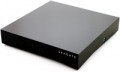 | 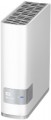 |
|---|---|---|
| Seagate Personal Cloud 3TB | WD My Cloud 3TB | |
from $150.36 up to $167.72 | Compare prices 1 | |
| User reviews | ||
| TOP sellers | ||
| Mount | desktop | desktop |
Drives | ||
| 3.5" drive slots | 1 | 1 |
| Pre-Installed storage | 3 TB | 3 TB |
Connection | ||
| LAN ports | 1 | 1 |
| LAN speed | 1 Gbps | 1 Gbps |
| USB-A 2.0 | 1 pcs | |
| USB-A 5Gbps | 1 pcs | 1 pcs |
Features | ||
| Software features | FTP server multimedia (DLNA, iTunes, uPnP) backup | FTP server multimedia (DLNA, iTunes, uPnP) backup |
General | ||
| Cooling | passive | passive |
| Size | 119x235x48 mm | 171x140x49 mm |
| Weight | 1.38 kg | 0.96 kg |
| Added to E-Catalog | may 2015 | november 2013 |



Compare Seagate Personal Cloud 3TB and WD My Cloud 3TB
Price comparison
You may be interested in
My comparisons
WD My Cloud 3TB often compared

Glossary
USB-A 2.0
The number of USB version 2.0 ports available in the NAS server design.
USB ports are used in computer technology to connect various external peripherals. In the case of NAS servers, this mostly involves external storage devices like USB flash drives, hard drives, etc. This allows transferring information from the internal storage to an external one (for example, for backup purposes) or vice versa, and even expanding the server's overall working volume. Furthermore, in models with a VGA output (see below), a keyboard can also be connected via USB, and in models with a print server function (see “Software Features”), a printer can be connected accordingly. For additional convenience, the USB port can be located on the front panel (see below).
As for USB 2.0 in particular, today this version is generally considered outdated — due to its relatively low speed (up to 480 Mbps) and low power supply through the port. Peripherals of newer versions can be connected to such a port, but the speed will be limited to the capabilities of version 2.0, and the power supply may be insufficient. Therefore, in modern NAS servers, such ports are quite rare — mainly as a complement to newer and faster USB 3.2 gen1 ports (see below), intended for relatively undemanding peripherals like keyboards.
USB ports are used in computer technology to connect various external peripherals. In the case of NAS servers, this mostly involves external storage devices like USB flash drives, hard drives, etc. This allows transferring information from the internal storage to an external one (for example, for backup purposes) or vice versa, and even expanding the server's overall working volume. Furthermore, in models with a VGA output (see below), a keyboard can also be connected via USB, and in models with a print server function (see “Software Features”), a printer can be connected accordingly. For additional convenience, the USB port can be located on the front panel (see below).
As for USB 2.0 in particular, today this version is generally considered outdated — due to its relatively low speed (up to 480 Mbps) and low power supply through the port. Peripherals of newer versions can be connected to such a port, but the speed will be limited to the capabilities of version 2.0, and the power supply may be insufficient. Therefore, in modern NAS servers, such ports are quite rare — mainly as a complement to newer and faster USB 3.2 gen1 ports (see below), intended for relatively undemanding peripherals like keyboards.