
Comparison Sony BDV-N9200W vs Sony BDV-E6100
Add to comparison | 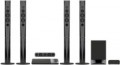 | 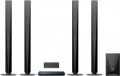 |
|---|---|---|
| Sony BDV-N9200W | Sony BDV-E6100 | |
from $1,009.00 up to $1,319.96 | from $420.00 up to $594.00 | |
| TOP sellers | ||
Acoustic system | ||
| Acoustics | 5.1 floor | 5.1 floor |
| Front (RMS) | 125 W/channel | 125 W/channel |
| Rear (RMS) | 125 W/channel | 125 W/channel |
| Centre (RMS) | 125 W/channel | 250 W/channel |
| Subwoofer (RMS) | 125 W/channel | 250 W/channel |
| Total power (RMS) | 750 W | 1000 W |
| Wireless connection |  |  |
| Bass reflex | | |
Amplifier | ||
| Front | 125 W/channel | |
| Rear | 125 W/channel | |
| Centre | 250 W/channel | |
| Subwoofer | 250 W | |
Receiver | ||
| Media format | CD/DVD Blu-ray | CD/DVD Blu-ray |
| 3D | | |
| Progressive scan | | |
| DLNA | | |
| BD-Live | | |
| 24p True Cinema | | |
| Child protection | | |
| Parental control | | |
| Multimedia | Smart TV FM tuner TV tuner Bluetooth Wi-Fi NFC | Smart TV FM tuner TV tuner Bluetooth Wi-Fi NFC |
| Video file formats | DVD/VCD MPEG4 H.264 AVCHD MKV | DVD/VCD MPEG4 H.264 AVCHD MKV |
| Other file formats | MP3/WMA Audio CD Super Audio CD JPEG | MP3/WMA Audio CD JPEG |
| Audio decoders | DTS DTS 96/24 DTS-HD High Resolution Dolby Digital Dolby Digital Plus Dolby Pro Logic II Dolby TrueHD | DTS DTS 96/24 DTS-HD High Resolution DTS ES Dolby Digital Dolby Digital Plus Dolby Pro Logic II Dolby TrueHD |
Connection | ||
| Outputs | Dolby Digital 5.1 | Dolby Digital 5.1 |
| HDMI | 1 pc | 1 pc |
| Inputs | USB input linear optical LAN (RJ45) | USB input linear optical LAN (RJ45) |
| HDMI | 2 pcs | |
General | ||
| Remote control | | |
| Magnetic shielding | | |
| Satellite body material | plastic | plastic |
| Subwoofer body material | wood | wood |
| Player dimensions (WxHxD) | 480x78x212 mm | 430x50x296 mm |
| Front speaker dimensions (HxWxD) | 120x27x27 cm | 65x10x10 cm |
| Rear speaker dimensions (HxWxD) | 120x27x27 cm | 65x10x10 cm |
| Centre channel dimensions (HxWxD) | 7.3x36.5x7.7 cm | 9x24x8.5 cm |
| Subwoofer dimensions (HxWxD) | 43x26.5x26.5 cm | 36.5x22.5x34.5 cm |
| Color | ||
| Added to E-Catalog | august 2014 | july 2013 |


Compare Sony BDV-N9200W and BDV-E6100
You may be interested in
Sony BDV-N9200W often compared


Sony BDV-E6100 often compared


Glossary
Centre (RMS)
Rated power of one centre channel of a home theater. For more information about the meaning of this parameter, see "Front" above.
Subwoofer (RMS)
Rated power of the subwoofer supplied with the home theater. See "Front" above for details on power rating; here we note that subwoofers often have a fairly high power, because. they are designed to cover low frequencies in all audio channels.
Total power (RMS)
The total power rating of all home theater speakers, including subwoofers. The value of the rated power is described in detail in paragraph "Front" above.
Wireless connection
The ability to connect speakers to the base via a wireless interface — most often a radio. The main advantage of this connection is the absence of connecting wires, which significantly limit the movement of the speakers and can interfere, getting confused with each other and with other wires. The disadvantages of wireless speakers are often lower sound quality than wired counterparts, as well as high cost.
Front
Rated power delivered by the built-in home theater power amplifier per front channel.
Note that in home theaters the rated power of the amplifier output to any channel (any channel, not just the front one) is usually equal to the rated power of the standard speaker installed on this channel (see above). Therefore, many manufacturers do not give the characteristics of the built-in amplifier separately at all — firstly, they are easy to determine from the information about the speakers, and secondly, when using a system with complete acoustics, these data are not required. However, information about the power of the amplifier is indispensable if you plan to use third-party speakers instead of standard acoustics. The rated power of each such speaker must not be lower than the rated power on the corresponding amplifier channel — otherwise, various undesirable phenomena are possible at high volume, from sound distortion to damage to the speaker.
Note that in home theaters the rated power of the amplifier output to any channel (any channel, not just the front one) is usually equal to the rated power of the standard speaker installed on this channel (see above). Therefore, many manufacturers do not give the characteristics of the built-in amplifier separately at all — firstly, they are easy to determine from the information about the speakers, and secondly, when using a system with complete acoustics, these data are not required. However, information about the power of the amplifier is indispensable if you plan to use third-party speakers instead of standard acoustics. The rated power of each such speaker must not be lower than the rated power on the corresponding amplifier channel — otherwise, various undesirable phenomena are possible at high volume, from sound distortion to damage to the speaker.
Rear
Rated power delivered by the built-in home theater power amplifier per rear channel. For more information about this characteristic, see "Front" above.
Centre
Rated power delivered by the built-in home theater power amplifier per centre channel. For more information about this characteristic, see "Front" above.
Subwoofer
Rated power delivered by the built-in home theater power amplifier per subwoofer (low frequency) channel. For more information about this characteristic, see "Front" above.
Progressive scan
Home theater support for progressive scan, namely, the ability to output a video signal with such a scan.
Initially, scanning was called a method of constructing an image on the screen of a kinescope TV. In such screens, an electron beam is responsible for the image, running around the screen and drawing each frame line by line. Different types of scanning differ in the order of these lines: with the interlaced method, the beam first draws odd lines (1, 3, ...), then even ones (2, 4, ...), and with progressive — each line in turn. The second option is considered more advanced, because. improves image quality and reduces the chance of noise and artifacts. Liquid crystal displays use other imaging methods; nevertheless, the visible features of both types of sweep are preserved for them.
Note that progressive scan is only available if progressive scan is supported not only by the home theater system, but also by the screen on which the images are displayed. On the other hand, most modern TVs meet these requirements; therefore, although it would not hurt to clarify compatibility, most likely there will be no problems with it.
Initially, scanning was called a method of constructing an image on the screen of a kinescope TV. In such screens, an electron beam is responsible for the image, running around the screen and drawing each frame line by line. Different types of scanning differ in the order of these lines: with the interlaced method, the beam first draws odd lines (1, 3, ...), then even ones (2, 4, ...), and with progressive — each line in turn. The second option is considered more advanced, because. improves image quality and reduces the chance of noise and artifacts. Liquid crystal displays use other imaging methods; nevertheless, the visible features of both types of sweep are preserved for them.
Note that progressive scan is only available if progressive scan is supported not only by the home theater system, but also by the screen on which the images are displayed. On the other hand, most modern TVs meet these requirements; therefore, although it would not hurt to clarify compatibility, most likely there will be no problems with it.