
Comparison Tenda AC9 vs Tenda AC6
Add to comparison | 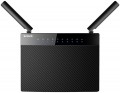 | 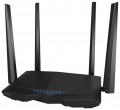 |
|---|---|---|
| Tenda AC9 | Tenda AC6 | |
from $64.15 up to $79.96 | from $76.95 | |
| User reviews | ||
| TOP sellers | ||
Dual band Wi-Fi. Four external antennas. Support for MU-MIMO and Beamforming+ technologies. Smart mode. Remote control via mobile app. | ||
| Product type | router | router |
| Data input (WAN-port) | Ethernet (RJ45) Wi-Fi | Ethernet (RJ45) Wi-Fi |
Wireless Wi-Fi connection | ||
| Wi-Fi standards | Wi-Fi 3 (802.11g) Wi-Fi 4 (802.11n) Wi-Fi 5 (802.11ac) | Wi-Fi 3 (802.11g) Wi-Fi 4 (802.11n) Wi-Fi 5 (802.11ac) |
| Frequency band | 2.4GHz 5 GHz | 2.4GHz 5 GHz |
| Operating ranges | dual-band (2.4 GHz and 5 GHz) | dual-band (2.4 GHz and 5 GHz) |
| Wireless speed 2.4 GHz | 300 Mbps | 300 Mbps |
| Wireless speed 5 GHz | 836 Mbps | 867 Mbps |
Connection and LAN | ||
| WAN | 1 port 1 Gbps | 1 port 100 Mbps |
| LAN | 4 ports 1 Gbps | 3 ports 100 Mbps |
| USB-A 2.0 | 1 pcs | |
Antenna and transmitter | ||
| Number of antennas | 2 | 4 |
| Antenna type | external | external |
| MU-MIMO |  |  |
| Gain | 3 dBi | 5 dBi |
| 2.4 GHz antennas | 2 | |
| 5 GHz antennas | 2 | |
| 2.4 / 5 GHz antennas | 2 | |
| Transmitter power | 23 dBm | 23 dBm |
| Signal strength 2.4 GHz | 20 dBm | |
| Signal strength 5 GHz | 23 dBm | |
Functions | ||
| Features | NAT bridge mode repeater firewall | NAT bridge mode repeater Beamforming firewall |
| More features | DHCP server FTP server file server print server VPN DDNS DMZ | DHCP server VPN DDNS DMZ |
Security | ||
| Safety standards | WPA WEP WPA2 | WPA WEP WPA2 |
General | ||
| Dimensions | 226x180x77 mm | 220x142x49 mm |
| Color | ||
| Added to E-Catalog | february 2017 | february 2017 |


Compare Tenda AC9 and AC6
You may be interested in
Tenda AC9 often compared

Tenda AC6 often compared


Glossary
Wireless speed 5 GHz
The maximum speed supported by the device when communicating wirelessly in the 5 GHz band.
This range is used in Wi-Fi 4, Wi-Fi 6 and Wi-Fi 6E as one of the available bands, in Wi-Fi 5 as the only one (see "Wi-Fi Standards"). The maximum speed is specified in the specifications in order to indicate the real capabilities of specific equipment - they can be noticeably more modest than the general capabilities of the standard. Also, in fact, it all depends on the generation of Wi-Fi. For example, devices with Wi-Fi 5 support can theoretically deliver up to 6928 Mbit (using eight antennas), with Wi-Fi 6 support up to 9607 Mbit (using the same eight spatial streams). The maximum possible communication speed is achieved under certain conditions, and not every model of Wi-Fi equipment fully satisfies them. Specific figures are conditionally divided into several groups: the value up to 500 Mbit is rather modest, many devices support speeds in the range of 500 - 1000 Mbit, indicators of 1 - 2 Gbps can be attributed to the average, and the most advanced models in class provide a data exchange rate of over 2 Gbps.
This range is used in Wi-Fi 4, Wi-Fi 6 and Wi-Fi 6E as one of the available bands, in Wi-Fi 5 as the only one (see "Wi-Fi Standards"). The maximum speed is specified in the specifications in order to indicate the real capabilities of specific equipment - they can be noticeably more modest than the general capabilities of the standard. Also, in fact, it all depends on the generation of Wi-Fi. For example, devices with Wi-Fi 5 support can theoretically deliver up to 6928 Mbit (using eight antennas), with Wi-Fi 6 support up to 9607 Mbit (using the same eight spatial streams). The maximum possible communication speed is achieved under certain conditions, and not every model of Wi-Fi equipment fully satisfies them. Specific figures are conditionally divided into several groups: the value up to 500 Mbit is rather modest, many devices support speeds in the range of 500 - 1000 Mbit, indicators of 1 - 2 Gbps can be attributed to the average, and the most advanced models in class provide a data exchange rate of over 2 Gbps.
WAN
The WAN port characterizes the ability of the device to receive a wired signal. There may be models with both one port and two WAN ports, and in rare cases, more connected providers. Such an expanded number of WAN connectors affects the cost and, accordingly, is found in more part among professional-level routers.
In terms of speed, when choosing a device, the priority is the speed of the output LAN port or Wi-Fi. However, faster WAN ports ( 1 Gbps, 2.5 Gbps, 5 Gbps, 10 Gbps) allow you to divide the load on several outputs at once without reducing speed performance, as may be the case with WAN port 100 Mbps.
In terms of speed, when choosing a device, the priority is the speed of the output LAN port or Wi-Fi. However, faster WAN ports ( 1 Gbps, 2.5 Gbps, 5 Gbps, 10 Gbps) allow you to divide the load on several outputs at once without reducing speed performance, as may be the case with WAN port 100 Mbps.
LAN
In this case, LAN means standard network connectors (known as RJ-45) designed for wired connection of LAN devices — PCs, servers, additional access points, etc. The number of ports corresponds to the number of devices that can be directly connected to wired equipment. way.
In terms of speed, 100 Mbps (Fast Ethernet) and 1 Gbps (Gigabit Ethernet) are the most popular options today. At the same time, thanks to the development of technology, more and more gigabit devices are being produced, although in fact this speed is critical only when transferring large amounts of information. At the same time, some models, in addition to the standard speed of the main LAN ports, may have a 2.5 Gbps, 5 Gbps and even 10 Gbps LAN port with increased bandwidth.
In terms of speed, 100 Mbps (Fast Ethernet) and 1 Gbps (Gigabit Ethernet) are the most popular options today. At the same time, thanks to the development of technology, more and more gigabit devices are being produced, although in fact this speed is critical only when transferring large amounts of information. At the same time, some models, in addition to the standard speed of the main LAN ports, may have a 2.5 Gbps, 5 Gbps and even 10 Gbps LAN port with increased bandwidth.
USB-A 2.0
The number of USB 2.0 ports provided in the device design.
In this case, USB serves as a universal interface for connecting peripheral devices to the router. The specific supported USB devices and their use cases can vary. Examples include working with a flash drive used as storage for FTP mode or file server operation (see "Features/Capabilities"), connection to a printer in print server mode (see there), connection of a 3G modem (see "Data Input (WAN-port)"), and so on.
Specifically, USB 2.0 allows data transfer speeds of up to 480 Mbps. This is noticeably less than more advanced standards (starting with USB 3.2 gen1 described below), and the power supply of such connectors is low. However, even such specifications are often quite sufficient, considering the specifics of Wi-Fi device applications. Additionally, a USB 2.0 port can also connect peripherals with newer versions — as long as the power supply is adequate. Therefore, although this standard is considered outdated, it is still widely used in modern wireless equipment. There are even models that provide for 2 or even more USB 2.0 ports, allowing multiple external devices to be used simultaneously — for example, a 3G modem and a flash drive.
In this case, USB serves as a universal interface for connecting peripheral devices to the router. The specific supported USB devices and their use cases can vary. Examples include working with a flash drive used as storage for FTP mode or file server operation (see "Features/Capabilities"), connection to a printer in print server mode (see there), connection of a 3G modem (see "Data Input (WAN-port)"), and so on.
Specifically, USB 2.0 allows data transfer speeds of up to 480 Mbps. This is noticeably less than more advanced standards (starting with USB 3.2 gen1 described below), and the power supply of such connectors is low. However, even such specifications are often quite sufficient, considering the specifics of Wi-Fi device applications. Additionally, a USB 2.0 port can also connect peripherals with newer versions — as long as the power supply is adequate. Therefore, although this standard is considered outdated, it is still widely used in modern wireless equipment. There are even models that provide for 2 or even more USB 2.0 ports, allowing multiple external devices to be used simultaneously — for example, a 3G modem and a flash drive.
Number of antennas
The total number of antennas (of all types — see below) provided in the design of the device.
In modern Wi-Fi equipment, this indicator can be different: in addition to the simplest devices with 1 antenna, there are models where this number is 2, 3, 4 and even more. The point of using multiple antennas is twofold. Firstly, if there are several external devices per antenna, they have to share the bandwidth among themselves, and the actual communication speed for each subscriber drops accordingly. Secondly, such a design may also be required when communicating with one external device — to work with MU-MIMO technology (see below), which allows you to fully realize the capabilities of modern Wi-Fi standards.
Anyway, more antennas, usually, means a more advanced and functional device. On the other hand, this parameter significantly affects the cost; so specifically looking for equipment with numerous antennas makes sense mainly when the speed and stability of communication are critical.
Note that antennas intended for mobile communications may also be considered in this clause. So when choosing a model with support for mobile networks, it's ok to clarify this point.
In modern Wi-Fi equipment, this indicator can be different: in addition to the simplest devices with 1 antenna, there are models where this number is 2, 3, 4 and even more. The point of using multiple antennas is twofold. Firstly, if there are several external devices per antenna, they have to share the bandwidth among themselves, and the actual communication speed for each subscriber drops accordingly. Secondly, such a design may also be required when communicating with one external device — to work with MU-MIMO technology (see below), which allows you to fully realize the capabilities of modern Wi-Fi standards.
Anyway, more antennas, usually, means a more advanced and functional device. On the other hand, this parameter significantly affects the cost; so specifically looking for equipment with numerous antennas makes sense mainly when the speed and stability of communication are critical.
Note that antennas intended for mobile communications may also be considered in this clause. So when choosing a model with support for mobile networks, it's ok to clarify this point.
MU-MIMO
Device support for MU-MIMO technology - multi-user multi-threaded I / O.
Communication in multiple streams is implemented through the use of multiple antennas on both the transmitting and receiving device. This allows you to increase the bandwidth of the channel, as well as improve the overall quality and stability of the connection. And the term "multi-user" usually means that Wi-Fi equipment is able to simultaneously work with several external devices that support multi-streaming (MIMO). The only exceptions are Wi-Fi adapters (see "Device type") - they are more about the ability to interact with the router / access point as efficiently as possible, which also uses MU-MIMO.
Communication in multiple streams is implemented through the use of multiple antennas on both the transmitting and receiving device. This allows you to increase the bandwidth of the channel, as well as improve the overall quality and stability of the connection. And the term "multi-user" usually means that Wi-Fi equipment is able to simultaneously work with several external devices that support multi-streaming (MIMO). The only exceptions are Wi-Fi adapters (see "Device type") - they are more about the ability to interact with the router / access point as efficiently as possible, which also uses MU-MIMO.
Gain
Gain provided by each device antenna; if the design provides for antennas with different characteristics (a typical example is both external and internal antennas), then the information, usually, is indicated by the highest value.
Amplification of the signal in this case is provided by narrowing the radiation pattern — just as in flashlights with adjustable beam width, reducing this width increases the illumination range. The simplest omnidirectional antennas narrow the signal mainly in the vertical plane, "flattening" the coverage area so that it looks like a horizontal disk. In turn, directional antennas (mainly in specialized access points, see "Device type") create a narrow beam that covers a very small area, but provides a very solid gain.
Specifically, the gain describes how powerful the signal is in the main direction of the antenna compared to an perfect antenna that spreads the signal evenly in all directions. Together with the power of the transmitter (see below), this determines the total power of the equipment and, accordingly, the efficiency and range of communication. Actually, to determine the total power, it is enough to add the gain in dBi to the transmitter power in dBm; dBi and dBm in this case can be considered as the same units (decibels).
In general, such data is rarely required by the average user, but it can be useful in some specific situations that specialists have to deal with. Detailed calculation methods for suc...h situations can be found in special sources; here we emphasize that it does not always make sense to pursue a high antenna gain. First, as discussed above, this comes at the cost of narrowing the scope, which can be inconvenient; secondly, too strong a signal is also often undesirable, for more details see "Transmitter power".
Amplification of the signal in this case is provided by narrowing the radiation pattern — just as in flashlights with adjustable beam width, reducing this width increases the illumination range. The simplest omnidirectional antennas narrow the signal mainly in the vertical plane, "flattening" the coverage area so that it looks like a horizontal disk. In turn, directional antennas (mainly in specialized access points, see "Device type") create a narrow beam that covers a very small area, but provides a very solid gain.
Specifically, the gain describes how powerful the signal is in the main direction of the antenna compared to an perfect antenna that spreads the signal evenly in all directions. Together with the power of the transmitter (see below), this determines the total power of the equipment and, accordingly, the efficiency and range of communication. Actually, to determine the total power, it is enough to add the gain in dBi to the transmitter power in dBm; dBi and dBm in this case can be considered as the same units (decibels).
In general, such data is rarely required by the average user, but it can be useful in some specific situations that specialists have to deal with. Detailed calculation methods for suc...h situations can be found in special sources; here we emphasize that it does not always make sense to pursue a high antenna gain. First, as discussed above, this comes at the cost of narrowing the scope, which can be inconvenient; secondly, too strong a signal is also often undesirable, for more details see "Transmitter power".
2.4 GHz antennas
The total number of antennas in the router that are responsible for communication in the 2.4 GHz band. For details about the number of antennas, see "Total antennas", about the range — "Frequency range".
5 GHz antennas
The total number of antennas in the router that are responsible for communication in the 5 GHz band. For details about the number of antennas, see "Total antennas", about the range — "Frequency range".