
Comparison Chieftec CRD-801H vs STLab U-405
Add to comparison | 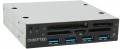 | 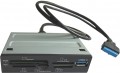 |
|---|---|---|
| Chieftec CRD-801H | STLab U-405 | |
| Outdated Product | from $7.88 up to $8.52 | |
| TOP sellers | ||
| Product type | hub with card reader | hub with card reader |
| Placement | internal (3.5") | internal (3.5") |
| PC connectivity | internal USB | internal USB |
HUB connectors | ||
| USB-A | 4 pcs 5Gbps | 1 pcs |
| Card slots | SD microSD CompactFlash | SD microSD CompactFlash |
More features | ||
| Activity indicator |  | |
| Size | 101x25 mm | |
| Color | ||
| Added to E-Catalog | september 2017 | september 2016 |


Compare Chieftec CRD-801H and STLab U-405
You may be interested in
Chieftec CRD-801H often compared


STLab U-405 often compared


Glossary
USB-A
The number of USB ports located on the body of the card reader or hub (see "Type"). This parameter determines the number of USB ports you will have at your disposal after connecting the device. "Pure" card readers and combined models generally have 1, 2, and even 3 USB ports, while hubs typically feature 4 or more ports.
And the USB connection interface affects the speed. It is worth noting that the speed of the input port does not necessarily indicate overall throughput, as simultaneous connection of USB drives, phones, and memory cards can slow down data transmission, which is in any case limited by the connection interface of the device itself to the PC or laptop (refer to "Connection Interface").
— USB-A 2.0. The outdated version 2.0 provides a data transfer speed of up to 480 Mbps.
— USB-A 5Gbps. Previously known as the standards USB 3.2 gen1 and USB 3.0 (they sure know how to confuse). This version provides a maximum speed 10 times greater (4.8 Gbps) and higher power supply, allowing for energy-demanding devices and extensive splitters to be connected.
— USB-A 10Gbps. Further enhancement of the USB-A 5Gbps standard (and as expected, with multiple previous names like USB 3.2 gen2 and simply USB 3.1), achieving a maximum speed of 10 Gbps and...an even higher power supply for external devices.
And the USB connection interface affects the speed. It is worth noting that the speed of the input port does not necessarily indicate overall throughput, as simultaneous connection of USB drives, phones, and memory cards can slow down data transmission, which is in any case limited by the connection interface of the device itself to the PC or laptop (refer to "Connection Interface").
— USB-A 2.0. The outdated version 2.0 provides a data transfer speed of up to 480 Mbps.
— USB-A 5Gbps. Previously known as the standards USB 3.2 gen1 and USB 3.0 (they sure know how to confuse). This version provides a maximum speed 10 times greater (4.8 Gbps) and higher power supply, allowing for energy-demanding devices and extensive splitters to be connected.
— USB-A 10Gbps. Further enhancement of the USB-A 5Gbps standard (and as expected, with multiple previous names like USB 3.2 gen2 and simply USB 3.1), achieving a maximum speed of 10 Gbps and...an even higher power supply for external devices.