
Comparison NEC ME361X vs NEC ME361W
Add to comparison | 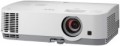 | 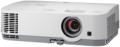 |
|---|---|---|
| NEC ME361X | NEC ME361W | |
from $550.00 | from $900.00 | |
| TOP sellers | ||
| Main function | professional | professional |
Lamp and image | ||
| Service life | 4000 h | 4000 h |
| Service life (energy-saving) | 9000 h | 9000 h |
| Lamp power | 235 W | 235 W |
| Brightness ANSI Lumens | 3600 lm | 3600 lm |
| Dynamic contrast | 12 000:1 | 6 000:1 |
| Horizontal frequency | 15 – 100 kHz | 15 – 100 kHz |
| Frame rate | 50 – 120 Hz | 50 – 120 Hz |
Projection system | ||
| Technology | 3LCD | 3LCD |
| Real resolution | 1024x768 px | 1280x800 px |
| Image format support | 4:3, 16:9, 16:10 | 4:3, 16:9, 16:10 |
Projecting | ||
| Rear projection |  | |
| Throw distance, min | 0.6 m | 0.7 m |
| Throw distance, max | 13.8 m | 14.6 m |
| Image size | 30 – 300 " | 30 – 300 " |
| Throw ratio | 1.3:1 – 2.2:1 | 1.3:1 – 2.2:1 |
| Optical zoom | 1.7 x | |
| Zoom and focus | manual | manual |
| Keystone correction (vert), ± | 30 ° | 30 ° |
| Keystone correction (horizontal), ± | 30 ° | 30 ° |
Hardware | ||
| USB-A 2.0 | 1 pcs | 1 pcs |
| Video connectors | VGA composite AV-input | VGA composite AV-input |
| HDMI inputs | 2 | 2 |
| Audio connectors | 3.5 mm input (mini-Jack) 3.5 mm output (mini-Jack) RCA (audio) | 3.5 mm input (mini-Jack) 3.5 mm output (mini-Jack) RCA (audio) |
| Service connectors | COM port (RS-232) USB (slave) LAN (RJ-45) | COM port (RS-232) USB (slave) LAN (RJ-45) |
General | ||
| Noise level (nominal) | 35 dB | 36 dB |
| Noise level (energy-saving / quiet) | 29 dB | 29 dB |
| Power source | mains | mains |
| Power consumption | 297 W | 297 W |
| Size (HxWxD) | 109x339x259 mm | 109x339x259 mm |
| Weight | 2.9 kg | 2.9 kg |
| Color | ||
| Added to E-Catalog | march 2017 | february 2017 |


Compare NEC ME361X and ME361W
The NEC ME361X and NEC ME361W projectors have similar features, but there are also key differences. Both devices are intended for professional use, featuring a brightness of 3600 ANSI lumens and a lamp life of up to 4000 hours (9000 hours in eco mode). However, the ME361W offers a higher native resolution of 1280x800 pixels compared to 1024x768 pixels for the ME361X, making it more suitable for displaying detailed images. The dynamic contrast ratio for the ME361X is 12,000:1, while for the ME361W it is lower at 6,000:1. Both projectors have similar dimensions and weight, as well as a noise level in eco mode (29 dB). The choice between them will depend on your needs for resolution and contrast.
You may be interested in
My comparisons
NEC ME361X often compared

Glossary
Dynamic contrast
The dynamic image contrast provided by the projector.
Dynamic contrast ratio is the ratio between the brightest white and darkest black colour that a projector can produce. Recall that the quality of colour reproduction and detailing depend on contrast, the higher this indicator, the lower the likelihood that details will be indistinguishable in bright or dark areas. However, dynamic contrast is a rather specific parameter. The fact is that when it is calculated, the brightest white at the maximum brightness settings and the darkest black at the minimum are taken into account. As a result, the figures in this column can be very impressive, but it is impossible to achieve such a contrast within one frame.
By introducing this parameter, the manufacturers went to a certain trick. However, this is not to say that dynamic contrast has nothing to do with image quality at all. Projectors can use automatic brightness control, in which the overall brightness, depending on the "picture" on the screen, can increase or decrease. This format of work is based on the fact that the human eye does not need too bright areas on a general dark background and very dark areas on a bright one, the image is normally perceived even without it. The maximum brightness difference achievable in this mode of operation is exactly what described by dynamic contrast.
Dynamic contrast ratio is the ratio between the brightest white and darkest black colour that a projector can produce. Recall that the quality of colour reproduction and detailing depend on contrast, the higher this indicator, the lower the likelihood that details will be indistinguishable in bright or dark areas. However, dynamic contrast is a rather specific parameter. The fact is that when it is calculated, the brightest white at the maximum brightness settings and the darkest black at the minimum are taken into account. As a result, the figures in this column can be very impressive, but it is impossible to achieve such a contrast within one frame.
By introducing this parameter, the manufacturers went to a certain trick. However, this is not to say that dynamic contrast has nothing to do with image quality at all. Projectors can use automatic brightness control, in which the overall brightness, depending on the "picture" on the screen, can increase or decrease. This format of work is based on the fact that the human eye does not need too bright areas on a general dark background and very dark areas on a bright one, the image is normally perceived even without it. The maximum brightness difference achievable in this mode of operation is exactly what described by dynamic contrast.
Real resolution
The native resolution of the image produced by the projector matrix.
The minimum for modern projectors is actually the VGA standard, which assumes a resolution of 800x600 or close to it. The most limited of modern high-definition standards is HD (720); the classic size of such a frame is 1280x720, but projectors also have other options (up to 1920x720). A more advanced HD format is Full HD (1080), which also has several variations (the most popular is 1920x1080). And among high-end projectors there are models of Quad HD, Ultra HD (4K) and even Ultra HD (8K) standards.
In general, the higher the resolution, the clearer and more detailed image the projector can produce. On the other hand, this indicator directly affects the cost, and all the benefits of high resolution can only be appreciated if the reproduced content also corresponds to it. Note that modern projectors can work with higher resolutions than the “native” ones – for more details, see “Maximum video resolution”.
The minimum for modern projectors is actually the VGA standard, which assumes a resolution of 800x600 or close to it. The most limited of modern high-definition standards is HD (720); the classic size of such a frame is 1280x720, but projectors also have other options (up to 1920x720). A more advanced HD format is Full HD (1080), which also has several variations (the most popular is 1920x1080). And among high-end projectors there are models of Quad HD, Ultra HD (4K) and even Ultra HD (8K) standards.
In general, the higher the resolution, the clearer and more detailed image the projector can produce. On the other hand, this indicator directly affects the cost, and all the benefits of high resolution can only be appreciated if the reproduced content also corresponds to it. Note that modern projectors can work with higher resolutions than the “native” ones – for more details, see “Maximum video resolution”.
Throw distance, min
The closest distance to the screen that the projector can be used on. Typically, this is the minimum distance at which the image from the projector remains in focus.
This parameter is especially important if the device is to be placed at a small distance from the screen (for example, in a cramped room). Some modern projectors are able to work normally at a distance of 10 – 20 cm. Also note that the throw distances are determined primarily by the lens, and if the initial range of these distances does not suit you, perhaps the situation can be solved by replacing the optics.
This parameter is especially important if the device is to be placed at a small distance from the screen (for example, in a cramped room). Some modern projectors are able to work normally at a distance of 10 – 20 cm. Also note that the throw distances are determined primarily by the lens, and if the initial range of these distances does not suit you, perhaps the situation can be solved by replacing the optics.
Throw distance, max
The farthest distance from the screen that the projector can be used on. This is the maximum distance at which the image remains in focus and maintains acceptable brightness — at least enough for viewing in a darkened room on a high-quality screen.
It is necessary to choose according to this parameter taking into account the expected operating conditions and the distances to be dealt with. At the same time, it's ok to have a certain margin for the maximum distance — since, as already mentioned, it is usually indicated for an perfect screen and a darkened room, and such conditions are not always available. Also note that although the throw distances depend on the lens, not every projector with an interchangeable lens allows the installation of more "long-range" optics than the standard one — the device may simply not have enough brightness for an increased distance.
It is necessary to choose according to this parameter taking into account the expected operating conditions and the distances to be dealt with. At the same time, it's ok to have a certain margin for the maximum distance — since, as already mentioned, it is usually indicated for an perfect screen and a darkened room, and such conditions are not always available. Also note that although the throw distances depend on the lens, not every projector with an interchangeable lens allows the installation of more "long-range" optics than the standard one — the device may simply not have enough brightness for an increased distance.
Optical zoom
The magnification range of optical zoom that the projector can provide.
Optical magnification of the image is carried out due to the operation of the lenses in the projector lens. With such an magnification, the size of the entire image changes; this can be useful both for adjusting the “picture” to the screen size, and for detailed viewing of individual details (the main thing is that these details do not crawl out of the screen when enlarged). In general, optical zoom is considered more advanced than digital one, because it allows user to adjust the diagonal without moving the projector, and maintains the original resolution of the "picture" regardless of the magnification. However lenses with such an possibility ("zoom lenses") are more complicated and more expensive than fixed optics, but the difference in price is almost imperceptible compared to the cost of the projectors themselves.
Optical magnification of the image is carried out due to the operation of the lenses in the projector lens. With such an magnification, the size of the entire image changes; this can be useful both for adjusting the “picture” to the screen size, and for detailed viewing of individual details (the main thing is that these details do not crawl out of the screen when enlarged). In general, optical zoom is considered more advanced than digital one, because it allows user to adjust the diagonal without moving the projector, and maintains the original resolution of the "picture" regardless of the magnification. However lenses with such an possibility ("zoom lenses") are more complicated and more expensive than fixed optics, but the difference in price is almost imperceptible compared to the cost of the projectors themselves.
Noise level (nominal)
The maximum noise level generated by the projector.
In most models, the main source of noise is the cooling system — it often uses fans to efficiently remove the heat generated by the lamp. Of course, the lower the noise level, the more convenient the projector is to use, the less inconvenience it causes, and the better the sound accompaniment of the “picture” is heard (if it is provided at all). On the other hand, as the size and power increase, the noise level also inevitably increases, and measures to reduce it significantly affect the cost of the projector.
Portable models are the quietest (see "Main purpose") — most of them do not have active cooling and practically do not make noise, except for control keys clicking and other similar sounds. Therefore, this indicator for such projectors may not be indicated at all. The most "loud" are professional projectors — in them the noise level can reach 50 dB (human speech level at medium volume).
In most models, the main source of noise is the cooling system — it often uses fans to efficiently remove the heat generated by the lamp. Of course, the lower the noise level, the more convenient the projector is to use, the less inconvenience it causes, and the better the sound accompaniment of the “picture” is heard (if it is provided at all). On the other hand, as the size and power increase, the noise level also inevitably increases, and measures to reduce it significantly affect the cost of the projector.
Portable models are the quietest (see "Main purpose") — most of them do not have active cooling and practically do not make noise, except for control keys clicking and other similar sounds. Therefore, this indicator for such projectors may not be indicated at all. The most "loud" are professional projectors — in them the noise level can reach 50 dB (human speech level at medium volume).