
Comparison Epson EB-W04 vs Epson EB-X04
Add to comparison | 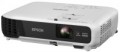 | 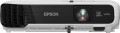 |
|---|---|---|
| Epson EB-W04 | Epson EB-X04 | |
from $417.00 up to $643.56 | from $472.00 up to $533.52 | |
| TOP sellers | ||
| Main function | universal | universal |
Lamp and image | ||
| Lamp type | UHE | UHE |
| Lamp model | ELPLP88 | ELPLP88 |
| Service life | 5000 h | 5000 h |
| Service life (energy-saving) | 10000 h | |
| Lamp power | 200 W | 200 W |
| Brightness | 3000 lm | 2800 lm |
| Dynamic contrast | 15 000:1 | 15 000:1 |
| Colour rendering | 1.07 billion colours | 1.07 billion colours |
| Horizontal frequency | 15 – 92 kHz | 15 – 92 kHz |
| Frame rate | 50 – 85 Hz | 50 – 85 Hz |
Projection system | ||
| Technology | 3LCD | 3LCD |
| Size | 0.55" | |
| Real resolution | 1280x800 px | 1024x768 px |
| Image format support | 4:3, 16:9, 16:10 | 4:3, 16:9, 16:10 |
Projecting | ||
| Rear projection |  | |
| Throw distance, min | 0.9 m | 0.9 m |
| Throw distance, max | 10.89 m | 10.8 m |
| Image size | 33 – 320 " | 30 – 300 " |
| Throw ratio | 1.48:1 – 1.77:1 | |
| Optical zoom | 1.2 x | 1.2 x |
| Zoom and focus | manual | manual |
| Keystone correction (vert), ± | 30 ° | |
| Keystone correction (horizontal), ± | 30 ° | |
Features | ||
| Wi-Fi | Wi-Fi ready | |
Hardware | ||
| USB-A 2.0 | 1 pcs | 1 pcs |
| Number of speakers | 1 | 1 |
| Sound power | 1 W | 1 W |
| Video connectors | VGA S-Video composite AV-input | VGA S-Video composite AV-input |
| HDMI inputs | no | 1 |
| HDMI version | v 1.4 | |
| Audio connectors | RCA (audio) | RCA (audio) |
| Service connectors | USB (slave) | USB (slave) |
General | ||
| Noise level (nominal) | 37 dB | 37 dB |
| Noise level (energy-saving / quiet) | 28 dB | |
| Power source | mains | mains |
| Power consumption | 277 W | 277 W |
| Size (HxWxD) | 82x297x234 mm | 82x297x234 mm |
| Weight | 2.4 kg | 2.4 kg |
| Color | ||
| Added to E-Catalog | january 2016 | december 2015 |


Compare Epson EB-W04 and X04
Epson projectors EB-W04 and EB-X04 have similar characteristics, but there are also key differences. The EB-W04 offers a brightness of 3000 lm, which is slightly higher than the 2800 lm of the EB-X04, and this might be noticeable in bright rooms. Both projectors have the same dynamic contrast ratio of 15,000:1 and a lamp life of 5,000 hours (up to 10,000 hours in eco mode). However, the EB-X04 supports a resolution of 1024x768 pixels, which is better for standard formats, while the EB-W04 has a resolution of 1280x800 pixels, making it more suitable for widescreen content. Additionally, the EB-X04 is equipped with an HDMI input, while the EB-W04 does not have it, which can be important for connecting modern devices. Both projectors have similar dimensions and weight, making them convenient to carry. Overall, the choice between them depends on your resolution preferences and the need for HDMI.
You may be interested in
My comparisons
Epson EB-W04 often compared


Epson EB-X04 often compared


Glossary
Service life (energy-saving)
When working in economy mode, the brightness of the backlight is noticeably reduced, on average by 30-50%. With a decrease in brightness, heat dissipation also decreases, which saves the working life of the illuminator, thereby increasing the lamp life. Thus, the ECO mode allows you to extend the lamp life by an average of 30%. If the typical projector lamp life is 4000 hours, regular use of the ECO mode will extend the backlight life to approximately 5500 hours.
Brightness
The brightness of the image produced by the projector at maximum backlight brightness. Usually, the average brightness of the screen, derived from a special formula, is indicated. The higher it is, the less the image depends on ambient light: a bright projector can provide a clearly visible image even in daylight, but a dim one will require dimming. On the other hand, increasing brightness reduces contrast and accuracy of colour reproduction.
Accordingly, when choosing this parameter, you need to consider the conditions in which you plan to use the projector. So, for office or school/university use, a brightness of at least 3000 lm is desirable — this allows you to get normal visibility without obscuring the room. In turn, among the top models a very low brightness can be found, because. such projectors are usually installed in rooms specially designed for them with good darkness level. And in ultra-compact devices it is impossible to achieve high brightness for technical reasons.
Detailed recommendations on the optimal brightness for certain conditions can be found in special sources. Here we note that anyway, it is worth choosing according to this indicator with some margin. As mentioned above, as brightness increases, contrast and colour quality decrease, and you may need to use the projector at a reduced brightness to achieve the desired picture quality.
Accordingly, when choosing this parameter, you need to consider the conditions in which you plan to use the projector. So, for office or school/university use, a brightness of at least 3000 lm is desirable — this allows you to get normal visibility without obscuring the room. In turn, among the top models a very low brightness can be found, because. such projectors are usually installed in rooms specially designed for them with good darkness level. And in ultra-compact devices it is impossible to achieve high brightness for technical reasons.
Detailed recommendations on the optimal brightness for certain conditions can be found in special sources. Here we note that anyway, it is worth choosing according to this indicator with some margin. As mentioned above, as brightness increases, contrast and colour quality decrease, and you may need to use the projector at a reduced brightness to achieve the desired picture quality.
Size
The size of the panel/chip affects the depth and final quality of the image. The larger the panel/chip, the more light it is able to process, which means the picture will be clearer and more structured. The average projector has a sensor of 0.5-0.7″, advanced projectors use sensors of 1.2-1.5″ and more.
Real resolution
The native resolution of the image produced by the projector matrix.
The minimum for modern projectors is actually the VGA standard, which assumes a resolution of 800x600 or close to it. The most limited of modern high-definition standards is HD (720); the classic size of such a frame is 1280x720, but projectors also have other options (up to 1920x720). A more advanced HD format is Full HD (1080), which also has several variations (the most popular is 1920x1080). And among high-end projectors there are models of Quad HD, Ultra HD (4K) and even Ultra HD (8K) standards.
In general, the higher the resolution, the clearer and more detailed image the projector can produce. On the other hand, this indicator directly affects the cost, and all the benefits of high resolution can only be appreciated if the reproduced content also corresponds to it. Note that modern projectors can work with higher resolutions than the “native” ones – for more details, see “Maximum video resolution”.
The minimum for modern projectors is actually the VGA standard, which assumes a resolution of 800x600 or close to it. The most limited of modern high-definition standards is HD (720); the classic size of such a frame is 1280x720, but projectors also have other options (up to 1920x720). A more advanced HD format is Full HD (1080), which also has several variations (the most popular is 1920x1080). And among high-end projectors there are models of Quad HD, Ultra HD (4K) and even Ultra HD (8K) standards.
In general, the higher the resolution, the clearer and more detailed image the projector can produce. On the other hand, this indicator directly affects the cost, and all the benefits of high resolution can only be appreciated if the reproduced content also corresponds to it. Note that modern projectors can work with higher resolutions than the “native” ones – for more details, see “Maximum video resolution”.
Throw distance, max
The farthest distance from the screen that the projector can be used on. This is the maximum distance at which the image remains in focus and maintains acceptable brightness — at least enough for viewing in a darkened room on a high-quality screen.
It is necessary to choose according to this parameter taking into account the expected operating conditions and the distances to be dealt with. At the same time, it's ok to have a certain margin for the maximum distance — since, as already mentioned, it is usually indicated for an perfect screen and a darkened room, and such conditions are not always available. Also note that although the throw distances depend on the lens, not every projector with an interchangeable lens allows the installation of more "long-range" optics than the standard one — the device may simply not have enough brightness for an increased distance.
It is necessary to choose according to this parameter taking into account the expected operating conditions and the distances to be dealt with. At the same time, it's ok to have a certain margin for the maximum distance — since, as already mentioned, it is usually indicated for an perfect screen and a darkened room, and such conditions are not always available. Also note that although the throw distances depend on the lens, not every projector with an interchangeable lens allows the installation of more "long-range" optics than the standard one — the device may simply not have enough brightness for an increased distance.
Image size
Size of the image projected by the projector. Usually, it is indicated as a range — from the smallest, at the minimum throw distance, to the largest, at the maximum. About throw distances, see above; here it is worth saying that the choice of diagonal size depends both on the distance between the screen and the audience, and on the format of the projector. For example, to watch a video, the best option is the situation when the distance from the viewer to the image corresponds to 3-4 diagonals, and a relatively large picture can be useful for working with presentations. More detailed recommendations for different situations can be found in special sources; here we only recall that the image must fit on the screen used with the projector.
Throw ratio
The projector's throw distance is vital in determining what size projection screen to use and how far away it should be from the projector. Most projectors have a variable throw ratio. In the extreme positions, these are wide-angle mode (smallest value) and telephoto lens mode (largest value). Knowing these values, you will be able to determine the range of throw distances within which the projector must be placed in order for the projected image to match the specified dimensions of the projection screen.
According to these values, you need to check or set the optical zoom. We divide the larger value by the smaller value, and we get a figure, for example 1.33-2.16: 1.
If we want to calculate whether this projector is suitable for a certain image size, we do this: 1.33*3 (image width)=the distance at which the projector should hang.
According to these values, you need to check or set the optical zoom. We divide the larger value by the smaller value, and we get a figure, for example 1.33-2.16: 1.
If we want to calculate whether this projector is suitable for a certain image size, we do this: 1.33*3 (image width)=the distance at which the projector should hang.
Keystone correction (vert), ±
Vertical keystone correction allows you to align the image when the projection ray is shifted from the centre of the screen in a vertical plane. If the projector is suspended from the ceiling and shines from top to bottom, a vertical keystone occurs. And the function of vertical keystone correction allows you to align the picture.
In most cases, projectors can only correct vertical keystone. But the keystone can also be horizontal if the projection ray is offset from the centre of the screen in the horizontal plane. Advanced models are often equipped with an auto keystone correction feature (see the relevant paragraph). In this case, the keystone is aligned in a fully automatic mode, without user participation.
Keystone correction (horizontal), ±
Horizontal keystone correction allows you to straighten the picture if the projection ray is offset from the centre of the screen in the horizontal plane. A horizontal keystone effect occurs when the projector shines on the screen not from above, as in most cases, but from the side. A horizontal keystone is often combined with a vertical one. In this case, it is necessary to correct the distortion both horizontally and vertically.
Projectors with horizontal keystone correction almost always have vertical keystone correction capability (see the relevant paragraph).