
Comparison Acer C205 vs Asus S1
Add to comparison | 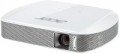 | 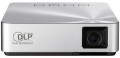 |
|---|---|---|
| Acer C205 | Asus S1 | |
from $294.00 up to $399.84 | from $104.99 | |
| TOP sellers | ||
| Main function | portable | portable |
Lamp and image | ||
| Lamp type | LED | LED |
| Service life | 20000 h | 30000 h |
| Service life (energy-saving) | 30000 h | |
| Brightness | 200 lm | |
| Brightness ANSI Lumens | 200 lm | |
| Static contrast | 1 000:1 | 1 000:1 |
| Colour rendering | 16.7 million colours | 16.7 million colours |
| Horizontal frequency | 24.7 – 74.6 kHz | |
Projection system | ||
| Technology | DLP | DLP |
| Size | 0.3" | |
| Real resolution | 854x480 px | 854x480 px |
| Image format support | 4:3, 16:9 | 4:3, 16:9 |
Projecting | ||
| Rear projection |  |  |
| Throw distance, min | 0.6 m | 0.73 m |
| Throw distance, max | 2.4 m | 2.43 m |
| Image size | 15 – 100 " | 30 – 100 " |
| Throw ratio | 1.10:1 | 1.1:1 |
| Zoom and focus | manual | manual |
Features | ||
| Features | MHL support | MHL support |
Hardware | ||
| USB-A 2.0 | 1 pcs | 1 pcs |
| Number of speakers | 2 | 1 |
| Sound power | 4 W | 2 W |
| HDMI inputs | 1 | 1 |
| HDMI version | v 1.4 | |
| Audio connectors | 3.5 mm input (mini-Jack) | 3.5 mm output (mini-Jack) |
General | ||
| Noise level (nominal) | 32 dB | 32 dB |
| Noise level (energy-saving / quiet) | 25 dB | 28 dB |
| Power source | mains / battery | mains / battery |
| Battery capacity | 3980 mAh | 6000 mAh |
| Power bank | | |
| Operating time | 2 h | 3 h |
| Power consumption | 32 W | |
| Size (HxWxD) | 27x144x108 mm | 31x111x102 mm |
| Weight | 0.3 kg | 0.34 kg |
| Color | ||
| Added to E-Catalog | may 2014 | march 2014 |


Compare Acer C205 and Asus S1
The Acer C205 and Asus S1 projectors are both portable devices with LED lamps and a brightness of 200 lm, but they have some differences. The Acer C205 has a lamp life of 20,000 hours in normal mode and 30,000 hours in eco mode, while the Asus S1 offers a lamp life of 30,000 hours in any mode. In terms of sound, the Acer C205 is equipped with two 4 W speakers, whereas the Asus S1 has one 2 W speaker, which may affect the sound quality during use. Both projectors support MHL and have similar projection sizes, but the Asus S1 offers a Power Bank feature and a longer battery life—3 hours compared to 2 hours for the Acer C205. Users note that both devices are easy to carry, but the Asus S1 may be preferable for longer presentations due to its longer battery life.
You may be interested in
Acer C205 often compared


Asus S1 often compared


Glossary
Service life
Minimum projector lamp life as stated by the manufacturer. Specified by the total time of continuous operation. Note that if the projector was operated without violations, then upon reaching this time, the lamp will not necessarily fail — on the contrary, it can work for quite a long time. However, when evaluating durability, it is best to focus on the claimed service life.
Service life (energy-saving)
When working in economy mode, the brightness of the backlight is noticeably reduced, on average by 30-50%. With a decrease in brightness, heat dissipation also decreases, which saves the working life of the illuminator, thereby increasing the lamp life. Thus, the ECO mode allows you to extend the lamp life by an average of 30%. If the typical projector lamp life is 4000 hours, regular use of the ECO mode will extend the backlight life to approximately 5500 hours.
Brightness
The brightness of the image produced by the projector at maximum backlight brightness. Usually, the average brightness of the screen, derived from a special formula, is indicated. The higher it is, the less the image depends on ambient light: a bright projector can provide a clearly visible image even in daylight, but a dim one will require dimming. On the other hand, increasing brightness reduces contrast and accuracy of colour reproduction.
Accordingly, when choosing this parameter, you need to consider the conditions in which you plan to use the projector. So, for office or school/university use, a brightness of at least 3000 lm is desirable — this allows you to get normal visibility without obscuring the room. In turn, among the top models a very low brightness can be found, because. such projectors are usually installed in rooms specially designed for them with good darkness level. And in ultra-compact devices it is impossible to achieve high brightness for technical reasons.
Detailed recommendations on the optimal brightness for certain conditions can be found in special sources. Here we note that anyway, it is worth choosing according to this indicator with some margin. As mentioned above, as brightness increases, contrast and colour quality decrease, and you may need to use the projector at a reduced brightness to achieve the desired picture quality.
Accordingly, when choosing this parameter, you need to consider the conditions in which you plan to use the projector. So, for office or school/university use, a brightness of at least 3000 lm is desirable — this allows you to get normal visibility without obscuring the room. In turn, among the top models a very low brightness can be found, because. such projectors are usually installed in rooms specially designed for them with good darkness level. And in ultra-compact devices it is impossible to achieve high brightness for technical reasons.
Detailed recommendations on the optimal brightness for certain conditions can be found in special sources. Here we note that anyway, it is worth choosing according to this indicator with some margin. As mentioned above, as brightness increases, contrast and colour quality decrease, and you may need to use the projector at a reduced brightness to achieve the desired picture quality.
Brightness ANSI Lumens
This parameter largely determines the ability of the projector to work in a well-lit room. For a dark room, 1000 lumens is enough to make the projection picture bright, rich, clear and understandable. But when working in a lit room, the projector will need at least 3500-4000 lumens. Do not confuse ANSI lumens with Peak lumens. These are two different brightness standards. To convert one type of brightness to another, you need to multiply Peak lumens by 10-12. The result will be an approximate value of ANSI Lumens.
However, experts do not recommend chasing high ANSI lumen brightness values. There are many professional projectors with brightness up to 3500 lm. The lower the brightness, the lower the power consumption, and at the same time, the life of the illuminator increases. Of course, if the projector will be installed in a work office or classroom where good lighting is required, it is recommended to purchase a model with ANSI Lumens brightness of 4000 lumens and more.
Horizontal frequency
Horizontal frequency supported by the projector.
This parameter is relevant when working with analogue video signal. In such a video, the image is formed line by line: each pixel in the line is highlighted in turn, then the next line is highlighted, and so on. The horizontal frequency describes how many times per second the backlight beam runs from edge to edge of the screen. For normal playback, the projector must support the same refresh rate as the input signal was recorded. However, most models support a fairly wide range of frequencies, and there are no problems with support. Also note that if you are not a professional, then when choosing a projector, it is quite possible to focus on the frame rate (see below) — this parameter is simpler and more intuitive, and support for a certain frame rate automatically means support for the corresponding line rate.
This parameter is relevant when working with analogue video signal. In such a video, the image is formed line by line: each pixel in the line is highlighted in turn, then the next line is highlighted, and so on. The horizontal frequency describes how many times per second the backlight beam runs from edge to edge of the screen. For normal playback, the projector must support the same refresh rate as the input signal was recorded. However, most models support a fairly wide range of frequencies, and there are no problems with support. Also note that if you are not a professional, then when choosing a projector, it is quite possible to focus on the frame rate (see below) — this parameter is simpler and more intuitive, and support for a certain frame rate automatically means support for the corresponding line rate.
Size
The size of the panel/chip affects the depth and final quality of the image. The larger the panel/chip, the more light it is able to process, which means the picture will be clearer and more structured. The average projector has a sensor of 0.5-0.7″, advanced projectors use sensors of 1.2-1.5″ and more.
Rear projection
The ability of the projector to operate in the rear projection mode (“mirroring” the image).
There are two main types of rear projection. Most often, horizontal mirroring is found in projectors — it is used when installing the device behind a translucent screen. Vertical inversion, in turn, is used in projectors with fixed keystone correction — due to their design, when mounted under the ceiling, such devices must be turned upside down, which requires the corresponding correction of the displayed image.
There are two main types of rear projection. Most often, horizontal mirroring is found in projectors — it is used when installing the device behind a translucent screen. Vertical inversion, in turn, is used in projectors with fixed keystone correction — due to their design, when mounted under the ceiling, such devices must be turned upside down, which requires the corresponding correction of the displayed image.
Throw distance, min
The closest distance to the screen that the projector can be used on. Typically, this is the minimum distance at which the image from the projector remains in focus.
This parameter is especially important if the device is to be placed at a small distance from the screen (for example, in a cramped room). Some modern projectors are able to work normally at a distance of 10 – 20 cm. Also note that the throw distances are determined primarily by the lens, and if the initial range of these distances does not suit you, perhaps the situation can be solved by replacing the optics.
This parameter is especially important if the device is to be placed at a small distance from the screen (for example, in a cramped room). Some modern projectors are able to work normally at a distance of 10 – 20 cm. Also note that the throw distances are determined primarily by the lens, and if the initial range of these distances does not suit you, perhaps the situation can be solved by replacing the optics.
Throw distance, max
The farthest distance from the screen that the projector can be used on. This is the maximum distance at which the image remains in focus and maintains acceptable brightness — at least enough for viewing in a darkened room on a high-quality screen.
It is necessary to choose according to this parameter taking into account the expected operating conditions and the distances to be dealt with. At the same time, it's ok to have a certain margin for the maximum distance — since, as already mentioned, it is usually indicated for an perfect screen and a darkened room, and such conditions are not always available. Also note that although the throw distances depend on the lens, not every projector with an interchangeable lens allows the installation of more "long-range" optics than the standard one — the device may simply not have enough brightness for an increased distance.
It is necessary to choose according to this parameter taking into account the expected operating conditions and the distances to be dealt with. At the same time, it's ok to have a certain margin for the maximum distance — since, as already mentioned, it is usually indicated for an perfect screen and a darkened room, and such conditions are not always available. Also note that although the throw distances depend on the lens, not every projector with an interchangeable lens allows the installation of more "long-range" optics than the standard one — the device may simply not have enough brightness for an increased distance.