
Comparison Epson EB-W42 vs Epson EB-U42
Add to comparison | 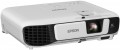 | 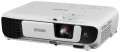 |
|---|---|---|
| Epson EB-W42 | Epson EB-U42 | |
| Outdated Product | Outdated Product | |
| TOP sellers | ||
| Main function | presentations | presentations |
Lamp and image | ||
| Lamp type | UHE | UHE |
| Service life | 6000 h | 6000 h |
| Service life (energy-saving) | 10000 h | 10000 h |
| Lamp power | 210 W | 210 W |
| Brightness | 3600 lm | 3600 lm |
| Dynamic contrast | 15 000:1 | 15 000:1 |
| Colour rendering | 1.07 billion colours | 1.07 billion colours |
| Horizontal frequency | 15 – 92 kHz | 15 – 92 kHz |
| Frame rate | 50 – 85 Hz | 50 – 85 Hz |
Projection system | ||
| Technology | 3LCD | 3LCD |
| Size | 0.59" | 0.67" |
| Real resolution | 1280x800 px | 1920x1200 px |
| Image format support | 4:3, 16:9, 16:10 | 4:3, 16:9, 16:10 |
Projecting | ||
| Rear projection |  | |
| Throw distance, min | 0.88 m | 0.88 m |
| Throw distance, max | 10.44 m | 10.44 m |
| Image size | 33 – 320 " | 30 – 300 " |
| Throw ratio | 1.3:1 – 1.56:1 | 1.38:1 – 1.68:1 |
| Optical zoom | 1.2 x | 1.2 x |
| Zoom and focus | manual | manual |
| Keystone correction (vert), ± | 30 ° | 30 ° |
| Keystone correction (horizontal), ± | 30 ° | 30 ° |
Features | ||
| Features | MHL support | MHL support |
| Wi-Fi | Wi-Fi 4 (802.11n) | Wi-Fi 4 (802.11n) |
Hardware | ||
| USB-A 2.0 | 1 pcs | 1 pcs |
| Number of speakers | 1 | 1 |
| Sound power | 2 W | 2 W |
| Video connectors | VGA composite AV-input | VGA composite AV-input |
| HDMI inputs | 1 | 2 |
| HDMI version | v 1.4 | v 1.4 |
| Audio connectors | RCA (audio) | RCA (audio) |
| Service connectors | USB (slave) | USB (slave) |
General | ||
| Noise level (nominal) | 35 dB | 37 dB |
| Noise level (energy-saving / quiet) | 28 dB | 28 dB |
| Power source | mains | mains |
| Power consumption | 298 W | 298 W |
| Size (HxWxD) | 82x302x237 mm | 87x302x249 mm |
| Weight | 2.5 kg | 2.8 kg |
| Color | ||
| Added to E-Catalog | october 2017 | october 2017 |


Compare Epson EB-W42 and U42
Epson projectors EB-W42 and EB-U42 are designed for presentations and have similar characteristics, but there are also important differences. Both devices use UHE lamps with brightness of 3600 lm and a service life of up to 6000 hours (in eco mode — up to 10000 hours). Nevertheless, the EB-U42 offers a higher native resolution of 1920x1200 pixels compared to 1280x800 for the EB-W42, making it more suitable for detailed images. Both projectors support MHL and have a similar number of inputs, but the EB-U42 has two HDMI inputs compared to one on the EB-W42. The noise level of the EB-U42 is slightly higher (37 dB compared to 35 dB on the EB-W42), and its weight is 2.8 kg compared to 2.5 kg for the EB-W42. Overall, if high resolution is important to you, it's worth considering the EB-U42, while the EB-W42 may be preferred for simpler tasks.
You may be interested in
Epson EB-W42 often compared


Epson EB-U42 often compared


Glossary
Size
The size of the panel/chip affects the depth and final quality of the image. The larger the panel/chip, the more light it is able to process, which means the picture will be clearer and more structured. The average projector has a sensor of 0.5-0.7″, advanced projectors use sensors of 1.2-1.5″ and more.
Real resolution
The native resolution of the image produced by the projector matrix.
The minimum for modern projectors is actually the VGA standard, which assumes a resolution of 800x600 or close to it. The most limited of modern high-definition standards is HD (720); the classic size of such a frame is 1280x720, but projectors also have other options (up to 1920x720). A more advanced HD format is Full HD (1080), which also has several variations (the most popular is 1920x1080). And among high-end projectors there are models of Quad HD, Ultra HD (4K) and even Ultra HD (8K) standards.
In general, the higher the resolution, the clearer and more detailed image the projector can produce. On the other hand, this indicator directly affects the cost, and all the benefits of high resolution can only be appreciated if the reproduced content also corresponds to it. Note that modern projectors can work with higher resolutions than the “native” ones – for more details, see “Maximum video resolution”.
The minimum for modern projectors is actually the VGA standard, which assumes a resolution of 800x600 or close to it. The most limited of modern high-definition standards is HD (720); the classic size of such a frame is 1280x720, but projectors also have other options (up to 1920x720). A more advanced HD format is Full HD (1080), which also has several variations (the most popular is 1920x1080). And among high-end projectors there are models of Quad HD, Ultra HD (4K) and even Ultra HD (8K) standards.
In general, the higher the resolution, the clearer and more detailed image the projector can produce. On the other hand, this indicator directly affects the cost, and all the benefits of high resolution can only be appreciated if the reproduced content also corresponds to it. Note that modern projectors can work with higher resolutions than the “native” ones – for more details, see “Maximum video resolution”.
Image size
Size of the image projected by the projector. Usually, it is indicated as a range — from the smallest, at the minimum throw distance, to the largest, at the maximum. About throw distances, see above; here it is worth saying that the choice of diagonal size depends both on the distance between the screen and the audience, and on the format of the projector. For example, to watch a video, the best option is the situation when the distance from the viewer to the image corresponds to 3-4 diagonals, and a relatively large picture can be useful for working with presentations. More detailed recommendations for different situations can be found in special sources; here we only recall that the image must fit on the screen used with the projector.
Throw ratio
The projector's throw distance is vital in determining what size projection screen to use and how far away it should be from the projector. Most projectors have a variable throw ratio. In the extreme positions, these are wide-angle mode (smallest value) and telephoto lens mode (largest value). Knowing these values, you will be able to determine the range of throw distances within which the projector must be placed in order for the projected image to match the specified dimensions of the projection screen.
According to these values, you need to check or set the optical zoom. We divide the larger value by the smaller value, and we get a figure, for example 1.33-2.16: 1.
If we want to calculate whether this projector is suitable for a certain image size, we do this: 1.33*3 (image width)=the distance at which the projector should hang.
According to these values, you need to check or set the optical zoom. We divide the larger value by the smaller value, and we get a figure, for example 1.33-2.16: 1.
If we want to calculate whether this projector is suitable for a certain image size, we do this: 1.33*3 (image width)=the distance at which the projector should hang.
HDMI inputs
The number of HDMI inputs provided by the projector.
HDMI is a comprehensive digital interface originally designed for high-definition video and multi-channel audio. Today, it is actually a generally accepted standard, outputs of this type are available in the vast majority of HD-enabled video devices — media centers, Blu-ray players, computer graphics cards, etc. The presence of several HDMI inputs allows you to simultaneously connect several signal sources to the projector and switch between them in the projector settings without having to connect and disconnect cables.
HDMI is a comprehensive digital interface originally designed for high-definition video and multi-channel audio. Today, it is actually a generally accepted standard, outputs of this type are available in the vast majority of HD-enabled video devices — media centers, Blu-ray players, computer graphics cards, etc. The presence of several HDMI inputs allows you to simultaneously connect several signal sources to the projector and switch between them in the projector settings without having to connect and disconnect cables.
Noise level (nominal)
The maximum noise level generated by the projector.
In most models, the main source of noise is the cooling system — it often uses fans to efficiently remove the heat generated by the lamp. Of course, the lower the noise level, the more convenient the projector is to use, the less inconvenience it causes, and the better the sound accompaniment of the “picture” is heard (if it is provided at all). On the other hand, as the size and power increase, the noise level also inevitably increases, and measures to reduce it significantly affect the cost of the projector.
Portable models are the quietest (see "Main purpose") — most of them do not have active cooling and practically do not make noise, except for control keys clicking and other similar sounds. Therefore, this indicator for such projectors may not be indicated at all. The most "loud" are professional projectors — in them the noise level can reach 50 dB (human speech level at medium volume).
In most models, the main source of noise is the cooling system — it often uses fans to efficiently remove the heat generated by the lamp. Of course, the lower the noise level, the more convenient the projector is to use, the less inconvenience it causes, and the better the sound accompaniment of the “picture” is heard (if it is provided at all). On the other hand, as the size and power increase, the noise level also inevitably increases, and measures to reduce it significantly affect the cost of the projector.
Portable models are the quietest (see "Main purpose") — most of them do not have active cooling and practically do not make noise, except for control keys clicking and other similar sounds. Therefore, this indicator for such projectors may not be indicated at all. The most "loud" are professional projectors — in them the noise level can reach 50 dB (human speech level at medium volume).