
Comparison Kyocera TASKalfa 1801 vs Kyocera TASKalfa 181
Add to comparison | 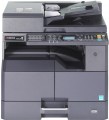 | 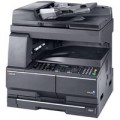 |
|---|---|---|
| Kyocera TASKalfa 1801 | Kyocera TASKalfa 181 | |
from $727.00 | from $485.00 | |
| TOP sellers | ||
| Placement | desktop/console | desktop/console |
| Paper size | A3 | A3 |
| Print technology | laser | laser |
| Output Type | monochrome | monochrome |
Functionality | ||
| First copy time | 6 с | 6 с |
| Max resolution | 600x600 dpi | 600x600 dpi |
| B/W copy | 18 ppm | 8 ppm |
| Scale ratio | 25-400% | 25-400% |
| Multiple Copies (max) | 999 pages/cycle | |
More Specs | ||
| Built-in memory | 256 MB | 128 MB |
| Paper supply capacity | 400 page | 300 page |
| Grammage (min) | 45 g/m² | 45 g/m² |
| Grammage (max) | 160 g/m² | 160 g/m² |
More Features | ||
| More Features | USB Printer Scanner | USB Network connection (LAN) Printer |
General Specs | ||
| Noise level | 62 dB | 65 dB |
| Power consumption | 385 W | 421 W |
| Dimensions (WxDxH) | 565x527x485 mm | 568x594x502 mm |
| Weight | 26 kg | 34 kg |
| Added to E-Catalog | september 2014 | june 2010 |


Compare Kyocera TASKalfa 1801 and TASKalfa 181
You may be interested in
My comparisons
Kyocera TASKalfa 1801 often compared


Kyocera TASKalfa 181 often compared
Glossary
Paper supply capacity
The maximum number of pages that can be loaded to the paper supply tray at one time.
More Features
— USB. Universal high-speed port used to connect various peripherals to a PC and other devices. Allows you to connect up to 127 devices per port. The most common and promising connection type for PC.
— LAN. The ability to connect a copier (usually with additional functions of a printer, scanner, fax, etc.) to a PC/multiple PCs via computer network. Suitable for "multi-user environment" — office sharing, etc.
— Printer. Ability to use the copier as a printer. The device connects to a computer via a wired or wireless interface. In fact, such models are a variant of the MFP, where the copier function is a priority.
— Scanner. Ability to use the copier as a scanner. The device connects to a computer via a wired or wireless interface. In fact, such models are a variant of the MFP, in which the copier function is a priority.
— Finisher. Allows you to bind the processed copies/printed materials with staples.
— Rotary hammer. The presence of a punching unit allows you to make holes in the processed copies/printed materials for subsequent binding.
— Folding. Possibility of the copier/MFP to fold the processed pages. It is applied to production of various booklets.
— LAN. The ability to connect a copier (usually with additional functions of a printer, scanner, fax, etc.) to a PC/multiple PCs via computer network. Suitable for "multi-user environment" — office sharing, etc.
— Printer. Ability to use the copier as a printer. The device connects to a computer via a wired or wireless interface. In fact, such models are a variant of the MFP, where the copier function is a priority.
— Scanner. Ability to use the copier as a scanner. The device connects to a computer via a wired or wireless interface. In fact, such models are a variant of the MFP, in which the copier function is a priority.
— Finisher. Allows you to bind the processed copies/printed materials with staples.
— Rotary hammer. The presence of a punching unit allows you to make holes in the processed copies/printed materials for subsequent binding.
— Folding. Possibility of the copier/MFP to fold the processed pages. It is applied to production of various booklets.
Noise level
Measured in decibels. Knowing the level of noise performed by the copier while printing, you can guess whether it will be convenient to use it indoors (for example, a common office room).