
Comparison Sony A6300 body vs Sony A6000 body
Add to comparison | 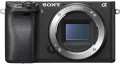 | 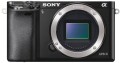 |
|---|---|---|
| Sony A6300 body | Sony A6000 body | |
from $1,004.95 | Compare prices 1 | |
| User reviews | ||
| TOP sellers | ||
| Camera type | "mirrorless" (MILC) | "mirrorless" (MILC) |
| DxOMark rating | 85 | 82 |
Sensor | ||
| Sensor | CMOS (CMOS) | CMOS (CMOS) |
| Sensor size | APS-C (23x15.5 mm) | APS-C (23x15.5 mm) |
| Total MP | 25 | 24.7 |
| Effective MP number | 24 | 24.3 |
| Maximum image size | 6000x4000 px | 6000x4000 px |
| Light sensitivity (ISO) | 100-25600 | 100-25600 |
| RAW format recording |  | |
Lens | ||
| Mount (bayonet) | Sony E | Sony E |
| Manual focus | | |
| Image stabilization | in absent | in absent |
Photo shooting | ||
| Number of scene programs | 15 | |
| HDR | | |
| White balance measuring | | |
| Exposure compensation | ± 5 EV, in 1/2 or 1/3 EV steps | ± 5 EV, in 1/2 or 1/3 EV steps |
| Auto bracketing | | |
| Exposure modes | auto shutter priority aperture priority manual mode | auto shutter priority aperture priority manual mode |
| Metering system | point centre-weighted sensor (estimated) | point centre-weighted sensor (estimated) |
Video recording | ||
| Full HD (1080) | 1920x1080 px 120 fps | 1920x1080 px 60 fps |
| Ultra HD (4K) | 3840x2160 px 30 fps | |
| File recording formats | MPEG-4, AVCHD, XAVC S | MPEG-4, AVCHD |
| Manual video focus | | |
| Maximum video length | time limit | |
| Connection ports | HDMI v 1.4 microphone Jack | HDMI v 1.4 |
Focus | ||
| Autofocus modes | one shot tracking in face | one shot tracking in face |
| Focus points | 425 шт | 179 шт |
Viewfinder and shutter | ||
| Viewfinder | electronic | electronic |
| Viewfinder crop | 0.7 x | |
| Frame coverage | 100 % | 100 % |
| Shutter speed | 30 - 1/4000 с | 30 - 1/4000 с |
| Continuous shooting | 11 fps | 11 fps |
| Shutter type | mechanical | mechanical |
Screen | ||
| Screen size | 3 '' | 3 '' |
| Screen resolution | 921 thousand pixels | 921 thousand pixels |
| Rotary display | | |
Memory and communications | ||
| Memory cards types | SD, SDHC, SDXC | SD, SDHC, SDXC |
| Communications | Wi-Fi NFC smartphone control | Wi-Fi 4 (802.11n) NFC |
Flash | ||
| Built-in flash | | |
| Application range | 6 m | 6 m |
Power source | ||
| Power source | battery | battery |
| Battery model | NP-FW50 | NP-FW50 |
| Battery capacity | 1080 mAh | 1080 mAh |
| Shots per charge | 400 шт | 360 шт |
General | ||
| Case/case model | LCS-EBC, LCS-EJA | |
| Charger model | BC-QM1 | BC-QM1 |
| Console/synchronizer model | RM-VPR1, RMT-DSLR2 | RM-VPR1, RMT-DSLR2 |
| Material | aluminium / plastic | aluminium / plastic |
| Dimensions (WxHxD) | 120x67x49 mm | 120x67x45 mm |
| Weight | 404 g | 344 g |
| Color | ||
| Added to E-Catalog | february 2016 | january 2016 |



Compare Sony A6300 and A6000
Price comparison
You may be interested in
My comparisons
Sony A6300 often compared


Sony A6000 often compared

Glossary
DxOMark rating
The result shown by the camera in the DxOMark ranking.
DxOMark is one of the most popular and respected resources for expert camera testing. According to the test results, the camera receives a certain number of points; The more points, the higher the final score.
DxOMark is one of the most popular and respected resources for expert camera testing. According to the test results, the camera receives a certain number of points; The more points, the higher the final score.
Total MP
The total number of individual light sensitive dots (pixels) provided in the camera's sensor. Denoted in megapixels - millions of pixels.
The total number of MPs, as a rule, is greater than the number of megapixels from which the frame is directly built (for more details, see "Effective number of MPs"). This is due to the presence of service areas on the matrix. In general, this parameter is more of a reference than practically significant: a larger total number of MPs with the same size and effective resolution means a slightly smaller size of each pixel, and, accordingly, an increased likelihood of noise (especially at high ISO values).
The total number of MPs, as a rule, is greater than the number of megapixels from which the frame is directly built (for more details, see "Effective number of MPs"). This is due to the presence of service areas on the matrix. In general, this parameter is more of a reference than practically significant: a larger total number of MPs with the same size and effective resolution means a slightly smaller size of each pixel, and, accordingly, an increased likelihood of noise (especially at high ISO values).
Effective MP number
The number of pixels (megapixels) of the matrix directly involved in the construction of the image, in fact — the number of points from which the captured image is built. Some manufacturers, in addition to this parameter, also indicate the total number of MPs, taking into account the service areas of the matrix. However, it is the effective number of MPs that is considered the main indicator — it is this that directly affects the maximum resolution of the resulting image (see “Maximum image size”).
A megapixel is 1 million pixels. Numerous megapixels ensures high resolution of the captured photos, but is not a guarantee of high-quality images — much also depends on the size of the sensor, its light sensitivity (see the relevant glossary items), as well as hardware and software image processing tools used in the camera. Note that for small matrices, high resolution can sometimes be more of an evil than a blessing — such sensors are very prone to the appearance of noise in the image.
A megapixel is 1 million pixels. Numerous megapixels ensures high resolution of the captured photos, but is not a guarantee of high-quality images — much also depends on the size of the sensor, its light sensitivity (see the relevant glossary items), as well as hardware and software image processing tools used in the camera. Note that for small matrices, high resolution can sometimes be more of an evil than a blessing — such sensors are very prone to the appearance of noise in the image.
Number of scene programs
The number of scene programs provided in the camera design.
Scene programs are preset settings for some of the most common shooting scenes - for example, Portrait, Landscape, Sports, Sunset, etc. In addition to these presets, this list may include special effects and creative tools (such as color swap or fisheye), as well as exposure modes (see below). The presence of scene programs is especially useful for beginners and non-professional photographers, as it eliminates the need to tinker with each setting separately - just select the most suitable program, and all the necessary settings will be set automatically. The more scene programs the camera design provides, the wider its automatic adjustment capabilities.
Scene programs are preset settings for some of the most common shooting scenes - for example, Portrait, Landscape, Sports, Sunset, etc. In addition to these presets, this list may include special effects and creative tools (such as color swap or fisheye), as well as exposure modes (see below). The presence of scene programs is especially useful for beginners and non-professional photographers, as it eliminates the need to tinker with each setting separately - just select the most suitable program, and all the necessary settings will be set automatically. The more scene programs the camera design provides, the wider its automatic adjustment capabilities.
Full HD (1080)
The maximum resolution and frame rate of video captured by the camera in Full HD (1080p).
The traditional Full HD video resolution in this case is 1920x1080; other options are more specific and practically do not occur in modern cameras. Regarding the frame rate, it is worth noting first of all that a normal (not slow-motion) video is shot at a speed of up to 60 fps, and in this case, the higher the frame rate, the smoother the video will be, the less jerks will be noticeable when moving in the frame. If the frame rate is 100 fps or higher, this usually means that the camera has a slow-motion video mode.
The traditional Full HD video resolution in this case is 1920x1080; other options are more specific and practically do not occur in modern cameras. Regarding the frame rate, it is worth noting first of all that a normal (not slow-motion) video is shot at a speed of up to 60 fps, and in this case, the higher the frame rate, the smoother the video will be, the less jerks will be noticeable when moving in the frame. If the frame rate is 100 fps or higher, this usually means that the camera has a slow-motion video mode.
Ultra HD (4K)
The maximum resolution and frame rate of video captured by the camera in the Ultra HD (4K) standard.
UHD 4K refers to resolutions with a frame size of approximately 4,000 horizontal pixels. Specifically, in cameras for video shooting, resolutions of 3840x2160 and 4096x2160 are most often used. Regarding the frame rate, it is worth noting first of all that a normal (not slow-motion) video is shot at a speed of up to 60 fps, and in this case, the higher the frame rate, the smoother the video will be, the less jerks will be noticeable when moving in the frame. If the frame rate is 100 fps or higher, this usually means that the camera has a slow-motion video mode.
UHD 4K refers to resolutions with a frame size of approximately 4,000 horizontal pixels. Specifically, in cameras for video shooting, resolutions of 3840x2160 and 4096x2160 are most often used. Regarding the frame rate, it is worth noting first of all that a normal (not slow-motion) video is shot at a speed of up to 60 fps, and in this case, the higher the frame rate, the smoother the video will be, the less jerks will be noticeable when moving in the frame. If the frame rate is 100 fps or higher, this usually means that the camera has a slow-motion video mode.
File recording formats
File formats in which the camera can record video. Given that the footage is designed to be viewed on an external screen, you should make sure that the playback device (DVD player, media centre, etc.) is able to work with the appropriate formats. At the same time, many camera models themselves can play the role of a player by connecting to a TV via an audio / video output or HDMI (see the corresponding paragraphs of the glossary). And if the video materials are to be viewed on a computer, you should not pay special attention to this parameter at all: problems with format incompatibility in such cases rarely occur, but are usually solved by installing the appropriate codec.
Maximum video length
Restrictions on the length of the recorded video provided in the design of the camera. In some models, the recording time is limited in time (for example, 30 minutes) — thus, to record a longer video, it will have to be split into separate clips. In others, the duration depends only on the amount of free memory — you can record as long as there is enough space. There is also a combination of these options; in such models, video recording stops as soon as either of the two limits is reached.
Connection ports
— USB-C. A universal USB interface using a Type C connector. USB ports (of all types) are mainly used for connecting the camera to a computer to transfer captured materials, manage settings, update firmware, etc. Specifically, the Type C connector is comparable in size to the earlier miniUSB and microUSB, but it has a reversible design that allows the plug to be inserted either way. Moreover, USB-C often operates at a USB 10Gbps standard, allowing for connection speeds up to 10 Gbps—a useful feature when transferring large amounts of content.
— HDMI. An all-encompassing digital interface that allows video (including high resolution) and audio (up to multichannel) to be transmitted via a single cable. Having such a port allows the use of the camera as a player: it can be directly connected to a TV, monitor, projector, etc., to view captured materials on a big screen. These transmission capabilities may include not only video playback but also displaying captured photos as a slideshow. HDMI inputs are found in most modern video devices, and connection is usually not problematic.
Currently, several versions of the HDMI interface are available on the market:
— Headphone Output. An audio output that allows headphones to be connected to the camera. It is typically represented by a classic 3.5mm mini-jack. Such an output provides the ability to monitor sound in real time during video recording. This is especially important when shooting interviews, video blogs, and other similar projects.
— Microphone Input. A specialized input for connecting an external microphone to the camera. External microphones significantly outperform built-in ones in sound quality. Firstly, they are less sensitive to the camera's "own" sounds—from buttons, control wheels, focus motors, etc. (and if the microphone uses a long cable and is not mounted on the body, these sounds will not be audible at all). Secondly, external microphones themselves have more advanced characteristics. On the other hand, their use is mainly justified for professional video recording; therefore, the presence of a microphone input usually corresponds to advanced video shooting capabilities.
— HDMI. An all-encompassing digital interface that allows video (including high resolution) and audio (up to multichannel) to be transmitted via a single cable. Having such a port allows the use of the camera as a player: it can be directly connected to a TV, monitor, projector, etc., to view captured materials on a big screen. These transmission capabilities may include not only video playback but also displaying captured photos as a slideshow. HDMI inputs are found in most modern video devices, and connection is usually not problematic.
Currently, several versions of the HDMI interface are available on the market:
- v 1.4. The oldest of the current versions, released in 2009. Nevertheless, it supports 3D video, can work with resolutions up to 4096x2160 at 24 fps, and in Full HD resolution, the frame rate can reach up to 120 fps. Besides the original v.1.4, there are also improved modific...ations — v.1.4a and v.1.4b; they are similar in basic capabilities, with improvements primarily focused on 3D content.
- v 2.0. A significant HDMI update, introduced in 2013. In this version, the maximum frame rate at 4K increased to 60 fps, and new features include support for ultra-wide format 21:9. In the v.2.0a update, HDR support was added to the interface's capabilities; in v.2.0b, this feature was enhanced and expanded.
- v 2.1. Despite the similar naming to v.2.0, this version, released in 2017, was a very significant update. It added support for 8K and even 10K at speeds of up to 120 fps, as well as further expanded capabilities for working with HDR. A dedicated cable—HDMI Ultra High Speed—was released for this version, and all v.2.1 capabilities are only available using cables of this standard, although basic functions can be used with simpler cables.
— Headphone Output. An audio output that allows headphones to be connected to the camera. It is typically represented by a classic 3.5mm mini-jack. Such an output provides the ability to monitor sound in real time during video recording. This is especially important when shooting interviews, video blogs, and other similar projects.
— Microphone Input. A specialized input for connecting an external microphone to the camera. External microphones significantly outperform built-in ones in sound quality. Firstly, they are less sensitive to the camera's "own" sounds—from buttons, control wheels, focus motors, etc. (and if the microphone uses a long cable and is not mounted on the body, these sounds will not be audible at all). Secondly, external microphones themselves have more advanced characteristics. On the other hand, their use is mainly justified for professional video recording; therefore, the presence of a microphone input usually corresponds to advanced video shooting capabilities.