
Comparison Vinga BlackGold black vs Vinga Winston black
Add to comparison | 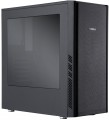 | 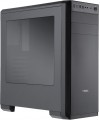 |
|---|---|---|
| Vinga BlackGold black | Vinga Winston black | |
from $35.44 up to $40.28 | from $32.20 up to $35.52 | |
| User reviews | ||
| TOP sellers | ||
| Features | gaming | gaming |
| Form factor | Midi Tower | Midi Tower |
| Mount | vertical | vertical |
| Motherboard support | ATX | ATX |
| PSU form factor | ATX (regular) | ATX (regular) |
Computer case | ||
| Dimensions (HxWxD) | 402x205x430 mm | 402x205x445 mm |
| Graphics card max lenght | 400 mm | 400 mm |
| Fan max height | 163 mm | 163 mm |
| Weight | 5 kg | |
| Material | steel | steel |
| Sidewall thickness | 0.7 mm | 0.7 mm |
| Rubber feet |  | |
| Side panel | removable | removable |
Storage | ||
| PSU |  | |
| PSU mount | bottom | bottom |
| 5.25" bays | 2 | |
| 3.5" bays | 2 | 2 |
| internal 2.5" compartments | 3 | 3 |
| Expansion slots | 7 | 7 |
| Screwless | | |
Cooling | ||
| Fans (back) | 1x120mm | 1x120mm |
| Fans (front) | 3x120mm | 2x140mm |
| Fans (top) | 2x120mm | |
| Fan mounts total | 4 | 5 |
| Dust filter | + | + |
Connectors and functions | ||
| Placement | on top of the case | on the front |
| USB-A 2.0 | 2 pcs | 2 pcs |
| USB-A 5Gbps | 1 pcs | 1 pcs |
| Audio (microphone/headphones) | | |
More features | ||
| Front panel | lattice | solid |
| Side panel window | + | acrylic |
| More features | hidden wiring CPU cooling mount window | removable HDD cage hidden wiring CPU cooling mount window |
| Color | ||
| Added to E-Catalog | april 2017 | april 2017 |


Compare Vinga BlackGold and Winston
You may be interested in
My comparisons
Vinga BlackGold often compared

Vinga Winston often compared


Glossary
5.25" bays
The number of 5.25" form factor bays provided in the case design. Such bays are made only external, that is, they can be accessed from the outside without opening the case (unlike 3.5", see the corresponding glossary items). Today, 5.25" bays are mainly used for installing optical disk drives, internal hard drives in removable pocket adapters (Mobile Rack), and sometimes additional fans. Also, 3.5" devices can be installed in such bays using special adapters. ". Most cases are equipped with 1 5.25" bay or two bays. But there are models with 3 or more bays, as well as cases without external bays.
Screwless
The ability to use special latches (instead of screws) to mount peripheral devices in 3.5" and 5.25 bays, as well as cards in expansion slots. This screwless mounting greatly simplifies the installation and replacement of system components.
Fans (front)
The number of fan slots on the front of the case, and the size of the fans these slots are designed for. The presence of the fans themselves in the kit should be specified separately.
The larger the fan, the more advanced it is considered: a large diameter allows you to work efficiently at relatively low speeds, which reduces the noise level and energy consumption. Case fans are available in several standard diameters; specifically for the front panel, the size up to 92 mm is considered relatively small, 120 mm — medium, 140 mm — large, and in the most advanced solutions, fans of 180 mm or even more can be installed.
Also note that most often the holes for installing fans are designed for one specific size, however, there are also “multi-size” seats, for 2-3 options. Moreover, these options may differ both in diameter and in quantity: for example, it may be possible to install two 140 mm fans or three 120 mm fans.
The larger the fan, the more advanced it is considered: a large diameter allows you to work efficiently at relatively low speeds, which reduces the noise level and energy consumption. Case fans are available in several standard diameters; specifically for the front panel, the size up to 92 mm is considered relatively small, 120 mm — medium, 140 mm — large, and in the most advanced solutions, fans of 180 mm or even more can be installed.
Also note that most often the holes for installing fans are designed for one specific size, however, there are also “multi-size” seats, for 2-3 options. Moreover, these options may differ both in diameter and in quantity: for example, it may be possible to install two 140 mm fans or three 120 mm fans.
Fans (top)
The number of fan slots on the top side of the case, and the size of the fans these slots are designed for. The presence of the fans themselves in the kit should be specified separately.
The larger the fan, the more advanced it is considered: a large diameter allows you to work efficiently at relatively low speeds, which reduces the noise level and energy consumption. Case fans are available in several standard diameters, and the seats under them can be designed for both one and several sizes — for example, 120 / 140 mm. At the same time, in some models, the available number of seats also depends on the chosen size: for example, there are gaming cases where you can install either one 180 mm fan or four 120 mm fans at once.
The larger the fan, the more advanced it is considered: a large diameter allows you to work efficiently at relatively low speeds, which reduces the noise level and energy consumption. Case fans are available in several standard diameters, and the seats under them can be designed for both one and several sizes — for example, 120 / 140 mm. At the same time, in some models, the available number of seats also depends on the chosen size: for example, there are gaming cases where you can install either one 180 mm fan or four 120 mm fans at once.
Fan mounts total
The total number of places for installing fans provided in the chassis design.
The more performant the system, the more components it includes — the more powerful cooling it will need; therefore, the number of places for fans, usually, is directly related to the size and purpose of the case. It is also worth considering that with the same number, the installation location of individual fans may be different — behind, on the side, on top, etc.
The more performant the system, the more components it includes — the more powerful cooling it will need; therefore, the number of places for fans, usually, is directly related to the size and purpose of the case. It is also worth considering that with the same number, the installation location of individual fans may be different — behind, on the side, on top, etc.
Placement
The location of the front set of connectors provided in the case. Such connectors can be located on the front panel, on the side wall or in the upper part of the case. The first two options are found in all case form factors (see above), while the top placement is considered optimal for tower solutions, originally designed for installation under the table.
Front panel
- Lattice. The grille on the front panel of the case often looks good and allows you to better supply the cooling system fans with more outside air. Decorative lighting is often placed behind the perforated panel, which improves the appearance of the case.
- Blank. The competitive advantages of cases with a blank front panel are improved noise insulation and effective protection of the internal space of the computer from dust.
- Glass. The veil of mystery of what is happening inside the computer system unit is lifted by cases with a glass front panel. Tempered glass as a “facade” material is used both in the form of a solid window and in the form of a glass grille with RGB backlighting. And in combination with the glass side window, it turns the body into an “aquarium”.
- Blank. The competitive advantages of cases with a blank front panel are improved noise insulation and effective protection of the internal space of the computer from dust.
- Glass. The veil of mystery of what is happening inside the computer system unit is lifted by cases with a glass front panel. Tempered glass as a “facade” material is used both in the form of a solid window and in the form of a glass grille with RGB backlighting. And in combination with the glass side window, it turns the body into an “aquarium”.
Side panel window
The presence of a viewing window on the side panel of the case, allowing you to see the “filling” without opening the case. It gives the case a stylish appearance; in addition, it allows you to install a lighting system inside, which is appreciated by gamers compared to case models without a window.
The materials for manufacturing the windows on the side panel are:
- Acrylic. Acrylic or plexiglass is an inexpensive material of relatively light weight, which, however, actively collects scratches and can be deformed when exposed to high temperatures.
- Strained glass. Tempered glass panels have excellent transparency, are resistant to scratches and are easy to clean from dirt. At the same time, they weigh a lot and can break to pieces if not handled carefully.
- Metal grid. Wire mesh is a simple type of window material used on the side panel of a cabinet. It allows air to pass through and provides additional heat removal from the internal components of the system unit; dust can leak through the mesh overnight.
The materials for manufacturing the windows on the side panel are:
- Acrylic. Acrylic or plexiglass is an inexpensive material of relatively light weight, which, however, actively collects scratches and can be deformed when exposed to high temperatures.
- Strained glass. Tempered glass panels have excellent transparency, are resistant to scratches and are easy to clean from dirt. At the same time, they weigh a lot and can break to pieces if not handled carefully.
- Metal grid. Wire mesh is a simple type of window material used on the side panel of a cabinet. It allows air to pass through and provides additional heat removal from the internal components of the system unit; dust can leak through the mesh overnight.
More features
— Front Cover. A flap cover that entirely or partially conceals the front panel. It gives the computer a neat appearance by hiding ports and external slots under a uniform surface and serves as childproof protection.
— Panel Display. A display on the front or side panel of the case used to show various service information: current CPU frequency, system temperature data, cooling mode, etc. Various important data can be displayed independently of what happens in the software part of the computer.
— Graphics Card Holder. A structural solution for supporting the graphics card inside the case. Specialized stands or holders prevent the graphics adapter from sagging over time and reduce the strain on the PCI-E slot of the motherboard. The fact is, many modern graphics card models have significantly increased in weight — holders are designed to compensate for their heaviness. Stands are available as built-in solutions or standalone accessories that can be installed inside the case independently.
— Side Panel Lock. A special lock on the removable side panel of the case. Such a lock prevents unauthorized access to the internal space of the system unit.
— Noise Insulation. The presence of additional noise insulation in the case. This can be a special coating on the interior sid...e or other, more specific solutions (e.g., damping systems on "mounting spots" for individual components, reducing the level of vibrations transmitted to the case). In any case, this feature helps reduce the noise level emitted by the system — sometimes quite significantly.
— Removable HDD Cage. The presence of a removable cage under the internal peripherals of 3.5" form factor (in most cases these are hard drives, hence the name) in the case design. This cage facilitates assembly because removing and installing a hard drive is much easier than securing it in a non-removable slot inside the case; this aspect is particularly useful if the system plans to install multiple hard drives.
— HDD Docking Station. Built-in docking station for quick connection of internal hard drives. In fact, this feature allows connecting an internal HDD as an external one: the docking station port is located outside the case and equipped with quick-connect fasteners for convenient connection.
— Hidden Cable Routing. The ability to route cables from the power supply on the reverse side of the motherboard (considering the main side where the processor and expansion card slots are located). Thus, the main "mobo" side is freed from cables, positively affecting cooling efficiency.
— Cooling System Installation Window (CS) for the processor. The presence of a separate window in the case opposite the CS mounts for the processor. The fastening system is located on the reverse side of the motherboard, and usually, replacing it requires removing the entire "mainboard"; the CS installation window frees the user from this necessity and significantly simplifies the installation and replacement of CS.
— Panel Display. A display on the front or side panel of the case used to show various service information: current CPU frequency, system temperature data, cooling mode, etc. Various important data can be displayed independently of what happens in the software part of the computer.
— Graphics Card Holder. A structural solution for supporting the graphics card inside the case. Specialized stands or holders prevent the graphics adapter from sagging over time and reduce the strain on the PCI-E slot of the motherboard. The fact is, many modern graphics card models have significantly increased in weight — holders are designed to compensate for their heaviness. Stands are available as built-in solutions or standalone accessories that can be installed inside the case independently.
— Side Panel Lock. A special lock on the removable side panel of the case. Such a lock prevents unauthorized access to the internal space of the system unit.
— Noise Insulation. The presence of additional noise insulation in the case. This can be a special coating on the interior sid...e or other, more specific solutions (e.g., damping systems on "mounting spots" for individual components, reducing the level of vibrations transmitted to the case). In any case, this feature helps reduce the noise level emitted by the system — sometimes quite significantly.
— Removable HDD Cage. The presence of a removable cage under the internal peripherals of 3.5" form factor (in most cases these are hard drives, hence the name) in the case design. This cage facilitates assembly because removing and installing a hard drive is much easier than securing it in a non-removable slot inside the case; this aspect is particularly useful if the system plans to install multiple hard drives.
— HDD Docking Station. Built-in docking station for quick connection of internal hard drives. In fact, this feature allows connecting an internal HDD as an external one: the docking station port is located outside the case and equipped with quick-connect fasteners for convenient connection.
— Hidden Cable Routing. The ability to route cables from the power supply on the reverse side of the motherboard (considering the main side where the processor and expansion card slots are located). Thus, the main "mobo" side is freed from cables, positively affecting cooling efficiency.
— Cooling System Installation Window (CS) for the processor. The presence of a separate window in the case opposite the CS mounts for the processor. The fastening system is located on the reverse side of the motherboard, and usually, replacing it requires removing the entire "mainboard"; the CS installation window frees the user from this necessity and significantly simplifies the installation and replacement of CS.