
Comparison WD Blue 2.5" WD5000LPCX 500 GB 16/5400 vs WD Scorpio Blue 2.5" WD5000LPVT 500 GB
Add to comparison | 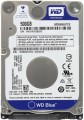 | 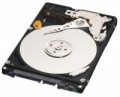 |
|---|---|---|
| WD Blue 2.5" WD5000LPCX 500 GB 16/5400 | WD Scorpio Blue 2.5" WD5000LPVT 500 GB | |
| Compare prices 13 | Compare prices 13 | |
| User reviews | ||
| TOP sellers | ||
| Placement | built-in | built-in |
| Type | HDD | HDD |
| Features | for PC | for PC |
| Volume | 500 GB | 500 GB |
| Form factor | 2.5 " | 2.5 " |
| Connection | SATA3 | SATA |
| Manufacturer's warranty | 2 years | 3 years |
Technical specs | ||
| Cache memory | 16 MB | 8 MB |
| Record technology | CMR | |
| RPM | 5400 rpm | 5400 rpm |
| Average search time | 6 ms | |
| Operation power consumption | 1.4 W | 1.4 W |
| Standby power consumption | 0.55 W | 0.55 W |
| Shockproof | 400 G | |
| Reading noise level | 22 dB | |
| Standby mode noise level | 17 dB | |
| MTBF (on/off) | 600 K | |
Features | ||
| Features | power saving mode | |
General | ||
| Size | 70x100x7 mm | |
| Weight | 90 g | |
| Added to E-Catalog | november 2015 | january 2013 |

Compare WD Blue 2.5" WD5000LPCX and Scorpio Blue 2.5" WD5000LPVT
You may be interested in
My comparisons
WD Blue 2.5" often compared


Glossary
Connection
— SATA. Nowadays, it is the most popular interface for connecting internal hard drives. The first version of SATA provides a data transfer rate of about 1.2 Gbps, SATA 2 has a practical data transfer rate of about 2.4 Gbps (300 MB/s), and the most advanced generation SATA 3 offers a speed of 4.8 Gbps (600 MB/s).
— eSATA. A modification of the SATA interface designed for connecting external hard drives; it is not compatible with internal SATA. The practical data transfer rate is similar to SATA 2 and amounts to about 2.4 Gbps (300 MB/s).
— SAS. A modification of the SCSI interface, provides data transfer speeds up to 6 Gbps (750 MB/s). It is predominantly used in servers, and is practically not used in desktop PCs and laptops.
— USB-A 2.0. The earliest of the USB standards found in modern hard drives, exclusively external ones (see "Design"). It involves connecting to a traditional full-sized USB-A port, allows data transfer speeds up to 480 Mbps, and has fairly low power supply, which often requires additional power for drives with this type of connection. In light of all this and the emergence of more advanced standards like USB 5Gbps / 10 Gbps, USB 2.0 is considered outdated today and is found very rarely, mainly in inexpensive and early models of drives. However, a drive with this interface can also be connected...to a newer USB-A port—provided the connectors match.
— USB-A 5Gbps (previously known as USB 3.2 gen1 and USB 3.0). The standard for connecting external HDDs, which replaced the aforementioned USB 2.0. It uses the traditional full-sized USB-A connector, provides data transfer speeds up to 4.8 Gbps (600 MB/s), and has higher power supply, which makes it easier for such drives to manage without external power. However, for the same reason, attention is needed when connecting USB 5Gbps drives to older USB 2.0 connectors—as such a connector may not have enough power to supply the newer drive.
— USB-A 10Gbps. A further development of the USB 5Gbps standard (formerly known as USB 3.2 gen2 and USB 3.1). In this version, the maximum data transfer speed has been increased to 10 Gbps, and the power supply can reach up to 100W (with USB Power Delivery support). Meanwhile, drives with this type of connection can work with older versions of full-sized USB-A connectors—provided there is enough power supply.
— USB-C 5Gbps (previously known as USB-C 3.2 gen1 and USB-C 3.0). Connection through a USB-C type connector, corresponding to the capabilities of USB 5Gbps. The possibilities are described above, and the difference from USB-A 5Gbps in this case lies only in the type of connector: it is a relatively small (slightly larger than microUSB) socket with a reversible design. Due to its compact size, USB-C is found in both full-sized PCs and laptops, as well as compact gadgets such as smartphones and tablets; some drives with this connection initially allow "mobile" use.
— USB-C 10Gbps (previously known as USB-C 3.2 gen2 and USB-C 3.1). An update and improvement of the above-mentioned USB-C 5Gbps—the same USB-C connector and an increased data transfer speed up to 10 Gbps (as in "regular" USB-A 10Gbps).
— Thunderbolt. A high-speed interface for connecting external peripherals. It is primarily used in Apple computers and laptops, although it is also found in technologies from other manufacturers. Note that in modern HDDs, two versions of Thunderbolt are mainly encountered, differing in not only speed but also connector: Thunderbolt v2 (up to 20 Gbps) uses a miniDisplayPort type plug, and Thunderbolt v3 (up to 40 Gbps) uses a USB-C type plug (see above). In light of this, in some hard drives, USB-C and Thunderbolt connections are implemented through a single hardware connector that automatically determines which computer input the device is connected to.
— eSATA. A modification of the SATA interface designed for connecting external hard drives; it is not compatible with internal SATA. The practical data transfer rate is similar to SATA 2 and amounts to about 2.4 Gbps (300 MB/s).
— SAS. A modification of the SCSI interface, provides data transfer speeds up to 6 Gbps (750 MB/s). It is predominantly used in servers, and is practically not used in desktop PCs and laptops.
— USB-A 2.0. The earliest of the USB standards found in modern hard drives, exclusively external ones (see "Design"). It involves connecting to a traditional full-sized USB-A port, allows data transfer speeds up to 480 Mbps, and has fairly low power supply, which often requires additional power for drives with this type of connection. In light of all this and the emergence of more advanced standards like USB 5Gbps / 10 Gbps, USB 2.0 is considered outdated today and is found very rarely, mainly in inexpensive and early models of drives. However, a drive with this interface can also be connected...to a newer USB-A port—provided the connectors match.
— USB-A 5Gbps (previously known as USB 3.2 gen1 and USB 3.0). The standard for connecting external HDDs, which replaced the aforementioned USB 2.0. It uses the traditional full-sized USB-A connector, provides data transfer speeds up to 4.8 Gbps (600 MB/s), and has higher power supply, which makes it easier for such drives to manage without external power. However, for the same reason, attention is needed when connecting USB 5Gbps drives to older USB 2.0 connectors—as such a connector may not have enough power to supply the newer drive.
— USB-A 10Gbps. A further development of the USB 5Gbps standard (formerly known as USB 3.2 gen2 and USB 3.1). In this version, the maximum data transfer speed has been increased to 10 Gbps, and the power supply can reach up to 100W (with USB Power Delivery support). Meanwhile, drives with this type of connection can work with older versions of full-sized USB-A connectors—provided there is enough power supply.
— USB-C 5Gbps (previously known as USB-C 3.2 gen1 and USB-C 3.0). Connection through a USB-C type connector, corresponding to the capabilities of USB 5Gbps. The possibilities are described above, and the difference from USB-A 5Gbps in this case lies only in the type of connector: it is a relatively small (slightly larger than microUSB) socket with a reversible design. Due to its compact size, USB-C is found in both full-sized PCs and laptops, as well as compact gadgets such as smartphones and tablets; some drives with this connection initially allow "mobile" use.
— USB-C 10Gbps (previously known as USB-C 3.2 gen2 and USB-C 3.1). An update and improvement of the above-mentioned USB-C 5Gbps—the same USB-C connector and an increased data transfer speed up to 10 Gbps (as in "regular" USB-A 10Gbps).
— Thunderbolt. A high-speed interface for connecting external peripherals. It is primarily used in Apple computers and laptops, although it is also found in technologies from other manufacturers. Note that in modern HDDs, two versions of Thunderbolt are mainly encountered, differing in not only speed but also connector: Thunderbolt v2 (up to 20 Gbps) uses a miniDisplayPort type plug, and Thunderbolt v3 (up to 40 Gbps) uses a USB-C type plug (see above). In light of this, in some hard drives, USB-C and Thunderbolt connections are implemented through a single hardware connector that automatically determines which computer input the device is connected to.
Manufacturer's warranty
Manufacturer's warranty provided for this model.
In fact, this is the minimum service life promised by the manufacturer, subject to the rules of operation. Most often, the actual service life of the device is much longer than the guaranteed one.
In fact, this is the minimum service life promised by the manufacturer, subject to the rules of operation. Most often, the actual service life of the device is much longer than the guaranteed one.
Cache memory
The amount of internal hard drive memory. This memory is an intermediate link between the high-speed computer RAM and the relatively slow mechanics responsible for reading and writing information on disk platters. In particular, the buffer is used to store the most frequently requested data from the disk — thus, the access time to them is reduced.
Technically, the size of the buffer affects the speed of the hard drive — the larger the buffer, the faster the drive. However, this influence is rather insignificant, and at the level of human perception, a significant difference in performance is noticeable only when the buffer size of the two drives differs many times — for example, 8 MB and 64 MB.
Technically, the size of the buffer affects the speed of the hard drive — the larger the buffer, the faster the drive. However, this influence is rather insignificant, and at the level of human perception, a significant difference in performance is noticeable only when the buffer size of the two drives differs many times — for example, 8 MB and 64 MB.
Record technology
— CMR(Conventional Magnetic Recording) is a classic method of magnetic recording, characterized by high data access speed. CMR hard drives are used in systems where it is important to provide high (as far as possible) data read/write speed. These are user computers, security video surveillance systems, etc. The main disadvantage of CMR hard drives is the high complexity of creating volume drives, which is reflected in their price. Additionally, HDDs with CMR technology are quite “gluttonous” in terms of power supply.
— SMR(Shingled Magnetic Recording) — a promising technology for magnetic recording, which is called "tiled". SMR allows to achieve high data density, which in turn increases the capacity of memory drives and lowers their market value. SMR hard drives have slow rewriting speed, which makes such memory drives poorly suited for use in client computer systems. But they have proven themselves well when working as part of data processing centers, archives and similar systems for which low write / rewrite speed is not critical. However, some companies still produce SMR solutions for personal and even mobile systems. These HDDs use an optimized write/rewrite technology called Drive-Managed SMR (DM-SMR).
Average search time
The time it takes for the hard disk mechanics to find random requested data to read. For each specific case, the search time is different, as it depends on the location of the data on the surface of the disk and the position of the read head, therefore, the average value is indicated in the characteristics of hard drives. The lower the average seek time, the faster the disk works, all other things being equal.
Shockproof
A parameter that determines the resistance of the hard drive to drops and shocks during operation (that is, in the on state). Shock resistance is measured in G — units of overload, 1 G corresponds to the usual force of gravity. The higher the G number, the more resistant the disc is to various kinds of concussions and the less likely it is to be damaged, say, in the event of a fall. This setting is especially important for external drives and drives used in laptops.
Reading noise level
The level of noise produced by the disk when reading and/or writing information. The source of sound in this case is the moving plates of the disk, as well as the mechanics that control the reading heads. The lower the noise level, the more comfortable the use of the device. The maximum noise produced by modern hard drives during operation is about 50 dB — this is comparable to the sound background in an average office.
Standby mode noise level
The amount of noise produced by a disk "idle", when no read and/or write operations are performed. The sound source in this case is the plates — they rotate all the time while the disk is on; since no other mechanics are involved, idle noise is generally lower than read/write noise. The lower the noise level, the more comfortable the use of the device. The maximum noise level of modern hard drives in standby mode is about 40 dB — this is comparable to quiet human speech.
MTBF (on/off)
Guaranteed (minimum) number of hard drive on-off cycles after which it will remain operational. The higher this number, the more reliable the drive.