
Comparison Seagate Backup Plus Portable STDR1000200 1 TB vs Seagate Expansion Port 3.0 Slim 2.5" STBX2000401 2 TB
Add to comparison | 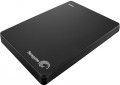 | 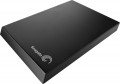 |
|---|---|---|
| Seagate Backup Plus Portable STDR1000200 1 TB | Seagate Expansion Port 3.0 Slim 2.5" STBX2000401 2 TB | |
| Compare prices 1 | from $134.00 | |
| TOP sellers | ||
| Placement | external | external |
| Type | HDD | HDD |
| Features | for PC | for PC |
| Volume | 1 TB | 2 TB |
| Form factor | 2.5 " | 2.5 " |
| Connection | USB-A 5Gbps | USB-A 5Gbps |
| Manufacturer's warranty | 2 years | 2 years |
Technical specs | ||
| RPM | 5400 rpm | 5400 rpm |
General | ||
| Power source (external) | USB port | |
| Material | plastic | plastic |
| Size | 114x76x12 mm | 81x16x122 mm |
| Weight | 159 g | 170 g |
| Color | ||
| Added to E-Catalog | february 2016 | july 2014 |



Compare Seagate Backup Plus Portable STDR1000200 and Expansion Port 3.0 Slim 2.5" STBX2000401
You may be interested in
My comparisons
Seagate Backup Plus Portable often compared


Glossary
Volume
The capacity of a hard disk drive shows how much data the HDD can store—from documents and photos to games, movies, backups, and large work archives. This parameter determines whether the drive is suitable for a simple home system, file storage, or, for example, for long-term accumulation of video recordings from surveillance cameras.
Models small by modern standards are more often chosen for documents, music, and basic files, whereas drives of 4 – 8 TB and larger are already interesting for large media libraries, backups, and NAS systems. Compared to SSDs, high-capacity HDDs are usually more cost-effective per gigabyte, so they are often chosen particularly when the maximum space is more important than record-breaking speed. For example, a drive of 1 or 2 TB might be enough for a regular PC, while 6 – 10 TB could be suitable for a movie collection, family archive, or constant video recording.
Models small by modern standards are more often chosen for documents, music, and basic files, whereas drives of 4 – 8 TB and larger are already interesting for large media libraries, backups, and NAS systems. Compared to SSDs, high-capacity HDDs are usually more cost-effective per gigabyte, so they are often chosen particularly when the maximum space is more important than record-breaking speed. For example, a drive of 1 or 2 TB might be enough for a regular PC, while 6 – 10 TB could be suitable for a movie collection, family archive, or constant video recording.
Power source (external)
— USB port. Powering an external hard drive directly through the USB connector used to connect to a computer. The advantage of such disks is that they do not require a separate power supply — thus, they can be used even with laptops in the absence of an electrical outlet. However, it is worth considering that the power of the current supplied through the USB connector may sometimes not be enough to start the disc — especially if the connection is made through a USB hub at the same time as several other devices.
— Thunderbolt. Powered directly through the Thunderbolt connector — the same one used for the main connection. For more information about the connector itself, see “Connection Interfaces”, otherwise this option is completely similar to the USB power supply described above (adjusted for the fact that Thunderbolt does not use hubs).
— Power supply. Power supply of an external drive from a separate unit connected to a standard 220V network. Such drives may have a connection interface other than USB, are free from problems associated with insufficient power supply, but their mobility is limited by the availability of electrical outlets.
— Thunderbolt. Powered directly through the Thunderbolt connector — the same one used for the main connection. For more information about the connector itself, see “Connection Interfaces”, otherwise this option is completely similar to the USB power supply described above (adjusted for the fact that Thunderbolt does not use hubs).
— Power supply. Power supply of an external drive from a separate unit connected to a standard 220V network. Such drives may have a connection interface other than USB, are free from problems associated with insufficient power supply, but their mobility is limited by the availability of electrical outlets.