
Comparison Patriot Memory Viper Elite DDR4 1x8GB PVE48G240C6GY vs Patriot Memory Viper Elite DDR4 2x4GB PVE48G240C5KBL
Add to comparison | 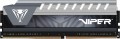 | 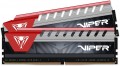 |
|---|---|---|
| Patriot Memory Viper Elite DDR4 1x8GB PVE48G240C6GY | Patriot Memory Viper Elite DDR4 2x4GB PVE48G240C5KBL | |
| Compare prices 1 | from $193.82 | |
| TOP sellers | ||
| Memory capacity | 1 x 8GB | 2 x 4GB |
| Form factor | DIMM (PC) | DIMM (PC) |
| Type | DDR4 | DDR4 |
Specs | ||
| Speed | 2400 MT/s | 2400 MT/s |
| Clock speed | 19200 MB/s | 19200 MB/s |
| Timing diagram | 16-16-16-39 | 15-15-15-35 |
| First Word Latency | 13.33 ns | 12.5 ns |
| Voltage | 1.2 В | 1.2 В |
| Cooling | radiator | radiator |
| Strip profile | standard 41 mm | standard 43 mm |
| More features | XMP | XMP |
| Color | ||
| Added to E-Catalog | january 2018 | august 2016 |



Compare Patriot Memory Viper Elite DDR4 1x8GB and Viper Elite DDR4 2x4GB
You may be interested in
My comparisons
Patriot Memory Viper Elite DDR4 2x4GB often compared


Glossary
Memory capacity
The total amount of RAM in the kit. In brackets, it specifies how many modules it consists of and how much memory each stick has.
The volume itself determines the amount of data the system can keep in quick access at once, and it directly affects comfort in everyday tasks, gaming, and heavy programs. For simple tasks, 8 GB is usually sufficient today, while 16 GB (including the 2x8 GB set) can already be considered a good universal option. 32 GB is suitable for modern games, editing, working with graphics, and active multitasking, while 64 GB and above are often needed for professional scenarios, 3D, large projects, and virtual machines.
Kits of multiple sticks remain relevant because they often allow dual-channel mode to be used, providing higher bandwidth compared to a single stick of the same total volume. For example, a 32 GB (2x16) set usually looks more practical than a single 32 GB stick, although a 64 GB (4x16) set puts more strain on the memory controller and leaves less room for future upgrades.
Timing diagram
Timing is a term that refers to the time it takes to complete an operation. To understand the timing scheme, you need to know that structurally RAM consists of banks (from 2 to 8 per module), each of which, in turn, has rows and columns, like a table; when accessing memory, the bank is selected first, then the row, then the column. The timing scheme shows the time during which the four main operations are performed when working with RAM, and is usually written in four digits in the format CL-Trcd-Trp-Tras, where
CL is the minimum delay between receiving a command to read data and the start of their transfer;
Trcd — the minimum time between the selection of a row and the selection of a column in it;
Trp is the minimum time to close a row, that is, the delay between the signal and the actual closing. Only one bank line can be opened at a time; Before opening the next line, you must close the previous one.
Tras — the minimum time the row is active, in other words, the shortest time after which the row can be commanded to close after it has been opened.
Time in the timing scheme is measured in cycles, so the actual memory performance depends not only on the timing scheme, but also on the clock frequency. For example, 1600 MHz 8-8-8-24 memory will run at the same speed as 800 MHz 4-4-4-12 memory—in either case timings, if expressed in nanoseconds, will be 5-5-5-15.
CL is the minimum delay between receiving a command to read data and the start of their transfer;
Trcd — the minimum time between the selection of a row and the selection of a column in it;
Trp is the minimum time to close a row, that is, the delay between the signal and the actual closing. Only one bank line can be opened at a time; Before opening the next line, you must close the previous one.
Tras — the minimum time the row is active, in other words, the shortest time after which the row can be commanded to close after it has been opened.
Time in the timing scheme is measured in cycles, so the actual memory performance depends not only on the timing scheme, but also on the clock frequency. For example, 1600 MHz 8-8-8-24 memory will run at the same speed as 800 MHz 4-4-4-12 memory—in either case timings, if expressed in nanoseconds, will be 5-5-5-15.
First Word Latency
First Word Latency shows how long it takes for RAM to start delivering the first block of data after a request. The lower this value, the faster the memory responds, which is particularly interesting in gaming systems and high-performance PCs, where responsiveness and minimal delays are important.
For memory, this is a more illustrative indicator of latency than just CAS Latency, because it takes into account not only the timings but also the operating frequency. This is why two sets of RAM with different CL values can actually have a very similar response speed: for example, DDR4-3200 CL16 and DDR5-6000 CL30 both deliver approximately 10 ns of First Word Latency.
For memory, this is a more illustrative indicator of latency than just CAS Latency, because it takes into account not only the timings but also the operating frequency. This is why two sets of RAM with different CL values can actually have a very similar response speed: for example, DDR4-3200 CL16 and DDR5-6000 CL30 both deliver approximately 10 ns of First Word Latency.