
Comparison Gigabyte GA-E3000N vs Gigabyte GA-E3800N
Add to comparison | 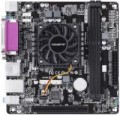 | 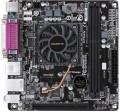 |
|---|---|---|
| Gigabyte GA-E3000N | Gigabyte GA-E3800N | |
| Outdated Product | Compare prices 2 | |
| TOP sellers | ||
| Features | for home/office | for home/office |
| Socket | aMD embedded | aMD embedded |
| Form factor | mini-ITX | mini-ITX |
| Integrated CPU |  | |
| Integrated CPU model | AMD E2-3000 | AMD E2-3800 |
| Size (HxW) | 170x170 mm | 170x170 mm |
Chipset | ||
| Chipset | built into AMD APU | built into AMD APU |
| BIOS | Ami | Ami |
| DualBIOS | | |
| UEFI BIOS | | |
RAM | ||
| DDR3 | 2 slot(s) | 2 slot(s) |
| Memory module | DIMM | DIMM |
| Operation mode | 1 channel | 1 channel |
| Max. clock frequency | 1600 MHz | 1600 MHz |
| Max. memory | 32 GB | 32 GB |
Drive interface | ||
| SATA 3 (6Gbps) | 2 | 2 |
Expansion slots | ||
| PCI slots | 1 | 1 |
Video outputs | ||
| Integrated graphics |  | |
| Integrated graphics model | Radeon HD 8280 | Radeon HD 8280 |
| D-Sub output (VGA) | | |
| HDMI output | | |
Integrated audio | ||
| Audiochip | Realtek ALC887 | Realtek ALC887 |
| Sound (channels) | 7.1 | 7.1 |
Network interfaces | ||
| LAN (RJ-45) | 1 Gbps | 1 Gbps |
| LAN ports | 1 | 1 |
| LAN controller | Realtek GbE | Realtek GbE |
External connections | ||
| USB-A 2.0 | 4 pcs | 4 pcs |
| USB-A 10Gbps | 2 pcs | 2 pcs |
| PS/2 | 1 | 1 |
| COM port | | |
Power connectors | ||
| Main power socket | 24-pin | 24-pin |
| CPU power | 4-pin | 4-pin |
| Fan power connectors | 2 | 2 |
| Added to E-Catalog | may 2018 | september 2017 |




Compare Gigabyte GA-E3000N and GA-E3800N
Price comparison
You may be interested in
My comparisons
Glossary
Integrated CPU model
The name of the integrated processor installed in the motherboard with the corresponding function. Knowing the exact name of the model, you can find its detailed characteristics, reviews, test results and other information, and thus evaluate how this processor corresponds to the desired system performance. This feature is especially useful if the computer for which the motherboard is purchased is planned to be used to solve specific problems.
Integrated graphics
The motherboard has its own graphics card — a module for processing and outputting a video signal.
This module can be built into the board itself or into the processor originally installed on it (see "Embedded processor"). Anyway, this feature saves the user from having to purchase a separate graphics card. On the other hand, to work with video, the integrated video chip uses a part of the total amount of RAM, and therefore the performance of such video cards is usually not very high. Thus, the optimal choice is often a "motherboard" without an integrated graphics card., involving the installation of a separate graphics adapter (this category includes, in particular, almost all boards for professional and gaming purposes).
This module can be built into the board itself or into the processor originally installed on it (see "Embedded processor"). Anyway, this feature saves the user from having to purchase a separate graphics card. On the other hand, to work with video, the integrated video chip uses a part of the total amount of RAM, and therefore the performance of such video cards is usually not very high. Thus, the optimal choice is often a "motherboard" without an integrated graphics card., involving the installation of a separate graphics adapter (this category includes, in particular, almost all boards for professional and gaming purposes).