
Comparison XREAL One vs Lenovo Legion Glasses
Add to comparison |  | 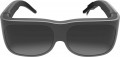 |
|---|---|---|
| XREAL One | Lenovo Legion Glasses | |
| Outdated Product | from $399.99 | |
| TOP sellers | ||
Built-in speakers. Includes nose pads, prescription lens frame, prescription lens frame guide, non-slip adapter, cleaning cloth and case | ||
| Device type | AR glasses | AR glasses |
Connection | ||
| USB-C | 10Gbps | |
| Compatibility | Windows MacOS Android iOS (iPhone) PlayStation Xbox | Windows MacOS Android iOS (iPhone) PlayStation Xbox |
Specs | ||
| Display resolution | 1920x1080 px | 1920x1080 px |
| Refresh rate | 120 Hz | 60 Hz |
| Field of view | 50 ° | 38 ° |
Features | ||
| Speakers |  | |
| Accelerometer | |  |
| Gyroscope | | |
General | ||
| Frame width | 155 mm | |
| Lens height | 50 mm | |
| Weight | 96 g | |
| Color | ||
| Added to E-Catalog | march 2025 | august 2024 |


Compare XREAL One and Lenovo Legion Glasses
You may be interested in
My comparisons
XREAL One often compared


Lenovo Legion Glasses often compared


Glossary
USB-C
A universal connector in smart glasses for charging, connecting to a smartphone, laptop, or other compatible devices. In simple smart glasses, it is more often used only for power and data transfer, such as charging the battery or copying taken photos and videos.
In AR glasses, USB-C might be more important: through it, images from a phone, laptop, or gaming console may sometimes be transmitted if video output is supported. Therefore, when choosing, you should look not only at the presence of USB-C but also at its capabilities: charging, data transfer, or image output.
In AR glasses, USB-C might be more important: through it, images from a phone, laptop, or gaming console may sometimes be transmitted if video output is supported. Therefore, when choosing, you should look not only at the presence of USB-C but also at its capabilities: charging, data transfer, or image output.
Refresh rate
The display refresh rate indicates how often AR glasses update the image, directly affecting the smoothness of the picture. For movies and simple viewing, 60 Hz is usually sufficient, but for games, fast movement, and extended use with a virtual screen, it is better to choose 90–120 Hz.
Unlike resolution, the refresh rate doesn't make the image more detailed but reduces the sense of jerkiness when moving the head, cursor, or objects in a game. For example, text on a Full HD display can be clear at 60 Hz, but scrolling pages and dynamic scenes at 120 Hz will look noticeably smoother and more pleasant.
Unlike resolution, the refresh rate doesn't make the image more detailed but reduces the sense of jerkiness when moving the head, cursor, or objects in a game. For example, text on a Full HD display can be clear at 60 Hz, but scrolling pages and dynamic scenes at 120 Hz will look noticeably smoother and more pleasant.
Field of view
The field of view characterizes the width of the visible digital image in AR glasses, i.e., how much space in front of the eyes the virtual screen or interface occupies. The larger the value in degrees, the wider the image is perceived: for example, 30 – 35° is suitable for basic video viewing, 40 – 50° is more comfortable for gaming and working with windows, and 50°+ provides a more pronounced big screen effect.
In AR glasses, this parameter should not be confused with the viewing angles of a regular monitor or TV. Here, it's not about how the picture is seen from the side, but about how widely the image unfolds in front of the user's eyes.
In AR glasses, this parameter should not be confused with the viewing angles of a regular monitor or TV. Here, it's not about how the picture is seen from the side, but about how widely the image unfolds in front of the user's eyes.
Accelerometer
Accelerometer is a sensor in smart or AR glasses that detects acceleration, tilt, and changes in the device's position when the head moves. It is needed for the glasses to understand basic user actions: head tilt, lifting or removing the device, sudden movements, body turns, changes in orientation while walking or exercising.
In practice, the accelerometer helps automatically enable or disable certain functions, respond to simple head gestures, stabilize the interface, and save battery when the glasses are not in use. In AR models, it usually works together with a gyroscope and cameras: the accelerometer itself does not "see" the surrounding space but helps the system more accurately track user movement.
In practice, the accelerometer helps automatically enable or disable certain functions, respond to simple head gestures, stabilize the interface, and save battery when the glasses are not in use. In AR models, it usually works together with a gyroscope and cameras: the accelerometer itself does not "see" the surrounding space but helps the system more accurately track user movement.
Gyroscope
A sensor for tracking the rotation of a device around its axes: left-right, up-down, head tilt, and change of gaze direction. In practice, a gyroscope is useful for games, watching videos on a virtual screen, menu navigation by head movement, and working with AR elements that need to remain aligned with the direction of gaze. Unlike an accelerometer, which better records acceleration and tilt, a gyroscope more accurately understands rotation, which is why these sensors usually work together.
Frame width
The overall horizontal size of the front part of the glasses affects the fit on the face and the compatibility with the width of the head. A frame that is too narrow may press on the temples, while one that is too wide may be less stable and shift the optics relative to the eyes.
Lens height
The lens height determines the vertical size of the lens and visually affects how open the view will be. In models with displays and optics, this size is also related to the comfort of perceiving a virtual image.