
Comparison OfficePro ODE1670 vs 1stPlayer Moto-E 1675
Add to comparison |  | 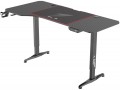 |
|---|---|---|
| OfficePro ODE1670 | 1stPlayer Moto-E 1675 | |
| Outdated Product | Outdated Product | |
| TOP sellers | ||
| Form factor | gaming | gaming |
Design | ||
| Dimensions | 1600x700x710 mm | 1600x750x720 mm |
| Max. height | 1160 mm | 1170 mm |
| Height adjustment | electric motor | electric motor |
| Table top shape | rectangular | rectangular with recess |
| Leg design | T-shaped | T-shaped |
| Cable management |  | |
| Cable hole |  | |
Features | ||
| Number of motors | 1 pcs | 1 pcs |
| Cup holder | | |
| Headphone holder | | |
| Max. load | 80 kg | 80 kg |
| Weight | 29.9 kg | 32.5 kg |
| Color | ||
| Added to E-Catalog | april 2025 | september 2023 |


Compare OfficePro ODE1670 and 1stPlayer Moto-E 1675
You may be interested in
My comparisons
OfficePro ODE1670 often compared


1stPlayer Moto-E 1675 often compared


Glossary
Dimensions
The size of an office desk directly affects how comfortable it is to work: a depth of 60–80 cm is considered optimal so there’s enough space for a laptop, a monitor, and stationery, while the width is chosen between 100 and 160 cm depending on how much equipment and how many accessories you have. For gaming desks, the standard is wider—70–80 cm and 120–180 cm respectively—since you need to fit multiple monitors, a PC tower, peripherals, and still have free space to move. Unlike compact office models, gaming versions often have a rounded front edge or a corner design, which boosts ergonomics. In reality, office options are more common in minimalist interiors for working with documents or a laptop, whereas gaming ones are used in setups with more devices, LED lighting, and accessories.
Max. height
The maximum desk height in height-adjustable models indicates the upper limit to which the desktop can be raised, typically ranging from 110 to 130 cm. This height lets you use the desk not only while seated but also standing, which reduces back strain and improves posture during long work sessions. Unlike fixed-height models, which are 72–75 cm tall, adjustable desks offer flexibility to fine-tune the setup to the user’s height or to change positions throughout the day. For example, when working at a computer you can alternate between sitting and standing, and in a gaming setup you can adjust it to match the height of your chair or accessories.
Table top shape
— Rectangular. The most traditional and versatile format, suitable for office and home workspaces. A rectangular desktop is easy to install, fits harmoniously into any space, and is optimal for users who need a standard work surface without unnecessary elements. This option is convenient for writing, working on a laptop, or setting up a minimal set of equipment.
— Rectangular with cutout. This desktop is ergonomic and creates a more comfortable workspace: due to the recess, the user is positioned closer to the center of the table, providing quick access to the keyboard, mouse, and monitor. This is especially relevant for gamers and professionals who work long hours at a PC, as it reduces strain on the hands and back.
— Corner. Represents an L-shaped solution, allowing for efficient use of the room's corner and significantly increasing usable space. This format is ideal for those who work with multiple monitors, large equipment, or appreciate the organization of the workspace while maintaining easy access to all areas of the table.
— Rectangular with cutout. This desktop is ergonomic and creates a more comfortable workspace: due to the recess, the user is positioned closer to the center of the table, providing quick access to the keyboard, mouse, and monitor. This is especially relevant for gamers and professionals who work long hours at a PC, as it reduces strain on the hands and back.
— Corner. Represents an L-shaped solution, allowing for efficient use of the room's corner and significantly increasing usable space. This format is ideal for those who work with multiple monitors, large equipment, or appreciate the organization of the workspace while maintaining easy access to all areas of the table.
Cable hole
Standard Cable Grommet in the Desktop, usually 60–80 mm in diameter with a cover and rubber gasket or brush, through which power and low-voltage cables can be neatly routed to the PC, monitors, and docking station. This solution frees up the desk edge, reduces the risk of bending and snagging with feet, simplifies cleaning, and makes the setup visually cleaner; compared to desks without holes, there are fewer loops and less strain on ports. In gaming models, two grommets are often installed at the edges for multi-monitor configurations, while in office models, one central grommet with an outlet to the under-desk tray is common. This is practical for scenarios like "two monitors + microphone + gamepad charger": thick cables run downward through the grommet, only short tails remain on top, and rearranging equipment takes minutes — exactly what ergonomic guides recommend.
Cup holder
An easy way to remove a mug, can, or shaker from the work surface without risking spilling a drink on the keyboard and mouse. Most often, the cup holder is detachable and mounted under the edge of the tabletop on a bracket, less frequently it is built into a cutout on the tabletop itself; the first option wins in terms of safety and space-saving, while the second is convenient for quick access. A metal mesh "bowl" or sturdy plastic holds standard bottles and thermos mugs, and some models have a notch for a handle and drainage holes for condensation. In practice, this is convenient for long gaming sessions, streaming, and studying: the coffee goes under the table, the surface is free for an XL mat, and hot drinks are kept away from electronics.