
Comparison Ultradesk Level V2 vs Cougar Deimus 120
Add to comparison | 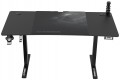 | 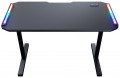 |
|---|---|---|
| Ultradesk Level V2 | Cougar Deimus 120 | |
| Outdated Product | from $1,240.26 | |
| TOP sellers | ||
| Form factor | gaming | gaming |
Design | ||
| Dimensions | 1400x680x720 mm | 1220x605x770 mm |
| Max. height | 1170 mm | |
| Height adjustment | electric motor | in absent |
| Table top shape | rectangular | rectangular |
| Leg design | T-shaped | T-shaped |
| Cable management |  | |
| Cable hole | |  |
Features | ||
| RGB backlight | | |
| Hub (splitter) | 2xUSB-A 5Gbps 1хUSB-C | |
| Number of motors | 1 pcs | |
| Cup holder | | |
| Headphone holder | | |
| Game controller holder | | |
| Mouse Pad | | |
| Max. load | 80 kg | |
| Weight | 28 kg | |
| Color | ||
| Added to E-Catalog | september 2023 | september 2023 |


Compare Ultradesk Level V2 and Cougar Deimus 120
You may be interested in
My comparisons
Ultradesk Level V2 often compared


Cougar Deimus 120 often compared

Glossary
Dimensions
The size of an office desk directly affects how comfortable it is to work: a depth of 60–80 cm is considered optimal so there’s enough space for a laptop, a monitor, and stationery, while the width is chosen between 100 and 160 cm depending on how much equipment and how many accessories you have. For gaming desks, the standard is wider—70–80 cm and 120–180 cm respectively—since you need to fit multiple monitors, a PC tower, peripherals, and still have free space to move. Unlike compact office models, gaming versions often have a rounded front edge or a corner design, which boosts ergonomics. In reality, office options are more common in minimalist interiors for working with documents or a laptop, whereas gaming ones are used in setups with more devices, LED lighting, and accessories.
Max. height
The maximum desk height in height-adjustable models indicates the upper limit to which the desktop can be raised, typically ranging from 110 to 130 cm. This height lets you use the desk not only while seated but also standing, which reduces back strain and improves posture during long work sessions. Unlike fixed-height models, which are 72–75 cm tall, adjustable desks offer flexibility to fine-tune the setup to the user’s height or to change positions throughout the day. For example, when working at a computer you can alternate between sitting and standing, and in a gaming setup you can adjust it to match the height of your chair or accessories.
Height adjustment
A feature that allows adjusting the position of the work surface to suit individual user needs. It is especially important in office and gaming models, where proper ergonomics reduce spine strain and enhance comfort during long work or gaming sessions. Unlike conventional fixed desks, adjustable options allow for quick transitions from sitting to standing, positively impacting posture and overall productivity. These solutions are actively used in modern open-space offices, home work areas, and gaming setups, providing flexibility and versatility. Both manual adjustment and mechanized adjustment are available:
— Manual. The height is adjusted by repositioning the fastening elements or clips in the legs, where the user loosens the clamps, sets a mark, and re-secures the tabletop. This approach is valued for its simple construction, high rigidity, and affordable price: it requires almost no maintenance, can easily support heavy monitors and mounts, and is resistant to vibrations. Compared to an electric drive, the manual option is convenient where height changes are infrequent and stability is more important, for example, with constant seating and a fixed setup configuration. Examples include "adjusting for height once," aligning with a bucket seat, or lowering the level for a low-profile keyboard.
— Electric Motor. The ele...ctric drive allows the tabletop to be raised and lowered at the push of a button with smooth motion, preset memory, and precise adjustment for height or different scenarios—from working to standing gaming. Compared to the manual option, it is faster, quieter, and more convenient for frequent switches or when multiple people use the desk; plus, there's no need to clear the surface of monitors and brackets. Drawbacks include a higher cost, dependency on the power supply, and the need for proper assembly and weight distribution. Typical examples are a quick "sit/stand" transition during long sessions, a shared family desk, or a hybrid setup for "work by day, stream by night."
— Manual. The height is adjusted by repositioning the fastening elements or clips in the legs, where the user loosens the clamps, sets a mark, and re-secures the tabletop. This approach is valued for its simple construction, high rigidity, and affordable price: it requires almost no maintenance, can easily support heavy monitors and mounts, and is resistant to vibrations. Compared to an electric drive, the manual option is convenient where height changes are infrequent and stability is more important, for example, with constant seating and a fixed setup configuration. Examples include "adjusting for height once," aligning with a bucket seat, or lowering the level for a low-profile keyboard.
— Electric Motor. The ele...ctric drive allows the tabletop to be raised and lowered at the push of a button with smooth motion, preset memory, and precise adjustment for height or different scenarios—from working to standing gaming. Compared to the manual option, it is faster, quieter, and more convenient for frequent switches or when multiple people use the desk; plus, there's no need to clear the surface of monitors and brackets. Drawbacks include a higher cost, dependency on the power supply, and the need for proper assembly and weight distribution. Typical examples are a quick "sit/stand" transition during long sessions, a shared family desk, or a hybrid setup for "work by day, stream by night."
Cable hole
Standard Cable Grommet in the Desktop, usually 60–80 mm in diameter with a cover and rubber gasket or brush, through which power and low-voltage cables can be neatly routed to the PC, monitors, and docking station. This solution frees up the desk edge, reduces the risk of bending and snagging with feet, simplifies cleaning, and makes the setup visually cleaner; compared to desks without holes, there are fewer loops and less strain on ports. In gaming models, two grommets are often installed at the edges for multi-monitor configurations, while in office models, one central grommet with an outlet to the under-desk tray is common. This is practical for scenarios like "two monitors + microphone + gamepad charger": thick cables run downward through the grommet, only short tails remain on top, and rearranging equipment takes minutes — exactly what ergonomic guides recommend.
RGB backlight
Built-in lighting function for office and gaming desks. Addressable LED modules with a controller are integrated into the design of the tabletop, edges, and/or supports, creating an even "bias lighting" for the wall and working surface. Modes and brightness can be adjusted via a remote control, USB controller, or PC and smart home software. A diverse palette helps choose the right color for various needs. For instance, static white shades are great for work, while dynamic effects and color event indications are suitable for gaming and streaming. Compared to no lighting or monochrome, RGB provides precise color temperature, reduces contrast around the monitor in the dark, improves surface readability, and allows the desk to synchronize with peripherals.
Hub (splitter)
An integrated port block for quickly connecting peripherals without cables stretching to the CPU. Most commonly found are USB-A for "classic" flash drives, dongles, and peripherals, and USB-C for modern smartphones, SSDs, and accessories; the type of connector does not equate to speed, which is determined by the interface standard: USB 2.0 up to 480 Mbps is sufficient for a mouse/keyboard, USB 5Gbps up to 5 Gbps, and USB 10Gbps up to 10 Gbps are suitable for external SSDs and card readers. Built-in hubs in desks usually are limited to USB 2.0 or USB 5Gbps, operate from the PC, and share the common channel and current between ports, so for heavy tasks, it's better to leave one high-speed port free. Charging through such a hub is possible, but it’s more like "topping up" a phone; for laptop charging, a dock with USB-C Power Delivery is needed. Common scenarios include plugging in a flash drive or card reader "on the fly", connecting a webcam for video calls, placing a wireless mouse dongle, and keeping a smartphone cable within arm's reach.
Often, the desk hub includes 3.5mm audio — separate jacks for headphones and a microphone or a combined TRRS headset jack; typically, this is a passive "extension" of the PC’s front panel (HD Audio).
Often, the desk hub includes 3.5mm audio — separate jacks for headphones and a microphone or a combined TRRS headset jack; typically, this is a passive "extension" of the PC’s front panel (HD Audio).
Number of motors
The characteristic shows how many electric drives lift and lower the tabletop and how confidently the system handles the load. The number of motors usually affects maximum load capacity, smoothness and speed of movement, and resistance to tilting when something like a PC tower or a couple of monitors is placed on one side. Compared to mechanical (manual) or simple solutions, electric desks with 2 motors are significantly more convenient for daily sitting-standing position changes, and compared to a 1 motor option, they often win in stability at greater heights. In practice, this is important both in the office and at home: for a workstation with 2–3 monitors, for an editor/designer with heavy peripherals, for a call center where the desk is adjusted many times per shift.
Cup holder
An easy way to remove a mug, can, or shaker from the work surface without risking spilling a drink on the keyboard and mouse. Most often, the cup holder is detachable and mounted under the edge of the tabletop on a bracket, less frequently it is built into a cutout on the tabletop itself; the first option wins in terms of safety and space-saving, while the second is convenient for quick access. A metal mesh "bowl" or sturdy plastic holds standard bottles and thermos mugs, and some models have a notch for a handle and drainage holes for condensation. In practice, this is convenient for long gaming sessions, streaming, and studying: the coffee goes under the table, the surface is free for an XL mat, and hot drinks are kept away from electronics.
Headphone holder
A hook or platform extended under the edge of a countertop or on its side, so that the headset is always at hand and doesn't take up space on the mat. It is often metallic, with a soft pad, can be swiveling or foldable, and sometimes is designed for two pairs or headphones plus a gamepad. Compared to a tabletop stand, such a headphone holder is safer during active movements and saves space; compared to adhesive hooks, it attaches more securely and better supports heavy gaming headsets. In practice, it keeps the desk organized, provides quick access during a match, and reduces the chances of snagging a cup or mouse with the cable; moreover, the headband isn't lying on the countertop, the ear cushions are less compressed, and they last longer.