
Comparison Ugreen PB535 vs Ugreen PB311
Add to comparison |  | 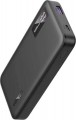 |
|---|---|---|
| Ugreen PB535 | Ugreen PB311 | |
| Expecting restock | from $61.00 | |
| TOP sellers | ||
| Battery capacity | 10000 mAh 37 W*h | 10000 mAh 37 W*h |
| Real capacity | 6300 mAh | 6300 mAh |
| Battery type | Li-Pol | Li-Pol |
Charging gadgets / outputs | ||
| USB-C | 2 pcs | 1 pcs |
| USB-A | 1 pcs | 1 pcs |
| USB-C1 | 30 W | 20 W |
| USB-C2 | 30 W | |
| USB-A1 | 22.5 W | 18 W |
| Power output (all ports) | 15 W | |
Power bank charging | ||
| Power bank charging inputs | USB-C | USB-C |
| Power bank charge power | 30 W | 20 W |
| Full charge time | 2 h | 3 h |
Features | ||
| Low current charging |  |  |
| Fast charge | Quick Charge 3.0 Power Delivery 3.0 | Quick Charge 3.0 Power Delivery 3.0 |
| Bundled cables (adapters) | USB-C | |
| Features | info display | info display |
General | ||
| Body material | plastic | plastic |
| Dimensions | 114x69x18 mm | 132x66x17 mm |
| Weight | 245 g | 200 g |
| Color | ||
| Added to E-Catalog | june 2026 | august 2024 |


Compare Ugreen PB535 and PB311
You may be interested in
My comparisons
Ugreen PB311 often compared


Glossary
USB-C
The number of modern ports USB-C and built-in USB-C cables that can be used to charge smartphones, tablets, headphones, consoles, and other current devices. This format is particularly convenient today because USB-C has become the main connector for most new devices and usually supports higher charging power than USB-A. One USB-C output is usually enough for everyday use, while two and three are convenient if you need to connect several gadgets at the same time.
USB-C1
The power capacity of the main USB-C port, which among USB-C connectors is typically the most powerful. This specification is especially important for smartphones with fast charging, tablets, portable consoles, and laptops that require increased power supply.
Values around 18 – 30 W are usually sufficient for fast charging smartphones, 45 – 65 W are suitable for portable consoles, some ultrabooks, and other more demanding devices, and 100 W and above are even designed for powerful laptops and heavy loads.
Values around 18 – 30 W are usually sufficient for fast charging smartphones, 45 – 65 W are suitable for portable consoles, some ultrabooks, and other more demanding devices, and 100 W and above are even designed for powerful laptops and heavy loads.
USB-C2
Maximum output power of the second USB-C port, which usually lags behind USB-C1, but can still be suitable for fast charging smartphones, portable consoles, and other modern devices.
USB-A1
The power on USB-A1 port shows the maximum output power of the main USB-A port, which among USB-A connectors is usually the most powerful. Values around 10 – 18 W are typically sufficient for regular or fast charging of smartphones, 22.5 – 33 W are already interesting for faster charging of compatible models, while higher values for USB-A are significantly rarer than for USB-C. Compared to USB-A2, USB-A3, or USB-A4, it often makes more sense to connect the most demanding device to USB-A1 if maximum speed from this type of port is needed.
However, the USB-A format itself is already less promising today than USB-C, so such a port is more often used for smartphones, headphones, watches, speakers, and other mobile devices rather than heavy-duty applications like laptops.
However, the USB-A format itself is already less promising today than USB-C, so such a port is more often used for smartphones, headphones, watches, speakers, and other mobile devices rather than heavy-duty applications like laptops.
Power output (all ports)
The total charge power provided by the power bank on all connectors overnight - when devices are connected simultaneously to all charging ports.
This parameter is given due to the fact that the total charge power does not always correspond to the sum of the maximum powers of all available ports. The built-in battery of a power bank often has its own limitation on the output power. Therefore, for example, in a model with two 18 W USB ports, each total charge power can be the same 18 W. Note that the distribution of power among the connectors may be different: in some models it is divided equally, in others it is divided in proportion to the maximum current strength (if it differs on different ports). These nuances should be clarified using the detailed characteristics of the charging connectors.
If you plan to regularly use all power bank connectors at once, you should pay attention to this indicator.
This parameter is given due to the fact that the total charge power does not always correspond to the sum of the maximum powers of all available ports. The built-in battery of a power bank often has its own limitation on the output power. Therefore, for example, in a model with two 18 W USB ports, each total charge power can be the same 18 W. Note that the distribution of power among the connectors may be different: in some models it is divided equally, in others it is divided in proportion to the maximum current strength (if it differs on different ports). These nuances should be clarified using the detailed characteristics of the charging connectors.
If you plan to regularly use all power bank connectors at once, you should pay attention to this indicator.
Power bank charge power
The power in watts at which the power bank is charged under normal conditions.
The higher the charging power, the less time it takes to charge (given the same battery capacity). For example, fast charging of a power bank typically means a charging power of 30W or more. However, this parameter does not directly affect compatibility with charging devices: modern portable batteries can work with chargers of both higher and lower power. In the first case, the battery controller will automatically limit the charging current, while in the second case, charging will simply take more time.
The higher the charging power, the less time it takes to charge (given the same battery capacity). For example, fast charging of a power bank typically means a charging power of 30W or more. However, this parameter does not directly affect compatibility with charging devices: modern portable batteries can work with chargers of both higher and lower power. In the first case, the battery controller will automatically limit the charging current, while in the second case, charging will simply take more time.
Full charge time
The time required to fully charge a battery discharged “to zero”. Features of the charging process in different models may be different, respectively, and the time required for this may differ markedly even with the same capacity.
Fast-charging batteries tend to be more expensive. Therefore, choosing this option makes sense if you do not have much time to replenish your energy supply — for example, for hiking. However, keep in mind that charging at full speed may require a charger that supports certain fast charging technologies (see below).
It must also be said that in most modern batteries, the charging speed is uneven — it is highest at the several first percent from zero, then gradually decreases. Therefore, the time required to replenish the energy supply by a certain percentage will not be strictly proportional to the total claimed charge time; moreover, this time will depend on how much the battery is already charged at the time the procedure starts. For example, charging from 0 to 50% will take less time than from 50 to 100%, although both there and there we are talking about half the capacity.
Fast-charging batteries tend to be more expensive. Therefore, choosing this option makes sense if you do not have much time to replenish your energy supply — for example, for hiking. However, keep in mind that charging at full speed may require a charger that supports certain fast charging technologies (see below).
It must also be said that in most modern batteries, the charging speed is uneven — it is highest at the several first percent from zero, then gradually decreases. Therefore, the time required to replenish the energy supply by a certain percentage will not be strictly proportional to the total claimed charge time; moreover, this time will depend on how much the battery is already charged at the time the procedure starts. For example, charging from 0 to 50% will take less time than from 50 to 100%, although both there and there we are talking about half the capacity.
Low current charging
Low current charging allows you to seamlessly charge devices that do not require high current. This allows you to extend the life cycle of the devices and protect them as much as possible during charging. Such devices include smartwatches, headphones, headsets, etc.
Bundled cables (adapters)
Types of cables and/or adapters for charging external devices included with the power bank.
The type of these cables is indicated by the plug used to connect to the charging gadget; the connection to the power bank itself is usually through a standard USB-A or USB type C output. It should be emphasized that this refers to removable cables/adapters; types of built-in charging cables are specified separately (if available — see below).
Overall, this parameter allows you to assess the capabilities of the power bank available "out of the box," without purchasing additional accessories. As for specific interfaces, most external batteries these days come with cables/adapters for microUSB, USB type C, and/or Lightning; more specific connectors are extremely rare. Here are the features of the most popular options:
— microUSB. A connector extremely common in modern portable gadgets. It is less convenient than the newer USB type C and has fewer working characteristics, but it still maintains popularity.
— USB type C. A relatively new standard for miniature USB connectors, used for charging both in portable devices and larger ones — particularly some ultra-compact laptops. Physically, it differs from microUSB with slightly larger sizes and a reversible design, allowing the plug to be connected in either direction. In terms of performance, USB...type C is notable for better compatibility with fast-charging technologies: more such technologies can be used with it, and Power Delivery was originally designed for this connector. However, having a USB type C cable does not necessarily mean support for fast charging.
— Lightning. A standard proprietary connector used in compact Apple gadgets; such technology is not found with other manufacturers.
Note that if several types of included cables/adapters are specified in the characteristics, the specific format of such accessories may vary. For example, the "microUSB plus USB type C" option could mean two separate cables, one cable with two plugs, a cable with one connector plus an adapter for another, etc.
The type of these cables is indicated by the plug used to connect to the charging gadget; the connection to the power bank itself is usually through a standard USB-A or USB type C output. It should be emphasized that this refers to removable cables/adapters; types of built-in charging cables are specified separately (if available — see below).
Overall, this parameter allows you to assess the capabilities of the power bank available "out of the box," without purchasing additional accessories. As for specific interfaces, most external batteries these days come with cables/adapters for microUSB, USB type C, and/or Lightning; more specific connectors are extremely rare. Here are the features of the most popular options:
— microUSB. A connector extremely common in modern portable gadgets. It is less convenient than the newer USB type C and has fewer working characteristics, but it still maintains popularity.
— USB type C. A relatively new standard for miniature USB connectors, used for charging both in portable devices and larger ones — particularly some ultra-compact laptops. Physically, it differs from microUSB with slightly larger sizes and a reversible design, allowing the plug to be connected in either direction. In terms of performance, USB...type C is notable for better compatibility with fast-charging technologies: more such technologies can be used with it, and Power Delivery was originally designed for this connector. However, having a USB type C cable does not necessarily mean support for fast charging.
— Lightning. A standard proprietary connector used in compact Apple gadgets; such technology is not found with other manufacturers.
Note that if several types of included cables/adapters are specified in the characteristics, the specific format of such accessories may vary. For example, the "microUSB plus USB type C" option could mean two separate cables, one cable with two plugs, a cable with one connector plus an adapter for another, etc.