
Comparison Ajax StarterKit 2 vs Ajax StarterKit Cam
Add to comparison | 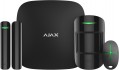 |  |
|---|---|---|
| Ajax StarterKit 2 | Ajax StarterKit Cam | |
| Outdated Product | Outdated Product | |
| TOP sellers | ||
You can set work scenarios. Connection to the control panel of the security company. 3 communication channels - two SIM cards and Ethernet. Remote control. The motion sensor has a built-in camera. | “Geofence” function (setting up security system reminders when crossing a certain zone. The user’s location is determined by the smartphone’s GPS.). Connects up to 100 sensors. Ability to transfer photos from a motion sensor. The set includes the central unit Ajax Hub 2, a motion sensor Ajax MotionCam (check with the seller for the availability of the HDR function), an opening sensor Ajax DoorProtect, and a remote Ajax SpaceControl. Connection for 2 SIM cards and an Ethernet cable. | |
| Form factor | alarm system | alarm system |
| Connecting sensors (protocol) | Jeweller | Jeweller |
| Wireless zones | 9 | 50 |
| Backup power | 16 h | 16 h |
Features | ||
| Security functions | partial protection push button alarm auto arming | push button alarm |
Connection to control panel | ||
| Max. wireless sensors | 100 | 100 |
| Sensor communication range | 2000 m | 2000 m |
| Key fobs communication range | 1300 m | 1300 m |
| Users (numbers to call) | 50 | 50 |
Complete with central | ||
| Motion sensors | 1 | 1 |
| Opening sensors | 1 | 1 |
| Control fobs | 1 | 1 |
Sensor characteristics | ||
| Motion sensor | Ajax MotionProtect | Ajax MotionCam |
| Opening sensor | Ajax DoorProtect | Ajax DoorProtect |
| Horizontal angle of coverage | 88.5 ° | 88.5 ° |
| Vertical coverage angle | 80 ° | 80 ° |
| Motion sensor range | 12 m | 12 m |
| Opening sensor threshold | 10 mm | 20 mm |
| Tamper |  | |
| animal immunity | | |
General | ||
| Control | control fob mobile app (Wi-Fi) | control fob phone (GSM) |
| Operating temperature | -10 °C ~ +40 °C | -10 °C ~ +40 °C |
| Max. humidity | 75 % | 75 % |
| Control panel dimensions (HxWxD) | 163x163x36 mm | 163x163x36 mm |
| Motion sensor dimensions (HxWxD) | 110x65x50 mm | 135x70x60 mm |
| Opening sensor dimensions (HxWxD) | 90x20x20 mm | 90x20x20 mm |
| Key fob dimensions (HxWxD) | 65x37x10 mm | 65x37x10 mm |
| Added to E-Catalog | june 2023 | february 2020 |


Compare Ajax StarterKit 2 and StarterKit Cam
You may be interested in
My comparisons
Ajax StarterKit 2 often compared


Ajax StarterKit Cam often compared

Glossary
Wireless zones
The number of security zones that can be covered by this kit when using wireless sensors.
In this case, a security zone means a separate protected area for which you can separately set the operating mode — for example, "Protection", "Protection disarmed" or a special tracking format. On many models, the number of zones corresponds to the maximum number of wireless sensors that can be connected to the device (see "Wireless Sensors"). However, there are exceptions: for example, a model for several dozen sensors can have 6-10 protection zones, in the expectation that one zone will be served simultaneously by several sensors.
In this case, a security zone means a separate protected area for which you can separately set the operating mode — for example, "Protection", "Protection disarmed" or a special tracking format. On many models, the number of zones corresponds to the maximum number of wireless sensors that can be connected to the device (see "Wireless Sensors"). However, there are exceptions: for example, a model for several dozen sensors can have 6-10 protection zones, in the expectation that one zone will be served simultaneously by several sensors.
Security functions
— Partial security. Possibility of work of a set in the mode of partial protection. In this mode, the alarm does not arm the entire protected space, but only a part of it — for example, individual rooms, or only sensors of a certain type (opening, movement). Specific features of the partial protection format may be different, they should be specified separately in each model. However, anyway, this function expands the capabilities of the signaling and may be useful in some specific situations. For example, in a residential building at night, you can turn on the perimeter sensors without using motion sensors — in this way, the alarm will only turn on when you try to enter the house and will not respond to people inside.
— Alarm on pressing the button. Possibility to turn on the alarm signal manually by pressing a special button. This function will be indispensable in extreme situations in which automatic sensors are useless — for example, during an open robbery or attack. Specific alarm functions, of course, may be different: some models include a siren, others are able to send a signal to the dispatcher's console, etc.; these details should be specified separately.
— Auto arming. Possibility of automatic arming of the alarm system. Most often, in this case, the inclusion of protection is implied by the schedule of hours and days of the week specified b...y the user; some models allow you to store several schedules in memory at once. This feature ensures that the protected zone "out of hours" will not be left without an alarm, even if the user forgets to turn it on manually. In addition, other methods of auto-arming may be provided — for example, when all key fobs are removed from the communication zone; the presence of such functions should be clarified separately.
— Alarm on pressing the button. Possibility to turn on the alarm signal manually by pressing a special button. This function will be indispensable in extreme situations in which automatic sensors are useless — for example, during an open robbery or attack. Specific alarm functions, of course, may be different: some models include a siren, others are able to send a signal to the dispatcher's console, etc.; these details should be specified separately.
— Auto arming. Possibility of automatic arming of the alarm system. Most often, in this case, the inclusion of protection is implied by the schedule of hours and days of the week specified b...y the user; some models allow you to store several schedules in memory at once. This feature ensures that the protected zone "out of hours" will not be left without an alarm, even if the user forgets to turn it on manually. In addition, other methods of auto-arming may be provided — for example, when all key fobs are removed from the communication zone; the presence of such functions should be clarified separately.
Motion sensor
Model of the motion sensor(s) supplied with the alarm.
The main data on the motion sensor — coverage angles, range — are usually given in the characteristics of the kit (for more details about this data, see below). However, knowing the name of the model, you can find more detailed information about it — up to practical reviews. In addition, the model name will be useful when looking for spare or additional sensors, in addition to the complete ones.
The main data on the motion sensor — coverage angles, range — are usually given in the characteristics of the kit (for more details about this data, see below). However, knowing the name of the model, you can find more detailed information about it — up to practical reviews. In addition, the model name will be useful when looking for spare or additional sensors, in addition to the complete ones.
Opening sensor threshold
Activation threshold of the opening sensor(s) supplied as standard.
The opening sensor consists of two parts: one of them is attached directly to the door / window, the other — to the fixed part of the frame. The trigger occurs when one part of the sensor moves away from the other when the door/window is opened. And the response threshold describes the distance that the parts of the sensor need to be separated to trigger it. The lower this indicator, the more sensitive the sensor is, the smaller the opening is required in order for it to respond. However, in most cases this figure is from 10 to 20 mm, such differences between different models are not critical.
The opening sensor consists of two parts: one of them is attached directly to the door / window, the other — to the fixed part of the frame. The trigger occurs when one part of the sensor moves away from the other when the door/window is opened. And the response threshold describes the distance that the parts of the sensor need to be separated to trigger it. The lower this indicator, the more sensitive the sensor is, the smaller the opening is required in order for it to respond. However, in most cases this figure is from 10 to 20 mm, such differences between different models are not critical.
Control
Control methods provided in the set.
— Keypad of the control panel. Keyboard control on the central unit. The simplest and most inexpensive method, which has long been used in alarms and is suitable for even the simplest low-cost-level kits. To access the controls, you need to be directly near the central unit — this can be both a disadvantage and an advantage, depending on the situation. So, it is not always convenient to approach the control panel every time; on the other hand, if remote control methods are not provided for in the design, the alarm system turns out to be as resistant to hacking as possible: it cannot be hacked remotely, and in order to physically get to the central unit, you usually need to overcome the protected perimeter.
— Keychain. Controlled by a wireless remote control, similar to those used in car alarms. This method is quite convenient from a practical point of view: you can give alarm commands from a distance, and it is convenient to carry the key fob with you — for example, by attaching it to the same key ring that opens the protected room. The range of key fobs (see above) in modern alarms ranges from 40 – 50 m to 1.5 km or even more. The disadvantage of this option is the actual dependence on the key fob, which can be lost or stolen; and the batteries in the key fob also need to be monitored so as not to be left without a remote control at the most inopportune moment.
— From the phone (GSM). Phone control via GSM networks. Note that you do not need a smartphone to use this function: control is carried out via SMS and/or voice menu and is available from any mobile phone, and in some models from a stationary phone with tone dialing. In addition to the ability to access the alarm from almost anywhere in the world where there is a mobile connection, this type of control has another important advantage: the design often provides for feedback, namely the ability to send voice calls and/or SMS messages to the user's phone (see Fig. "Users (numbers to call)", "Numbers to SMS"). However here it is worth considering that in order to use GSM control, it is necessary to buy and install a SIM card of a mobile operator in the central signaling unit; and for calls and SMS from the central office, the mobile operator will charge on a general basis.
— From the Internet (Wi-Fi).... Management via the Internet — through an application on a computer or mobile gadget or through a special page in any browser; via Wi-Fi, in this case, the alarm is connected to the Internet. Like the mobile communication described above, this method makes it possible to control the alarm from anywhere in the world (if there is access to the World Wide Web), and receive various notifications from the alarm. Specific features of such management should be clarified separately. Among other things, this method is especially convenient for those who often travel abroad: mobile roaming on such trips is not cheap, it can be easier to find Internet access.
— Keypad of the control panel. Keyboard control on the central unit. The simplest and most inexpensive method, which has long been used in alarms and is suitable for even the simplest low-cost-level kits. To access the controls, you need to be directly near the central unit — this can be both a disadvantage and an advantage, depending on the situation. So, it is not always convenient to approach the control panel every time; on the other hand, if remote control methods are not provided for in the design, the alarm system turns out to be as resistant to hacking as possible: it cannot be hacked remotely, and in order to physically get to the central unit, you usually need to overcome the protected perimeter.
— Keychain. Controlled by a wireless remote control, similar to those used in car alarms. This method is quite convenient from a practical point of view: you can give alarm commands from a distance, and it is convenient to carry the key fob with you — for example, by attaching it to the same key ring that opens the protected room. The range of key fobs (see above) in modern alarms ranges from 40 – 50 m to 1.5 km or even more. The disadvantage of this option is the actual dependence on the key fob, which can be lost or stolen; and the batteries in the key fob also need to be monitored so as not to be left without a remote control at the most inopportune moment.
— From the phone (GSM). Phone control via GSM networks. Note that you do not need a smartphone to use this function: control is carried out via SMS and/or voice menu and is available from any mobile phone, and in some models from a stationary phone with tone dialing. In addition to the ability to access the alarm from almost anywhere in the world where there is a mobile connection, this type of control has another important advantage: the design often provides for feedback, namely the ability to send voice calls and/or SMS messages to the user's phone (see Fig. "Users (numbers to call)", "Numbers to SMS"). However here it is worth considering that in order to use GSM control, it is necessary to buy and install a SIM card of a mobile operator in the central signaling unit; and for calls and SMS from the central office, the mobile operator will charge on a general basis.
— From the Internet (Wi-Fi).... Management via the Internet — through an application on a computer or mobile gadget or through a special page in any browser; via Wi-Fi, in this case, the alarm is connected to the Internet. Like the mobile communication described above, this method makes it possible to control the alarm from anywhere in the world (if there is access to the World Wide Web), and receive various notifications from the alarm. Specific features of such management should be clarified separately. Among other things, this method is especially convenient for those who often travel abroad: mobile roaming on such trips is not cheap, it can be easier to find Internet access.