
Comparison NeoLight Kappa HD vs NeoLight Kappa Plus HD
Add to comparison |  | 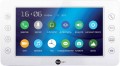 |
|---|---|---|
| NeoLight Kappa HD | NeoLight Kappa Plus HD | |
| Outdated Product | Outdated Product | |
| TOP sellers | ||
Supports two connection configurations: 2 outdoor panels and 2 video cameras, or 1 outdoor panel and 3 video cameras. Support for the "baby monitor" mode allows you to listen to the connected monitors. | Supports FullHD 1080p video recording at 25 fps. Video recording on motion, continuous or schedule. | |
Main specs | ||
| Type | internal panel (intercom) | internal panel (intercom) |
| Connection | wired | wired |
Internal panel (intercom) | ||
| Display size | 7 " | 7 " |
| Screen resolution | 1024x600 px | 1024x600 px |
| Touch screen |  |  |
| Touch buttons | | |
| Pluggable outdoor panels | 2 | 2 |
| Additional internal panels | 3 pcs | 3 pcs |
| Connectable surveillance cameras | 3 pcs | 2 pcs |
| Features | event recording support motion sensor recording internal communication (intercom) voice message (answering machine) built-in memory card reader up to 128 GB photo frame mode | event recording support motion sensor recording internal communication (intercom) voice message (answering machine) built-in memory card reader up to 128 GB photo frame mode |
| Consumption (standby) | 1 W | |
| Consumption (during operation) | 7 W | |
| Operating temperature | 0 °C ~ +40 °C | 0 °C ~ +40 °C |
| Size | 207x114x25 mm | 210x116x25 mm |
| Color | ||
| Added to E-Catalog | july 2020 | february 2020 |


Compare NeoLight Kappa HD and Kappa Plus HD
You may be interested in
NeoLight Kappa Plus HD often compared


Glossary
Touch screen
The presence of a touch screen in the intercom — similar to those used in smartphones and tablets.
Control through such a display is often more convenient, visual and functional than using a hardware panel — especially when working with numerous functions and settings. Actually, the presence of a touch screen is an almost unmistakable sign of an advanced intercom with advanced features. Note that for comfortable use, such a screen should have a fairly large size — 4 ”or more; Smaller touch displays are also available, but they are not particularly user-friendly.
Control through such a display is often more convenient, visual and functional than using a hardware panel — especially when working with numerous functions and settings. Actually, the presence of a touch screen is an almost unmistakable sign of an advanced intercom with advanced features. Note that for comfortable use, such a screen should have a fairly large size — 4 ”or more; Smaller touch displays are also available, but they are not particularly user-friendly.
Connectable surveillance cameras
The number of video cameras that can be simultaneously connected to the intercom. The mode of operation with these cameras can be different — a mosaic of several signals at once, switching between signals with each one displayed on the full screen, etc. However, anyway, to work with several video cameras, it is desirable that their corresponding number be directly claimed in the intercom — otherwise you will have to resort to installing additional equipment.
The simplest modern intercoms allow the connection of 1 or 2 cameras, in more advanced ones this number can reach 4 or more.
The simplest modern intercoms allow the connection of 1 or 2 cameras, in more advanced ones this number can reach 4 or more.
Consumption (standby)
The amount of energy consumed by the intercom in standby mode. In this mode, the device is energized and is in a state of readiness to receive a call; no functions are used, and the readiness itself does not require a lot of energy. Therefore, the value of this parameter, usually, is rather low, and you should pay attention to it only if you fundamentally strive for maximum efficiency of the installed equipment.
Consumption (during operation)
Power consumption of the intercom in the operating mode. Usually, this item indicates the value for situations where the device's functions are used to the fullest — in particular, when the display is on and the speakerphone is on (if any, see above). Note that the consumption in the operating mode rarely exceeds 20 W, so in most cases it is more of a reference, and not a practically significant parameter.