
Comparison Ice Coorel K8 vs Ice Coorel K22
Add to comparison |  | 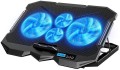 |
|---|---|---|
| Ice Coorel K8 | Ice Coorel K22 | |
| Outdated Product | Outdated Product | |
| TOP sellers | ||
| Product type | stand | stand |
| Max. screen size | 15.6 " | 17 " |
Features | ||
| Active cooling |  | |
| Fans | 6x70 mm | 2x125 mm, 2x60 mm |
| Max. RPM | 1400 rpm | 2600 rpm |
| Functions & Features | tilt adjustment fan speed control laptop stopper screen | tilt adjustment fan speed control laptop stopper screen |
| Backlight | blue | blue |
Connection | ||
| Connecting to a laptop | USB-A 2.0 | USB-A 2.0 |
| Peripheral сonnection | 1xUSB-A 2.0 | 1xUSB-A 2.0 |
General | ||
| Power source | uSB powered | uSB powered |
| Stand material | metal / plastic | metal / plastic |
| Table top/platform size | 385x280x28 mm | |
| Color | ||
| Added to E-Catalog | september 2024 | september 2024 |


Compare Ice Coorel K8 and K22
You may be interested in
Ice Coorel K8 often compared

Ice Coorel K22 often compared

Glossary
Max. screen size
The largest laptop screen size that the stand is guaranteed to be compatible with. For comparison: the smallest netbooks have a diagonal of 10 – 12 ", ultrabooks are somewhat larger — up to 14" ; among classic laptops, 13" corresponds to the most compact models, 15 — 16" — medium format, 17" — large, and 18.4" is actually the "ceiling" for modern laptops.
Usually, the maximum diagonal indicated in the characteristics corresponds to the size for which the stand was originally designed. However the vast majority of models are able to work with smaller laptops, but this point should be clarified separately. In addition, you should not buy a device that differs markedly in maximum diagonal from your laptop — for example, an 18" stand is unlikely to be convenient for a 12" netbook.
Usually, the maximum diagonal indicated in the characteristics corresponds to the size for which the stand was originally designed. However the vast majority of models are able to work with smaller laptops, but this point should be clarified separately. In addition, you should not buy a device that differs markedly in maximum diagonal from your laptop — for example, an 18" stand is unlikely to be convenient for a 12" netbook.
Fans
In modern models, 1 or 2 fans are installed at a minimum, and in more advanced models this number can reach 4. It makes no sense to bet anymore, because. the area of the cooling system in this case may be larger than the area of the bottom surface of even the largest laptop. The more fans provided, the more intense the heat removal and the higher the efficiency of the cooling system (ceteris paribus, of course). On the other hand, the noise level increases noticeably, and there are “multi-fan” stands, respectively.
The diameter of the fans also plays an important role. The larger the fan, the more advanced it is considered: a large diameter allows you to create an intense airflow at relatively low speeds, which reduces the noise level compared to smaller options. On the other hand, the large size also affects the cost accordingly.
The diameter of the fans also plays an important role. The larger the fan, the more advanced it is considered: a large diameter allows you to create an intense airflow at relatively low speeds, which reduces the noise level compared to smaller options. On the other hand, the large size also affects the cost accordingly.
Max. RPM
The highest rotational speed of the fans provided in the active cooling system of the stand (see above).
Rotation speed is one of the parameters that directly affects efficiency: the faster the fan, the more powerful airflow it creates and the more heat is removed. At the same time, only fans of the same diameter can be directly compared by speed. In addition, high rotation speed increases the noise level; therefore, comparatively slow but large fans are considered more advanced than small and fast ones with the same performance (see "Airflow").
Rotation speed is one of the parameters that directly affects efficiency: the faster the fan, the more powerful airflow it creates and the more heat is removed. At the same time, only fans of the same diameter can be directly compared by speed. In addition, high rotation speed increases the noise level; therefore, comparatively slow but large fans are considered more advanced than small and fast ones with the same performance (see "Airflow").
Table top/platform size
The size of the surface intended for the direct placement of a laptop. This parameter allows you to fairly accurately assess how the stand is suitable for your device — after all, even laptops with the same diagonal can vary slightly in length / width.