
Comparison be quiet! Power Zone 2 BP007 vs Asus ROG Strix Platinum ROG Strix 850W Platinum
Add to comparison | 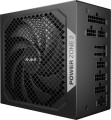 | 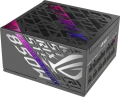 |
|---|---|---|
| be quiet! Power Zone 2 BP007 | Asus ROG Strix Platinum ROG Strix 850W Platinum | |
| Compare prices 3 | Compare prices 1 | |
| User reviews | ||
| TOP sellers | ||
ROG Equalizer Version – patented PCIe 12V-2x6 standard power cable included. | ||
| Power | 850 W | 850 W |
| Form factor | ATX | ATX |
Specs | ||
| PFC | active | active |
| Efficiency | 94 % | 92 % |
| Cooling system | semi-passive | semi-passive |
| Fan size | 140 mm | |
| Fan bearing | sliding | rolling |
| Certification | 80+ Platinum | 80+ Platinum |
| Cybenetics Efficiency | Platinum | |
| Cybenetics Noise | A + | |
| ATX12V version | 3.1 | 3.1 |
| EPS12V version | 2.92 | |
Power connectors | ||
| MB/CPU power supply | 24+8+8(4+4) pin | 24+8+8(4+4) pin |
| SATA | 7 | 6 |
| MOLEX | 1 | 3 |
| PCIe 8pin (6+2) | 3 | 3 |
| PCIe 16pin | 1 pcs | 1 pcs |
| Cable system | modular | modular |
Cable length | ||
| MB | 600 mm | 610 mm |
| CPU | 700 mm | 1000 mm |
| SATA | 550 mm | 400 mm |
| MOLEX | 1000 mm | 400 mm |
| PCIe | 600 mm | 750 mm |
Max. power | ||
| +3.3V | 20 А | 25 А |
| +5V | 20 А | 25 А |
| +12V1 | 70.8 А | 70.8 А |
| -12V | 0.5 А | 0.3 А |
| +5Vsb | 3 А | 3 А |
| +12V | 850 W | 850 W |
| +3.3V +5V | 120 W | 130 W |
| -12V | 3.6 W | |
| +5Vsb | 15 W | |
General | ||
| Over voltage protection (OVP) |  | |
| Over power protection (OPP) | | |
| Short circuit protection (SCP) | | |
| Protection | OTP, OCP, UVP, SIP | UVP, OCP, OTP |
| Noise level | 16 dB | |
| Manufacturer's warranty | 10 years | 10 years |
| Dimensions (HxWxD) | 86x160x150 mm | 86x150x160 mm |
| Weight | 2.8 kg | |
| Added to E-Catalog | january 2025 | september 2024 |




Compare be quiet! Power Zone 2 and Asus ROG Strix Platinum be quiet! BP007 и Asus ROG Strix 850W Platinum?
You may be interested in
My comparisons
be quiet! Power Zone 2 often compared


Asus ROG Strix Platinum often compared


Glossary
Efficiency
Efficiency, in this case — the ratio of the power of the power supply (see "Power") to its power consumption. The higher the efficiency, the more efficient the power supply, the less energy it consumes from the network at the same output power, and the cheaper it is to operate. Efficiency may differ depending on the load; the characteristics can indicate both the minimum efficiency and its value at an average load (50%).
It should be noted that compliance with one or another level of 80PLUS efficiency directly depends on this indicator (for more details, see "Certificate").
It should be noted that compliance with one or another level of 80PLUS efficiency directly depends on this indicator (for more details, see "Certificate").
Fan size
The diameter of the fan(s) in the power supply cooling system.
The large diameter allows to achieve good efficiency at relatively low RPMs, which in turn reduces noise and power consumption. On the other hand, large fans are more expensive than small ones and take up a lot of space, which affects the dimensions of the entire PSU. We also emphasize that a small fan is not yet a sign of a cheap power supply — quite advanced models can also have such equipment, in order to reduce dimensions.
As for specific diameters, the smallest value that can be found in modern consumer-grade PSUs is 80 mm. The most popular option is 120 mm, this size gives good efficiency and a relatively low noise level at a reasonable price and dimensions. Larger diameters are somewhat less common — 135 mm and 140 mm.
The large diameter allows to achieve good efficiency at relatively low RPMs, which in turn reduces noise and power consumption. On the other hand, large fans are more expensive than small ones and take up a lot of space, which affects the dimensions of the entire PSU. We also emphasize that a small fan is not yet a sign of a cheap power supply — quite advanced models can also have such equipment, in order to reduce dimensions.
As for specific diameters, the smallest value that can be found in modern consumer-grade PSUs is 80 mm. The most popular option is 120 mm, this size gives good efficiency and a relatively low noise level at a reasonable price and dimensions. Larger diameters are somewhat less common — 135 mm and 140 mm.
Fan bearing
The bearing is the piece between the rotating axle of the fan and the fixed base that supports the axle and reduces friction. The following types of bearings are found in modern fans:
— Sliding. The action of these bearings is based on direct contact between two solid surfaces, carefully polished to reduce friction. Such devices are simple, reliable and durable, but their efficiency is quite low — rolling, and even more so the hydrodynamic and magnetic principle of operation, provide much less friction.
— Rolling. They are also called "ball bearings", since the "mediators" between the axis of rotation and the fixed base are balls (less often — cylindrical rollers) fixed in a special ring. When the axis rotates, such balls roll between it and the base, due to which the friction force is very low — noticeably lower than in plain bearings. On the other hand, the design turns out to be more expensive and complex, and in terms of reliability it is somewhat inferior to both the same plain bearings and more advanced hydrodynamic devices. Therefore, although rolling bearings are quite widespread nowadays, however, in general, they are much less common than the mentioned varieties.
— Hydrodynamic. Bearings of this type are filled with a special liquid; when rotated, it creates a layer on which the moving part of the bearing slides. In this way, direct contact between hard surfaces is avoided and friction is significantly reduced compared to previous...types. Also, these bearings are quiet and very reliable. Of their shortcomings, a relatively high cost can be noted, but in fact this moment often turns out to be invisible against the background of the price of the entire system. Therefore, this option is extremely popular nowadays, it can be found in cooling systems of all levels — from low-cost to advanced.
— Magnetic centering. Bearings based on the principle of magnetic levitation: the rotating axis is "suspended" in a magnetic field. Thus, it is possible (as in hydrodynamic ones) to avoid contact between solid surfaces and further reduce friction. Considered the most advanced type of bearings, they are reliable and quiet, but expensive.
— Sliding. The action of these bearings is based on direct contact between two solid surfaces, carefully polished to reduce friction. Such devices are simple, reliable and durable, but their efficiency is quite low — rolling, and even more so the hydrodynamic and magnetic principle of operation, provide much less friction.
— Rolling. They are also called "ball bearings", since the "mediators" between the axis of rotation and the fixed base are balls (less often — cylindrical rollers) fixed in a special ring. When the axis rotates, such balls roll between it and the base, due to which the friction force is very low — noticeably lower than in plain bearings. On the other hand, the design turns out to be more expensive and complex, and in terms of reliability it is somewhat inferior to both the same plain bearings and more advanced hydrodynamic devices. Therefore, although rolling bearings are quite widespread nowadays, however, in general, they are much less common than the mentioned varieties.
— Hydrodynamic. Bearings of this type are filled with a special liquid; when rotated, it creates a layer on which the moving part of the bearing slides. In this way, direct contact between hard surfaces is avoided and friction is significantly reduced compared to previous...types. Also, these bearings are quiet and very reliable. Of their shortcomings, a relatively high cost can be noted, but in fact this moment often turns out to be invisible against the background of the price of the entire system. Therefore, this option is extremely popular nowadays, it can be found in cooling systems of all levels — from low-cost to advanced.
— Magnetic centering. Bearings based on the principle of magnetic levitation: the rotating axis is "suspended" in a magnetic field. Thus, it is possible (as in hydrodynamic ones) to avoid contact between solid surfaces and further reduce friction. Considered the most advanced type of bearings, they are reliable and quiet, but expensive.
Cybenetics Efficiency
Cybenetics Efficiency is a power supply unit (PSU) energy efficiency certification system that serves as an alternative to the 80 PLUS standard. It is more accurate as it considers efficiency at various load levels (10%, 20%, 50%, 100%) and at different input voltages (115V, 230V). The labeling of this system is identical to 80 PLUS:
Bronze — overall efficiency from 82% to 85% at 115V input voltage and from 84% to 87% at 230V;
Silver — 85 – 87% and 87 – 89% respectively;
Gold — from 87% to 89% (115V) and from 89% to 91% (230V);
Platinum — 89 – 91% at 115V and 91 – 93% at 230V;
Titanium — 91 – 93% (115V) and 93 – 95% (230V);
Diamond — ≥ 93/95%.
Bronze — overall efficiency from 82% to 85% at 115V input voltage and from 84% to 87% at 230V;
Silver — 85 – 87% and 87 – 89% respectively;
Gold — from 87% to 89% (115V) and from 89% to 91% (230V);
Platinum — 89 – 91% at 115V and 91 – 93% at 230V;
Titanium — 91 – 93% (115V) and 93 – 95% (230V);
Diamond — ≥ 93/95%.
Cybenetics Noise
The Cybenetics Lambda Certification System evaluates the noise levels of power supply units (PSUs), providing consumers with information about their acoustic characteristics. As a result, you can rely not only on the efficiency of the PSU but also on its noise level. Cybenetics Lambda certification levels include:
Standard — from 40 dB(A) to 45 dB(A) – noticeable noise;
Standard+ — from 35 dB(A) to 40 dB(A) – noticeable noise;
Standard++ — from 30 dB(A) to 35 dB(A) – moderate noise;
A- — from 25 dB(A) to 30 dB(A) – moderately quiet;
A — from 20 dB(A) to 25 dB(A) – quiet;
A+ — from 15 dB(A) to 20 dB(A) – very quiet;
A++ — less than 15 dB(A) – nearly silent.
Standard — from 40 dB(A) to 45 dB(A) – noticeable noise;
Standard+ — from 35 dB(A) to 40 dB(A) – noticeable noise;
Standard++ — from 30 dB(A) to 35 dB(A) – moderate noise;
A- — from 25 dB(A) to 30 dB(A) – moderately quiet;
A — from 20 dB(A) to 25 dB(A) – quiet;
A+ — from 15 dB(A) to 20 dB(A) – very quiet;
A++ — less than 15 dB(A) – nearly silent.
EPS12V version
The version of the EPS12V standard that the power supply complies with. The EPS12V standard was created primarily for high consumption PCs (with a power of more than 700 W, see "Power") and entry-level servers. Such power supplies have a 24-pin plug for the motherboard and an 8-pin processor power connector (sometimes more than one, see “MB / CPU Power” for more details). They are also more reliable than ATX12V. They are compatible with most ATX standard motherboards, however, in older motherboards, there may be problems with matching connectors, so this issue should be clarified separately (however, to solve this problem, in some power supplies, parts of the plugs are made removable, which allows them to be reduced if necessary to the dimensions of the connectors on the motherboard).
SATA
The number of SATA power connectors provided in the PSU.
Nowadays, SATA is the standard interface for connecting internal hard drives, and it is also found in other types of drives (SSD, SSHD, etc.). Such an interface consists of a data connector connected to the motherboard, and a power connector connected to the PSU. Accordingly, in this paragraph we are talking about the number of SATA power plugs provided in the PSU. This number corresponds to the number of SATA drives that can be simultaneously powered from this model.
Nowadays, SATA is the standard interface for connecting internal hard drives, and it is also found in other types of drives (SSD, SSHD, etc.). Such an interface consists of a data connector connected to the motherboard, and a power connector connected to the PSU. Accordingly, in this paragraph we are talking about the number of SATA power plugs provided in the PSU. This number corresponds to the number of SATA drives that can be simultaneously powered from this model.
MOLEX
The number of Molex (IDE) connectors provided in the design of the power supply.
Initially, such a connector was intended to power peripherals for the IDE interface, primarily hard drives. And although the IDE itself is completely obsolete today and is not used in new components, however, the Molex power connector continues to be installed in power supplies, and almost without fail. Almost any modern PSU has at least 1 – 2 of these connectors, and in high-end models this number can be 7 or more. This situation is due to the fact that Molex IDE is a fairly universal standard, and with the help of the simplest adapters, components with a different power interface can be powered from it. For example, there are Molex - SATA adapters for drives, Molex - 6 pin for video cards, etc.
Initially, such a connector was intended to power peripherals for the IDE interface, primarily hard drives. And although the IDE itself is completely obsolete today and is not used in new components, however, the Molex power connector continues to be installed in power supplies, and almost without fail. Almost any modern PSU has at least 1 – 2 of these connectors, and in high-end models this number can be 7 or more. This situation is due to the fact that Molex IDE is a fairly universal standard, and with the help of the simplest adapters, components with a different power interface can be powered from it. For example, there are Molex - SATA adapters for drives, Molex - 6 pin for video cards, etc.
+3.3V
The maximum values of current and power that the PSU can provide on individual power lines.
The power line can be simply described as a pair of contacts for connecting a particular load; one of these contacts is “ground” (with zero voltage), and the second has a certain voltage with a plus or minus sign, this voltage corresponds to the voltage of the power line. In this paragraph, it is + 3.3V (such power is present in 20- and 24-pin connectors for motherboards, in SATA power connectors and some other types of connectors).
In general, power and currents are rather specific parameters that the average user rarely needs — mainly when connecting high-power components such as video cards, as well as when starting a PSU without a computer to power other electronics (for example, amateur radio stations). It is also worth mentioning that the sum of the maximum powers on all lines can be higher than the total output power of the PSU — this means that all lines cannot operate at full power at the same time. Accordingly, when the PSU is fully loaded, some of them will produce less power than the maximum possible.
The power line can be simply described as a pair of contacts for connecting a particular load; one of these contacts is “ground” (with zero voltage), and the second has a certain voltage with a plus or minus sign, this voltage corresponds to the voltage of the power line. In this paragraph, it is + 3.3V (such power is present in 20- and 24-pin connectors for motherboards, in SATA power connectors and some other types of connectors).
In general, power and currents are rather specific parameters that the average user rarely needs — mainly when connecting high-power components such as video cards, as well as when starting a PSU without a computer to power other electronics (for example, amateur radio stations). It is also worth mentioning that the sum of the maximum powers on all lines can be higher than the total output power of the PSU — this means that all lines cannot operate at full power at the same time. Accordingly, when the PSU is fully loaded, some of them will produce less power than the maximum possible.