
Comparison Hisense HS2100 vs Hisense HS212F
Add to comparison |  | 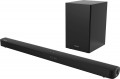 |
|---|---|---|
| Hisense HS2100 | Hisense HS212F | |
from $112.99 | from $185.00 | |
| TOP sellers | ||
| Audio format | 2.1 | 2.1 |
| Mount type | shelf / wall | shelf / wall |
| Virtual surround sound |  |  |
Tech specs | ||
| Rated power | 240 W | 120 W |
| Soundbar speaker power | 120 W | 60 W |
| Frequency range | 40 — 20000 Hz | 40 – 20000 Hz |
Subwoofer | ||
| Wireless subwoofer | | |
| Acoustic design | bass-reflex type | bass-reflex type |
| Subwoofer power | 120 W | 60 W |
| Subwoofer speaker size | 110 mm | |
| Subwoofer dimensions (WxHxD) | 110x300x350 mm | 210x338x248 mm |
| Subwoofer weight | 3.4 kg | 4.75 kg |
Interfaces | ||
| Interfaces | Bluetooth | Bluetooth |
| Audio decoders | DTS Virtual:X Dolby Digital Dolby Digital Plus | Dolby Digital |
Connectors | ||
| Inputs | USB-A mini-Jack (3.5 mm) optical | USB-A mini-Jack (3.5 mm) optical coaxial S/PDIF |
| HDMI input | 1 pc | 1 pc |
Speakers | ||
| Number of speakers | 2 шт | 2 шт |
General | ||
| Display | | |
| Control | remote control | remote control TV remote control |
| Power consumption | 45 W | 30 W |
| Dimensions (WxHxD) | 800x60x90 mm | 960x55x85 mm |
| Projector weight | 1.5 kg | 1.72 kg |
| Color | ||
| Added to E-Catalog | february 2024 | february 2022 |


Compare Hisense HS2100 and HS212F
You may be interested in
My comparisons
Hisense HS2100 often compared


Hisense HS212F often compared


Glossary
Virtual surround sound
The projector supports the virtual surround function.
The purpose of this feature is that due to special sound settings and the reflection of sound beams from the walls of the room, the listener hears more channels than are actually available in the projector (see "Audio Format"). For example, a 3.1 system with virtual surround sound can produce sound similar to 5.1 surround sound. This allows you to achieve the effect of "immersion" in sound without increasing the number of channels and the cost of the projector. On the other hand, the reliability of such sound is usually noticeably worse than that of real surround sound, and the overall quality is highly dependent on the characteristics of a particular room.
Note that the virtual surround function is specified for 2.0, 2.1, 3.0, 3.1 format systems. In more advanced multi-channel systems, there are a priori additional channels for reproducing surround sound.
The purpose of this feature is that due to special sound settings and the reflection of sound beams from the walls of the room, the listener hears more channels than are actually available in the projector (see "Audio Format"). For example, a 3.1 system with virtual surround sound can produce sound similar to 5.1 surround sound. This allows you to achieve the effect of "immersion" in sound without increasing the number of channels and the cost of the projector. On the other hand, the reliability of such sound is usually noticeably worse than that of real surround sound, and the overall quality is highly dependent on the characteristics of a particular room.
Note that the virtual surround function is specified for 2.0, 2.1, 3.0, 3.1 format systems. In more advanced multi-channel systems, there are a priori additional channels for reproducing surround sound.
Rated power
The total power rating of the sound projector speakers (including subwoofer, if present).
This parameter is often used to estimate the overall sound volume of the device, but this is not entirely true. The fact is that the actual sound volume is determined mainly by the power of the main speakers of the sound projector, and the total power is the sum of this power and the power of the subwoofer. Therefore, models with the same power rating can vary markedly in actual volume: for example, a 150-watt soundbar with a 50-watt subwoofer will be louder than a 100-watt projector with a subwoofer of the same power, although in both cases the rated power will be equal to 200 watts.
Summing up, we can say that it is possible to evaluate the volume by rated power only if the sound projector is not equipped with a subwoofer — in such models, the rated power is equal to the power of the main speakers. In other cases, it is worth focus on the power of the soundbar and the power of the subwoofer directly stated in the characteristics (see below for both).
This parameter is often used to estimate the overall sound volume of the device, but this is not entirely true. The fact is that the actual sound volume is determined mainly by the power of the main speakers of the sound projector, and the total power is the sum of this power and the power of the subwoofer. Therefore, models with the same power rating can vary markedly in actual volume: for example, a 150-watt soundbar with a 50-watt subwoofer will be louder than a 100-watt projector with a subwoofer of the same power, although in both cases the rated power will be equal to 200 watts.
Summing up, we can say that it is possible to evaluate the volume by rated power only if the sound projector is not equipped with a subwoofer — in such models, the rated power is equal to the power of the main speakers. In other cases, it is worth focus on the power of the soundbar and the power of the subwoofer directly stated in the characteristics (see below for both).
Soundbar speaker power
The nominal power of the speakers installed directly in the soundbar, excluding the subwoofer (in models with a built-in subwoofer, respectively, only the power of the main speakers is taken into account).
This indicator directly determines the overall volume of the sound projector; It is worth choosing according to this parameter taking into account the specifics of the room in which the projector is planned to be installed: the larger the room and the greater the distance to the viewer, the higher the power should be, otherwise the soundbar will not be able to effectively sound the scene. Detailed recommendations on the optimal power for different situations can be found in special sources.
This indicator directly determines the overall volume of the sound projector; It is worth choosing according to this parameter taking into account the specifics of the room in which the projector is planned to be installed: the larger the room and the greater the distance to the viewer, the higher the power should be, otherwise the soundbar will not be able to effectively sound the scene. Detailed recommendations on the optimal power for different situations can be found in special sources.
Frequency range
The audio frequency range supported by the projector's speakers.
When evaluating this parameter, it is worth remembering that the audibility range of the human ear is about 16 – 22,000 Hz (and narrows with age). If the projector's frequency range is narrower, this can result in "cutting" low or high frequencies (however, with a slight narrowing, this effect is almost imperceptible). There are models in which the frequency limit is much wider — however, this is a kind of "side effect" of high-quality acoustics and has no meaning other than advertising.
Also note that a wide frequency range in itself does not guarantee high-quality sound — a lot depends on other parameters of the projector.
When evaluating this parameter, it is worth remembering that the audibility range of the human ear is about 16 – 22,000 Hz (and narrows with age). If the projector's frequency range is narrower, this can result in "cutting" low or high frequencies (however, with a slight narrowing, this effect is almost imperceptible). There are models in which the frequency limit is much wider — however, this is a kind of "side effect" of high-quality acoustics and has no meaning other than advertising.
Also note that a wide frequency range in itself does not guarantee high-quality sound — a lot depends on other parameters of the projector.
Subwoofer power
The rated power of the subwoofer included in the design or delivery of the sound projector.
The higher the power, the louder the sub can sound, the richer the bass it can provide. On the other hand, an increase in power inevitably promises an increase in the size and cost of the speaker. Therefore, an overly powerful subwoofer is just as undesirable as one that is too weak. Detailed recommendations for selecting power for the size and acoustic characteristics of a particular room can be found in special sources.
Note that the external subwoofer in soundbars should be approximately twice as powerful as the soundbar in order to prevent sound sags at maximum volume. So, if the total output power of the speaker system is 300 watts, then 100 of them should come from the soundbar alone, and 200 should go directly to the subwoofer.
The higher the power, the louder the sub can sound, the richer the bass it can provide. On the other hand, an increase in power inevitably promises an increase in the size and cost of the speaker. Therefore, an overly powerful subwoofer is just as undesirable as one that is too weak. Detailed recommendations for selecting power for the size and acoustic characteristics of a particular room can be found in special sources.
Note that the external subwoofer in soundbars should be approximately twice as powerful as the soundbar in order to prevent sound sags at maximum volume. So, if the total output power of the speaker system is 300 watts, then 100 of them should come from the soundbar alone, and 200 should go directly to the subwoofer.
Subwoofer speaker size
The diameter of the speaker in the subwoofer used by the sound projector.
It is believed that the larger the speaker, the louder the sub and the deeper and richer sound it can provide. Models up to 200 mm in size are entry level; This is exactly the size that built-in subwoofers usually have (see above). But free-standing bass speakers can use larger speakers, up to 254 mm (10").
It is believed that the larger the speaker, the louder the sub and the deeper and richer sound it can provide. Models up to 200 mm in size are entry level; This is exactly the size that built-in subwoofers usually have (see above). But free-standing bass speakers can use larger speakers, up to 254 mm (10").
Audio decoders
A decoder can be broadly described as a standard in which digital audio (often multi-channel) is recorded. For normal playback of such sound, it is necessary that the corresponding decoder is supported by the device. The first signs of multi-channel decoding were Dolby Digital and DTS, gradually improving and introducing new features. The final stage for 2020 is Dolby Atmos and DTS X decoders.
Dolby Atmos. A decoder that does not use a rigid distribution of sound across channels, but the processing of audio objects, due to which it can be used with almost any number of channels on a reproducing system - the sound will be divided between channels so that each audio object is heard as close as possible to its proper place. When using Dolby Atmos, in-ceiling speakers (or speakers facing the ceiling) are highly desirable. However, in extreme cases, you can do without them.
— DTS X. An analogue of the Dolby Atmos described above, when the sound is distributed not through individual channels, but through audio objects. The digital signal contains information about where (according to the director's intention) the object audible to the user should be and how it should move, and the processor of the reproducing device processes this information and determines exactly how the sound should be distributed over the available channels in order to achieve the required localization. Thanks to this, D...TS X is not tied to a specific number of audio channels - there can be as many as you like, the system will automatically divide the sound into them, achieving the desired sound. Also note that this decoder allows you to separately adjust the volume of dialogues. A separate variant of DTS X is the DTS Virtual:X decoder for providing surround sound without the use of additional upward speakers on the soundbar. You can rely on just two channels and a separate subwoofer to achieve the desired DTS Virtual:X effect. A separate variation of DTS X is the DTS Virtual:X decoder to provide surround sound without the need for additional upward-firing speakers on the soundbar. DTS Virtual:X can rely on just two channels and a separate subwoofer to achieve the desired effect.
— IMAX Enhanced. The IMAX Enhanced Mark of Conformity is awarded to equipment that meets the audio certification requirements of IMAX Corporation. Combined with DTS audio technology to deliver signature IMAX theater-like sound in the home. The most accurate reproduction of such audio is possible in systems with a large number of channels (5.1 or more). Note that for a fully immersive experience, IMAX Enhanced certification must also apply to video equipment for playing content (TV, projector, etc.).
Dolby Atmos. A decoder that does not use a rigid distribution of sound across channels, but the processing of audio objects, due to which it can be used with almost any number of channels on a reproducing system - the sound will be divided between channels so that each audio object is heard as close as possible to its proper place. When using Dolby Atmos, in-ceiling speakers (or speakers facing the ceiling) are highly desirable. However, in extreme cases, you can do without them.
— DTS X. An analogue of the Dolby Atmos described above, when the sound is distributed not through individual channels, but through audio objects. The digital signal contains information about where (according to the director's intention) the object audible to the user should be and how it should move, and the processor of the reproducing device processes this information and determines exactly how the sound should be distributed over the available channels in order to achieve the required localization. Thanks to this, D...TS X is not tied to a specific number of audio channels - there can be as many as you like, the system will automatically divide the sound into them, achieving the desired sound. Also note that this decoder allows you to separately adjust the volume of dialogues. A separate variant of DTS X is the DTS Virtual:X decoder for providing surround sound without the use of additional upward speakers on the soundbar. You can rely on just two channels and a separate subwoofer to achieve the desired DTS Virtual:X effect. A separate variation of DTS X is the DTS Virtual:X decoder to provide surround sound without the need for additional upward-firing speakers on the soundbar. DTS Virtual:X can rely on just two channels and a separate subwoofer to achieve the desired effect.
— IMAX Enhanced. The IMAX Enhanced Mark of Conformity is awarded to equipment that meets the audio certification requirements of IMAX Corporation. Combined with DTS audio technology to deliver signature IMAX theater-like sound in the home. The most accurate reproduction of such audio is possible in systems with a large number of channels (5.1 or more). Note that for a fully immersive experience, IMAX Enhanced certification must also apply to video equipment for playing content (TV, projector, etc.).
Inputs
— USB-A. This refers to a USB port that allows you to connect external drives (flash drives, hard drives) to the projector and play content directly from them. Models with video outputs (see below) can often function as a media center, outputting video signals to a TV or another external screen.
— USB-C. Used in soundbars for transmitting digital audio with minimal quality loss, replacing traditional AUX and optical ports. Unlike analog connections, USB-C transmits sound without distortion and can support high-resolution audio streams, including Hi-Res formats. It also allows for simultaneous audio and power transmission, simplifying the connection to devices. However, this port is mainly relevant for portable devices, and its primary purpose is to connect a soundbar to a laptop.
— mini-Jack (3.5 mm). The 3.5 mm jack can be used in various interfaces; in this case, it refers to a line audio input with a mini-Jack socket. This input is mainly used to connect portable audio equipment (players, smartphones) to a sound projector.
— RCA. Technically, RCA (commonly called "tulip") is a type of connector that can be used in different interfaces. However, the term "RCA input" usually refers to line inputs for connecting an analog stereo signal. Note that this input consists of two RCA cable sockets, as one cable ca...n only transmit one audio channel.
— Optical. Connector for connecting a digital audio signal via a TOSLINK fiber optic cable. This interface allows for multi-channel sound transmission and is practically immune to electrical interference; its drawback is the fragility of the cable.
— Coaxial S/P-DIF. Connector for connecting a digital audio signal via an electrical cable with an RCA connector (not to be confused with the line RCA described above). Similar to the optical input described above, including the ability to transmit multi-channel sound through a single connector. At the same time, the coaxial cable is less delicate but more sensitive to electrical interference (therefore, a specially shielded cable is preferable for such a connection).
— Composite. This refers to not a full-size composite interface of three connectors, allowing audio and video signal transmission, but only one connector for working with video. Since sound projectors do not reproduce images, the composite input is used to transmit a video signal through the projector to another device, such as a TV. The composite video interface does not support HD and lacks high quality; on the other hand, it is widely used and can work even with outdated video equipment. This input usually uses a yellow RCA ("tulip") connector.
— Component. An input designed to receive an analog video signal for further transmission to another device—TV, video projector, etc. This connection usually uses three RCA connectors, each transmitting its component of the video signal (hence the name). Thanks to this, the component interface offers good bandwidth and picture quality, supports HD, and is considered the most advanced modern standard for analog video.
— IR Control Input. A connector for connecting an external infrared remote control receiver. When correctly positioned, this receiver allows the use of a remote control even from locations where the signal from the remote cannot reach the main (built-in) sensor—such as another room. Note that the receiver can be a specialized device or another component of the audio system—such as an amplifier with an IR control output.
— USB-C. Used in soundbars for transmitting digital audio with minimal quality loss, replacing traditional AUX and optical ports. Unlike analog connections, USB-C transmits sound without distortion and can support high-resolution audio streams, including Hi-Res formats. It also allows for simultaneous audio and power transmission, simplifying the connection to devices. However, this port is mainly relevant for portable devices, and its primary purpose is to connect a soundbar to a laptop.
— mini-Jack (3.5 mm). The 3.5 mm jack can be used in various interfaces; in this case, it refers to a line audio input with a mini-Jack socket. This input is mainly used to connect portable audio equipment (players, smartphones) to a sound projector.
— RCA. Technically, RCA (commonly called "tulip") is a type of connector that can be used in different interfaces. However, the term "RCA input" usually refers to line inputs for connecting an analog stereo signal. Note that this input consists of two RCA cable sockets, as one cable ca...n only transmit one audio channel.
— Optical. Connector for connecting a digital audio signal via a TOSLINK fiber optic cable. This interface allows for multi-channel sound transmission and is practically immune to electrical interference; its drawback is the fragility of the cable.
— Coaxial S/P-DIF. Connector for connecting a digital audio signal via an electrical cable with an RCA connector (not to be confused with the line RCA described above). Similar to the optical input described above, including the ability to transmit multi-channel sound through a single connector. At the same time, the coaxial cable is less delicate but more sensitive to electrical interference (therefore, a specially shielded cable is preferable for such a connection).
— Composite. This refers to not a full-size composite interface of three connectors, allowing audio and video signal transmission, but only one connector for working with video. Since sound projectors do not reproduce images, the composite input is used to transmit a video signal through the projector to another device, such as a TV. The composite video interface does not support HD and lacks high quality; on the other hand, it is widely used and can work even with outdated video equipment. This input usually uses a yellow RCA ("tulip") connector.
— Component. An input designed to receive an analog video signal for further transmission to another device—TV, video projector, etc. This connection usually uses three RCA connectors, each transmitting its component of the video signal (hence the name). Thanks to this, the component interface offers good bandwidth and picture quality, supports HD, and is considered the most advanced modern standard for analog video.
— IR Control Input. A connector for connecting an external infrared remote control receiver. When correctly positioned, this receiver allows the use of a remote control even from locations where the signal from the remote cannot reach the main (built-in) sensor—such as another room. Note that the receiver can be a specialized device or another component of the audio system—such as an amplifier with an IR control output.
Display
The presence of its own display in the design of the soundbar.
As displays, usually, small screens with the simplest LCD matrices are used. Various service information can be displayed on such a screen : volume level, operating mode, active inputs and outputs, equalizer settings, etc. This makes management easier and more intuitive.
As displays, usually, small screens with the simplest LCD matrices are used. Various service information can be displayed on such a screen : volume level, operating mode, active inputs and outputs, equalizer settings, etc. This makes management easier and more intuitive.