
Comparison Sven Standard 301 vs Gemix KB-150
Add to comparison | 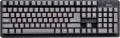 | 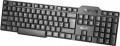 |
|---|---|---|
| Sven Standard 301 | Gemix KB-150 | |
from $4.22 up to $7.32 | from $6.00 | |
| User reviews | ||
| TOP sellers | ||
Water protection. body skeleton. Noiselessness. Calculator shortcut key. | ||
| Connection | wired | wired |
| Cable length | 1.2 m | |
| Form factor | 100% (full size) | 100% (full size) |
| Layout | KS | JIS |
Keyboard | ||
| Key profile | high | low |
| Key type | classic type | classic type |
| Switch technology | membrane | membrane |
| Additional keys | 1 | |
Features | ||
| Cyrillic colour | red | red |
Connection and power supply | ||
| Cable | USB-A or PS/2 | USB-A or PS/2 |
General | ||
| Skeleton keyboard |  |  |
| Waterproof | | |
| Size | 436x136x25 mm | 430x130x25 mm |
| Weight | 410 g | 420 g |
| Color | ||
| Added to E-Catalog | november 2015 | october 2011 |


Compare Sven Standard 301 and Gemix KB-150
You may be interested in
Sven Standard 301 often compared


Glossary
Cable length
The length of the cable that the keyboard is equipped with for wired connection (see "Connection type").
When choosing this parameter, you should first of all take into account the distance from the device to the connection port: a cable that is too short may simply not reach the connector, and a cable that is too long may get confused at hand and create inconvenience. As for specific values, the reference length is 1.8 m. However, there are cables both shorter and longer.
When choosing this parameter, you should first of all take into account the distance from the device to the connection port: a cable that is too short may simply not reach the connector, and a cable that is too long may get confused at hand and create inconvenience. As for specific values, the reference length is 1.8 m. However, there are cables both shorter and longer.
Layout
The layout describes the physical geometry of the keys and their standard arrangement: the shape of Enter and Shift, the presence of additional keys, the width of the space bar, and consequently, compatibility with keycap sets and typing familiarity. The standards hardly affect productivity in software and gaming — comfort and how easy it is to find suitable keycaps/cases are more important. The following types are found:
— ANSI (American). A distinctive feature of the American layout is the single-row Enter key; it is the only popular layout where this key occupies one row, not two. Additionally, unlike the European ISO, the Shift keys on ANSI keyboards have the same width, and the Alt key has the same function. The backslash “\” is usually placed above the Enter and can be longer.
— ISO (European). One characteristic feature of the European layout is the Enter key, which occupies two rows and is slightly wider at the top. Also, the modifier keys are asymmetrical: the Shift keys differ in size (the left one is shorter than the right), and the Alts differ in function (the right Alt is marked as “Alt Gr” and is used for typing special characters of European languages). From the similar in many ways "Japanese" JIS layout, the ISO layout differs by the placement of the backslash “\” — it is standardly located near the left Shift (in some models, it is duplicated near the Enter). As a result,...the left Shift is shorter than usual; this can be inconvenient, especially for new users.
— KS (Korean). The “Korean” layout can be distinguished by the characteristic shape of the Enter key: it occupies two rows and is longer at the bottom than at the top. Another feature is the backslash “\”, which is located to the left of the Backspace, resulting in a shorter Backspace than in other layouts.
— JIS (Japanese). A layout much like the European ISO: it has the same two-row Enter with an increased length of the upper half. In many models, the right Alt is labeled “Alt Gr” and is designed for typing special symbols. The main differences lie in two aspects: the length of the left Shift (it is standard in JIS, not shortened) and the placement of the backslash “\” (it is standardly installed to the left of the lower half of the Enter, where some ISO keyboards have a second, additional backslash).
— ANSI (American). A distinctive feature of the American layout is the single-row Enter key; it is the only popular layout where this key occupies one row, not two. Additionally, unlike the European ISO, the Shift keys on ANSI keyboards have the same width, and the Alt key has the same function. The backslash “\” is usually placed above the Enter and can be longer.
— ISO (European). One characteristic feature of the European layout is the Enter key, which occupies two rows and is slightly wider at the top. Also, the modifier keys are asymmetrical: the Shift keys differ in size (the left one is shorter than the right), and the Alts differ in function (the right Alt is marked as “Alt Gr” and is used for typing special characters of European languages). From the similar in many ways "Japanese" JIS layout, the ISO layout differs by the placement of the backslash “\” — it is standardly located near the left Shift (in some models, it is duplicated near the Enter). As a result,...the left Shift is shorter than usual; this can be inconvenient, especially for new users.
— KS (Korean). The “Korean” layout can be distinguished by the characteristic shape of the Enter key: it occupies two rows and is longer at the bottom than at the top. Another feature is the backslash “\”, which is located to the left of the Backspace, resulting in a shorter Backspace than in other layouts.
— JIS (Japanese). A layout much like the European ISO: it has the same two-row Enter with an increased length of the upper half. In many models, the right Alt is labeled “Alt Gr” and is designed for typing special symbols. The main differences lie in two aspects: the length of the left Shift (it is standard in JIS, not shortened) and the placement of the backslash “\” (it is standardly installed to the left of the lower half of the Enter, where some ISO keyboards have a second, additional backslash).
Key profile
The distance that the key travels when pressed — from the initial position to touching the contacts and sending the "command". Indicated as high or low. Keyboards with low key travel(3 mm or less) are considered to be more comfortable for fast input (such as fast typing). However, the best option largely depends on the habits and preferences of a particular user.
Additional keys
The number of additional keys provided in the design of the keyboard.
Such keys do not belong to the standard layout and are intended for quick access to specific functions or individual applications — for example, to control the media player or open mail with one click. This function is convenient because commands from additional keys are usually recognized by the system regardless of what is on the screen — thanks to this, for example, you do not have to close the text editor to switch tracks in the player.
Note that in this case we are talking about individual keys that have a strictly defined purpose and corresponding markings. Programmable buttons, the Fn key (see below) and the functions of the main keys implemented through Fn are not taken into account in this paragraph.
Such keys do not belong to the standard layout and are intended for quick access to specific functions or individual applications — for example, to control the media player or open mail with one click. This function is convenient because commands from additional keys are usually recognized by the system regardless of what is on the screen — thanks to this, for example, you do not have to close the text editor to switch tracks in the player.
Note that in this case we are talking about individual keys that have a strictly defined purpose and corresponding markings. Programmable buttons, the Fn key (see below) and the functions of the main keys implemented through Fn are not taken into account in this paragraph.
Skeleton keyboard
Keyboards made in a Skeleton case.
The main difference between such cases and the classical ones is that the mechanism of each key is not hidden at the base of the keyboard, but, on the contrary, rises somewhat above it. Due to this, the keys can be easily removed and put back into place, which makes it much easier to clean from dust and dirt. And in gaming keyboards of this type, the kit often includes interchangeable buttons that differ in colour and texture from the main ones. Actually, almost all models with this feature are specifically gaming (see "By Direction").
The main difference between such cases and the classical ones is that the mechanism of each key is not hidden at the base of the keyboard, but, on the contrary, rises somewhat above it. Due to this, the keys can be easily removed and put back into place, which makes it much easier to clean from dust and dirt. And in gaming keyboards of this type, the kit often includes interchangeable buttons that differ in colour and texture from the main ones. Actually, almost all models with this feature are specifically gaming (see "By Direction").
Waterproof
Protecting the keyboard from spilling liquid on it. Most waterproof keyboards do not have a full-fledged sealed case and are designed to remain operational in the event of accidental contact with a relatively small amount of liquid (up to 200 mL) — for example, in the classic case of spilling coffee on the keyboard.