
Comparison MikroTik hEX S (2025) vs MikroTik hEX S
Add to comparison |  | 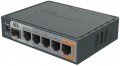 |
|---|---|---|
| MikroTik hEX S (2025) | MikroTik hEX S | |
| Compare prices 2 | Compare prices 3 | |
| TOP sellers | ||
Operating system: RouterOS v7, L4. IP20 protection. | The router is equipped with a microSD slot. | |
| Type | router | router |
| Mount | desktop | desktop |
Ports | ||
| Connections | Ethernet optics (SFP/SFP+) | Ethernet optics (SFP/SFP+) |
| Gigabit Ethernet | 5 pcs | 5 pcs |
| SFP (optics) | 1 pcs | 1 pcs |
| Of which dedicated WANs | 1 pcs | |
| Of which dedicated LAN | 4 pcs | |
| Of which dedicated WAN/LAN | 6 pcs | |
| USB ports | 1 | 1 |
Features | ||
| Control | SSH Telnet Web interface SNMP | SSH Telnet Web interface SNMP |
| Basic features | DHCP server port forwarding VPN DDNS | DHCP server port forwarding VPN DDNS |
Hardware | ||
| CPU | EN7562CT | MediaTek MT7621A |
| CPU cores | 2 | 2 |
| CPU speed | 0.95 GHz | 0.88 GHz |
| RAM | 512 MB | 256 MB |
| Flash memory | 128 MB | 16 MB |
Security | ||
| Security | MAC address filtering DMZ | MAC address filtering DMZ |
PoE | ||
| PoE (input) | 802.3af/at, passive | 802.3af/at, passive |
| PoE (output) | passive | passive |
| PoE outputs | 1 pcs | 1 pcs |
General | ||
| PSU | external | external |
| Power consumption | 5 W | |
| Operating temperature | -40 °C ~ +70 °C | -40 °C ~ +70 °C |
| Dimensions (WxDxH) | 113x89x28 mm | 113x89x28 mm |
| Added to E-Catalog | september 2025 | july 2019 |



Compare MikroTik hEX S (2025) and hEX S
Price comparison
You may be interested in
My comparisons
MikroTik hEX S (2025) often compared


MikroTik hEX S often compared


Glossary
Of which dedicated WANs
The number of ports designated as WAN by the manufacturer. They are intended for wired connection of the device to the Internet or other external networks (to solve some specific problems).
Of which dedicated LAN
In this case, dedicated LANs mean directly marked network connectors designed for wired connection of LAN devices - PCs, servers, additional access points, etc. The number of ports corresponds to the number of devices that can be directly connected to the equipment by wire.
Of which dedicated WAN/LAN
The number of WAN/LAN combo ports specified by the manufacturer in the device design that can be reassigned to work with both an external WAN and a local LAN. Such a solution allows to reduce the total number of connection ports and at the same time expand the functionality of the equipment for flexible adaptation to user needs.
CPU
The model of the processor installed in the device. The processor is responsible for processing network traffic and running software. Knowing its name, you can get more detailed data on the speed capabilities of the equipment and understand how much such a powerful or, on the contrary, mediocre element is needed on board. In new models of Wi-Fi equipment, coprocessors or so-called NPU modules are often installed, which relieve the load from the main processor.
CPU speed
The number of cycles per second that the processor produces in its normal operating mode. A clock is a single electrical impulse used to process data and synchronize the processor with the rest of the computer system. Different operations may require fractions of a clock or several clocks, but anyway, the clock frequency is one of the main parameters characterizing the performance and speed of the processor — all other things being equal, a processor with a higher clock frequency will work faster and better cope with significant loads.
RAM
The amount of random access memory (RAM) provided in the device. The amount of "RAM" is one of the indicators of the power of the device: the larger it is, the higher the speed and the better the device will cope with "heavy" tasks.
Flash memory
The amount of memory allocated for the operation of the operating system on board the device. It stores the OS and the control programme. Note that Flash memory is not available for use by the end user.
Power consumption
Power consumed by network equipment during operation. Knowing the indicator of energy consumption, you can, for example, calculate the battery life of equipment from an uninterruptible power supply or choose a suitable “uninterruptible power supply”.