
Comparison Synology DiskStation DS225+ vs Synology DiskStation DS224+
Add to comparison |  | 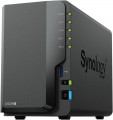 |
|---|---|---|
| Synology DiskStation DS225+ | Synology DiskStation DS224+ | |
| Compare prices 5 | Compare prices 3 | |
| TOP sellers | ||
| Mount | desktop | desktop |
Drives | ||
| 3.5" drive slots | 2 | 2 |
| HDD connection interface | SATA 3 | SATA 3 |
| Hot swap |  | |
| RAID | RAID 0 RAID 1 Synology Hybrid RAID JBOD Basic | RAID 0 RAID 1 Synology Hybrid RAID JBOD Basic |
Connection | ||
| LAN ports | 2 | 2 |
| LAN speed | 1 Gbps, 2.5 Gbps | 1 Gbps |
| USB-A 5Gbps | 2 pcs | 2 pcs |
Features | ||
| Software features | Web server FTP server multimedia (DLNA, iTunes, uPnP) BitTorrent client mail server video surveillance server backup domain integration virtualization | Web server FTP server multimedia (DLNA, iTunes, uPnP) BitTorrent client mail server video surveillance server backup domain integration virtualization |
Hardware | ||
| Operating system | DSM | |
| CPU | Intel Celeron J4125 | Intel Celeron J4125 |
| CPU cores | 4 cores (4 threads) | 4 cores (4 threads) |
| CPU speed | 2 GHz | 2 GHz |
| TurboBoost frequency | 2.7 GHz | 2.7 GHz |
| RAM | 2 GB | 2 GB |
| Max. RAM | 6 GB | |
| RAM slots | 1 | 1 |
General | ||
| Power consumption | 17 W | 14.7 W |
| Cooling | active | active |
| Noise level | 19.6 dB | 22 dB |
| Size | 165x108x232 mm | 108x165x232 mm |
| Weight | 1.3 kg | 1.3 kg |
| Added to E-Catalog | august 2025 | august 2023 |



Compare Synology DiskStation DS225+ and DiskStation DS224+
Price comparison
You may be interested in
Synology DiskStation DS225+ often compared


Synology DiskStation DS224+ often compared


Glossary
LAN speed
The maximum operating speed supported by the LAN port(s) of the NAS server. For the LAN ports themselves, see above; in today's networking equipment, higher speed means compatibility with lower rates
In general, the higher the LAN speed, the wider the bandwidth, the faster the device will cope with data transfer and the easier it will be for it to work with several network requests at once. As for specific standards, 1 Gbps is the most popular nowadays: it gives quite decent speed and at the same time is inexpensive. The more advanced 10 Gbps standard is less common, mostly in professional equipment designed for high loads. The middle and rare link are models with a speed of 2.5 Gbps. But LAN 100 Mbps is considered completely obsolete version.
In general, the higher the LAN speed, the wider the bandwidth, the faster the device will cope with data transfer and the easier it will be for it to work with several network requests at once. As for specific standards, 1 Gbps is the most popular nowadays: it gives quite decent speed and at the same time is inexpensive. The more advanced 10 Gbps standard is less common, mostly in professional equipment designed for high loads. The middle and rare link are models with a speed of 2.5 Gbps. But LAN 100 Mbps is considered completely obsolete version.
Operating system
The operating system (OS) installed on the NAS server as standard. The OS is the software basis for the functioning of any computer; it is impossible to use the machine without it. Accordingly, when purchasing a server with a pre-installed OS, you get a practically ready-to-use device — additional steps, in fact, come down to fine-tuning the system and installing (if necessary) additional software.
Various specialized applications are available for different operating systems to facilitate the use of NAS server functions; some of them (see "Programme Features") may also be preinstalled. Accordingly, knowing the name of the OS, it is possible, to a certain extent, to determine the tools available for working with the device.
Note that some operating systems are paid, and their cost is included in the price of the NAS.
Various specialized applications are available for different operating systems to facilitate the use of NAS server functions; some of them (see "Programme Features") may also be preinstalled. Accordingly, knowing the name of the OS, it is possible, to a certain extent, to determine the tools available for working with the device.
Note that some operating systems are paid, and their cost is included in the price of the NAS.
Max. RAM
The maximum amount of RAM that can be installed on the NAS server. It depends, in particular, on the type of memory modules used, as well as on the number of slots for them.
Power consumption
The amount of power consumed by the NAS server during normal operation. Most often, we are talking about maximum power consumption — with all the occupied slots for drives, under high load.
Modern NAS, even high-performance ones, have rather modest power consumption — even among professional models with 10 or more drives, this figure rarely exceeds 1 kW. So there are no problems with connecting to a 230 V network. However, energy consumption information can be useful for some special applications, primarily for estimating the load on UPSs, emergency generators, stabilizers, and other special equipment.
Modern NAS, even high-performance ones, have rather modest power consumption — even among professional models with 10 or more drives, this figure rarely exceeds 1 kW. So there are no problems with connecting to a 230 V network. However, energy consumption information can be useful for some special applications, primarily for estimating the load on UPSs, emergency generators, stabilizers, and other special equipment.
Noise level
The noise level produced by the device during operation. These data will be useful, first of all, to those who are trying to reduce the noise level as much as possible and, as they say, “fight for every decibel”. However, it is worth noting here that manufacturers can cheat and indicate the noise level for different modes.