
Comparison XP-PEN Deco Mini 7 V2 vs XP-PEN Deco Mini 7
Add to comparison |  | 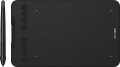 |
|---|---|---|
| XP-PEN Deco Mini 7 V2 | XP-PEN Deco Mini 7 | |
from $33.99 | from $31.16 | |
| User reviews | ||
| TOP sellers | ||
| Product type | graphics Tablet | graphics Tablet |
| Format | A5 | A5 |
| Workspace | 178x111 mm | 178x111 mm |
| Control keys | 8 | 8 |
Connection | ||
| Connection type | wired | wired |
| Connector on device | USB C | USB C |
| Compatibility | Windows MacOS ChromeOS Linux Android | Windows MacOS Android |
Pen | ||
| Pen model | P05D | P05D |
| Pen power source | no battery (passive) | no battery (passive) |
| Max. reading height | 10 mm | 10 mm |
| Pressure levels | 16384 | 8192 |
| Pen angle | 60 ° | 60 ° |
| Resolution | 5080 lpi | 5080 lpi |
| Response | 220 PPS | 220 PPS |
| Control keys | 2 | 2 |
General | ||
| Power source | USB port | USB port |
| Size | 260x162x9 mm | 260x162x9 mm |
| Tablet weight | 0.3 kg | 0.3 kg |
| Added to E-Catalog | may 2025 | february 2021 |


Compare XP-PEN Deco Mini 7 V2 and Deco Mini 7
You may be interested in
My comparisons
XP-PEN Deco Mini 7 V2 often compared


XP-PEN Deco Mini 7 often compared


Glossary
Compatibility
Full-fledged and mobile operating systems with which the device can interact normally. Specific compatibility options may be:
-Windows. The vast majority of graphics tablets are designed to work together with desktop computers and laptops running Windows. At the same time, it is important to clarify the supported OS versions - in modern realities, these are Windows 10 and Windows 11.
— MacOS. The ability of the device to work with Apple computer equipment that uses the proprietary desktop operating system macOS. First of all, these are iMac desktops and MacBook laptops. This technique has software and hardware features that significantly distinguish it from other types of PCs and laptops, so such compatibility for graphics tablets is specified separately.
- ChromeOS. ChromeOS is a software product from Google originally created for laptops. The key feature of Chromebooks is their close integration with web services, and in general they are positioned as the most inexpensive and accessible laptops.
- Linux. Initially, the Linux platform was designed mainly for professional programmers and IT enthusiasts. For the average user, such a system can be quite difficult to learn and use. However, a number of graphics tablet models are compatible with this OS.
- Android. Compatibility of the device with...portable gadgets running Android OS (primarily smartphones and tablets). This involves using mobile versions of applications to create and process graphics.
- iOS. The ability to work with mobile applications for creating and processing graphics, implemented when using Apple smartphones running the iOS operating system.
-Windows. The vast majority of graphics tablets are designed to work together with desktop computers and laptops running Windows. At the same time, it is important to clarify the supported OS versions - in modern realities, these are Windows 10 and Windows 11.
— MacOS. The ability of the device to work with Apple computer equipment that uses the proprietary desktop operating system macOS. First of all, these are iMac desktops and MacBook laptops. This technique has software and hardware features that significantly distinguish it from other types of PCs and laptops, so such compatibility for graphics tablets is specified separately.
- ChromeOS. ChromeOS is a software product from Google originally created for laptops. The key feature of Chromebooks is their close integration with web services, and in general they are positioned as the most inexpensive and accessible laptops.
- Linux. Initially, the Linux platform was designed mainly for professional programmers and IT enthusiasts. For the average user, such a system can be quite difficult to learn and use. However, a number of graphics tablet models are compatible with this OS.
- Android. Compatibility of the device with...portable gadgets running Android OS (primarily smartphones and tablets). This involves using mobile versions of applications to create and process graphics.
- iOS. The ability to work with mobile applications for creating and processing graphics, implemented when using Apple smartphones running the iOS operating system.
Pressure levels
The number of pressure levels supported by the pen.
The more levels of pressure, the more accurately the pen tracks the force of pressure and the closer the drawing is to the drawing made by real tools like a pencil. The minimum value for a modern tablet is 512 levels, an indicator of 1024 levels is considered relatively small, 2048 is considered average, and in some models 4096 and even 8192 levels are found. At the same time, it is worth noting that the difference between pens with different accuracy becomes noticeable mainly on the thinnest strokes and on lines with a thickness that changes along the stylus; so numerous levels, even a professional artist is not always required. For this reason, this parameter has practically nothing to do with the general class of the device: for example, there are low-cost models on the market with 8192 levels, and professional solutions with only 1024.
The more levels of pressure, the more accurately the pen tracks the force of pressure and the closer the drawing is to the drawing made by real tools like a pencil. The minimum value for a modern tablet is 512 levels, an indicator of 1024 levels is considered relatively small, 2048 is considered average, and in some models 4096 and even 8192 levels are found. At the same time, it is worth noting that the difference between pens with different accuracy becomes noticeable mainly on the thinnest strokes and on lines with a thickness that changes along the stylus; so numerous levels, even a professional artist is not always required. For this reason, this parameter has practically nothing to do with the general class of the device: for example, there are low-cost models on the market with 8192 levels, and professional solutions with only 1024.