
Comparison Asus RT-BE88U vs TP-LINK Archer GE800
Add to comparison | 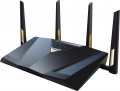 |  |
|---|---|---|
| Asus RT-BE88U | TP-LINK Archer GE800 | |
| Compare prices 4 | Compare prices 2 | |
| User reviews | ||
| TOP sellers | ||
WAN and LAN aggregation. A powerful processor and a large amount of memory for smooth operation under high load. Supports up to 5 SSIDs. Free access to Asus AiProtection Pro. Game port and game traffic prioritization. | Game traffic prioritization, configurable game port. Support for WiFi 7 and 320MHz bandwidth, which provides a total WiFi network speed of up to 19000 Mbps. Support 6GHz WiFi. Two 10Gb ports and an SFP+ port. mesh mode. The SFP+ port and one of the two 10 Gb RJ-45 ports are combo, meaning only one of them works at a time. The second 10 Gb/s WAN/LAN port operates independently and continuously. | |
| Product type | gaming router | gaming router |
| Data input (WAN-port) | Ethernet (RJ45) Wi-Fi 3G modem (USB) 4G (LTE) modem (USB) SFP+ | Ethernet (RJ45) SFP+ |
Wireless Wi-Fi connection | ||
| Wi-Fi standards | Wi-Fi 3 (802.11g) Wi-Fi 4 (802.11n) Wi-Fi 5 (802.11ac) Wi-Fi 6 (802.11ax) Wi-Fi 6E (802.11ax) Wi-Fi 7 (802.11be) | Wi-Fi 3 (802.11g) Wi-Fi 4 (802.11n) Wi-Fi 5 (802.11ac) Wi-Fi 6 (802.11ax) Wi-Fi 6E (802.11ax) Wi-Fi 7 (802.11be) |
| Frequency band | 2.4GHz 5 GHz | 2.4GHz 5 GHz 6 GHz |
| Operating ranges | dual-band (2.4 GHz and 5 GHz) | tri-band (2.4 GHz, 5 GHz, 6 GHz) |
| Wireless speed 2.4 GHz | 1376 Mbps | 1376 Mbps |
| Wireless speed 5 GHz | 5764 Mbps | 5760 Mbps |
| Wireless speed 6 GHz | 11520 Mbps | |
| Bandwidth | 160 MHz | 320 MHz |
Connection and LAN | ||
| WAN | 1 port 10 Gbps | 1 port 10 Gbps |
| LAN | 9 ports 1 Gbps, 2.5 Gbps, 10 Gbps | 7 ports 1 Gbps, 2.5 Gbps, 10 Gbps |
| Reassignable WAN / LAN | 2 ports | 1 port |
| USB-A 2.0 | 1 pcs | |
| USB-A 5Gbps | 1 pcs | 1 pcs |
Antenna and transmitter | ||
| Number of antennas | 4 | |
| Antenna type | external | internal |
| MU-MIMO |  | |
| Detachable antenna | |  |
| 2.4 / 5 GHz antennas | 4 | |
Hardware | ||
| CPU cores | 4 | |
| Clock Speed | 2.6 GHz | |
| RAM | 2 GB | |
| Flash memory | 256 MB | |
Functions | ||
| Features | load balancing (Dual WAN) channel reservation Link Aggregation NAT repeater MESH mode Beamforming firewall | Amazon Alexa and Google Assistant NAT MESH mode Beamforming firewall |
| More features | DHCP server FTP server file server media server (DLNA) torrent client VPN DDNS DMZ | DHCP server FTP server file server media server (DLNA) VPN DDNS DMZ |
Security | ||
| Safety standards | WPA WEP WPA2 WPA3 802.1x | WPA WEP WPA2 WPA3 802.1x |
General | ||
| Lighting | RGB | |
| Dimensions | 300x188x61 mm | |
| Weight | 1060 g | |
| Color | ||
| Added to E-Catalog | july 2024 | may 2023 |




Compare Asus RT-BE88U and TP-LINK Archer GE800
Price comparison
You may be interested in
Asus RT-BE88U often compared

Glossary
Data input (WAN-port)
Methods for connecting to the Internet (or other external network, such as in bridge mode) supported by the device.
The classic, most common version of such a connection nowadays is LAN (Ethernet), but this is not limited to this. A wired connection can also be made via ADSL or SFP fiber, and wirelessly via mobile networks (using a SIM card, SIM card 5G or an external modem for 3G or 4G), as well as via Wi-Fi. Here is a more detailed description of each option:
— Ethernet (RJ45). Classic wired connection via a network cable via an RJ-45 connector. Also known as "LAN", although this designation is not entirely correct. Nowadays, it is one of the most common methods of wired Internet connection, and is also widely used in local networks. This is due to the fact that the speed of Ethernet is actually limited only by the capabilities of network controllers; at the same time, even the simplest modules support up to 100 Mbps, and in advanced equipment this value can reach 10 Gbps.
— ADSL. A technology primarily used for wired Internet connections over existing landline telephone lines. This is its main advantage — you can use ready-made lines without fiddling with laying numerous addi...tional wires; at the same time, ADSL works independently of telephone calls and does not interfere with them. At the same time, the speed of such a connection is noticeably lower than via Ethernet — even in advanced equipment it does not exceed 24 Mbps. In addition, ADSL traffic is distributed asymmetrically: full speed is achieved only when working for reception, data transmission speed is much lower, which creates problems for video communication and some other tasks. So nowadays, ADSL is gradually being replaced by more advanced standards, although the complete disappearance of this technology is still far away.
— Wi-Fi. Connect to an external data source via Wi-Fi. By definition, this format of operation is used by Wi-Fi adapters (see "Device type"), as well as by most MESH equipment. (However, if the MESH system package includes both nodes and the main control device for them, then the WAN input can be specified for the control device, and often this is not Wi-Fi). Also, this type of data input can be provided in other types of equipment — in particular, routers and access points (for example, to work in bridge or repeater mode).
— 3G modem (USB). Internet connection via 3G mobile network using a separate external modem connected to the USB port. Most often, we are talking about UMTS networks (the development of GSM mobile communications), the most common in Europe and the post-Soviet space; however, it may also be possible to use modems for CDMA networks (EV-DO technology). These nuances, as well as compatibility with specific modem models, need to be clarified separately. However, anyway, 3G may be a good option for situations where a wired Internet connection is difficult or impossible, such as in the private sector. In addition, some Wi-Fi devices with this feature are equipped with autonomous power supplies and can even be used on the go. The data transfer speed of 3G is close to broadband wired connection (from 2 to 70 Mbps with a normal signal, depending on the specific technology); however, it is less than in 4G networks (see below), but 3G coverage is more extensive, and equipment for this standard is cheaper.
— 4G (LTE) modem (USB). Internet connection via 4G mobile network (LTE) using a separate external modem connected to the USB port. The main features are similar to the 3G connection described above, adjusted for the fact that in this case more advanced fourth-generation networks are used. The data transfer rate in such networks reaches about 150 Mbps; they are not as widespread as 3G-connection, but soon we can expect a change in the situation. In addition, it should be noted that in Europe and the post-Soviet space, LTE networks are usually deployed on the basis of 3G UMTS and GSM networks; so in the absence of full-fledged 4G coverage, modems for such networks can work according to the 3G and even GSM standard.
— SIM card. Connecting to the Internet via a mobile network using a mobile operator's SIM card installed directly in the device. The specific type of supported networks depends both on the capabilities of the router and on the conditions of a particular mobile operator; however, all such equipment is compatible with at least 3G networks, and often 4G as well. The features of these networks are described in detail above (you can also read about the advantages of a mobile Internet connection there). This option is convenient because it allows you to do without a separate USB modem — you just need to purchase a SIM card, the cost of which is negligible. In addition, the use of "sim cards" has a positive effect on compactness and ease of carrying. On the other hand, the built-in mobile communication module significantly affects the overall cost — and you will have to pay for it anyway (whereas a model with support for external modems does not have to be bought immediately with a modem, such devices usually allow wired connection). Therefore, you should pay attention to this option if you initially plan to connect to the Internet through mobile networks.
- SIM card (5G). The ability to operate Wi-Fi equipment in high-speed 5G mobile networks with a peak bandwidth of up to 20 Gbps for reception and up to 10 Gbps for data transmission. Implemented via a SIM card with appropriate 5G support. This standard reduces power consumption compared to previous versions, and it also uses a number of complex solutions aimed at improving the reliability and overall quality of communication - in particular, multi-element antenna arrays (Massive MIMO) and beamforming technologies (Beamforming).
— SFP (optics). Connection via fiber optic cable of the SFP standard. Such a connection can be carried out at high speeds (measured in gigabytes per second), and the fiber, unlike the Ethernet cable, is practically insensitive to external interference. On the other hand, the support of this standard is not cheap, and its capabilities are unnecessary for domestic use. Therefore, SFP is found mainly in professional-level Wi-Fi devices.
The classic, most common version of such a connection nowadays is LAN (Ethernet), but this is not limited to this. A wired connection can also be made via ADSL or SFP fiber, and wirelessly via mobile networks (using a SIM card, SIM card 5G or an external modem for 3G or 4G), as well as via Wi-Fi. Here is a more detailed description of each option:
— Ethernet (RJ45). Classic wired connection via a network cable via an RJ-45 connector. Also known as "LAN", although this designation is not entirely correct. Nowadays, it is one of the most common methods of wired Internet connection, and is also widely used in local networks. This is due to the fact that the speed of Ethernet is actually limited only by the capabilities of network controllers; at the same time, even the simplest modules support up to 100 Mbps, and in advanced equipment this value can reach 10 Gbps.
— ADSL. A technology primarily used for wired Internet connections over existing landline telephone lines. This is its main advantage — you can use ready-made lines without fiddling with laying numerous addi...tional wires; at the same time, ADSL works independently of telephone calls and does not interfere with them. At the same time, the speed of such a connection is noticeably lower than via Ethernet — even in advanced equipment it does not exceed 24 Mbps. In addition, ADSL traffic is distributed asymmetrically: full speed is achieved only when working for reception, data transmission speed is much lower, which creates problems for video communication and some other tasks. So nowadays, ADSL is gradually being replaced by more advanced standards, although the complete disappearance of this technology is still far away.
— Wi-Fi. Connect to an external data source via Wi-Fi. By definition, this format of operation is used by Wi-Fi adapters (see "Device type"), as well as by most MESH equipment. (However, if the MESH system package includes both nodes and the main control device for them, then the WAN input can be specified for the control device, and often this is not Wi-Fi). Also, this type of data input can be provided in other types of equipment — in particular, routers and access points (for example, to work in bridge or repeater mode).
— 3G modem (USB). Internet connection via 3G mobile network using a separate external modem connected to the USB port. Most often, we are talking about UMTS networks (the development of GSM mobile communications), the most common in Europe and the post-Soviet space; however, it may also be possible to use modems for CDMA networks (EV-DO technology). These nuances, as well as compatibility with specific modem models, need to be clarified separately. However, anyway, 3G may be a good option for situations where a wired Internet connection is difficult or impossible, such as in the private sector. In addition, some Wi-Fi devices with this feature are equipped with autonomous power supplies and can even be used on the go. The data transfer speed of 3G is close to broadband wired connection (from 2 to 70 Mbps with a normal signal, depending on the specific technology); however, it is less than in 4G networks (see below), but 3G coverage is more extensive, and equipment for this standard is cheaper.
— 4G (LTE) modem (USB). Internet connection via 4G mobile network (LTE) using a separate external modem connected to the USB port. The main features are similar to the 3G connection described above, adjusted for the fact that in this case more advanced fourth-generation networks are used. The data transfer rate in such networks reaches about 150 Mbps; they are not as widespread as 3G-connection, but soon we can expect a change in the situation. In addition, it should be noted that in Europe and the post-Soviet space, LTE networks are usually deployed on the basis of 3G UMTS and GSM networks; so in the absence of full-fledged 4G coverage, modems for such networks can work according to the 3G and even GSM standard.
— SIM card. Connecting to the Internet via a mobile network using a mobile operator's SIM card installed directly in the device. The specific type of supported networks depends both on the capabilities of the router and on the conditions of a particular mobile operator; however, all such equipment is compatible with at least 3G networks, and often 4G as well. The features of these networks are described in detail above (you can also read about the advantages of a mobile Internet connection there). This option is convenient because it allows you to do without a separate USB modem — you just need to purchase a SIM card, the cost of which is negligible. In addition, the use of "sim cards" has a positive effect on compactness and ease of carrying. On the other hand, the built-in mobile communication module significantly affects the overall cost — and you will have to pay for it anyway (whereas a model with support for external modems does not have to be bought immediately with a modem, such devices usually allow wired connection). Therefore, you should pay attention to this option if you initially plan to connect to the Internet through mobile networks.
- SIM card (5G). The ability to operate Wi-Fi equipment in high-speed 5G mobile networks with a peak bandwidth of up to 20 Gbps for reception and up to 10 Gbps for data transmission. Implemented via a SIM card with appropriate 5G support. This standard reduces power consumption compared to previous versions, and it also uses a number of complex solutions aimed at improving the reliability and overall quality of communication - in particular, multi-element antenna arrays (Massive MIMO) and beamforming technologies (Beamforming).
— SFP (optics). Connection via fiber optic cable of the SFP standard. Such a connection can be carried out at high speeds (measured in gigabytes per second), and the fiber, unlike the Ethernet cable, is practically insensitive to external interference. On the other hand, the support of this standard is not cheap, and its capabilities are unnecessary for domestic use. Therefore, SFP is found mainly in professional-level Wi-Fi devices.
Frequency band
Standard Wi-Fi frequency bands supported by the device.
This parameter is directly related to the Wi-Fi standards (see above) that the equipment complies with. At the same time, there are standards that cover several bands at once (such as Wi-Fi 4 and Wi-Fi 6), and not every device compatible with them supports all these bands at once; so in such cases this point should be clarified separately. In addition, the frequencies commonly used nowadays have common features, here they are:
— 2.4 GHz. Classic range: used in the earliest Wi-Fi standards, and supported by many modern versions. Therefore, quite a lot of Wi-Fi equipment still works only at 2.4 GHz(although exceptions are increasingly common). The main advantages of such equipment are simplicity, low cost, and compatibility even with frankly outdated wireless devices. On the other hand, the 2.4 GHz band is extremely busy: in addition to numerous Wi-Fi devices, it is also used by Bluetooth modules and some other types of electronics. This may degrade the quality and speed of the connection.
— 5 GHz. A band introduced to overcome the shortcomings of 2.4 GHz — in particular, to offload communication channels and separate Wi-Fi from other wireless technologies. In addition, increasing the frequency allowed to increase the communication speed. 5 GHz is used as one of the operating frequencies in the Wi-Fi 4 and Wi-Fi 6 standards (see above) and as the only one...in Wi-Fi 5. So you can find devices on the market that operate only at 5 GHz, but more widespread received equipment with multiple bands, where this frequency is only one of the supported.
— 6 GHz. An unloaded frequency introduced into use since the Wi-Fi 6E generation. The new range provides the ability to simultaneously operate numerous client devices at high speed with a minimum amount of interference and delays in signal transmission. At the moment, this is the freest, widest and fastest Wi-Fi range. However, in some regions, the 6 GHz frequency remains unavailable due to the occupancy of the band by means of military, fixed or radio relay wireless communications.
— 60 GHz. Range implemented in the WiGig standard; today it is used only in it, and as the only one. A significant increase in frequency compared to the more common 2.4 GHz and 5 GHz options has a positive effect on the quality of communication. So, with the same theoretical maximum as that of Wi-Fi 6 (10 Gbps), the WiGig standard gives a higher actual data exchange rate, as well as fewer delays and lags; this is especially important in games and some specific tasks. The downside of these advantages is a small communication range: even when using Beamforming (see "Functions and Capabilities"), it does not exceed 10 m in open space, and an obstacle like a wall can become insurmountable for a 60 GHz channel. Therefore, in Wi-Fi equipment, this frequency is found mainly among rather specific devices — access points (including directional ones), which are designed to connect individual network segments in bridge mode (see ibid.). It is this mode of use that is one of the most optimal, given the properties of this range. However, 60 GHz support is also increasingly found in consumer gadgets (smartphones, laptops), so routers are also being released for this frequency.
— Natural frequency. In rare cases, the operation of Wi-Fi equipment is possible at natural frequencies that do not fall under the standard generally accepted values. Such devices are mainly used to build point-to-point and point-to-multipoint radio bridges. Their advantages include low frequency noise from standard Wi-Fi networks, and, as a result, increased communication range. It is worth noting that it is impossible to connect directly to such devices from a laptop or smartphone. It is also necessary to take into account the legislative aspect, since in each country the use of frequencies is regulated differently.
This parameter is directly related to the Wi-Fi standards (see above) that the equipment complies with. At the same time, there are standards that cover several bands at once (such as Wi-Fi 4 and Wi-Fi 6), and not every device compatible with them supports all these bands at once; so in such cases this point should be clarified separately. In addition, the frequencies commonly used nowadays have common features, here they are:
— 2.4 GHz. Classic range: used in the earliest Wi-Fi standards, and supported by many modern versions. Therefore, quite a lot of Wi-Fi equipment still works only at 2.4 GHz(although exceptions are increasingly common). The main advantages of such equipment are simplicity, low cost, and compatibility even with frankly outdated wireless devices. On the other hand, the 2.4 GHz band is extremely busy: in addition to numerous Wi-Fi devices, it is also used by Bluetooth modules and some other types of electronics. This may degrade the quality and speed of the connection.
— 5 GHz. A band introduced to overcome the shortcomings of 2.4 GHz — in particular, to offload communication channels and separate Wi-Fi from other wireless technologies. In addition, increasing the frequency allowed to increase the communication speed. 5 GHz is used as one of the operating frequencies in the Wi-Fi 4 and Wi-Fi 6 standards (see above) and as the only one...in Wi-Fi 5. So you can find devices on the market that operate only at 5 GHz, but more widespread received equipment with multiple bands, where this frequency is only one of the supported.
— 6 GHz. An unloaded frequency introduced into use since the Wi-Fi 6E generation. The new range provides the ability to simultaneously operate numerous client devices at high speed with a minimum amount of interference and delays in signal transmission. At the moment, this is the freest, widest and fastest Wi-Fi range. However, in some regions, the 6 GHz frequency remains unavailable due to the occupancy of the band by means of military, fixed or radio relay wireless communications.
— 60 GHz. Range implemented in the WiGig standard; today it is used only in it, and as the only one. A significant increase in frequency compared to the more common 2.4 GHz and 5 GHz options has a positive effect on the quality of communication. So, with the same theoretical maximum as that of Wi-Fi 6 (10 Gbps), the WiGig standard gives a higher actual data exchange rate, as well as fewer delays and lags; this is especially important in games and some specific tasks. The downside of these advantages is a small communication range: even when using Beamforming (see "Functions and Capabilities"), it does not exceed 10 m in open space, and an obstacle like a wall can become insurmountable for a 60 GHz channel. Therefore, in Wi-Fi equipment, this frequency is found mainly among rather specific devices — access points (including directional ones), which are designed to connect individual network segments in bridge mode (see ibid.). It is this mode of use that is one of the most optimal, given the properties of this range. However, 60 GHz support is also increasingly found in consumer gadgets (smartphones, laptops), so routers are also being released for this frequency.
— Natural frequency. In rare cases, the operation of Wi-Fi equipment is possible at natural frequencies that do not fall under the standard generally accepted values. Such devices are mainly used to build point-to-point and point-to-multipoint radio bridges. Their advantages include low frequency noise from standard Wi-Fi networks, and, as a result, increased communication range. It is worth noting that it is impossible to connect directly to such devices from a laptop or smartphone. It is also necessary to take into account the legislative aspect, since in each country the use of frequencies is regulated differently.
Operating ranges
The number of wireless bands and channels supported by the router. Specified only for models that work with more than one range.
— Dual-band (2.4 GHz and 5 GHz). Devices that simultaneously support two popular communication bands — 2.4 GHz and 5 GHz — in the "one communication channel per band" format. This ensures compatibility with most Wi-Fi standards (see above), and in some cases also has a positive effect on the quality of communication. For example, a Wi-Fi adapter (see "Device Type") with this feature may provide the ability to evaluate the load on both bands and automatically select the less loaded one.
— Three-channel (2.4 GHz and 5 GHz in 2 channels). An improved version of the dual-band operation format: in the 5 GHz band, communication is carried out on two channels. This allows, for example, to “raise” three wireless connection channels on one router at once (three visible networks in the list of wireless networks) and achieve even higher throughput. The advantages of this format are especially noticeable when the router works simultaneously with several wireless devices.
— Tri-band (2.4 GHz, 5 GHz, 60 GHz). The most "omnivorous" type of modern Wi-Fi equipment, compatible with all popular standards — from the outdated 802.11 b / g to the relatively new 802.11 ad. Also, the abundance of ranges contributes to an increase in spee...d, especially when working with multi-range devices.
— Dual-band (2.4 GHz and 5 GHz). Devices that simultaneously support two popular communication bands — 2.4 GHz and 5 GHz — in the "one communication channel per band" format. This ensures compatibility with most Wi-Fi standards (see above), and in some cases also has a positive effect on the quality of communication. For example, a Wi-Fi adapter (see "Device Type") with this feature may provide the ability to evaluate the load on both bands and automatically select the less loaded one.
— Three-channel (2.4 GHz and 5 GHz in 2 channels). An improved version of the dual-band operation format: in the 5 GHz band, communication is carried out on two channels. This allows, for example, to “raise” three wireless connection channels on one router at once (three visible networks in the list of wireless networks) and achieve even higher throughput. The advantages of this format are especially noticeable when the router works simultaneously with several wireless devices.
— Tri-band (2.4 GHz, 5 GHz, 60 GHz). The most "omnivorous" type of modern Wi-Fi equipment, compatible with all popular standards — from the outdated 802.11 b / g to the relatively new 802.11 ad. Also, the abundance of ranges contributes to an increase in spee...d, especially when working with multi-range devices.
Wireless speed 5 GHz
The maximum speed supported by the device when communicating wirelessly in the 5 GHz band.
This range is used in Wi-Fi 4, Wi-Fi 6 and Wi-Fi 6E as one of the available bands, in Wi-Fi 5 as the only one (see "Wi-Fi Standards"). The maximum speed is specified in the specifications in order to indicate the real capabilities of specific equipment - they can be noticeably more modest than the general capabilities of the standard. Also, in fact, it all depends on the generation of Wi-Fi. For example, devices with Wi-Fi 5 support can theoretically deliver up to 6928 Mbit (using eight antennas), with Wi-Fi 6 support up to 9607 Mbit (using the same eight spatial streams). The maximum possible communication speed is achieved under certain conditions, and not every model of Wi-Fi equipment fully satisfies them. Specific figures are conditionally divided into several groups: the value up to 500 Mbit is rather modest, many devices support speeds in the range of 500 - 1000 Mbit, indicators of 1 - 2 Gbps can be attributed to the average, and the most advanced models in class provide a data exchange rate of over 2 Gbps.
This range is used in Wi-Fi 4, Wi-Fi 6 and Wi-Fi 6E as one of the available bands, in Wi-Fi 5 as the only one (see "Wi-Fi Standards"). The maximum speed is specified in the specifications in order to indicate the real capabilities of specific equipment - they can be noticeably more modest than the general capabilities of the standard. Also, in fact, it all depends on the generation of Wi-Fi. For example, devices with Wi-Fi 5 support can theoretically deliver up to 6928 Mbit (using eight antennas), with Wi-Fi 6 support up to 9607 Mbit (using the same eight spatial streams). The maximum possible communication speed is achieved under certain conditions, and not every model of Wi-Fi equipment fully satisfies them. Specific figures are conditionally divided into several groups: the value up to 500 Mbit is rather modest, many devices support speeds in the range of 500 - 1000 Mbit, indicators of 1 - 2 Gbps can be attributed to the average, and the most advanced models in class provide a data exchange rate of over 2 Gbps.
Wireless speed 6 GHz
The maximum speed supported by the device when communicating wirelessly in the 6 GHz band.
Bandwidth
- 160 MHz. The presence of a bandwidth of 160 MHz increases the throughput for data transmission and allows it to approach the maximum theoretical speed.
- 320 MHz. The bandwidth of 320 MHz was introduced in the Wi-Fi 7 standard (see the corresponding paragraph). It provides a significant increase in the speed of data exchange - twice as much compared to the width of the wireless channel of 160 MHz.
- 320 MHz. The bandwidth of 320 MHz was introduced in the Wi-Fi 7 standard (see the corresponding paragraph). It provides a significant increase in the speed of data exchange - twice as much compared to the width of the wireless channel of 160 MHz.
LAN
In this case, LAN means standard network connectors (known as RJ-45) designed for wired connection of LAN devices — PCs, servers, additional access points, etc. The number of ports corresponds to the number of devices that can be directly connected to wired equipment. way.
In terms of speed, 100 Mbps (Fast Ethernet) and 1 Gbps (Gigabit Ethernet) are the most popular options today. At the same time, thanks to the development of technology, more and more gigabit devices are being produced, although in fact this speed is critical only when transferring large amounts of information. At the same time, some models, in addition to the standard speed of the main LAN ports, may have a 2.5 Gbps, 5 Gbps and even 10 Gbps LAN port with increased bandwidth.
In terms of speed, 100 Mbps (Fast Ethernet) and 1 Gbps (Gigabit Ethernet) are the most popular options today. At the same time, thanks to the development of technology, more and more gigabit devices are being produced, although in fact this speed is critical only when transferring large amounts of information. At the same time, some models, in addition to the standard speed of the main LAN ports, may have a 2.5 Gbps, 5 Gbps and even 10 Gbps LAN port with increased bandwidth.
Reassignable WAN / LAN
Reassignable WAN / LAN port in the design of the device, which can work both with an external WAN network and with a local LAN. This solution allows you to reduce the total number of connection ports and at the same time expand the functionality of the equipment for flexible adaptation to user needs.
USB-A 2.0
The number of USB 2.0 ports provided in the device design.
In this case, USB serves as a universal interface for connecting peripheral devices to the router. The specific supported USB devices and their use cases can vary. Examples include working with a flash drive used as storage for FTP mode or file server operation (see "Features/Capabilities"), connection to a printer in print server mode (see there), connection of a 3G modem (see "Data Input (WAN-port)"), and so on.
Specifically, USB 2.0 allows data transfer speeds of up to 480 Mbps. This is noticeably less than more advanced standards (starting with USB 3.2 gen1 described below), and the power supply of such connectors is low. However, even such specifications are often quite sufficient, considering the specifics of Wi-Fi device applications. Additionally, a USB 2.0 port can also connect peripherals with newer versions — as long as the power supply is adequate. Therefore, although this standard is considered outdated, it is still widely used in modern wireless equipment. There are even models that provide for 2 or even more USB 2.0 ports, allowing multiple external devices to be used simultaneously — for example, a 3G modem and a flash drive.
In this case, USB serves as a universal interface for connecting peripheral devices to the router. The specific supported USB devices and their use cases can vary. Examples include working with a flash drive used as storage for FTP mode or file server operation (see "Features/Capabilities"), connection to a printer in print server mode (see there), connection of a 3G modem (see "Data Input (WAN-port)"), and so on.
Specifically, USB 2.0 allows data transfer speeds of up to 480 Mbps. This is noticeably less than more advanced standards (starting with USB 3.2 gen1 described below), and the power supply of such connectors is low. However, even such specifications are often quite sufficient, considering the specifics of Wi-Fi device applications. Additionally, a USB 2.0 port can also connect peripherals with newer versions — as long as the power supply is adequate. Therefore, although this standard is considered outdated, it is still widely used in modern wireless equipment. There are even models that provide for 2 or even more USB 2.0 ports, allowing multiple external devices to be used simultaneously — for example, a 3G modem and a flash drive.