
Comparison BenQ MW560 vs BenQ MX560
Add to comparison |  | 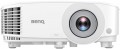 |
|---|---|---|
| BenQ MW560 | BenQ MX560 | |
from $499.00 | from $518.42 | |
| TOP sellers | ||
| Main function | presentations | universal |
Lamp and image | ||
| Service life | 6000 h | 6000 h |
| Service life (energy-saving) | 10000 h | 15000 h |
| Brightness | 4000 lm | |
| Brightness ANSI Lumens | 4000 lm | |
| Dynamic contrast | 20 000:1 | 20 000:1 |
| Colour rendering | 1.07 billion colours | 1.07 billion colours |
| Colour space | 110 % | |
Projection system | ||
| Technology | DLP | DLP |
| Size | 0.65" | 0.55" |
| Real resolution | 1280x800 px | 1024x768 px |
| Max. video resolution | 1920x1200 px | 1920x1200 px |
| Image format support | 4:3, 14:9, 16:9, 16:10 | 4:3, 14:9, 16:9, 16:10 |
Projecting | ||
| Rear projection |  |  |
| Throw distance, min | 0.99 m | |
| Throw distance, max | 11.9 m | |
| Image size | 65 – 150 " | 30 – 300 " |
| Throw ratio | 1.55:1 – 1.7:1 | 1.96:1 – 2.15:1 |
| Optical zoom | 1.1 x | |
| Zoom and focus | manual | manual |
| Keystone correction (vert), ± | 40 ° | 40 ° |
| Keystone correction (horizontal), ± | 40 ° | 40 ° |
Features | ||
| Features | 3D support | active 3D |
Hardware | ||
| USB-A 2.0 | 1 pcs | 1 pcs |
| Number of speakers | 1 | 1 |
| Sound power | 10 W | 10 W |
| Video connectors | VGA S-Video composite AV-input | VGA S-Video composite AV-input |
| HDMI inputs | 2 | 2 |
| Audio connectors | 3.5 mm input (mini-Jack) 3.5 mm output (mini-Jack) | 3.5 mm input (mini-Jack) 3.5 mm output (mini-Jack) |
| Service connectors | COM port (RS-232) USB (slave) | COM port (RS-232) USB (slave) |
General | ||
| Noise level (nominal) | 34 dB | |
| Noise level (energy-saving / quiet) | 29 dB | |
| Power source | mains | mains |
| Power consumption | 260 W | |
| Size (HxWxD) | 120x296x221 mm | 120x296x221 mm |
| Weight | 2.3 kg | 2.3 kg |
| Color | ||
| Added to E-Catalog | march 2021 | february 2021 |


Compare BenQ MW560 and MX560
You may be interested in
My comparisons
BenQ MW560 often compared


BenQ MX560 often compared


Glossary
Main function
The main function of the projector.
This parameter is rather conditional, it largely depends on how the device is positioned by the manufacturer; however, for the most comfortable use, it is best to follow exactly the stated purpose. The options here can be: multipurpose, for presentations, for home theater, professional, portable, gaming. Here is a more detailed description of each option:
— Multipurpose. The simplest kind of projectors, roughly speaking – all models that do not belong to any of the specializations described below. Most of them have non-interchangeable optics, a throw distance of 1-12 m, an image diagonal of about 1-7 m (see below), and a relatively low cost.
— For presentations. Projectors designed primarily for business use, such as presentations. Usually they have a small throw distance with a rather large diagonal, which allows them to be used in small rooms; capable of working with both widescreen and conventional image formats (see below), and also support resolutions typical for computer graphics cards — for example, 1280x800. In this case, the actual resolution itself (see below) can be quite low. In addition, an almost mandatory feature of this type of projectors (with a few exceptions) is the presence of a D-Sub...15 pin input (see "Connectors").
— For home theater. Projectors designed primarily for film viewing. The main criterion for classifying a particular model in this category is how the projector is positioned by the manufacturer itself (in other words, whether this purpose is indicated in the official documentation). However, there are some common features: cinematographic models usually support widescreen image formats, have a high real resolution (see below) that allows you to work with HD video, and are also equipped with the appropriate interfaces (see "Connectors").
— Professional. High-quality projectors with advanced parameters, an abundance of functions and, accordingly, a considerable price. They are characterized by high image contrast, support high-resolution video (including cinematic image formats), have optical zoom to scale the image without losing quality, provide the connection of multi-channel sound systems, and much more. The specific set of options in professional projectors may vary depending on the model, but in any case, these are the most charged devices with top-end characteristics.
— Portable projector. An ultra-compact variety of projectors: most models are pocket-sized. Such devices are intended primarily for improvised presentations. The format of work and power supply may be different. So, some models are made as separate devices with their own built-in storages and batteries (and sometimes even with a full-fledged mobile OS like Android on board). Others are similar in design to external cases or consoles and are put directly on the mobile phone during operation, using it as a source of signal and power. However, anyway, portable projectors, due to their small size, have rather low technical specifications — they have neither brightness nor high image contrast.. Battery life (in models with their own batteries) usually ranges from 40 minutes to one and a half hours. Also, this variety is characterized by cost-effective LED lamps (see below).
— Gaming. Specialized projectors designed for use in video games. Outwardly, they are often distinguished by a characteristic “aggressive” design, while the design can be done in the style of a certain line of gaming PCs or laptops. As for the specifications, they, in accordance with the name, are aimed primarily at providing a high-quality game "picture". To do this, projectors for this purpose provide, in particular, high real resolution (not lower than 1920x720, and more often 1920x1080 or more), colour reproduction at the level of 1 billion colours, support for frame rate (see below) up to 120 Hz, and also at least one HDMI input for receiving a digital signal from a computer graphics card. In addition, such models often provide support for 3D. The maximum image diagonal can reach 7.5 m or more; at the same time, ultra-wide-angle devices are also found in this category, capable of providing an image diagonal of about 3 m from a distance of about half a metre.
This parameter is rather conditional, it largely depends on how the device is positioned by the manufacturer; however, for the most comfortable use, it is best to follow exactly the stated purpose. The options here can be: multipurpose, for presentations, for home theater, professional, portable, gaming. Here is a more detailed description of each option:
— Multipurpose. The simplest kind of projectors, roughly speaking – all models that do not belong to any of the specializations described below. Most of them have non-interchangeable optics, a throw distance of 1-12 m, an image diagonal of about 1-7 m (see below), and a relatively low cost.
— For presentations. Projectors designed primarily for business use, such as presentations. Usually they have a small throw distance with a rather large diagonal, which allows them to be used in small rooms; capable of working with both widescreen and conventional image formats (see below), and also support resolutions typical for computer graphics cards — for example, 1280x800. In this case, the actual resolution itself (see below) can be quite low. In addition, an almost mandatory feature of this type of projectors (with a few exceptions) is the presence of a D-Sub...15 pin input (see "Connectors").
— For home theater. Projectors designed primarily for film viewing. The main criterion for classifying a particular model in this category is how the projector is positioned by the manufacturer itself (in other words, whether this purpose is indicated in the official documentation). However, there are some common features: cinematographic models usually support widescreen image formats, have a high real resolution (see below) that allows you to work with HD video, and are also equipped with the appropriate interfaces (see "Connectors").
— Professional. High-quality projectors with advanced parameters, an abundance of functions and, accordingly, a considerable price. They are characterized by high image contrast, support high-resolution video (including cinematic image formats), have optical zoom to scale the image without losing quality, provide the connection of multi-channel sound systems, and much more. The specific set of options in professional projectors may vary depending on the model, but in any case, these are the most charged devices with top-end characteristics.
— Portable projector. An ultra-compact variety of projectors: most models are pocket-sized. Such devices are intended primarily for improvised presentations. The format of work and power supply may be different. So, some models are made as separate devices with their own built-in storages and batteries (and sometimes even with a full-fledged mobile OS like Android on board). Others are similar in design to external cases or consoles and are put directly on the mobile phone during operation, using it as a source of signal and power. However, anyway, portable projectors, due to their small size, have rather low technical specifications — they have neither brightness nor high image contrast.. Battery life (in models with their own batteries) usually ranges from 40 minutes to one and a half hours. Also, this variety is characterized by cost-effective LED lamps (see below).
— Gaming. Specialized projectors designed for use in video games. Outwardly, they are often distinguished by a characteristic “aggressive” design, while the design can be done in the style of a certain line of gaming PCs or laptops. As for the specifications, they, in accordance with the name, are aimed primarily at providing a high-quality game "picture". To do this, projectors for this purpose provide, in particular, high real resolution (not lower than 1920x720, and more often 1920x1080 or more), colour reproduction at the level of 1 billion colours, support for frame rate (see below) up to 120 Hz, and also at least one HDMI input for receiving a digital signal from a computer graphics card. In addition, such models often provide support for 3D. The maximum image diagonal can reach 7.5 m or more; at the same time, ultra-wide-angle devices are also found in this category, capable of providing an image diagonal of about 3 m from a distance of about half a metre.
Service life (energy-saving)
When working in economy mode, the brightness of the backlight is noticeably reduced, on average by 30-50%. With a decrease in brightness, heat dissipation also decreases, which saves the working life of the illuminator, thereby increasing the lamp life. Thus, the ECO mode allows you to extend the lamp life by an average of 30%. If the typical projector lamp life is 4000 hours, regular use of the ECO mode will extend the backlight life to approximately 5500 hours.
Brightness
The brightness of the image produced by the projector at maximum backlight brightness. Usually, the average brightness of the screen, derived from a special formula, is indicated. The higher it is, the less the image depends on ambient light: a bright projector can provide a clearly visible image even in daylight, but a dim one will require dimming. On the other hand, increasing brightness reduces contrast and accuracy of colour reproduction.
Accordingly, when choosing this parameter, you need to consider the conditions in which you plan to use the projector. So, for office or school/university use, a brightness of at least 3000 lm is desirable — this allows you to get normal visibility without obscuring the room. In turn, among the top models a very low brightness can be found, because. such projectors are usually installed in rooms specially designed for them with good darkness level. And in ultra-compact devices it is impossible to achieve high brightness for technical reasons.
Detailed recommendations on the optimal brightness for certain conditions can be found in special sources. Here we note that anyway, it is worth choosing according to this indicator with some margin. As mentioned above, as brightness increases, contrast and colour quality decrease, and you may need to use the projector at a reduced brightness to achieve the desired picture quality.
Accordingly, when choosing this parameter, you need to consider the conditions in which you plan to use the projector. So, for office or school/university use, a brightness of at least 3000 lm is desirable — this allows you to get normal visibility without obscuring the room. In turn, among the top models a very low brightness can be found, because. such projectors are usually installed in rooms specially designed for them with good darkness level. And in ultra-compact devices it is impossible to achieve high brightness for technical reasons.
Detailed recommendations on the optimal brightness for certain conditions can be found in special sources. Here we note that anyway, it is worth choosing according to this indicator with some margin. As mentioned above, as brightness increases, contrast and colour quality decrease, and you may need to use the projector at a reduced brightness to achieve the desired picture quality.
Brightness ANSI Lumens
This parameter largely determines the ability of the projector to work in a well-lit room. For a dark room, 1000 lumens is enough to make the projection picture bright, rich, clear and understandable. But when working in a lit room, the projector will need at least 3500-4000 lumens. Do not confuse ANSI lumens with Peak lumens. These are two different brightness standards. To convert one type of brightness to another, you need to multiply Peak lumens by 10-12. The result will be an approximate value of ANSI Lumens.
However, experts do not recommend chasing high ANSI lumen brightness values. There are many professional projectors with brightness up to 3500 lm. The lower the brightness, the lower the power consumption, and at the same time, the life of the illuminator increases. Of course, if the projector will be installed in a work office or classroom where good lighting is required, it is recommended to purchase a model with ANSI Lumens brightness of 4000 lumens and more.
Colour space
The color gamut characterizes the range of colors that a projector can reproduce.
This parameter is specified in percentages, but not relative to the entire variety of visible colors, rather to a specific color space (color model). This is because no modern screen can display all the colors visible to the human eye. The projector's specifications may specify which color model the gamut is based on. The larger the color gamut (100% and above), the more accurately the colors will match those originally intended. A too small color gamut results in a dull, faded image, while a too large one results in unnatural and oversaturated colors. However, in practice, values from 90% to 110% are considered quite acceptable for most cases and do not lead to noticeable image degradation.
This parameter is specified in percentages, but not relative to the entire variety of visible colors, rather to a specific color space (color model). This is because no modern screen can display all the colors visible to the human eye. The projector's specifications may specify which color model the gamut is based on. The larger the color gamut (100% and above), the more accurately the colors will match those originally intended. A too small color gamut results in a dull, faded image, while a too large one results in unnatural and oversaturated colors. However, in practice, values from 90% to 110% are considered quite acceptable for most cases and do not lead to noticeable image degradation.
Size
The size of the panel/chip affects the depth and final quality of the image. The larger the panel/chip, the more light it is able to process, which means the picture will be clearer and more structured. The average projector has a sensor of 0.5-0.7″, advanced projectors use sensors of 1.2-1.5″ and more.
Real resolution
The native resolution of the image produced by the projector matrix.
The minimum for modern projectors is actually the VGA standard, which assumes a resolution of 800x600 or close to it. The most limited of modern high-definition standards is HD (720); the classic size of such a frame is 1280x720, but projectors also have other options (up to 1920x720). A more advanced HD format is Full HD (1080), which also has several variations (the most popular is 1920x1080). And among high-end projectors there are models of Quad HD, Ultra HD (4K) and even Ultra HD (8K) standards.
In general, the higher the resolution, the clearer and more detailed image the projector can produce. On the other hand, this indicator directly affects the cost, and all the benefits of high resolution can only be appreciated if the reproduced content also corresponds to it. Note that modern projectors can work with higher resolutions than the “native” ones – for more details, see “Maximum video resolution”.
The minimum for modern projectors is actually the VGA standard, which assumes a resolution of 800x600 or close to it. The most limited of modern high-definition standards is HD (720); the classic size of such a frame is 1280x720, but projectors also have other options (up to 1920x720). A more advanced HD format is Full HD (1080), which also has several variations (the most popular is 1920x1080). And among high-end projectors there are models of Quad HD, Ultra HD (4K) and even Ultra HD (8K) standards.
In general, the higher the resolution, the clearer and more detailed image the projector can produce. On the other hand, this indicator directly affects the cost, and all the benefits of high resolution can only be appreciated if the reproduced content also corresponds to it. Note that modern projectors can work with higher resolutions than the “native” ones – for more details, see “Maximum video resolution”.
Rear projection
The ability of the projector to operate in the rear projection mode (“mirroring” the image).
There are two main types of rear projection. Most often, horizontal mirroring is found in projectors — it is used when installing the device behind a translucent screen. Vertical inversion, in turn, is used in projectors with fixed keystone correction — due to their design, when mounted under the ceiling, such devices must be turned upside down, which requires the corresponding correction of the displayed image.
There are two main types of rear projection. Most often, horizontal mirroring is found in projectors — it is used when installing the device behind a translucent screen. Vertical inversion, in turn, is used in projectors with fixed keystone correction — due to their design, when mounted under the ceiling, such devices must be turned upside down, which requires the corresponding correction of the displayed image.
Throw distance, min
The closest distance to the screen that the projector can be used on. Typically, this is the minimum distance at which the image from the projector remains in focus.
This parameter is especially important if the device is to be placed at a small distance from the screen (for example, in a cramped room). Some modern projectors are able to work normally at a distance of 10 – 20 cm. Also note that the throw distances are determined primarily by the lens, and if the initial range of these distances does not suit you, perhaps the situation can be solved by replacing the optics.
This parameter is especially important if the device is to be placed at a small distance from the screen (for example, in a cramped room). Some modern projectors are able to work normally at a distance of 10 – 20 cm. Also note that the throw distances are determined primarily by the lens, and if the initial range of these distances does not suit you, perhaps the situation can be solved by replacing the optics.