
Comparison OBSBOT Tiny 3 vs OBSBOT Tiny 2
Add to comparison |  | 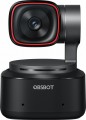 |
|---|---|---|
| OBSBOT Tiny 3 | OBSBOT Tiny 2 | |
| Compare prices 8 | Compare prices 6 | |
| TOP sellers | ||
The camera is equipped with voice control and artificial intelligence. Smart object tracking and framing. Sound source tracking. | The camera is equipped with voice control and artificial intelligence. | |
| Features | computer | computer |
Matrix and video | ||
| Megapixels | 50.0 | 5.0 |
| HD filming (720p) | 1280x720 pixels, 120 fps | 1280x720 px 60 fps |
| Full HD filming (1080p) | 1920x1080 pxs 120 fps | 1920x1080 px 60 fps |
| Ultra HD filming (4K) | 3840x2160 px 30 fps | 3840x2160 px 30 fps |
| Focus | automatic | automatic |
| Horizontal viewing angle | 70 ° | 150 ° |
| File format | MJPEG H.264, YUV | MJPEG H.264, YUV |
General | ||
| Features | noise canceling microphone motion detector monitor mount tripod mount (1/4" thread) | noise canceling microphone motion detector monitor mount tripod mount (1/4" thread) |
| Rotation angle | 150 ° | |
| Tilt angle | 90 ° | |
| Indicators | activity | activity |
| PC connection | USB-A / USB-C | USB-A / USB-C |
| Cable in box | USB C – USB C | USB C – USB C |
| Dimensions | 37x37x49 mm | 47x44x62.02 mm |
| Color | ||
| Added to E-Catalog | february 2026 | january 2024 |


Compare OBSBOT Tiny 3 and Tiny 2
Price comparison
You may be interested in
OBSBOT Tiny 2 often compared


Glossary
Megapixels
The number of megapixels in the matrix that the camera is equipped with, in other words, the native resolution of the matrix. First of all, the maximum photo size directly depends on this indicator: for example, a 1600x1200 frame requires at least 1600 * 1200 = 1,920,000 pixels ≈ 2 MP. With video, the situation is somewhat different, where the actual resolution of the matrix can be noticeably higher than required for the frame.
There is an opinion that the more megapixels, the better the image is obtained. Formally, this is not the case: the resolution of the sensor only affects the detail, and in itself numerous megapixels can even worsen the picture — especially if the matrix is small. However, in fact, high-resolution sensors are often installed in fairly advanced cameras, in which high image quality is achieved through a number of characteristics.
There is an opinion that the more megapixels, the better the image is obtained. Formally, this is not the case: the resolution of the sensor only affects the detail, and in itself numerous megapixels can even worsen the picture — especially if the matrix is small. However, in fact, high-resolution sensors are often installed in fairly advanced cameras, in which high image quality is achieved through a number of characteristics.
HD filming (720p)
Historically the first of the high definition HD (720p) standards. Initially, it assumed a resolution of 1280x720, however, in webcams, models with a different frame size are also included in this format — in particular, 960x720 and 1280x960, which have a 4:3 aspect ratio of the frame (unlike the original 1280x720, for which it is 16:9 ). Anyway, HD-models are relatively inexpensive and not particularly demanding on the quality of communication, however, they allow you to get a fairly detailed “picture”.
Full HD filming (1080p)
Further, after HD 720p, the development of high definition standards. Provides a standard frame size of 1920x1080; in addition, this category includes webcams that support 1600x1200 video — this resolution does not formally apply to Full HD (1080p), but is comparable to it in detail. Anyway, cameras of this standard are quite advanced — in particular, they already allow showing documents and other objects with small details in the frame.
Horizontal viewing angle
The viewing angle determines, first of all, how wide the field of view of the camera is, what area of the scene being shot falls into the frame. Accordingly, a wide viewing angle allows you to capture more space and the lower the likelihood that something of what is happening will be behind the scenes. On the other hand, it should be taken into account that a strong increase in viewing angles leads to distortions of the “picture”, especially at the edges, as well as to a decrease in the size of visible objects and a decrease in detail.
Rotation angle
The range of rotation angles in degrees supported by the webcam. In this case, it means turning the camera to the right or left, without tilting back and forth.
Tilt angle
Tilt angle interval forward-backward relative to the vertical position of the camera. Tilt angle adjustment allows you to quickly redirect the lens to the desired plane for the best view. The parameter is measured in degrees.