
Comparison Hoco GA3 Fast Link vs GamePro MG310
Add to comparison |  | 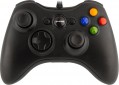 |
|---|---|---|
| Hoco GA3 Fast Link | GamePro MG310 | |
| Expecting restock | Outdated Product | |
| TOP sellers | ||
| Product type | gamepad | gamepad |
Connection | ||
| Platform | PC (Windows) | PC (Windows) |
| Interface | wired | wired |
| Wired interface | USB-A | |
| Cable length | 1.8 m | |
Control | ||
| Number of buttons | 11 pcs | 11 pcs |
| Switch type | membrane | membrane |
| Feedback | vibration | vibration |
| D-pad | 4 position | 4 position |
| Sticks | 2 both from below | 2 asymmetrical |
| Bumpers (shifts) | 4 pcs | 2 pcs |
| Triggers | 2 pcs | |
Power supply | ||
| Power source | USB port | |
General | ||
| Material | plastic | plastic |
| Color | ||
| Added to E-Catalog | may 2026 | august 2023 |


Compare Hoco GA3 Fast Link and GamePro MG310
You may be interested in
GamePro MG310 often compared


Glossary
Wired interface
— USB-A. A classic interface for connecting to a full-size USB port, which is still very common on PCs, consoles, TVs, and docking stations. This interface is particularly convenient for stationary use, when a gamepad or other controller connects directly without adapters or additional settings. Compared to USB-C, it is less modern in format but often wins in compatibility with older and universal devices.
— USB-C. A modern wired interface that is better suited for newer laptops, tablets, smartphones, and compact PCs. Its main advantage is that this port is more convenient for current technology and is more often used in mobile gaming accessories and new controllers. Compared to USB-A, it looks more modern and fits better into devices where full-size ports are few or nonexistent.
— MicroUSB. A compact wired interface that was more commonly found on older mobile devices, and in gaming controllers is mainly characteristic of controllers from previous generations.
— Lightning. A connection primarily designed for older Apple devices with the proprietary Lightning port. This option is especially useful for mobile controllers for the iPhone, when a direct connection to the smartphone is needed without switching to USB-C. Compared to USB-C, this interface is significantly narrower in application range, but it fits better for compatibility with older iPhones and some iPads.
— Proprietary. A brand-specific connection for a pa...rticular manufacturer. This option is usually designed for a specific device model or its own ecosystem of accessories, making it less universal compared to USB-A and USB-C. Its advantage is that the manufacturer can better tailor the shape, mounting, or power for their device, but the downside is less compatibility and more challenging cable replacement.
— USB-C. A modern wired interface that is better suited for newer laptops, tablets, smartphones, and compact PCs. Its main advantage is that this port is more convenient for current technology and is more often used in mobile gaming accessories and new controllers. Compared to USB-A, it looks more modern and fits better into devices where full-size ports are few or nonexistent.
— MicroUSB. A compact wired interface that was more commonly found on older mobile devices, and in gaming controllers is mainly characteristic of controllers from previous generations.
— Lightning. A connection primarily designed for older Apple devices with the proprietary Lightning port. This option is especially useful for mobile controllers for the iPhone, when a direct connection to the smartphone is needed without switching to USB-C. Compared to USB-C, this interface is significantly narrower in application range, but it fits better for compatibility with older iPhones and some iPads.
— Proprietary. A brand-specific connection for a pa...rticular manufacturer. This option is usually designed for a specific device model or its own ecosystem of accessories, making it less universal compared to USB-A and USB-C. Its advantage is that the manufacturer can better tailor the shape, mounting, or power for their device, but the downside is less compatibility and more challenging cable replacement.
Cable length
The length of the cable provided in the design or delivery set of the wired or combined controller (see "Connection").
In general, the meaning of this parameter is obvious: a longer cable gives more freedom of movement, but can create inconvenience at short distances. In fact, the length of the wire is important mainly in cases where a wired connection is used to play on a large screen: for comfortable viewing, it is desirable to be at a fairly large distance from such a screen. However, even in this case, a relatively short cable can be compensated for by the length of the wires going from the console (or other gaming device) to the screen, or even by connecting the set-top box to the screen wirelessly (many modern models have this capability). If the controller is used for a computer, this parameter can be ignored: the system unit or laptop is usually located in close proximity to the user, and even a fairly short wire is enough to connect.
In general, the meaning of this parameter is obvious: a longer cable gives more freedom of movement, but can create inconvenience at short distances. In fact, the length of the wire is important mainly in cases where a wired connection is used to play on a large screen: for comfortable viewing, it is desirable to be at a fairly large distance from such a screen. However, even in this case, a relatively short cable can be compensated for by the length of the wires going from the console (or other gaming device) to the screen, or even by connecting the set-top box to the screen wirelessly (many modern models have this capability). If the controller is used for a computer, this parameter can be ignored: the system unit or laptop is usually located in close proximity to the user, and even a fairly short wire is enough to connect.
Sticks
The number and location of analogue sticks provided in the design of the manipulator.
The analogue lever can be described as a "miniature joystick" — it is a protruding lever that can be deflected in any direction. Its purpose is generally similar to the D-Pad (see above), but the stick does not have fixed positions; this provides more "fine" control, which is very important in modern games. In addition, tilting it is often more convenient than pressing the D-Pad.
Separately, it is worth mentioning sticks on Hall sensors. The design of such levers is more reliable due to the absence of rubbing and contacting parts, and the position of the stick is determined by changes in the fluctuations of the magnetic field, which are monitored by appropriate sensors. Sticks on Hall sensors do not have “dead zones”, are devoid of the drift effect (misalignment), and wear out an order of magnitude slower. However, such solutions are not cheap.
This feature is most widely used in gamepads (see "Device type") — most of these controllers have at least one lever, models without sticks are already considered rare. In addition, such equipment, by definition, is installed in all arcade controllers; and analogue levers are also found in virtual reality weapons and motion controllers — it is very convenient to control the movement of the character through them.
...As for the location, it is indicated mainly for traditional design gamepads with a full set of controls, including 2 sticks. The most common options here are the left lever on top, the right one on the bottom ( like Xbox) or both levers on the bottom (like PlayStation). Much less common are devices where both analogue sticks are installed on top — this is, in particular, a regular gamepad for Wii U, as well as many models for mobile gadgets. And in some manipulators, a customizable (adjustable) arrangement of levers is provided: usually, the right stick in such models is fixed, and the left one can be installed from above or below, changing the format of the gamepad to suit your preferences.
The analogue lever can be described as a "miniature joystick" — it is a protruding lever that can be deflected in any direction. Its purpose is generally similar to the D-Pad (see above), but the stick does not have fixed positions; this provides more "fine" control, which is very important in modern games. In addition, tilting it is often more convenient than pressing the D-Pad.
Separately, it is worth mentioning sticks on Hall sensors. The design of such levers is more reliable due to the absence of rubbing and contacting parts, and the position of the stick is determined by changes in the fluctuations of the magnetic field, which are monitored by appropriate sensors. Sticks on Hall sensors do not have “dead zones”, are devoid of the drift effect (misalignment), and wear out an order of magnitude slower. However, such solutions are not cheap.
This feature is most widely used in gamepads (see "Device type") — most of these controllers have at least one lever, models without sticks are already considered rare. In addition, such equipment, by definition, is installed in all arcade controllers; and analogue levers are also found in virtual reality weapons and motion controllers — it is very convenient to control the movement of the character through them.
...As for the location, it is indicated mainly for traditional design gamepads with a full set of controls, including 2 sticks. The most common options here are the left lever on top, the right one on the bottom ( like Xbox) or both levers on the bottom (like PlayStation). Much less common are devices where both analogue sticks are installed on top — this is, in particular, a regular gamepad for Wii U, as well as many models for mobile gadgets. And in some manipulators, a customizable (adjustable) arrangement of levers is provided: usually, the right stick in such models is fixed, and the left one can be installed from above or below, changing the format of the gamepad to suit your preferences.
Bumpers (shifts)
Bumpers or Shifts are buttons located on the top of gaming controllers. They are intended for assigning various actions in games, and are also used for user interaction with menu interfaces and applications on gaming consoles or computers.
Such control elements are characteristic of gamepads (see "Type") and are rarely found in other types of gaming controllers. Shifts are usually pressed with the index fingers while holding the gamepad. Often, bumper buttons can perform different functions depending on the game (for example, switching weapons, running mode, etc.), and they are also used for navigating between sections of the user interface. In any case, bumpers provide additional control options for the player.
Such control elements are characteristic of gamepads (see "Type") and are rarely found in other types of gaming controllers. Shifts are usually pressed with the index fingers while holding the gamepad. Often, bumper buttons can perform different functions depending on the game (for example, switching weapons, running mode, etc.), and they are also used for navigating between sections of the user interface. In any case, bumpers provide additional control options for the player.
Triggers
Auxiliary controls located on the top of the gamepad at the back of the body. The triggers are pressed by the player's index or middle fingers.
In classic gamepads and joysticks, triggers are used to control various actions in games (for example, accelerating a car in racing games, shooting in shooters, etc.). Some models allow the trigger to be pressed halfway for aiming in the game or fully for firing at enemies. Such buttons may also feature a vibration feedback function. In the vast majority of cases, triggers are based on potentiometers (variable resistors), less frequently on Hall sensors, which track changes in the magnetic field fluctuations and lack frictional parts in their construction (though they are more expensive).
Triggers are arranged somewhat differently in clip-on gamepads for smartphones (see "Type"). Often these controls are equipped with lever-type mechanisms and sensitive contacts to the touchscreen layer, which touch a specific area of the display when the levers are pressed. Depending on the game layout, various control functions (shooting, aiming, crouching, or jumping, etc.) are typically assigned to the triggers.
In classic gamepads and joysticks, triggers are used to control various actions in games (for example, accelerating a car in racing games, shooting in shooters, etc.). Some models allow the trigger to be pressed halfway for aiming in the game or fully for firing at enemies. Such buttons may also feature a vibration feedback function. In the vast majority of cases, triggers are based on potentiometers (variable resistors), less frequently on Hall sensors, which track changes in the magnetic field fluctuations and lack frictional parts in their construction (though they are more expensive).
Triggers are arranged somewhat differently in clip-on gamepads for smartphones (see "Type"). Often these controls are equipped with lever-type mechanisms and sensitive contacts to the touchscreen layer, which touch a specific area of the display when the levers are pressed. Depending on the game layout, various control functions (shooting, aiming, crouching, or jumping, etc.) are typically assigned to the triggers.
Power source
The power source used by the gamepad.
This parameter directly depends on the type of connection (see "Connection"). So, power from a USB port or network (power supply) is provided mainly in wired models, and devices with wireless connectivity (both purely wireless and combined) are almost guaranteed to use a battery or batteries. Here is a more detailed description of each of these options:
— USB port. Powered by a USB port — usually the same one through which the controller directly interacts with the console, PC or other gaming device. This method of connection allows you to do without unnecessary wires. On the other hand, USB power is relatively low, which makes this option poorly suited for controllers with powerful feedback systems (in particular, advanced steering wheels) — you have to use separate PSUs with such accessories (see below).
Also note that this power supply method is also found in separate wireless models — usually controllers for mobile devices that interact with the gadget via Bluetooth, and are powered from the USB port of the same gadget. This format of operation allows you to do without batteries in the controller itself, however, it additionally consumes the charge of the main device.
— Network. Powered from a conventional outlet using a separate power supply unit (PSU). Mainly used...in high-end wired wheels (see Device Type) that require high power for feedback systems to work effectively. Theoretically, this option is not very convenient, as it requires the search for an additional outlet; however, in fact, this usually does not cause any particular difficulties (in extreme cases, you can use an extension cord).
— Accumulator. Powered by a built-in battery that does not belong to standard sizes (unlike batteries), and often also non-removable. This is the most popular way of powering wireless manipulators nowadays. Its main advantage over batteries is that this option does not require extra money and effort: the battery is initially included in the package, you do not need to buy it separately, and when the charge is exhausted, it is enough to charge the controller. However this procedure requires a certain time; however, the time for a full charge rarely exceeds a couple of hours, while the operating time can be measured for days (although there are also more modest figures). In addition, many controllers can be used without unplugging the charger; this somewhat limits mobility, but this moment is usually not critical.
— Batteries (AA, AAA). Powered by replaceable cells of a standard size — usually "finger" AA or "little" AAA. The number of elements used can be different; however, the general features of such a power supply are the same in all controllers. On the one hand, the batteries allow quick replacement, which allows you to play with a minimum of interruptions: when the charge is exhausted, it is enough to simply install fresh batteries instead of dead ones. At the same time, the user has a choice: either regularly buy disposable batteries, or invest in rechargeable batteries with an external charger. And if you purchase two sets of such batteries, you can keep one set on charge while the second is in use. On the other hand, the use of batteries is inevitably associated with additional costs: batteries are usually not included in the kit, and they must be purchased separately before the first use. As a result, this type of power is used much less frequently than batteries, although it can also be found in fairly advanced and well-known devices — in particular, regular gamepads for Xbox 360, Xbox One and even Xbox Series X|S.
This parameter directly depends on the type of connection (see "Connection"). So, power from a USB port or network (power supply) is provided mainly in wired models, and devices with wireless connectivity (both purely wireless and combined) are almost guaranteed to use a battery or batteries. Here is a more detailed description of each of these options:
— USB port. Powered by a USB port — usually the same one through which the controller directly interacts with the console, PC or other gaming device. This method of connection allows you to do without unnecessary wires. On the other hand, USB power is relatively low, which makes this option poorly suited for controllers with powerful feedback systems (in particular, advanced steering wheels) — you have to use separate PSUs with such accessories (see below).
Also note that this power supply method is also found in separate wireless models — usually controllers for mobile devices that interact with the gadget via Bluetooth, and are powered from the USB port of the same gadget. This format of operation allows you to do without batteries in the controller itself, however, it additionally consumes the charge of the main device.
— Network. Powered from a conventional outlet using a separate power supply unit (PSU). Mainly used...in high-end wired wheels (see Device Type) that require high power for feedback systems to work effectively. Theoretically, this option is not very convenient, as it requires the search for an additional outlet; however, in fact, this usually does not cause any particular difficulties (in extreme cases, you can use an extension cord).
— Accumulator. Powered by a built-in battery that does not belong to standard sizes (unlike batteries), and often also non-removable. This is the most popular way of powering wireless manipulators nowadays. Its main advantage over batteries is that this option does not require extra money and effort: the battery is initially included in the package, you do not need to buy it separately, and when the charge is exhausted, it is enough to charge the controller. However this procedure requires a certain time; however, the time for a full charge rarely exceeds a couple of hours, while the operating time can be measured for days (although there are also more modest figures). In addition, many controllers can be used without unplugging the charger; this somewhat limits mobility, but this moment is usually not critical.
— Batteries (AA, AAA). Powered by replaceable cells of a standard size — usually "finger" AA or "little" AAA. The number of elements used can be different; however, the general features of such a power supply are the same in all controllers. On the one hand, the batteries allow quick replacement, which allows you to play with a minimum of interruptions: when the charge is exhausted, it is enough to simply install fresh batteries instead of dead ones. At the same time, the user has a choice: either regularly buy disposable batteries, or invest in rechargeable batteries with an external charger. And if you purchase two sets of such batteries, you can keep one set on charge while the second is in use. On the other hand, the use of batteries is inevitably associated with additional costs: batteries are usually not included in the kit, and they must be purchased separately before the first use. As a result, this type of power is used much less frequently than batteries, although it can also be found in fairly advanced and well-known devices — in particular, regular gamepads for Xbox 360, Xbox One and even Xbox Series X|S.