
Comparison Pantum M6700D vs Pantum M6550NW
Add to comparison |  | 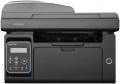 |
|---|---|---|
| Pantum M6700D | Pantum M6550NW | |
| Outdated Product | from $170.99 | |
| User reviews | ||
| TOP sellers | ||
| Paper size | A4 | A4 |
| Print Type | laser | laser |
| Output Type | monochrome | monochrome |
Printing and copying | ||
| Max resolution | 1200х1200 dpi | 1200х1200 dpi |
| First page print | 7.8 с | 8 с |
| B/W copy | 30 ppm | 22 ppm |
| B/W printing | 30 ppm | 22 ppm |
| Double-side printing |  |  |
| Autofeed | 35 sheets | |
Printing Supplies | ||
| Monthly Duty Cycle | 60 ths pages | 20 ths pages |
| Black Ink Page Yield | 1500 pages | 1600 pages |
| OPC drum cycle | 12 ths pages | |
| Number of cartridges | 1 | 1 |
| Cartridge model | TL-410, TL-410H, TL-410X | PC-210, PC-211EV |
| Higher capacity cartridge | | |
Features | ||
| Data transfer | PC connection (USB) | PC connection (USB) network connection (LAN) Wi-Fi 4 (802.11n) Wi-Fi Direct AirPrint |
| Display | monochrome | monochrome |
Hardware | ||
| Grammage (min) | 60 g/m² | 60 g/m² |
| Grammage (max) | 200 g/m² | 163 g/m² |
| RAM | 128 MB | 128 MB |
| CPU frequency | 525 MHz | 600 MHz |
| Scan resolution | 1200х1200 dpi | 1200х1200 dpi |
| Scanner Colour Depth | 24 bits | |
General | ||
| Feed tray | 250 sheets | 150 sheets |
| Output Tray | 150 sheets | 100 sheets |
| Noise level | 54 dB | |
| Power consumption | 550 W | |
| Dimensions (WxDxH) | 415x365x310 mm | 417x301x305 mm |
| Weight | 10.26 kg | 8.5 kg |
| Color | ||
| Added to E-Catalog | january 2019 | september 2016 |


Compare Pantum M6700D and M6550NW
You may be interested in
My comparisons
Pantum M6550NW often compared


Glossary
First page print
The time passed from pressing the Copy button to the completion of the first copy in MFPs. Typically specified for low quality black and white printing on A4 paper. The time for the first copy to be released is the longest (because of the time to prepare for work and scan the document); subsequent copies of the same document are printed much faster. Fast first copy time is important if you have to copy documents frequently.
B/W copy
Black and white copy speed – the number of copies of one page that the MFP can produce in 1 minute. Typically indicated for poor print quality. This option is important if you often need to make many copies of a single document.
B/W printing
The number of pages the printer can produce per minute in black and white mode. Typically indicated for low print quality, higher print quality takes longer. This setting is important if you need to frequently print text documents.
Double-side printing
Feature of a double-sided printing function. This mode implies that after printing on one side, a special gear turns over a sheet of paper and feeds it for printing on the other side. This not only saves the user from manual paper turn-overs, but also exclude the risk of printing the second side upside down.
Autofeed
The maximum amount of sheets that can be loaded into the MFP's document autofeed at one time. The autofeed makes it easy to scan and copy a large amount of documents - just load a stack of sheets and turn on the programme, after which each document will be automatically fed for scanning. An auto-feed MFP is worth considering if you frequently scan or copy a large amount of documents.
Monthly Duty Cycle
The maximum number of pages that the MFP can print in a month while remaining fully operational.
Black Ink Page Yield
Approximate number of pages that the MFP can print in black and white mode without replacing the cartridge. In fact, this greatly depends on the specs of the images to print, so the actual resource may greatly differ from the claimed one in one way or another. Nevertheless, according to this indicator, it is quite possible to evaluate the capabilities of the MFP and compare it with other models.
OPC drum cycle
The yield of the optical photoconductor drum installed in the laser or LED MFP (see "Print Type").
This spec is based on the approximate amount of pages that can be printed on the device without scratches or scuffs on the drum. Such defects lead to artefacts on prints and deterioration in quality, which may eventually require the replacement or refurbishment of the drum. The longer duty cycle, the less often such events will have to be carried out.
This spec is based on the approximate amount of pages that can be printed on the device without scratches or scuffs on the drum. Such defects lead to artefacts on prints and deterioration in quality, which may eventually require the replacement or refurbishment of the drum. The longer duty cycle, the less often such events will have to be carried out.
Cartridge model
Types of cartridges (both black&white and colour) used in the MFP. Some models of the MFP are able to work with third-party cartridges, but this feature usually refers to undocumented, and the manufacturer's warranty applies only to specific types of cartridges. So, use third-party compatible cartridge models with caution.