
Comparison Canon P-208 vs Epson WorkForce DS-30
Add to comparison | 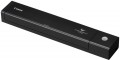 | 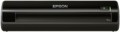 |
|---|---|---|
| Canon P-208 | Epson WorkForce DS-30 | |
from $111.60 up to $135.32 | from $110.00 | |
| TOP sellers | ||
| Product type | sheetfed | sheetfed |
| Portable |  | |
| Format | A4 | A4 |
| Max. resolution | 600x600 dpi | 600x600 dpi |
Technical specs | ||
| Optical element | CIS | CIS |
| Max. scan area | 216x356 mm | 216x356 mm |
| Colour depth (ext.) | 24 bit | |
| Shades of grey | 256 | |
| Mono scanning | 8 ppm | 13 ppm |
| Colour scanning | 8 ppm | 13 ppm |
| Operating cycle | 100 page/day | |
| Document autofeed | 10 page | |
| Duplex scanning | |  |
| Slide module | in absent | |
| Data transfer | USB | USB |
General | ||
| Power source | uSB powered | uSB powered |
| Power consumption | 2.5 W | |
| Dimensions | 313x56x40 mm | 276x37x50 mm |
| Weight | 0.6 kg | 0.33 kg |
| Added to E-Catalog | january 2013 | april 2012 |


Compare Canon P-208 and Epson WorkForce DS-30
You may be interested in
My comparisons
Canon P-208 often compared

Epson WorkForce DS-30 often compared


Glossary
Colour depth (ext.)
External colour depth characterizes the maximum possible number of colour shades in the image transmitted by the scanner to the computer. A depth of 24 bits is considered quite enough for non-professional tasks, in more advanced models this parameter can reach 96 bits. For details on colour depths and their relationship, see "Colour Depth (Int.)"
Shades of grey
The number of shades of grey that the scanner recognizes. You should pay attention to this parameter if you plan to actively work with complex black-and-white materials (for example, photographs) — the more shades, the higher the quality of the digitized image. To date, the average is considered to be 512 shades — this approximately corresponds to the capabilities of the human eye. Models with a lower indicator belong to the entry level, more advanced ones “understand” 1024 shades.
Mono scanning
The black and white scanning speed provided by the device. Usually, the maximum processing speed for an A4 sheet is indicated, i.e. speed at the lowest resolution. In fact, the speed is usually lower and depends on both the resolution and the size of the original material. The higher the scanning speed, the more convenient it is to work with the scanner; pay special attention to this parameter if you plan to work with numerous black and white images.
Colour scanning
Colour scanning speed provided by the device. In fact, it depends on the selected resolution, colour depth and original dimensions; the characteristics most often indicate the speed for an A4 sheet at the minimum resolution and colour depth, i.e. maximum possible speed. If you only need to scan one or more sheets from time to time, high speed is not too critical, but for working with a large amount of materials, you should look for fast models.
Operating cycle
The maximum number of pages that the scanner can process per day without overloading and the negative consequences associated with them. Most often indicated for A4 format. Even the most modest models of modern scanners have duty cycles measured in dozens of pages, which is quite enough for simple everyday tasks. Therefore, you should pay attention to this parameter if you have to scan numerous materials every day.
Document autofeed
The maximum number of sheets of standard weight (80 g/m²) paper that can be placed in the scanner's auto feed system at a time. These systems are similar to those installed in printers: a stack of sheets is installed in a special tray, and each of them is fed in turn for scanning. It is worth paying attention to models with this function if you often have to work with numerous documents: you will not need to monitor the process and manually feed sheets — just load the originals into the automatic document feeder and press the button. Many document feeders, some flatbeds, and almost all combination scanners have an ADF (see "Type"). It works, however, only with separate sheets and cannot cope with larger media.
Duplex scanning
Availability of duplex scanning function in the device. Duplex scanning in this case means such an operating mode in which the scanner simultaneously captures an image from both sides of the processed medium (sheet of paper). The convenience of this feature is obvious: the media does not have to be turned over to scan each side separately, and the processing time is significantly reduced. Double-sided scanning is found mainly in the models of traction or combined type (see above), however, there are also flatbed scanners with this capability.
Slide module
By default, the scanner is designed to work with reflective, i.e. opaque materials (such as paper). The slide module allows you to use the device for processing transparent materials, such as photographic film.
Power consumption
The maximum power consumed by the scanner during operation. The higher the power, the more energy the scanner consumes, but this only applies to the scanning process itself — in standby mode, power consumption is negligible. And even at the peak in most models, the power is so low that in fact this parameter has practically no effect on electricity bills and is more of an auxiliary value (for example, it is used to calculate the total power of devices connected to an uninterruptible power supply).