
Comparison Artline Gaming Tank TANKv136 vs Artline Gaming D31 D31v01
Add to comparison |  | 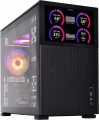 |
|---|---|---|
| Artline Gaming Tank TANKv136 | Artline Gaming D31 D31v01 | |
| Outdated Product | Outdated Product | |
| TOP sellers | ||
Built-in 7" information screen. | ||
| Product type | gaming | gaming |
| Form factor | Mini Tower | Mini Tower |
CPU | ||
| Chipset | AMD B850 | Intel B660 |
| Type | desktop | desktop |
| Series | Core i5 | Core i5 |
| Model | 13400F | 13400F |
| Code name | Raptor Lake (13th Gen) | Raptor Lake (13th Gen) |
| Cores | 10 | 10 |
| Threads | 16 | 16 |
| Speed | 1.8 GHz | 1.8 GHz |
| TurboBoost / TurboCore | 4.6 GHz | 4.6 GHz |
| Passmark CPU Mark test | 25038 points | 25574 points |
Memory | ||
| RAM | 32 GB | 32 GB |
| Memory type | DDR4 | DDR4 |
| Speed | 3600 MHz | 3600 MHz |
| Number of slots | 4 | |
| Max. memory support | 128 GB | |
Graphics card | ||
| Graphics card type | dedicated | dedicated |
| Graphics card model | RTX 5060 Ti | RTX 4060 |
| Graphics memory | 8 GB | 8 GB |
| Memory type | GDDR7 | |
Storage | ||
| Drive type | SSD | SSD |
| Drive capacity | 2 TB | 1 TB |
| NVMe |  | |
| M.2 connector | | |
| Internal 3.5" compartments | 2 | |
| Internal 2.5" compartments | 3 | |
Back panel | ||
| Connectors | HDMI output 2 pcs v2.1b DisplayPort v2.1b | HDMI output DisplayPort |
| PS/2 | 1 | 1 |
| USB-A 2.0 | 4 pcs | 4 pcs |
| USB-A 10Gbps | 2 pcs | 2 pcs |
| Monitors connection | 4 | 6 |
Front Panel | ||
| Optical drive | in absent | in absent |
| mini-Jack (3.5 mm) | | |
| USB-A 5Gbps | 2 pcs | 1 pcs |
| USB-C 5Gbps | 1 pcs | |
| USB-C 10Gbps | 1 pcs | |
Multimedia | ||
| LAN (RJ-45) | 1 Gbps | 1 Gbps |
| LAN controller | Intel | |
| Wi-Fi | in absent | in absent |
| Sound | 7.1 | |
| Audiochip | Realtek ALC897 | |
General | ||
| Lighting type | backlit fan | backlit fan |
| Lighting colour | RGB | RGB |
| Lliquid cooling | | |
| PSU power | 750 W | 750 W |
| PS certificate | 80+ Bronze | |
| Preinstalled OS | without OS | without OS |
| Material | steel | steel |
| Dimensions (HxWxD) | 460x236x421 mm | 363x205x452 mm |
| Weight | 8 kg | |
| Added to E-Catalog | october 2025 | november 2023 |


Compare Artline Gaming Tank and Gaming D31
You may be interested in
My comparisons
Glossary
Chipset
The model of the chipset used in the standard configuration of the PC.
A chipset can be described as a set of chips that provides the combined operation of the central processor, RAM, I / O devices, etc. It is this chipset that underlies any motherboard. Knowing the chipset model, you can find and evaluate its detailed characteristics; most users do not need such information, but for specialists it can be very useful.
A chipset can be described as a set of chips that provides the combined operation of the central processor, RAM, I / O devices, etc. It is this chipset that underlies any motherboard. Knowing the chipset model, you can find and evaluate its detailed characteristics; most users do not need such information, but for specialists it can be very useful.
Passmark CPU Mark test
The result shown by the PC processor in the test (benchmark) Passmark CPU Mark.
Passmark CPU Mark is a comprehensive test that allows you to evaluate CPU performance in various modes and with a different number of processed threads. The results are displayed in points; the more points, the higher the overall performance of the processor. For comparison: as of 2020, in low-cost solutions, the results are measured in hundreds of points, in mid-range models they range from 800 – 900 to more than 6,000 points, and individual top-end chips are capable of showing 40,000 points or more.
Passmark CPU Mark is a comprehensive test that allows you to evaluate CPU performance in various modes and with a different number of processed threads. The results are displayed in points; the more points, the higher the overall performance of the processor. For comparison: as of 2020, in low-cost solutions, the results are measured in hundreds of points, in mid-range models they range from 800 – 900 to more than 6,000 points, and individual top-end chips are capable of showing 40,000 points or more.
Number of slots
The number of slots for RAM modules provided on the PC motherboard. In this case, we are talking about slots for removable strips; for a PC with built-in memory, this parameter is irrelevant.
The slots available on the "motherboard" can be occupied all, partially or not occupied at all (in models without RAM). Anyway, you should pay attention to their number if the initially installed amount of RAM does not suit you (or ceases to suit you over time), and you plan to upgrade the system. The smallest amount found in a PC with removable memory is 1 slot ; if it is busy, you will only have to change the bar when upgrading. More connectors for RAM are always paired, this is due to a number of technical nuances; most often this number is 2 or 4, but it can be large — up to 16 in powerful workstations.
Note that when planning an upgrade, you need to take into account not only the number of slots and type of memory (see above), but also the characteristics of the motherboard. All modern "motherboards" have restrictions on the maximum amount of RAM; as a result, for example, the presence of two DDR4 slots does not mean that two strips of maximum capacity can be installed in the system at once, 128 GB each.
The slots available on the "motherboard" can be occupied all, partially or not occupied at all (in models without RAM). Anyway, you should pay attention to their number if the initially installed amount of RAM does not suit you (or ceases to suit you over time), and you plan to upgrade the system. The smallest amount found in a PC with removable memory is 1 slot ; if it is busy, you will only have to change the bar when upgrading. More connectors for RAM are always paired, this is due to a number of technical nuances; most often this number is 2 or 4, but it can be large — up to 16 in powerful workstations.
Note that when planning an upgrade, you need to take into account not only the number of slots and type of memory (see above), but also the characteristics of the motherboard. All modern "motherboards" have restrictions on the maximum amount of RAM; as a result, for example, the presence of two DDR4 slots does not mean that two strips of maximum capacity can be installed in the system at once, 128 GB each.
Max. memory support
The maximum amount of RAM that can be installed on a computer. It depends, in particular, on the type of memory modules used, as well as on the number of slots for them. Paying attention to this parameter makes sense, first of all, if the PC is bought with the expectation of upgrading RAM and the amount of actually installed memory in it is noticeably less than the maximum available
So the amount of maximum installed memory depends on the number of slots in the PC and can be from 16 GB(a modest PC) to 64 GB and above. The most popular on the market are PCs with a maximum installed 32 GB of memory.
So the amount of maximum installed memory depends on the number of slots in the PC and can be from 16 GB(a modest PC) to 64 GB and above. The most popular on the market are PCs with a maximum installed 32 GB of memory.
Graphics card model
The main manufacturers of video cards nowadays are AMD, NVIDIA and Intel, and each has its own specifics. NVIDIA produces primarily discrete solutions; Among the most common are the GeForce MX1xx, GeForce MX3xx, GeForce GTX 10xx series (in particular GTX 1050, GTX 1050 Ti and GTX 1060), GeForce GTX 16xx, GeForce RTX 20xx, GeForce RTX 30xx( GeForce RTX 3060, GeForce RTX 3060 Ti, GeForce RTX 3070, GeForce RTX 3070 Ti, GeForce RTX 3080, GeForce RTX 3080 Ti, GeForce RTX 3090, GeForce RTX 3090 Ti), GeForce RTX 4060 , GeForce RTX 4060 Ti, GeForce RTX 4070, GeForce RTX 4070 SUPER, GeForce RTX 4070 Ti, GeForce RTX 4070 Ti SUPER, Ge Force RTX 4080..., GeForce RTX 4080 SUPER, GeForce RTX 4090, GeForce RTX 5050, GeForce RTX 5060, GeForce RTX 5060 Ti, GeForce RTX 5070, GeForce RTX 5070 Ti, GeForce RTX 5080, GeForce RTX 5090. AMD offers both discrete and integrated graphics - including the popular Radeon RX 6000, Radeon RX 7000, Radeon RX 9000. And Intel deals exclusively with modules integrated into processors of its own production - these can be HD Graphics, UHD Graphics and Iris.
Note that many configurations with discrete graphics also have an integrated graphics module; in such cases, the name of the discrete video card is indicated as more advanced.
Note that many configurations with discrete graphics also have an integrated graphics module; in such cases, the name of the discrete video card is indicated as more advanced.
Memory type
The type of graphics memory used by the discrete graphics card (see "Video Card Type").
In most of these adapters, GDDR graphics memory is installed — a kind of regular DDR "RAM", optimized for use with graphics tasks. This memory is available on the market in several versions; in addition, there are other varieties. Here is a more detailed description of the different options:
— GDDR3. At one time — a fairly common type of graphic memory; today, however, it is considered obsolete and is not used in new PCs.
— GDDR5. The most popular (for 2020) type of GDDR graphic memory. At a reasonable cost, it provides good performance, due to which it is found in computers of different price categories.
— GDDR5X. Modification of the above-mentioned GDDR5, characterized by a 2-fold increased throughput. Accordingly, the performance of such memory (with the same volumes) is noticeably higher; on the other hand, such modules are expensive.
— GDDR6. The newest of the GDDR standards for 2020 — the first video cards based on this type of memory were introduced in 2018. It differs from its immediate predecessor — GDDR5X — in both increased bandwidth and lower operating voltage, which provides both increased efficiency and reduced power consumption. It is also worth noting that GDDR6 was developed with specific applications in mind, such as VR or work with resolutions above 4K UHD.
— HBM2. The original HBM is a type of RAM d...esigned to maximize the speed of data exchange; HBM2 is the second version of this technology, in which the bandwidth compared to the original HBM has been doubled. Such a memory is fundamentally different from DDR in terms of device — in particular, the memory cells in it are placed in layers and allow simultaneous access. Thanks to this, HBM is several times faster than the fastest versions of GDDR, which makes this technology perfect for high workloads such as processing UltraHD graphics and virtual reality. At the same time, the clock frequency of such modules is low and, accordingly, power consumption and heat dissipation are small. The disadvantage of this option is traditional — the high price.
— DDR3. Memory that does not have a specialization for graphics — in other words, the same DDR3 that is used in RAM sticks (see "Memory Type" above). In the case of video cards, such solutions are completely obsolete and are almost never used nowadays.
In most of these adapters, GDDR graphics memory is installed — a kind of regular DDR "RAM", optimized for use with graphics tasks. This memory is available on the market in several versions; in addition, there are other varieties. Here is a more detailed description of the different options:
— GDDR3. At one time — a fairly common type of graphic memory; today, however, it is considered obsolete and is not used in new PCs.
— GDDR5. The most popular (for 2020) type of GDDR graphic memory. At a reasonable cost, it provides good performance, due to which it is found in computers of different price categories.
— GDDR5X. Modification of the above-mentioned GDDR5, characterized by a 2-fold increased throughput. Accordingly, the performance of such memory (with the same volumes) is noticeably higher; on the other hand, such modules are expensive.
— GDDR6. The newest of the GDDR standards for 2020 — the first video cards based on this type of memory were introduced in 2018. It differs from its immediate predecessor — GDDR5X — in both increased bandwidth and lower operating voltage, which provides both increased efficiency and reduced power consumption. It is also worth noting that GDDR6 was developed with specific applications in mind, such as VR or work with resolutions above 4K UHD.
— HBM2. The original HBM is a type of RAM d...esigned to maximize the speed of data exchange; HBM2 is the second version of this technology, in which the bandwidth compared to the original HBM has been doubled. Such a memory is fundamentally different from DDR in terms of device — in particular, the memory cells in it are placed in layers and allow simultaneous access. Thanks to this, HBM is several times faster than the fastest versions of GDDR, which makes this technology perfect for high workloads such as processing UltraHD graphics and virtual reality. At the same time, the clock frequency of such modules is low and, accordingly, power consumption and heat dissipation are small. The disadvantage of this option is traditional — the high price.
— DDR3. Memory that does not have a specialization for graphics — in other words, the same DDR3 that is used in RAM sticks (see "Memory Type" above). In the case of video cards, such solutions are completely obsolete and are almost never used nowadays.
Drive capacity
Объем основного накопителя, поставляемого в комплекте с ПК. Для моделей с комбинированными хранилищами (например, HDD+SSD, см. «Тип накопителя») основным в данном случае считается более емкий жесткий диск; а если в комплекте два HDD, то они обычно имеют одинаковую вместимость.
С чисто практической стороны чем больше данных вмещает накопитель — тем лучше. Так что выбор по данному показателю упирается в основном в цену: большая емкость неизбежно означает и более высокую стоимость. Кроме того, напомним, что SSD-модули в пересчете на гигабайт емкости обходятся заметно дороже жестких дисков; так что сравнивать по сочетанию объема и стоимости можно только носители одного типа.
Что касается конкретной вместимости, то объем в 250 ГБ и менее в современных ПК можно встретить основном среди SSD. Жесткие диски такого объема практически не встречаются, для них емкость от 250 до 500 ГБ все еще считается довольно скромной. 501 – 750 ГБ является довольно неплохим значением для SSD и среди них же в основном и используется. 751 ГБ – 1 ТБ — внушительный показатель для SSD и средний уровень для жестких дисков, 1,5 – 2 ТБ является весьма солидной емкостью даже для HDD. А очень высокая вместимость — более чем в 2 ТБ — как ни парадоксально, встречается даже среди чистых SSD: такие...накопители устанавливаются в высококлассные рабочие станции, где скорость работы не менее важна, чем вместимость.
С чисто практической стороны чем больше данных вмещает накопитель — тем лучше. Так что выбор по данному показателю упирается в основном в цену: большая емкость неизбежно означает и более высокую стоимость. Кроме того, напомним, что SSD-модули в пересчете на гигабайт емкости обходятся заметно дороже жестких дисков; так что сравнивать по сочетанию объема и стоимости можно только носители одного типа.
Что касается конкретной вместимости, то объем в 250 ГБ и менее в современных ПК можно встретить основном среди SSD. Жесткие диски такого объема практически не встречаются, для них емкость от 250 до 500 ГБ все еще считается довольно скромной. 501 – 750 ГБ является довольно неплохим значением для SSD и среди них же в основном и используется. 751 ГБ – 1 ТБ — внушительный показатель для SSD и средний уровень для жестких дисков, 1,5 – 2 ТБ является весьма солидной емкостью даже для HDD. А очень высокая вместимость — более чем в 2 ТБ — как ни парадоксально, встречается даже среди чистых SSD: такие...накопители устанавливаются в высококлассные рабочие станции, где скорость работы не менее важна, чем вместимость.
Internal 3.5" compartments
The number of internal 3.5" component bays in the computer. This form factor is standard for hard drives, and is also often used in other types of drives; accordingly, the more bays, the more drives you can install on your computer.
Paying attention to the number of internal 3.5" bays makes sense, first of all, if you purchase a configuration without drives or plan to upgrade your PC in the future. It is worth noting that it is recommended to install drives not in a row, but through one slot — for cooling efficiency ; so ideally the number of slots should be twice the number of devices to be installed.
Paying attention to the number of internal 3.5" bays makes sense, first of all, if you purchase a configuration without drives or plan to upgrade your PC in the future. It is worth noting that it is recommended to install drives not in a row, but through one slot — for cooling efficiency ; so ideally the number of slots should be twice the number of devices to be installed.
Internal 2.5" compartments
The number of internal bays in the computer for components of the form factor 2.5 ". This form factor is popular, in particular, among SSD drives, as well as compact ("laptop") hard drives.
Paying attention to the number of internal 2.5" bays makes sense, first of all, if you purchase a configuration without drives or plan to upgrade your PC in the future. It is worth noting that it is recommended to install drives not in a row, but through one slot — for cooling efficiency; so that ideally the number of slots should be twice the number of devices installed.
Paying attention to the number of internal 2.5" bays makes sense, first of all, if you purchase a configuration without drives or plan to upgrade your PC in the future. It is worth noting that it is recommended to install drives not in a row, but through one slot — for cooling efficiency; so that ideally the number of slots should be twice the number of devices installed.