
Comparison OKI C332DN vs OKI C301DN
Add to comparison | 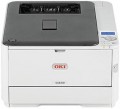 | 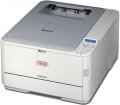 |
|---|---|---|
| OKI C332DN | OKI C301DN | |
from $999.99 | from $108.00 up to $119.96 | |
| TOP sellers | ||
| Print formats | A4 | A4 |
| Print type | lED | lED |
| Output type | colour | colour |
| Number of colors | 4 | 4 |
Print | ||
| Max. resolution | 1200x600 dpi | 1200x600 dpi |
| First page print time | 9 с | 9 с |
| Mono print | 30 ppm | 22 ppm |
| Colour print | 26 ppm | 20 ppm |
| Duplex printing |  | |
Printing supplies | ||
| Monthly resource | 45 K pages | 30 K pages |
| Mono cartridge resource | 1500 page | 2200 page |
| Colour cartridge resource | 1500 page | 1500 page |
| OPC drum resource | 30 K pages | 20 K pages |
| Cartridges | 4 | 4 |
| Cartridge model | 46508740, 46508739, 46508738, 46508737, 46508736, 46508735, 46508734 | 44973544, 44973543, 44973542, 44973541 |
| High-capacity cartridge support | |  |
Features | ||
| Data transfer | PC connection (USB-B) network connection (LAN) | PC connection (USB-B) network connection (LAN) |
| Screen | monochrome | monochrome |
Hardware | ||
| Grammage (min) | 64 g/m² | 64 g/m² |
| Grammage (max) | 220 g/m² | 220 g/m² |
| RAM | 1024 MB | 64 MB |
| Clock Speed | 266 MHz | |
General | ||
| Feed tray | 350 sheets | 350 sheets |
| Output tray | 150 sheets | 150 sheets |
| Noise level | 52 dB | 52 dB |
| Power consumption | 540 W | 480 W |
| Dimensions (WxDxH) | 410x504x242 mm | 242x410x504 mm |
| Weight | 22 kg | 22 kg |
| Added to E-Catalog | november 2016 | october 2012 |


Compare OKI C332DN and C301DN
You may be interested in
OKI C332DN often compared


Glossary
Mono print
The black and white print speed provided by the printer. It should be noted that this parameter is often indicated for low quality when the device is running at maximum performance; at a higher quality (even at standard), the actual speed can be noticeably lower, so you should choose with a certain margin. Also note that high speed significantly affects the price, power consumption and noise level. Therefore, it does not always make sense to chase maximum performance — for simple applications (for example, at home or in a small office), a relatively slow and inexpensive device may be the best choice.
As for specific values, speeds up to 20 ppm are considered relatively low, 20 – 30 ppm — average, 31 – 40 ppm — decent, and the fastest models are capable of delivering more than 40 pages per minute.
As for specific values, speeds up to 20 ppm are considered relatively low, 20 – 30 ppm — average, 31 – 40 ppm — decent, and the fastest models are capable of delivering more than 40 pages per minute.
Colour print
Colour print speed provided by the printer. Usually, the specifications give speed at low quality, when performance is highest; on standard and especially high settings, the print speed can be noticeably lower, so it’s worth choosing with a certain margin. It is also worth considering that high speed significantly affects the price, power consumption and noise level. Therefore, it does not always make sense to chase maximum performance — for simple applications and small print volumes, a relatively slow and inexpensive device may be the best choice.
The "slowest" colour printers today are capable of delivering less than 10 pages per minute. A more decent value is considered 10 – 20 ppm, a speed of more than 20 ppm can already be called quite good, and in the fastest models this figure exceeds 30 ppm.
The "slowest" colour printers today are capable of delivering less than 10 pages per minute. A more decent value is considered 10 – 20 ppm, a speed of more than 20 ppm can already be called quite good, and in the fastest models this figure exceeds 30 ppm.
Monthly resource
The maximum number of pages the printer can print in a month while still operating at full capacity.
Mono cartridge resource
The maximum number of pages that the printer's ink (toner) can print. The value is rather conditional, in reality the deviations from the norm are very large (up or down). In inkjet printers, the cartridge life is relatively small and amounts to several hundred prints. In laser and LED devices, the bill is already in the thousands.
OPC drum resource
The photoconductor is used in laser and LED printers (see Printing technology); during use, due to constant contact with paper, scratches and abrasions appear on it, which significantly affect print quality. In some printers, the photoconductor is part of the cartridge — in this case, its resource is equal to the resource of the cartridge, the drum is installed and changed along with it. In other models, the drum is installed separately.
The drum yield is the maximum number of pages that a printer with a drum unit can print without any noticeable loss in quality. It is usually specified for printers with a separate drum. The resource is a rather approximate value, because depends on the specific conditions of using the printer, and in fact it may differ from the claimed value both in one direction and in the other.
The drum yield is the maximum number of pages that a printer with a drum unit can print without any noticeable loss in quality. It is usually specified for printers with a separate drum. The resource is a rather approximate value, because depends on the specific conditions of using the printer, and in fact it may differ from the claimed value both in one direction and in the other.
Cartridge model
The types of cartridges (both black and white and colour) used in the printer. Some printer models are able to work with "non-native" cartridges, but this feature usually refers to undocumented features, and the manufacturer's warranty covers only specific types of cartridges. So use "non-native" models with caution.
High-capacity cartridge support
The printer cartridge is designed for a certain service life (resource). However, the machine's compatibility with different cartridges sometimes allows you to install a higher capacity cartridge, which can result in more pages being printed. It is these models that have the option to expand the print resource that are included in this paragraph.
RAM
The amount of internal memory installed in the printer.
The main purpose of such memory is to store tasks sent for printing. This gives various additional features: printing when the computer is turned off, continuing to work after troubleshooting, pausing the process and resuming at will, etc. The more memory, the wider these printer capabilities (in particular, large volumes allow you to store more tasks ).
Note that we are talking about the built-in memory; if the printer also has a hard drive (see below), its capacity is specified separately.
The main purpose of such memory is to store tasks sent for printing. This gives various additional features: printing when the computer is turned off, continuing to work after troubleshooting, pausing the process and resuming at will, etc. The more memory, the wider these printer capabilities (in particular, large volumes allow you to store more tasks ).
Note that we are talking about the built-in memory; if the printer also has a hard drive (see below), its capacity is specified separately.
Clock Speed
The clock speed of the processor installed in the printer. Theoretically, a higher clock speed improves performance and, accordingly, the actual speed of operation. However, in fact, these indicators depend on so many additional factors that the processor frequency is a purely reference parameter, and when choosing, it is worth focus on more “close to life” characteristics — print speed, first sheet output time, etc.