
Comparison LG 43UK6500 vs LG 43UK6750
Add to comparison | 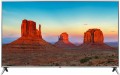 | 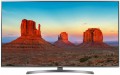 |
|---|---|---|
| LG 43UK6500 | LG 43UK6750 | |
| Outdated Product | Outdated Product | |
| User reviews | ||
| TOP sellers | ||
| Size | 43 " | 43 " |
| Operating system | Smart TV (proprietary system) | Smart TV (proprietary system) |
Display | ||
| Matrix | IPS | IPS |
| Screen surface | anti-glare | anti-glare |
| Resolution | 3840x2160 px | 3840x2160 px |
| Upscaling | up to 4K | up to 4K |
| Frame rate | 50/60 Hz | 50/60 Hz |
| HDR support | HDR10 | HDR10 |
| Brightness / contrast enhancement |  |  |
| Colour enhancement | | |
Multimedia | ||
| Sound power | 20 W | 20 W |
| Number of speakers | 2 | 2 |
| Audio decoders | Ultra Surround | Ultra Surround |
| Digital tuner | DVB-T2 (terrestrial) DVB-C (cable) DVB-S2 (satellite) | DVB-T2 (terrestrial) DVB-C (cable) DVB-S2 (satellite) |
Features | ||
| Features | Wi-Fi 5 (802.11ac) Miracast Bluetooth v4.2 voice control | Wi-Fi 5 (802.11ac) Miracast Bluetooth v4.2 voice control |
Connectors | ||
| HDMI | 4 | 4 |
| Additional inputs | USB-A LAN component composite AV input | USB-A LAN component composite AV input |
| Outputs | optical | optical |
General | ||
| Wall mount | VESA 200x200 mm | VESA 200x200 mm |
| Power consumption | 71 W | 71 W |
| Dimensions (WxHxD) | 975x625x216 mm | 975x631x225 mm |
| Dimensions without stand (WxHxD) | 975x571x86 mm | 975x571x86 mm |
| Weight | 9.1 kg | 10.3 kg |
| Color | ||
| Added to E-Catalog | april 2018 | april 2018 |


Compare LG 43UK6500 and 43UK6750
You may be interested in
My comparisons
Glossary
Brightness / contrast enhancement
TV support for one or another brightness / contrast enhancement technology.
Usually, in this case, software image processing is implied, in such a way as to improve brightness and/or contrast (if necessary). Specific processing methods may be different — in particular, in some cases we are actually talking about turning standard content into HDR (see above), and some manufacturers do not specify technical details at all. The effectiveness of different technologies can also be different, and besides, it is highly dependent on the specific content: in some cases, the improvement will be obvious, in others it may be almost imperceptible. Also note that this feature is not always useful, so in most models it is turned off.
Usually, in this case, software image processing is implied, in such a way as to improve brightness and/or contrast (if necessary). Specific processing methods may be different — in particular, in some cases we are actually talking about turning standard content into HDR (see above), and some manufacturers do not specify technical details at all. The effectiveness of different technologies can also be different, and besides, it is highly dependent on the specific content: in some cases, the improvement will be obvious, in others it may be almost imperceptible. Also note that this feature is not always useful, so in most models it is turned off.
Colour enhancement
The TV's support of one or the other colour enhancement technology.
Such technologies usually involve image processing in software to provide brighter and/or more accurate colours. Specific processing methods may be different, some manufacturers do not specify technical details at all, limiting themselves to advertising statements. The effect of using such technologies can also vary: in some cases it is clearly visible, in others it is almost absent, depending on the features of the picture. It is also worth saying that this feature, usually, needs to be turned on manually in the TV menu (accordingly, it can be turned off if desired).
Such technologies usually involve image processing in software to provide brighter and/or more accurate colours. Specific processing methods may be different, some manufacturers do not specify technical details at all, limiting themselves to advertising statements. The effect of using such technologies can also vary: in some cases it is clearly visible, in others it is almost absent, depending on the features of the picture. It is also worth saying that this feature, usually, needs to be turned on manually in the TV menu (accordingly, it can be turned off if desired).