
Comparison ZTE U60 Pro vs ZTE MU5120
Add to comparison |  | 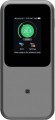 |
|---|---|---|
| ZTE U60 Pro | ZTE MU5120 | |
| Expecting restock | from $323.00 | |
| TOP sellers | ||
Nine 5G antennas, speeds up to 4290 Mbps. Fast charging up to 27 W. NFC support for quick connectivity. VPN support. Snapdragon X75 modem. | Supports WiFi 2.4 and 5 GHz. Total speed up to 3600 Mbps. Supports 160MHz bandwidth. NFC for fast WiFi connection. NSA and SA for 5G networks. | |
| Device type | portable router | portable router |
| Wi-Fi | Wi-Fi 3 (802.11g) Wi-Fi 4 (802.11n) Wi-Fi 5 (802.11aс) Wi-Fi 6 (802.11ax) Wi-Fi 6E (802.11ax) Wi-Fi 7 (802.11be) | Wi-Fi 3 (802.11g) Wi-Fi 4 (802.11n) Wi-Fi 5 (802.11aс) Wi-Fi 6 (802.11ax) |
| Max speed at 2.4 GHz | 688 Mbit/s | |
| Max speed at 5 GHz | 2882 Mbit/s | |
| Connected devices, up to | 64 | 32 |
Connection | ||
| Communication generation | 3G 4G (LTE) 5G | 2G 3G 4G (LTE) 5G |
| 4G (LTE) | Cat.22 (2500/420 Mbps) | |
| Transmission technology | LTE | LTE |
| Ports | USB-C | USB-A USB-C |
Features | ||
| SIM card slot |  | |
| Display | | |
General | ||
| Built-in battery | | |
| Battery capacity | 10000 mAh | 10000 mAh |
| Operating time (internet browsing) | 27 h | 16 h |
| Power bank feature | | |
| Dimensions | 158x73x16 mm | 159x73x18 mm |
| Weight | 278 g | |
| Added to E-Catalog | april 2026 | june 2023 |


Compare ZTE U60 Pro and MU5120
You may be interested in
My comparisons
ZTE MU5120 often compared


Glossary
Wi-Fi
Connection speeds via Wi-Fi, specifically the Wi-Fi standards supported by the modem with corresponding capabilities (see “Type,” “Connection”).
— Wi-Fi 3 (802.11g). This is an advancement of the Wi-Fi 1 standard (802.11b), developed primarily to increase connection bandwidth (2.4 GHz) and introduced in 2003. The 802.11g equipment is fully backward compatible with 802.11b, so even the simplest of modern Wi-Fi devices support both of these standards.
— Wi-Fi 4 (802.11n). A Wi-Fi standard that is a further development of the formats described above — particularly by adding MIMO technology support (distribution of input and output between multiple antennas). Introduced in 2009. The main operating frequency is 2.4 GHz, although devices with an additional 5 GHz band can be found.
— Wi-Fi 5 (802.11ac). Built on 802.11n, introduced at the end of 2013. The main improvements involved increasing the number of streams on the second frequency (5 GHz) and implementing more advanced MIMO and modulation standards, which allowed for a corresponding increase in bandwidth.
— Wi-Fi 6 (802.11ax). The Wi-Fi 6 version delivers the internet via the modern 802.11ax standard in the 2.4 and 5 GHz bands, handling a large number of connected devices better. This modem is especially convenient where smartphones, laptops, TVs, and smart devices use the network simu...ltaneously because Wi-Fi 6 more efficiently distributes traffic and reduces delays in a busy network. Compared to Wi-Fi 5, the difference is usually felt not so much in “peak” speed but in more stable performance during streaming, video calls, and online gaming.
— Wi-Fi 6E (802.11ax). Essentially the same as Wi-Fi 6, but with the addition of a 6 GHz band, making the connection more stable, especially in crowded places. In practice, this is especially useful in an apartment building with many neighboring networks. However, the main point is that the advantage of Wi-Fi 6E is realized only on devices that also support 6 GHz. This frequency allows for a separate channel to be allocated with fewer interferences from other devices.
— Wi-Fi 7 (802.11be). A step further compared to Wi-Fi 6E: it offers even higher speed, lower latency, and more stable network performance under load. Its key advantages over the previous version are related to channels up to 320 MHz and Multi-Link Operation, where the device can use several bands simultaneously instead of just one. In practice, this is particularly useful if the modem is to replace the main home router and deliver fast 5G directly to a laptop, gaming PC, TV with 4K/8K content, NAS, and other demanding equipment. In other words, Wi-Fi 7 is for when not just fast Wi-Fi is needed, but a noticeable reserve in speed and responsiveness for the future.
— Wi-Fi 3 (802.11g). This is an advancement of the Wi-Fi 1 standard (802.11b), developed primarily to increase connection bandwidth (2.4 GHz) and introduced in 2003. The 802.11g equipment is fully backward compatible with 802.11b, so even the simplest of modern Wi-Fi devices support both of these standards.
— Wi-Fi 4 (802.11n). A Wi-Fi standard that is a further development of the formats described above — particularly by adding MIMO technology support (distribution of input and output between multiple antennas). Introduced in 2009. The main operating frequency is 2.4 GHz, although devices with an additional 5 GHz band can be found.
— Wi-Fi 5 (802.11ac). Built on 802.11n, introduced at the end of 2013. The main improvements involved increasing the number of streams on the second frequency (5 GHz) and implementing more advanced MIMO and modulation standards, which allowed for a corresponding increase in bandwidth.
— Wi-Fi 6 (802.11ax). The Wi-Fi 6 version delivers the internet via the modern 802.11ax standard in the 2.4 and 5 GHz bands, handling a large number of connected devices better. This modem is especially convenient where smartphones, laptops, TVs, and smart devices use the network simu...ltaneously because Wi-Fi 6 more efficiently distributes traffic and reduces delays in a busy network. Compared to Wi-Fi 5, the difference is usually felt not so much in “peak” speed but in more stable performance during streaming, video calls, and online gaming.
— Wi-Fi 6E (802.11ax). Essentially the same as Wi-Fi 6, but with the addition of a 6 GHz band, making the connection more stable, especially in crowded places. In practice, this is especially useful in an apartment building with many neighboring networks. However, the main point is that the advantage of Wi-Fi 6E is realized only on devices that also support 6 GHz. This frequency allows for a separate channel to be allocated with fewer interferences from other devices.
— Wi-Fi 7 (802.11be). A step further compared to Wi-Fi 6E: it offers even higher speed, lower latency, and more stable network performance under load. Its key advantages over the previous version are related to channels up to 320 MHz and Multi-Link Operation, where the device can use several bands simultaneously instead of just one. In practice, this is particularly useful if the modem is to replace the main home router and deliver fast 5G directly to a laptop, gaming PC, TV with 4K/8K content, NAS, and other demanding equipment. In other words, Wi-Fi 7 is for when not just fast Wi-Fi is needed, but a noticeable reserve in speed and responsiveness for the future.
Max speed at 2.4 GHz
Theoretical wireless network speed in the 2.4 GHz band. It usually ranges up to several hundred megabits depending on the Wi-Fi standard, the number of antennas, and the class of the specific model. For example, speeds around 50 – 100 Mbps are typically sufficient for browsing, social media, music, and watching videos in Full HD. Speeds of about 200 – 300 Mbps are comfortable for multiple devices simultaneously, and speeds around 500 Mbps are suitable for fast file downloads, stable 4K video, and more reliable operation of a home network with laptops, smartphones, and televisions.
Max speed at 5 GHz
Theoretical wireless network speed in the 5 GHz range. It can exceed 1 Gbps, depending on the Wi-Fi standard, the number of antennas, channel width, and the class of the specific model. For example, speeds around 300 – 500 Mbps are already well-suited for 4K video, video calls, and simultaneous operation of several devices. Speeds of approximately 800 – 1200 Mbps are convenient for quick downloads, online gaming, and transferring large files, while higher values are especially useful in a home network with active traffic, where laptops, smartphones, TVs, and other devices are connected to the modem.
Connected devices, up to
The largest number of devices that can be simultaneously connected to the modem via Wi-Fi (see "Connection").
The presence of this limitation is due to the fact that processing network requests from several devices at once requires a fairly large amount of computing resources, and there are not so many of them in miniature electronics like wireless modems. However, even inexpensive models can support about 5 – 6 devices, which is more than enough for most cases; and in more advanced modems, this number can reach 10.
The presence of this limitation is due to the fact that processing network requests from several devices at once requires a fairly large amount of computing resources, and there are not so many of them in miniature electronics like wireless modems. However, even inexpensive models can support about 5 – 6 devices, which is more than enough for most cases; and in more advanced modems, this number can reach 10.
Communication generation
The generation(s) of mobile networks supported by the modem.
Note that this spec is rather conditional and generalized, since one generation usually includes several data transmission technologies (see below), and the set of these technologies may vary in different mobile networks and in different modems. Therefore, it is possible to evaluate the compatibility of a device with a specific cellular network using this parameter only approximately. Nevertheless, generation data may well come in handy at the preliminary selection stage: they allow you to at least select the generation you are interested in and then search further among models that are compatible with it.
As for specific generations, today they are as follows:
— 2g. Communication standards of the second generation implemented through mobile networks of the GSM standard. Support GPRS and EDGE transmission technologies. Due to low bandwidth, today they are considered obsolete and are gradually being replaced by the next generations of communication. However, this process is uneven, and in some countries 2G is still the main mobile standard (although everything is moving towards changing this situation). Also note that even the introduction of newer standards does not mean the replacement of GSM — many operators keep this technology as a spare and intended for the simplest mobile phone models. Actually, the second generation in its pure form is pract...ically never found in cellular modems — it complements more advanced standards.
— 3G. Communication technologies of the third generation. Includes W-CDMA, HSUPA, HSDPA, and HSPA+ technologies, and in CDMA networks, EV-DO Rev.A and Rev.B. Significantly outperforms second-generation standards in terms of both pure throughput and additional features. And the data transfer speed itself can be comparable to that of a fixed wired Internet connection, which allows you not only to comfortably browse the web, but also use video calls, listen to streaming audio, etc. However, in fact, the quality of communication depends both on the specific technologies used, on the signal level, and the workload of base stations, etc.
— 4G. The fourth generation of communication, the most advanced to date. It includes WiMAX and LTE technologies, which significantly exceed not only 3G standards in terms of data transfer speed, but also the usual fixed wired Internet connection via Ethernet. However such a connection is not cheap.
Note that this spec is rather conditional and generalized, since one generation usually includes several data transmission technologies (see below), and the set of these technologies may vary in different mobile networks and in different modems. Therefore, it is possible to evaluate the compatibility of a device with a specific cellular network using this parameter only approximately. Nevertheless, generation data may well come in handy at the preliminary selection stage: they allow you to at least select the generation you are interested in and then search further among models that are compatible with it.
As for specific generations, today they are as follows:
— 2g. Communication standards of the second generation implemented through mobile networks of the GSM standard. Support GPRS and EDGE transmission technologies. Due to low bandwidth, today they are considered obsolete and are gradually being replaced by the next generations of communication. However, this process is uneven, and in some countries 2G is still the main mobile standard (although everything is moving towards changing this situation). Also note that even the introduction of newer standards does not mean the replacement of GSM — many operators keep this technology as a spare and intended for the simplest mobile phone models. Actually, the second generation in its pure form is pract...ically never found in cellular modems — it complements more advanced standards.
— 3G. Communication technologies of the third generation. Includes W-CDMA, HSUPA, HSDPA, and HSPA+ technologies, and in CDMA networks, EV-DO Rev.A and Rev.B. Significantly outperforms second-generation standards in terms of both pure throughput and additional features. And the data transfer speed itself can be comparable to that of a fixed wired Internet connection, which allows you not only to comfortably browse the web, but also use video calls, listen to streaming audio, etc. However, in fact, the quality of communication depends both on the specific technologies used, on the signal level, and the workload of base stations, etc.
— 4G. The fourth generation of communication, the most advanced to date. It includes WiMAX and LTE technologies, which significantly exceed not only 3G standards in terms of data transfer speed, but also the usual fixed wired Internet connection via Ethernet. However such a connection is not cheap.
4G (LTE)
The 4G (LTE) mobile connection speed supported by the modem.
All modern LTE equipment is assigned one or another category (Cat.3, Cat.4, Cat.6, Cat.7, Cat.9, Cat.12, Cat.13, Cat.16, Cat.18, Cat.19, Cat.20, Cat.22), on which the transmission speed directly depends. This paragraph specifies both this category and specific speed indicators, moreover, in two parameters — for reception and for transmission. The transmission speed is always much lower, but given the specifics of mobile Internet access, this is usually not critical.
Note that equipment with different speed categories will be quite compatible with each other, however, the throughput will be limited by the capabilities of the slower device. It is also worth saying that this paragraph indicates the theoretical maximum; practical amounts can be noticeably lower (depending on the quality of the network coverage and the features of specific electronics). However, a modem with a higher speed category will perform faster in fact.
All modern LTE equipment is assigned one or another category (Cat.3, Cat.4, Cat.6, Cat.7, Cat.9, Cat.12, Cat.13, Cat.16, Cat.18, Cat.19, Cat.20, Cat.22), on which the transmission speed directly depends. This paragraph specifies both this category and specific speed indicators, moreover, in two parameters — for reception and for transmission. The transmission speed is always much lower, but given the specifics of mobile Internet access, this is usually not critical.
Note that equipment with different speed categories will be quite compatible with each other, however, the throughput will be limited by the capabilities of the slower device. It is also worth saying that this paragraph indicates the theoretical maximum; practical amounts can be noticeably lower (depending on the quality of the network coverage and the features of specific electronics). However, a modem with a higher speed category will perform faster in fact.
Ports
— USB plug. The presence in the design of the modem of its own USB plug, which allows you to connect the device to a computer directly. Such a connection provides a device with a USB port with Internet access, and the power necessary for the operation of the modem is also supplied via USB.
— microUSB. A smaller version of the USB connector (see above), used primarily in Wi-Fi modems (see "Type") that can work autonomously and do not require a constant connection to another device. At the same time, in 3G/4G modems, microUSB usually looks like a socket, not a plug, and a special cable is used to connect. This interface usually plays the role of a general-purpose service connector: the battery is charged through it, and it is also connected to a PC or other device to manage settings, update firmware, etc.
— USB. Wired interface, the most common and universal modern standard used to connect peripheral equipment to various electronic devices, ranging from computers to smartphones and even wireless modems. In this case, the full-size version of the USB connector is meant. It is usually installed in classic modems (see "Type") and has the form of a plug, with which the modem is connected to a control device (PC, laptop, tablet, etc.). Power is usually supplied through the same connector.
— USB-C.... Connector, in its functional features similar to the paragraph above. With the exception of the symmetrical form factor and the use of more modern technologies.
— LAN (RJ45). Classic wired connection via a cable with an RJ-45 connector. Also known as "LAN". Nowadays, it is one of the most common methods of wired Internet connection, and is also widely used in local networks. With it, you can connect a laptop or PC directly to the modem via a cable and not bother with a Wi-Fi connection. In addition, such a connection can be faster (depending on the speed of the LAN).
— ExpressCard. A connection interface mainly used in laptops. Peripheral devices of this standard, including wireless modems, have the form of cards, when connected, they are installed in a special slot in the device. It should be taken into account that there are two ExpressCard form factors — 54 mm and 34 mm, and 34 mm cards can be used without restrictions with 54 mm slots, but not vice versa. Therefore, when choosing such a modem, it is worth clarifying the correspondence of its form factor to the planned slot. However, this standard is gradually disappearing from the scene, being replaced by more advanced interfaces — in particular, USB 3.0.
— microUSB. A smaller version of the USB connector (see above), used primarily in Wi-Fi modems (see "Type") that can work autonomously and do not require a constant connection to another device. At the same time, in 3G/4G modems, microUSB usually looks like a socket, not a plug, and a special cable is used to connect. This interface usually plays the role of a general-purpose service connector: the battery is charged through it, and it is also connected to a PC or other device to manage settings, update firmware, etc.
— USB. Wired interface, the most common and universal modern standard used to connect peripheral equipment to various electronic devices, ranging from computers to smartphones and even wireless modems. In this case, the full-size version of the USB connector is meant. It is usually installed in classic modems (see "Type") and has the form of a plug, with which the modem is connected to a control device (PC, laptop, tablet, etc.). Power is usually supplied through the same connector.
— USB-C.... Connector, in its functional features similar to the paragraph above. With the exception of the symmetrical form factor and the use of more modern technologies.
— LAN (RJ45). Classic wired connection via a cable with an RJ-45 connector. Also known as "LAN". Nowadays, it is one of the most common methods of wired Internet connection, and is also widely used in local networks. With it, you can connect a laptop or PC directly to the modem via a cable and not bother with a Wi-Fi connection. In addition, such a connection can be faster (depending on the speed of the LAN).
— ExpressCard. A connection interface mainly used in laptops. Peripheral devices of this standard, including wireless modems, have the form of cards, when connected, they are installed in a special slot in the device. It should be taken into account that there are two ExpressCard form factors — 54 mm and 34 mm, and 34 mm cards can be used without restrictions with 54 mm slots, but not vice versa. Therefore, when choosing such a modem, it is worth clarifying the correspondence of its form factor to the planned slot. However, this standard is gradually disappearing from the scene, being replaced by more advanced interfaces — in particular, USB 3.0.
Operating time (internet browsing)
The maximum operating time of the modem with battery power (see "Power") on a single charge in Internet browsing mode. Such power is typical for Wi-Fi routers, therefore, usually, Internet browsing is supposed to provide access to the World Wide Web for an external Wi-Fi device.
This spec is the main indicator of battery life for any battery-powered modem, because it describes the time of using it for its main purpose without recharging. At the same time, you should know that this indicator is measured under certain "perfect" conditions; the actual operating time depends on a number of factors, including the intensity of browsing, the amount of data transferred, the number of connected devices and the distance to them, the cellular network signal strength, etc. Therefore, in fact, the battery life of the modem may be somewhat lower. Nevertheless, it is quite possible to compare different models with each other according to the operating time stated in the specs.
This spec is the main indicator of battery life for any battery-powered modem, because it describes the time of using it for its main purpose without recharging. At the same time, you should know that this indicator is measured under certain "perfect" conditions; the actual operating time depends on a number of factors, including the intensity of browsing, the amount of data transferred, the number of connected devices and the distance to them, the cellular network signal strength, etc. Therefore, in fact, the battery life of the modem may be somewhat lower. Nevertheless, it is quite possible to compare different models with each other according to the operating time stated in the specs.