
Comparison Mercusys MS106LP vs Mercusys MS105GP
Add to comparison |  | 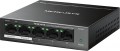 |
|---|---|---|
| Mercusys MS106LP | Mercusys MS105GP | |
from $19.90 | from $53.29 | |
| TOP sellers | ||
4 operating modes: normal, with automatic PoE recovery, VLAN with port 1 – 4 isolation and extended transmission range mode. | 3 operating modes: standard, VLAN with isolation of ports 1 – 4 and extended transmission range mode. | |
| Type | custom | custom |
| Mount | desktop | desktop |
| Bandwidth | 1.2 Gbps | 10 Gbps |
| MAC address table size | 2K | 2K |
Ports | ||
| Fast Ethernet | 6 | |
| Gigabit Ethernet | 5 | |
| Uplink | 2 | 1 |
| Uplink type | Fast Ethernet | Gigabit Ethernet |
PoE | ||
| PoE (output) | 802.3af/at | 802.3af/at |
| PoE outputs | 4 | 4 |
| PoE output power | 30 W | 30 W |
| Total PoE power | 40 W | 65 W |
General | ||
| PSU | external | external |
| Supply voltage | 54 В | 54 В |
| Power consumption | 1.9 W | 3.1 W |
| Operating temperature | 0 °C ~ +40 °C | 0 °C ~ +40 °C |
| Dimensions (WxDxH) | 100x98x25 mm | 100x98x25 mm |
| Added to E-Catalog | november 2023 | november 2023 |


Compare Mercusys MS106LP and MS105GP
You may be interested in
My comparisons
Mercusys MS105GP often compared


Glossary
Bandwidth
The bandwidth of a switch is the maximum amount of traffic that it can handle. Specified in gigabits per second.
This parameter directly depends on the number of network ports in the device (excluding Uplink). Actually, even if the bandwidth is not given in the specifications, it can still be calculated using the following formula: the number of ports multiplied by the bandwidth of an individual port and multiplied by two (since both incoming and outgoing traffic are taken into account). For example, a model with 8 Gigabit Ethernet connectors and 2 SFP ports will have a bandwidth of (8*1 + 2*1)*2 = 20 Gbps.
The choice for this indicator is quite obvious: you need to evaluate the expected traffic volumes in the serviced network segment and make sure that the switch's bandwidth will cover it with a margin of at least 10-15% (this will give an additional guarantee in case of emergency situations). At the same time, if you plan to often work at high, close to maximum, loads, it will not hurt to clarify such a characteristic as the internal bandwidth of the switch. It is usually given in a detailed technical description, and if this value is less than the total throughput, serious problems may arise under significant loads.
This parameter directly depends on the number of network ports in the device (excluding Uplink). Actually, even if the bandwidth is not given in the specifications, it can still be calculated using the following formula: the number of ports multiplied by the bandwidth of an individual port and multiplied by two (since both incoming and outgoing traffic are taken into account). For example, a model with 8 Gigabit Ethernet connectors and 2 SFP ports will have a bandwidth of (8*1 + 2*1)*2 = 20 Gbps.
The choice for this indicator is quite obvious: you need to evaluate the expected traffic volumes in the serviced network segment and make sure that the switch's bandwidth will cover it with a margin of at least 10-15% (this will give an additional guarantee in case of emergency situations). At the same time, if you plan to often work at high, close to maximum, loads, it will not hurt to clarify such a characteristic as the internal bandwidth of the switch. It is usually given in a detailed technical description, and if this value is less than the total throughput, serious problems may arise under significant loads.
Fast Ethernet
The number of standard RJ-45 network connectors in the Fast Ethernet format provided in the design of the switch.
Fast Ethernet is the most modest of the wired connection formats over a twisted-pair network cable nowadays — it provides data transfer rates up to 100 Mbps. However, even this speed is often enough for relatively simple tasks that are not associated with large amounts of data. Therefore, this interface is still widely used in modern switches.
As for the number of connectors, it corresponds to the number of network devices that can be connected to the "switch" directly, without the use of additional equipment. In the case of Fast Ethernet, the number of connectors up to 10 inclusive is considered relatively small, from 10 to 25 — average, and the presence of more than 25 ports of this type is typical for professional-level models.
Fast Ethernet is the most modest of the wired connection formats over a twisted-pair network cable nowadays — it provides data transfer rates up to 100 Mbps. However, even this speed is often enough for relatively simple tasks that are not associated with large amounts of data. Therefore, this interface is still widely used in modern switches.
As for the number of connectors, it corresponds to the number of network devices that can be connected to the "switch" directly, without the use of additional equipment. In the case of Fast Ethernet, the number of connectors up to 10 inclusive is considered relatively small, from 10 to 25 — average, and the presence of more than 25 ports of this type is typical for professional-level models.
Gigabit Ethernet
The number of standard Gigabit Ethernet RJ-45 network connectors provided in the design of the switch.
As the name suggests, these connectors provide data transfer rates up to 1 Gbps. Initially, Gigabit Ethernet was considered a professional standard, and even now the real needs for such speeds arise mainly when performing special tasks. Nevertheless, even relatively inexpensive computers are now equipped with gigabit network adapters, not to mention more advanced technology.
As for the number of connectors, it corresponds to the number of network devices that can be connected to the "switch" directly, without the use of additional equipment. In the case of Gigabit Ethernet, the number of connectors up to 10 inclusive is considered relatively small, from 10 to 25 — average, and the presence of more than 25 ports of this type is typical for professional-level models. At the same time, it is worth noting that in some "switches" individual connectors of this type are combined with optical SFP or SFP + (see below). Such connectors are marked "combo" and are taken into account both in the RJ-45 count and in the SFP/SFP+ count.
As the name suggests, these connectors provide data transfer rates up to 1 Gbps. Initially, Gigabit Ethernet was considered a professional standard, and even now the real needs for such speeds arise mainly when performing special tasks. Nevertheless, even relatively inexpensive computers are now equipped with gigabit network adapters, not to mention more advanced technology.
As for the number of connectors, it corresponds to the number of network devices that can be connected to the "switch" directly, without the use of additional equipment. In the case of Gigabit Ethernet, the number of connectors up to 10 inclusive is considered relatively small, from 10 to 25 — average, and the presence of more than 25 ports of this type is typical for professional-level models. At the same time, it is worth noting that in some "switches" individual connectors of this type are combined with optical SFP or SFP + (see below). Such connectors are marked "combo" and are taken into account both in the RJ-45 count and in the SFP/SFP+ count.
Uplink
The number of Uplink connectors provided in the design of the switch.
“Uplink” in this case is not a type, but a connector specialization: this is the name of the network interface through which the switch (and network devices connected to it) communicate with external networks (including the Internet) or network segments. In other words, this is a kind of "gate" through which all traffic from the network segment served by the switch is transmitted further. Uplink, in particular, can be used to connect to a similar "switch" (for horizontal network expansion) or to a higher level device (like a core switch).
Accordingly, the number of Uplink connectors is the maximum number of external connections that the switch can provide without using additional equipment. The specific type of such a connector may be different, but this is usually one of the varieties of LAN or SFP; see "Uplink type" for details.
“Uplink” in this case is not a type, but a connector specialization: this is the name of the network interface through which the switch (and network devices connected to it) communicate with external networks (including the Internet) or network segments. In other words, this is a kind of "gate" through which all traffic from the network segment served by the switch is transmitted further. Uplink, in particular, can be used to connect to a similar "switch" (for horizontal network expansion) or to a higher level device (like a core switch).
Accordingly, the number of Uplink connectors is the maximum number of external connections that the switch can provide without using additional equipment. The specific type of such a connector may be different, but this is usually one of the varieties of LAN or SFP; see "Uplink type" for details.
Uplink type
The type of connector(s) used as the Uplink interface on the switch.
For more information about such an interface, see above; Here we note that the same network ports are usually used as Uplink as for connecting individual devices to the switch. Here are the main options for such connectors:
— Fast Ethernet — LAN network connector (for twisted pair cables) supporting speeds up to 100 Mbit/s. This speed is considered low by modern standards, while the Uplink port places increased demands on throughput - after all, traffic from all devices served by the switch passes through it. Therefore, in this role, Fast Ethernet ports are used mainly in inexpensive and outdated models.
— Gigabit Ethernet — LAN connector supporting speeds up to 1 Gbit/s. This speed is often sufficient even for a fairly extensive network, while the connectors themselves are relatively inexpensive.
— 2.5 Gigabit Ethernet — LAN connector supporting speeds up to 2.5 Gbit/s.
— 10Gigabit Ethernet — LAN connector supporting speeds up to 10 Gbit/s. Such features allow you to work comfortably even with very large volumes of traffic, but they significantly affect the price of the switch. Therefore, this option is rare, mainly in high-end models.
— SFP. A connector for a fiber optic cable that supports speeds of about 1 Gbit/s. At the same time, over Gigabit Ethernet, which has a similar throughput, this connector has one noticeable advantage - a...longer connection range (usually up to 550 m).
- SFP+. Development of the SFP standard described above. Switches usually provide a connection speed of 10 Gbit/s; like the original standard, it noticeably exceeds the effective range of an Ethernet connection. On the other hand, the real need for such speeds does not arise so often, and SFP+ is quite expensive. Therefore, the presence of such Uplink connectors is typical mainly for high-end models with a large number of ports.
- SFP28. Another development of SFP with increased throughput up to 25 Gbit/s.
- QSFP / QSFP+. The fastest SFPs up to 40 Gbit/s.
Note also that the connectors described above (except perhaps Fast Ethernet) are rarely used as the only type of Uplink input. Combinations of electrical and fiber optic ports—SFP/Gigabit Ethernet and SFP+/10Gigabit Ethernet—have become noticeably more widespread. This provides versatility in connection, allowing you to use the most convenient type of cable in a given situation; and if necessary, of course, you can use all Uplink inputs at once. However, it is worth considering that in some models, Ethernet and SFP interfaces can be combined in one physical connector. So before purchasing, it doesn’t hurt to clarify this nuance separately.
There are also switches that use a combination of two types of SFP - SFP/SFP+; however, there are few such models and they are mainly of the professional level.
For more information about such an interface, see above; Here we note that the same network ports are usually used as Uplink as for connecting individual devices to the switch. Here are the main options for such connectors:
— Fast Ethernet — LAN network connector (for twisted pair cables) supporting speeds up to 100 Mbit/s. This speed is considered low by modern standards, while the Uplink port places increased demands on throughput - after all, traffic from all devices served by the switch passes through it. Therefore, in this role, Fast Ethernet ports are used mainly in inexpensive and outdated models.
— Gigabit Ethernet — LAN connector supporting speeds up to 1 Gbit/s. This speed is often sufficient even for a fairly extensive network, while the connectors themselves are relatively inexpensive.
— 2.5 Gigabit Ethernet — LAN connector supporting speeds up to 2.5 Gbit/s.
— 10Gigabit Ethernet — LAN connector supporting speeds up to 10 Gbit/s. Such features allow you to work comfortably even with very large volumes of traffic, but they significantly affect the price of the switch. Therefore, this option is rare, mainly in high-end models.
— SFP. A connector for a fiber optic cable that supports speeds of about 1 Gbit/s. At the same time, over Gigabit Ethernet, which has a similar throughput, this connector has one noticeable advantage - a...longer connection range (usually up to 550 m).
- SFP+. Development of the SFP standard described above. Switches usually provide a connection speed of 10 Gbit/s; like the original standard, it noticeably exceeds the effective range of an Ethernet connection. On the other hand, the real need for such speeds does not arise so often, and SFP+ is quite expensive. Therefore, the presence of such Uplink connectors is typical mainly for high-end models with a large number of ports.
- SFP28. Another development of SFP with increased throughput up to 25 Gbit/s.
- QSFP / QSFP+. The fastest SFPs up to 40 Gbit/s.
Note also that the connectors described above (except perhaps Fast Ethernet) are rarely used as the only type of Uplink input. Combinations of electrical and fiber optic ports—SFP/Gigabit Ethernet and SFP+/10Gigabit Ethernet—have become noticeably more widespread. This provides versatility in connection, allowing you to use the most convenient type of cable in a given situation; and if necessary, of course, you can use all Uplink inputs at once. However, it is worth considering that in some models, Ethernet and SFP interfaces can be combined in one physical connector. So before purchasing, it doesn’t hurt to clarify this nuance separately.
There are also switches that use a combination of two types of SFP - SFP/SFP+; however, there are few such models and they are mainly of the professional level.
Total PoE power
The total output power provided by the switch when powering devices using the PoE standard (see above).
This indicator usually corresponds to the sum of the powers of all outputs — that is, the power of one PoE port, multiplied by their total number. However, the power limits for one output and for the entire switch are somewhat different: if a load with a power equal to the output power of the power supply on this connector can be connected to a single connector, then the total power consumption of all devices connected via PoE should ideally not exceed 75% of the total power supply — this gives an additional guarantee in case of malfunctions. In fact, this means that all PoE outputs cannot be used “to the fullest” at the same time. For example, if there are two such outputs, and one is loaded at 100%, then the second can be loaded with a maximum of 50% — the total power consumption in this case will be the same 75% of the total output. Therefore, a large total power is needed when using the device to the maximum.
This indicator usually corresponds to the sum of the powers of all outputs — that is, the power of one PoE port, multiplied by their total number. However, the power limits for one output and for the entire switch are somewhat different: if a load with a power equal to the output power of the power supply on this connector can be connected to a single connector, then the total power consumption of all devices connected via PoE should ideally not exceed 75% of the total power supply — this gives an additional guarantee in case of malfunctions. In fact, this means that all PoE outputs cannot be used “to the fullest” at the same time. For example, if there are two such outputs, and one is loaded at 100%, then the second can be loaded with a maximum of 50% — the total power consumption in this case will be the same 75% of the total output. Therefore, a large total power is needed when using the device to the maximum.
Power consumption
Power consumed by network equipment during operation. Knowing the indicator of energy consumption, you can, for example, calculate the battery life of equipment from an uninterruptible power supply or choose a suitable “uninterruptible power supply”.