
Comparison Denon DCD-1700NE vs Denon DCD-1600NE
Add to comparison |  | 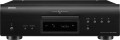 |
|---|---|---|
| Denon DCD-1700NE | Denon DCD-1600NE | |
| Compare prices 3 | from $1,499.00 | |
| TOP sellers | ||
| Features | home | home |
Design | ||
| DAC | Burr-Brown PCM1795 | |
| Disc load | frontal | frontal |
Communications | ||
| Playback | CD-Audio SACD | CD-Audio SACD |
Tech specs | ||
| DAC sample rate | 192 kHz | 192 kHz |
| DAC bit depth | 32 bit | 24 bit |
| Frequency range | 2 — 100000 Hz | 2 – 50000 Hz |
| Signal to noise ratio | 119 dB | 112 dB |
| Dynamic range | 112 dB | 119 dB |
| Harmonic distortion | 0.0010 % | 0.001 % |
Connection | ||
| Outputs | Coaxial S/PDIF Optical Control output (IR) | Coaxial S/PDIF Optical Control output (IR) |
| RCA | 1 pair(s) | 1 pair(s) |
| Inputs | Control input (IR) | Control input (IR) |
General | ||
| Power consumption | 24 W | 24 W |
| Pure Direct |  | |
| Remote control | | |
| Two line display | |  |
| Dimensions (WxDxH) | 344x384x135 mm | 434x329x135 mm |
| Weight | 9 kg | 8.2 kg |
| Color | ||
| Added to E-Catalog | november 2023 | february 2017 |





Compare Denon DCD-1700NE and DCD-1600NE
Price comparison
You may be interested in
My comparisons
Denon DCD-1700NE often compared


Denon DCD-1600NE often compared


Glossary
DAC
The model of the digital-to-analogue converter (DAC) installed in the CD player.
The DAC is one of the most important components of any modern CD player. It is this module that is responsible for converting digital data recorded on an optical disc into an analogue audio signal that is fed to an external device (amplifier, speakers, etc.). Accordingly, the characteristics and overall quality of the DAC largely determine the sound quality in general. Knowing the DAC model, you can find detailed data on it — characteristics, reviews, test results, etc. — and evaluate how the capabilities of the converter meet your requirements.
The DAC is one of the most important components of any modern CD player. It is this module that is responsible for converting digital data recorded on an optical disc into an analogue audio signal that is fed to an external device (amplifier, speakers, etc.). Accordingly, the characteristics and overall quality of the DAC largely determine the sound quality in general. Knowing the DAC model, you can find detailed data on it — characteristics, reviews, test results, etc. — and evaluate how the capabilities of the converter meet your requirements.
DAC bit depth
Another indicator that determines the overall quality of the digital-to-analogue audio signal converter. For details on the converter, see "DAC Sampling Rate"; here we note that the bit depth is standardly expressed in bits, and the higher it is, the more accurately the signal at the output of the DAC corresponds to the original signal and the less distortion is introduced into it. In the case of CD players, 24 bits is considered the minimum necessary and at the same time quite sufficient; higher values — 32 bits — are rare, only in premium-level equipment.
Frequency range
The range of audio frequencies that a CD player can reproduce. In general, this parameter determines how full the output bandwidth is, whether too high or too low sound is cut off. However, it is worth noting here that the human ear is able to perceive sound only within the range of 16 – 20,000 Hz (deviations from the upper threshold in different directions are possible, but small, and it decreases with age). All modern CD players cover this range, therefore, in the case of such devices, the sound frequency indicators are reference and practically do not affect the sound. And impressive numbers like 2 – 40,000 Hz, 5 – 60,000 Hz, etc. — this is a kind of "side effect" of the design of a high-quality device; manufacturers use these numbers for marketing purposes, but again, they do not affect sound quality. Also, do not forget that actually audible frequencies are also limited by the characteristics of the speaker system, external amplifier and other equipment connected to the CD player. For example, speakers with a lower frequency range of 150 Hz will “cut off” all lower frequencies, and it doesn’t matter what the lowest bass the player can produce is 16 Hz, 20 Hz or 50 Hz.
Signal to noise ratio
The ratio between the level of the useful signal and the level of extraneous noise at the output of the player.
This indicator describes the total amount of extraneous noise (of any origin) that affects the sound quality: the higher the signal-to-noise ratio, the less such noise and the clearer the sound, which is especially important for Hi-Fi and Hi-End systems. The minimum indicator for CD players is 85 – 90 dB, indicators up to 100 dB can be considered good, up to 110 dB — good, more than 110 dB — excellent.
This indicator describes the total amount of extraneous noise (of any origin) that affects the sound quality: the higher the signal-to-noise ratio, the less such noise and the clearer the sound, which is especially important for Hi-Fi and Hi-End systems. The minimum indicator for CD players is 85 – 90 dB, indicators up to 100 dB can be considered good, up to 110 dB — good, more than 110 dB — excellent.
Dynamic range
The dynamic range of a CD player.
Technically, dynamic range is the logarithm of the ratio between the maximum input signal at which the level of distortion is low enough (tolerable) and the sensitivity of the amplifier. In a simplified way, this parameter can be described as the difference between the minimum and maximum sound levels that the device is capable of reproducing with high quality. The higher the dynamic range value, the better the device handles with sound that has significant volume differences, such as orchestral parts.
Note that when playing different sound standards (see "Playback"), the dynamic range of the player will also be different — for example, for SACD its value is usually much higher than for Audio CD. CD players typically list the highest value that gives the best impression of the device's performance. However, manufacturers often specify for which type of digital audio the dynamic range data is given.
Technically, dynamic range is the logarithm of the ratio between the maximum input signal at which the level of distortion is low enough (tolerable) and the sensitivity of the amplifier. In a simplified way, this parameter can be described as the difference between the minimum and maximum sound levels that the device is capable of reproducing with high quality. The higher the dynamic range value, the better the device handles with sound that has significant volume differences, such as orchestral parts.
Note that when playing different sound standards (see "Playback"), the dynamic range of the player will also be different — for example, for SACD its value is usually much higher than for Audio CD. CD players typically list the highest value that gives the best impression of the device's performance. However, manufacturers often specify for which type of digital audio the dynamic range data is given.
Harmonic distortion
The coefficient of harmonic distortion (harmonics) output by the CD player.
This parameter, along with the signal-to-noise ratio described above, characterizes the overall sound quality of the player. It is calculated by dividing the total sum of harmonics by the value of the main signal at a reproduced sound frequency of 1 kHz, and is expressed as a percentage. Significant levels of harmonics lead to deterioration in sound — from a general feeling of "roughness" and "excessive density" of the sound to the appearance of clearly audible noise; accordingly, the lower the harmonic distortion, the better. In relatively inexpensive CD players, this figure is measured in tenths of a percent, in top models it may not exceed several thousandths of a percent.
This parameter, along with the signal-to-noise ratio described above, characterizes the overall sound quality of the player. It is calculated by dividing the total sum of harmonics by the value of the main signal at a reproduced sound frequency of 1 kHz, and is expressed as a percentage. Significant levels of harmonics lead to deterioration in sound — from a general feeling of "roughness" and "excessive density" of the sound to the appearance of clearly audible noise; accordingly, the lower the harmonic distortion, the better. In relatively inexpensive CD players, this figure is measured in tenths of a percent, in top models it may not exceed several thousandths of a percent.
Two line display
The presence in the design of the CD-player of a two-line display — more precisely, a display with more than one line; the name "two-line" is conditional, there can be more lines on the screen. Anyway, this feature provides more options than a simpler one-line screen: for example, the played/remaining time, the selected equalizer profile, etc. can be displayed simultaneously with the track number and title.