
Comparison Cougar E-Mars vs Cougar E-Deimus 120
Add to comparison | 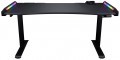 | 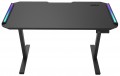 |
|---|---|---|
| Cougar E-Mars | Cougar E-Deimus 120 | |
| Outdated Product | Outdated Product | |
| TOP sellers | ||
USB Type-C (DisplayPort Alt Mode). | ||
| Form factor | gaming | gaming |
Design | ||
| Dimensions | 1533x771x750 mm | 1224x605x720 mm |
| Max. height | 1150 mm | 1150 mm |
| Height adjustment | electric motor | electric motor |
| Table top shape | rectangular with recess | rectangular |
| Leg design | T-shaped | T-shaped |
| Cable management |  |  |
Features | ||
| RGB backlight | | |
| Hub (splitter) | 2xUSB-A 5Gbps 1хUSB-C 5Gbps audio ports | 2xUSB-A 5Gbps 1хUSB-C 5Gbps |
| Number of motors | 2 pcs | 1 pcs |
| Max. load | 100 kg | 80 kg |
| Weight | 52.2 kg | 27.3 kg |
| Color | ||
| Added to E-Catalog | september 2023 | september 2023 |


Compare Cougar E-Mars and E-Deimus 120
You may be interested in
Cougar E-Mars often compared


Cougar E-Deimus 120 often compared

Glossary
Dimensions
The size of an office desk directly affects how comfortable it is to work: a depth of 60–80 cm is considered optimal so there’s enough space for a laptop, a monitor, and stationery, while the width is chosen between 100 and 160 cm depending on how much equipment and how many accessories you have. For gaming desks, the standard is wider—70–80 cm and 120–180 cm respectively—since you need to fit multiple monitors, a PC tower, peripherals, and still have free space to move. Unlike compact office models, gaming versions often have a rounded front edge or a corner design, which boosts ergonomics. In reality, office options are more common in minimalist interiors for working with documents or a laptop, whereas gaming ones are used in setups with more devices, LED lighting, and accessories.
Table top shape
— Rectangular. The most traditional and versatile format, suitable for office and home workspaces. A rectangular desktop is easy to install, fits harmoniously into any space, and is optimal for users who need a standard work surface without unnecessary elements. This option is convenient for writing, working on a laptop, or setting up a minimal set of equipment.
— Rectangular with cutout. This desktop is ergonomic and creates a more comfortable workspace: due to the recess, the user is positioned closer to the center of the table, providing quick access to the keyboard, mouse, and monitor. This is especially relevant for gamers and professionals who work long hours at a PC, as it reduces strain on the hands and back.
— Corner. Represents an L-shaped solution, allowing for efficient use of the room's corner and significantly increasing usable space. This format is ideal for those who work with multiple monitors, large equipment, or appreciate the organization of the workspace while maintaining easy access to all areas of the table.
— Rectangular with cutout. This desktop is ergonomic and creates a more comfortable workspace: due to the recess, the user is positioned closer to the center of the table, providing quick access to the keyboard, mouse, and monitor. This is especially relevant for gamers and professionals who work long hours at a PC, as it reduces strain on the hands and back.
— Corner. Represents an L-shaped solution, allowing for efficient use of the room's corner and significantly increasing usable space. This format is ideal for those who work with multiple monitors, large equipment, or appreciate the organization of the workspace while maintaining easy access to all areas of the table.
Cable management
A well-thought-out system of holes with plugs, of underfloor trays, and guides that distribute power and low-voltage wiring through separate pathways, preventing wires from hanging down and getting in the way of chair legs. In gaming models, you more often find deep metal boxes for power strips and power supplies, mounts for hubs and microphone cables to keep setups with two or three monitors, a webcam, and a docking station clean and quiet. Office desks often emphasize versatility: neat openings in the tabletop, horizontal channels along the edge, and removable clips for adapting to any peripheral. The result is improved ergonomics and safety: fewer loops, reduced risk of unplugging a cable with your foot, easier cleaning and rearranging of equipment; an example is a PC + laptop on a docking station, where power blocks are seated in a tray, and above the desk are only short "tails" to the keyboard and mouse.
Hub (splitter)
An integrated port block for quickly connecting peripherals without cables stretching to the CPU. Most commonly found are USB-A for "classic" flash drives, dongles, and peripherals, and USB-C for modern smartphones, SSDs, and accessories; the type of connector does not equate to speed, which is determined by the interface standard: USB 2.0 up to 480 Mbps is sufficient for a mouse/keyboard, USB 5Gbps up to 5 Gbps, and USB 10Gbps up to 10 Gbps are suitable for external SSDs and card readers. Built-in hubs in desks usually are limited to USB 2.0 or USB 5Gbps, operate from the PC, and share the common channel and current between ports, so for heavy tasks, it's better to leave one high-speed port free. Charging through such a hub is possible, but it’s more like "topping up" a phone; for laptop charging, a dock with USB-C Power Delivery is needed. Common scenarios include plugging in a flash drive or card reader "on the fly", connecting a webcam for video calls, placing a wireless mouse dongle, and keeping a smartphone cable within arm's reach.
Often, the desk hub includes 3.5mm audio — separate jacks for headphones and a microphone or a combined TRRS headset jack; typically, this is a passive "extension" of the PC’s front panel (HD Audio).
Often, the desk hub includes 3.5mm audio — separate jacks for headphones and a microphone or a combined TRRS headset jack; typically, this is a passive "extension" of the PC’s front panel (HD Audio).
Number of motors
The characteristic shows how many electric drives lift and lower the tabletop and how confidently the system handles the load. The number of motors usually affects maximum load capacity, smoothness and speed of movement, and resistance to tilting when something like a PC tower or a couple of monitors is placed on one side. Compared to mechanical (manual) or simple solutions, electric desks with 2 motors are significantly more convenient for daily sitting-standing position changes, and compared to a 1 motor option, they often win in stability at greater heights. In practice, this is important both in the office and at home: for a workstation with 2–3 monitors, for an editor/designer with heavy peripherals, for a call center where the desk is adjusted many times per shift.
Max. load
The weight capacity that the tabletop and frame can safely support without bending or becoming unstable. Manufacturers typically specify the static (evenly distributed) and less often the dynamic load when adjusting the height. The strongest influence in practice is the frame design, presence of a crossbar, thickness and material of the tabletop, as well as the overhang of supports: fixed desks usually have a higher margin, while adjustable ones have a lower margin at higher positions due to leverage. It is important to understand that monitor brackets, racing wheel clamps, and placing a computer at the edge create point loads and high moments, so identical "80 kg" ratings on paper may be safe in one scenario but lead to vibrations in another. A sensible guideline is to distribute weight closer to the center and supports, avoid sitting on the edge, and for setups with two 27–32″ monitors on mounts, speakers, and a printer, choose a desk with a sturdy steel frame and reserve in static load capacity to have a buffer during everyday use.