
Comparison Cougar Speeder One vs Cougar Speeder
Add to comparison | 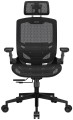 | 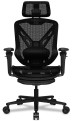 |
|---|---|---|
| Cougar Speeder One | Cougar Speeder | |
from $576.51 | from $645.69 | |
| TOP sellers | ||
| Features | for boss | for boss |
| Max. user weight | 120 kg | 120 kg |
Size and weight | ||
| Shoulder back width | 47 cm | 51 cm |
| Seat size (WxD) | 52x53 cm | 50x50 cm |
| Seat height | 45 – 55 cm | 46 – 56 cm |
| Weight | 19.9 kg | 23.65 kg |
Design | ||
| Base | cross with rollers | cross with rollers |
| Mechanism | MultiBlock | MultiBlock |
| Headrest |  | |
| Armrests | | |
| Waist support | | |
| Footrest |  | |
Adjustments | ||
| Headrest height | | |
| Headrest tilt | | |
| Headrest depth | | |
| Back height | | |
| Backrest tilt | 135° | 135° |
| Rocking stiffness level | | |
| Seat height | | |
| Seat depths | | |
| Tilt of the entire chair | | |
Armrests | ||
| Adjustment | height (up / down) | 3D height (up / down) turn (right / left) length (forward / backward) |
Material | ||
| Seat material | mesh | mesh |
| Back material | mesh | mesh |
| Base material | metal | metal |
| Color | ||
| Added to E-Catalog | january 2025 | january 2025 |


Compare Cougar Speeder One and Speeder
Chairs "Cougar Speeder One" and "Cougar Speeder" have similar features, but there are a few key differences. Both chairs are designed for executives and support a maximum user weight of up to 120 kg. "Speeder One" is slightly lighter, weighing 19.9 kg, while "Speeder" weighs 23.65 kg. The backrest width in "Speeder One" is 47 cm, whereas in "Speeder" it is 51 cm. Both chairs feature the MultiBlock mechanism and lumbar support, but "Speeder" offers more armrest adjustment options. Additionally, "Speeder" is equipped with a footrest, which is not available in "Speeder One". Overall, the choice between them depends on preferences in adjustments and additional features.
You may be interested in
My comparisons
Cougar Speeder One often compared


Cougar Speeder often compared

Glossary
Shoulder back width
The width of the back at the shoulders of the intended wearer.
In order to recline as much as possible on the back, this width should be no less than the actual width of the user's shoulders. At the same time, for more or less comfortable use, a smaller back size is also sufficient — approximately corresponding to the width of the back in the area of \u200b\u200bthe shoulders (between the outer edges of the shoulder blades). Well, anyway, this parameter is, on the one hand, secondary, and on the other, very subjective. This means that in most cases you can not pay much attention to it, however, if you have already decided to choose the furniture that is the most suitable in size, it is better not to measure your own back, but to test several chairs and determine the most convenient value by experience.
In order to recline as much as possible on the back, this width should be no less than the actual width of the user's shoulders. At the same time, for more or less comfortable use, a smaller back size is also sufficient — approximately corresponding to the width of the back in the area of \u200b\u200bthe shoulders (between the outer edges of the shoulder blades). Well, anyway, this parameter is, on the one hand, secondary, and on the other, very subjective. This means that in most cases you can not pay much attention to it, however, if you have already decided to choose the furniture that is the most suitable in size, it is better not to measure your own back, but to test several chairs and determine the most convenient value by experience.
Seat size (WxD)
Dimensions of the seat installed in the chair in width and depth (from the back to the front edge). For models with variable depth (see "Adjustments"), the maximum value is taken into account when the seat is pushed forward to the stop.
Most modern chairs are designed for the average adult, so paying attention to size is primarily for people of a large, or, conversely, miniature physique. In width, the average is considered to be 45 – 55 cm, the narrowest models are up to 40 cm wide, in the widest it can exceed 60 cm. Similarly, a depth of less than 40 cm is considered small, up to 60 cm — medium, more than 60 cm — large.
Most modern chairs are designed for the average adult, so paying attention to size is primarily for people of a large, or, conversely, miniature physique. In width, the average is considered to be 45 – 55 cm, the narrowest models are up to 40 cm wide, in the widest it can exceed 60 cm. Similarly, a depth of less than 40 cm is considered small, up to 60 cm — medium, more than 60 cm — large.
Seat height
Seat height from the floor. The optimal height for an average person is considered to be 40 – 50 cm, however, this is largely subjective, and the comfort of the chair for a specific user greatly depends on their preferences and physical characteristics. In light of this, many models offer the ability to adjust the height within a certain range (see "Adjustments"). For the best choice, it's best to "try out" in person to determine at what height you feel comfortable sitting and find a model with the corresponding features.
Footrest
The presence of an additional footrest in the design of the chair. Such a stand is usually made folding and located under the seat, and when unfolded it rises forward to a horizontal or almost horizontal position; On some models, the tilt of the stand can be adjusted. Anyway, this feature allows you to unload the legs, which not only provides additional comfort, but also has a positive effect on the ligaments and joints.
Headrest depth
Depth adjustment involves changing the position of the head restraint in a horizontal plane. In models with this function, the headrest can be pushed forward or vice versa - pressed into the back of the chair to ensure a comfortable fit.
Back height
The ability to move the back up and down. It is useful for adjusting the product to the height and physique of the user, which is especially important if there is lumbar support or when using the chair by people of different heights.
Seat height
The ability to change the height of the seat relative to the floor. In too low a seat, a person will “fall through”, and too high will not give the necessary support for the legs. Both options are inconvenient in their own way, and height adjustment avoids these inconveniences.
Adjustment
Armrest settings can be quite extensive. In everyday life, there is even a marking 1D, 2D, 3D, 4D, depending on the number of adjustments. The following adjustment options are available: height, length(forward / backward), width(right / left), tilt and swivel(right / left). More about them:
- Height. The ability to adjust the height of the armrests relative to the level of the seat. This feature allows you to adjust the arm rests for maximum comfort and minimize shoulder and neck fatigue.
- Turn (right / left). In this case, the possibility of turning the armrests to the right or left is implied, so that they are not parallel, but “look” in different directions.
— By length (forward / backward). Length adjustment refers to the ability to move the armrests back and forth for the convenience of placing hands under a certain physique of the user of a computer chair.
- By width (right / left). Adjusting the position of the armrests to the right or left in a horizontal plane. The stem adjustment contributes to a comfortable fit and allows you to adjust the chair to a certain arm span.
- By tilt. This adjustment assumes the presence of armrests mounted on swivel mounts. It can work as a height adjustment: turning the armrest in the mount changes not only i...ts inclination, but also the height of the point of contact with the arm. However, the matter is not limited to this: in many models, the handles can be placed vertically (raised or lowered) and, in fact, the armrests can be removed in this way.
If it is assumed that the position of the armrests can only be adjusted in height, they are marked with the designation 1D. For 2D armrests, in addition to the height adjustment, the ability to rotate the palm rests to the right / left (around the axis) is added. 3D armrests are adjustable in height, rotate around the axis and move back and forth. Finally, 4D armrests are considered the most functional - they additionally have the ability to shift the surface of the armrest to the side.
- Height. The ability to adjust the height of the armrests relative to the level of the seat. This feature allows you to adjust the arm rests for maximum comfort and minimize shoulder and neck fatigue.
- Turn (right / left). In this case, the possibility of turning the armrests to the right or left is implied, so that they are not parallel, but “look” in different directions.
— By length (forward / backward). Length adjustment refers to the ability to move the armrests back and forth for the convenience of placing hands under a certain physique of the user of a computer chair.
- By width (right / left). Adjusting the position of the armrests to the right or left in a horizontal plane. The stem adjustment contributes to a comfortable fit and allows you to adjust the chair to a certain arm span.
- By tilt. This adjustment assumes the presence of armrests mounted on swivel mounts. It can work as a height adjustment: turning the armrest in the mount changes not only i...ts inclination, but also the height of the point of contact with the arm. However, the matter is not limited to this: in many models, the handles can be placed vertically (raised or lowered) and, in fact, the armrests can be removed in this way.
If it is assumed that the position of the armrests can only be adjusted in height, they are marked with the designation 1D. For 2D armrests, in addition to the height adjustment, the ability to rotate the palm rests to the right / left (around the axis) is added. 3D armrests are adjustable in height, rotate around the axis and move back and forth. Finally, 4D armrests are considered the most functional - they additionally have the ability to shift the surface of the armrest to the side.