
Comparison Aqara Hub M2 vs Xiaomi Gateway 3
Add to comparison | 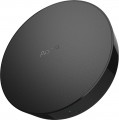 | 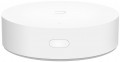 |
|---|---|---|
| Aqara Hub M2 | Xiaomi Gateway 3 | |
from $59.99 | Outdated Product | |
| TOP sellers | ||
RJ-45 port for stable connection to the hub. Built-in speaker for use, for example, as an alarm clock, siren or doorbell. 360° infrared control of devices. Please check the supported Bluetooth devices, as the list may be limited. | Connecting security sensors and other peripheral devices using the ZigBee 3.0 protocol. | |
| Form factor | hub (control unit) | hub (control unit) |
| Connecting sensors (protocol) | Zigbee / Bluetooth | Zigbee |
| Integration into a smart home system | Apple HomeKit Google Home Xiaomi Home (Mi Home) Aqara Home, IFTTT | Apple HomeKit Xiaomi Home (Mi Home) |
| Voice assistant | Apple Siri Google Assistant Amazon Alexa | Apple Siri |
Complete with central | ||
| Siren |  |  |
General | ||
| Control | mobile app (Wi-Fi) | mobile app (Wi-Fi) |
| Operating temperature | +5 °C ~ +50 °C | -5 °C ~ +50 °C |
| Max. humidity | 95 % | 95 % |
| Control panel dimensions (HxWxD) | 101x101x31 mm | 25x90x90 mm |
| Added to E-Catalog | october 2023 | june 2021 |


Compare Aqara Hub M2 and Xiaomi Gateway 3
You may be interested in
My comparisons
Aqara Hub M2 often compared


Xiaomi Gateway 3 often compared

Glossary
Connecting sensors (protocol)
Alarm sensors can be connected either wired or wirelessly. Wired ones are connected by cable to the central unit (hub) - they are stable and do not require batteries, but they require cable routing. Wireless ones operate on a protocol, they are installed faster without chiseling, but they depend on batteries and interference levels. The protocol itself directly affects compatibility with additional devices, including bundled sensors. In terms of specific options, modern alarm kits may use not only common standards like Wi-Fi and Bluetooth, but also specialized protocols - most often Z-Wave, Zigbee, or Jeweller. Here is a more detailed description of each of these standards:
— Wi-Fi. A technology mainly used for creating wireless computer networks and recently for direct communication between individual devices. Communication usually occurs in the 2.4 GHz or 5 GHz band. In the case of wireless sensors, one advantage of Wi-Fi is that it is a universally accepted standard; because of this, many sensors with this type of connection can operate without special equipment - they can connect to regular wireless routers or even standalone devices like laptops and tablets (some models even allow sending notifications via the Internet through the same router). However, this universality has a downside: Wi-F...i lacks additional optimization for working with wireless sensors. As a result, this connection is inferior to specialized protocols in overall reliability, special functionality, and energy efficiency. Thus, this type of connection is characteristic mainly of devices designed for simple application conditions, such as climate temperature/humidity sensors for smart home systems.
— Bluetooth. Another common wireless communication standard. It operates in the 2.4 GHz band; unlike Wi-Fi, it is used only for direct device-to-device connections. It is also not well-suited for professional use (specifically, the response delay can reach 2 to 3 seconds), and therefore is found mainly in sensors of a household specialization, designed to connect to smartphones/tablets or smart home systems. Most often, the Bluetooth LE protocol is used for communication, supported by Bluetooth modules version 4.0 and above: it is specially designed for miniature devices with small built-in battery capacity, allows data transmission with very low energy costs, and at the same time provides a range of up to 100 m.
— Z-Wave. A wireless communication standard specifically created for automation and control systems, including alarms and smart home. Along with the Zigbee described below, it is one of the common protocols used in such systems. Such communication is simple and inexpensive to implement, yet sufficiently functional and practical. It foresees the transmission of the simplest and shortest control commands, which contributes to energy savings, and it operates in the range of up to 1 GHz, thus protecting it from interference by Wi-Fi and Bluetooth devices. Moreover, Z-Wave-based networks can use MESH topology—where each individual device is also a full-fledged signal repeater for other system components. Devices in such networks can choose any path for signal routing, through any number of intermediate nodes, depending on the situation. For example, if a direct connection between two nodes is somehow impossible, the data will be sent "around" via other network devices, and the system will automatically determine the most optimal route. This allows for easily organizing extensive networks with many devices and large coverage areas.
— Zigbee. Another communication protocol created for automation systems (including smart home), alarm systems, industrial control, etc. In many aspects, it is similar to the Z-Wave described above: it allows for transmitting control signals with low energy consumption and creating MESH networks with signal direction through several nodes and automatic optimal route selection based on the current network situation. The main differences between Zigbee and Z-Wave are the high security of communication channels against hacking and the ability to ensure high response speeds. The downside of these advantages is the higher cost of implementing this protocol. Therefore, fewer devices are released under this communication standard compared to Z-Wave.
— Jeweller. A proprietary communication protocol developed by Ajax Systems. The specialization of the company is in alarms, and this protocol was initially created specifically with such systems in mind—this accounts for its advanced characteristics. In particular, Jeweller provides a communication range of up to 2 km with very low energy consumption, offers high-class protection against hacking, allows frequency changes during attempts to jam the operating range, and supports simultaneous connection of up to 150 devices to the gateway. However, the main disadvantage of this protocol is that its use is limited to a single manufacturer's devices. Therefore, it makes sense to purchase models with Jeweller support if the house uses (or plans to use) an alarm system from Ajax Systems.
— Fibra. The Fibra wired communication protocol was created by Ajax System specifically for security systems. The technology inherited the wireless capabilities of the related Jeweller protocol (see above), but all devices are connected via a traditional four-core cable. A single Fibra line up to 2000 m in length can connect as few as one sensor or several dozen (along with sirens and keyboards in any combination). The digital architecture, using the Fibra communication protocol, is structured in the proprietary Ajax PRO application. The transmitted data is secured with floating key encryption, and Fibra communication is organized according to the TDMA principle: each device is allocated a short time frame for data exchange with the hub. During the rest of the time, communication modules remain inactive, significantly reducing power consumption and helping avoid conflicts even when multiple sensors are triggered simultaneously. Fibra is hardware-supported only by devices from Ajax Systems, but special integration modules exist that allow such sensors to be connected to wired central units from other manufacturers.
— Own Frequency. In the context of alarms and Hubs, this parameter refers to the proprietary frequency that ensures wireless data exchange between elements of the security system. Its specific value is determined by the device manufacturer, but most often versions 433 – 434 MHz and 868 MHz are found. Using a proprietary frequency improves the reliability and security of the security system's operation, as it reduces the likelihood of interference from other wireless devices operating on nearby frequencies. When choosing by this parameter, it is important to consider equipment compatibility, standards, and licensing requirements (to avoid potential legal violations).
— Wi-Fi. A technology mainly used for creating wireless computer networks and recently for direct communication between individual devices. Communication usually occurs in the 2.4 GHz or 5 GHz band. In the case of wireless sensors, one advantage of Wi-Fi is that it is a universally accepted standard; because of this, many sensors with this type of connection can operate without special equipment - they can connect to regular wireless routers or even standalone devices like laptops and tablets (some models even allow sending notifications via the Internet through the same router). However, this universality has a downside: Wi-F...i lacks additional optimization for working with wireless sensors. As a result, this connection is inferior to specialized protocols in overall reliability, special functionality, and energy efficiency. Thus, this type of connection is characteristic mainly of devices designed for simple application conditions, such as climate temperature/humidity sensors for smart home systems.
— Bluetooth. Another common wireless communication standard. It operates in the 2.4 GHz band; unlike Wi-Fi, it is used only for direct device-to-device connections. It is also not well-suited for professional use (specifically, the response delay can reach 2 to 3 seconds), and therefore is found mainly in sensors of a household specialization, designed to connect to smartphones/tablets or smart home systems. Most often, the Bluetooth LE protocol is used for communication, supported by Bluetooth modules version 4.0 and above: it is specially designed for miniature devices with small built-in battery capacity, allows data transmission with very low energy costs, and at the same time provides a range of up to 100 m.
— Z-Wave. A wireless communication standard specifically created for automation and control systems, including alarms and smart home. Along with the Zigbee described below, it is one of the common protocols used in such systems. Such communication is simple and inexpensive to implement, yet sufficiently functional and practical. It foresees the transmission of the simplest and shortest control commands, which contributes to energy savings, and it operates in the range of up to 1 GHz, thus protecting it from interference by Wi-Fi and Bluetooth devices. Moreover, Z-Wave-based networks can use MESH topology—where each individual device is also a full-fledged signal repeater for other system components. Devices in such networks can choose any path for signal routing, through any number of intermediate nodes, depending on the situation. For example, if a direct connection between two nodes is somehow impossible, the data will be sent "around" via other network devices, and the system will automatically determine the most optimal route. This allows for easily organizing extensive networks with many devices and large coverage areas.
— Zigbee. Another communication protocol created for automation systems (including smart home), alarm systems, industrial control, etc. In many aspects, it is similar to the Z-Wave described above: it allows for transmitting control signals with low energy consumption and creating MESH networks with signal direction through several nodes and automatic optimal route selection based on the current network situation. The main differences between Zigbee and Z-Wave are the high security of communication channels against hacking and the ability to ensure high response speeds. The downside of these advantages is the higher cost of implementing this protocol. Therefore, fewer devices are released under this communication standard compared to Z-Wave.
— Jeweller. A proprietary communication protocol developed by Ajax Systems. The specialization of the company is in alarms, and this protocol was initially created specifically with such systems in mind—this accounts for its advanced characteristics. In particular, Jeweller provides a communication range of up to 2 km with very low energy consumption, offers high-class protection against hacking, allows frequency changes during attempts to jam the operating range, and supports simultaneous connection of up to 150 devices to the gateway. However, the main disadvantage of this protocol is that its use is limited to a single manufacturer's devices. Therefore, it makes sense to purchase models with Jeweller support if the house uses (or plans to use) an alarm system from Ajax Systems.
— Fibra. The Fibra wired communication protocol was created by Ajax System specifically for security systems. The technology inherited the wireless capabilities of the related Jeweller protocol (see above), but all devices are connected via a traditional four-core cable. A single Fibra line up to 2000 m in length can connect as few as one sensor or several dozen (along with sirens and keyboards in any combination). The digital architecture, using the Fibra communication protocol, is structured in the proprietary Ajax PRO application. The transmitted data is secured with floating key encryption, and Fibra communication is organized according to the TDMA principle: each device is allocated a short time frame for data exchange with the hub. During the rest of the time, communication modules remain inactive, significantly reducing power consumption and helping avoid conflicts even when multiple sensors are triggered simultaneously. Fibra is hardware-supported only by devices from Ajax Systems, but special integration modules exist that allow such sensors to be connected to wired central units from other manufacturers.
— Own Frequency. In the context of alarms and Hubs, this parameter refers to the proprietary frequency that ensures wireless data exchange between elements of the security system. Its specific value is determined by the device manufacturer, but most often versions 433 – 434 MHz and 868 MHz are found. Using a proprietary frequency improves the reliability and security of the security system's operation, as it reduces the likelihood of interference from other wireless devices operating on nearby frequencies. When choosing by this parameter, it is important to consider equipment compatibility, standards, and licensing requirements (to avoid potential legal violations).
Integration into a smart home system
Integration of lighting, climate, sockets, locks, cameras, and sensors into a single ecosystem with a unified app, scenes, and voice control, allowing the home to automatically respond to schedules, presence, and events, while saving energy without unnecessary user actions. These ecosystems vary: from large universal platforms to solutions focused on device accessibility and ease of setup; among the popular ones are Apple HomeKit, Google Home, Xiaomi Home (Mi Home), as well as SmartThings, Tuya/Smart Life and Home Assistant. For compatibility, the Matter standard and Thread network are increasingly used, along with familiar protocols like Zigbee, Z-Wave, Wi-Fi, and BLE Mesh; when choosing, it is important to consider the support of necessary devices, local automations, reliability of notifications, and family access.
Voice assistant
A software assistant that interprets natural phrases and manages smart home devices, multimedia, and services through speakers, hubs, televisions, and smartphones. Its strength lies in context and scenarios: with a single command, it can dim the lights, close the curtains, turn on the heater, and report sensor status, or in case of an alert, announce the event and send a notification. Unlike a basic voice remote, the assistant understands natural speech, operates multiple devices simultaneously, and supports scenarios like "I'm leaving" or "Good morning." The most popular voice assistants today are Amazon Alexa, Apple Siri, and Google Assistant.
Siren
The presence of its own siren in the standard configuration of the set.
The siren provides an audible and, in some models, a light alarm; sometimes this is enough to stop an encroachment on a protected object or to attract the attention of security / law enforcement officers. Such equipment can also be purchased separately (if there is a corresponding output, see "Control panel options"). However, in most cases it is more convenient to buy a system that was originally equipped with a siren: this will allow you not to worry about compatibility, and complete sirens usually give out more than a decent number of decibels (see "Siren volume").
The siren provides an audible and, in some models, a light alarm; sometimes this is enough to stop an encroachment on a protected object or to attract the attention of security / law enforcement officers. Such equipment can also be purchased separately (if there is a corresponding output, see "Control panel options"). However, in most cases it is more convenient to buy a system that was originally equipped with a siren: this will allow you not to worry about compatibility, and complete sirens usually give out more than a decent number of decibels (see "Siren volume").
Operating temperature
The air temperature range in which the alarm components maintain normal operation.
This parameter is important first of all in cases where the alarm is planned to be used outdoors or in unheated rooms. Particular attention in such cases should be paid to whether the system can work at sub-zero temperatures. If we are talking about room temperatures (plus or minus), then you can’t really look at the claimed temperature range — almost any alarm is suitable for such conditions.
This parameter is important first of all in cases where the alarm is planned to be used outdoors or in unheated rooms. Particular attention in such cases should be paid to whether the system can work at sub-zero temperatures. If we are talking about room temperatures (plus or minus), then you can’t really look at the claimed temperature range — almost any alarm is suitable for such conditions.