
Comparison Philips DVT 6010 vs Philips DVT 4010
Add to comparison | 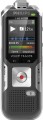 | 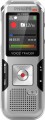 |
|---|---|---|
| Philips DVT 6010 | Philips DVT 4010 | |
from $179.95 | Outdated Product | |
| TOP sellers | ||
| Type | recorder | voice recorder |
| Built-in memory | 8 GB | 8 GB |
| Memory card slot |  | |
| Memory card type | microSD | microSD |
| Max. memory card size | 32 GB | 32 GB |
Recording | ||
| Microphone type | stereo (A/B) | stereo (A/B) |
| Microphone | built-in/external | built-in/external |
| External microphone connector | mini-Jack 3.5 mm | mini-Jack 3.5 mm |
| Recording format | MP3/WAV | MP3/WAV |
| Maximum recording time | 2280 h | 2280 h |
| Frequency range | 50 – 20000 Hz | |
| Features | microphone sensitivity change record quality change voice activation record labels recording timer | microphone sensitivity change record quality change voice activation record labels recording timer |
More features | ||
| Additional features | computer connect button lock MP3 player FM tuner built-in speaker headphone output | computer connect button lock MP3 player built-in speaker headphone output |
General | ||
| LCD display | | |
| Display backlight | | |
| Power source | li-Pol battery | li-Pol battery |
| Battery indicator | | |
| Dimensions (HxWxT) | 125x45x18 mm | 120x44x18 mm |
| Weight | 84 g | 83 g |
| Added to E-Catalog | march 2017 | march 2017 |


Compare Philips DVT 6010 and DVT 4010
You may be interested in
Philips DVT 6010 often compared

Philips DVT 4010 often compared

Glossary
Frequency range
The range of sound frequencies that the recorder is capable of perceiving and recording. A person is able to hear sound on average from 16 Hz to 20 kHz, but the range of the actual human voice is much narrower — approximately 100-3500 Hz. Therefore, if you plan to use a voice recorder to record speech, these frequencies will be enough. If the purpose of the recorder is not limited to this, you should pay attention to models with a wider range — and in this case, the wider it is, the fuller and richer the recording will be.
Additional features
— Connecting to a computer. The ability to connect the recorder to a computer, usually via a USB interface. Such a connection can be used to save recorded data on a computer, update the recorder's firmware, and some models allow using them as USB drives and even card readers (if there is a slot for memory cards, see above).
— Smartphone control. The ability to control the device remotely from a mobile device. First of all, the function is necessary for recorders that can be installed out of reach of your hands and any movement, pressing a button on the case can adversely affect the recording. But at the moment some new hit can be written.
— Lock buttons. The lock prevents the voice recorder from reacting to accidental button presses — for example, when carrying in a tight pocket or purse with a lot of things. By turning it on, you don't have to worry that accidental contact will start recording and drain the battery, erase files, etc. This feature is usually turned on and off by a slider, by pressing multiple buttons at the same time, or in some other way that eliminates the possibility of accidentally unlocking.
— MP3 player. The ability to use the recorder as an MP3 player to listen to music. Technically, almost all models with MP3 support have this capability (see “Recording Format”), however, some voice recorders have a separate “Player” pro...gramme mode that makes listening more convenient. Typically, the player function requires a headphone output (see below).
— FM tuner. The tuner allows you to use the player as an FM receiver — in this range today the vast majority of music radio stations broadcast. Some models with a tuner have the function of recording from the air.
— Built-in speaker. On the voice recorder with its own speaker, you can listen to recorded materials without using additional equipment (headphones) or connecting to a computer. It can also be used to play music and FM radio (if available); however, the sound quality of such a speaker is usually not high, and its main purpose is to listen to the actual recordings.
— Headphone output. A connector that allows you to connect headphones to the recorder. Their purpose is generally similar to the built-in speaker (see above), however, the sound quality of even inexpensive headphones is often significantly higher. As a result, it is quite possible to comfortably listen to not only recordings, but also music, radio programs, etc. through headphones. (if available). In addition, headphones are well suited for noisy environments. even open models still provide some sound insulation.
— Smartphone control. The ability to control the device remotely from a mobile device. First of all, the function is necessary for recorders that can be installed out of reach of your hands and any movement, pressing a button on the case can adversely affect the recording. But at the moment some new hit can be written.
— Lock buttons. The lock prevents the voice recorder from reacting to accidental button presses — for example, when carrying in a tight pocket or purse with a lot of things. By turning it on, you don't have to worry that accidental contact will start recording and drain the battery, erase files, etc. This feature is usually turned on and off by a slider, by pressing multiple buttons at the same time, or in some other way that eliminates the possibility of accidentally unlocking.
— MP3 player. The ability to use the recorder as an MP3 player to listen to music. Technically, almost all models with MP3 support have this capability (see “Recording Format”), however, some voice recorders have a separate “Player” pro...gramme mode that makes listening more convenient. Typically, the player function requires a headphone output (see below).
— FM tuner. The tuner allows you to use the player as an FM receiver — in this range today the vast majority of music radio stations broadcast. Some models with a tuner have the function of recording from the air.
— Built-in speaker. On the voice recorder with its own speaker, you can listen to recorded materials without using additional equipment (headphones) or connecting to a computer. It can also be used to play music and FM radio (if available); however, the sound quality of such a speaker is usually not high, and its main purpose is to listen to the actual recordings.
— Headphone output. A connector that allows you to connect headphones to the recorder. Their purpose is generally similar to the built-in speaker (see above), however, the sound quality of even inexpensive headphones is often significantly higher. As a result, it is quite possible to comfortably listen to not only recordings, but also music, radio programs, etc. through headphones. (if available). In addition, headphones are well suited for noisy environments. even open models still provide some sound insulation.